
Your Browsing History
- Free 30-day Returns
$48.09
Ships from China.

Meet Your Seller



Visit Xuanlan Store
FOLLOW
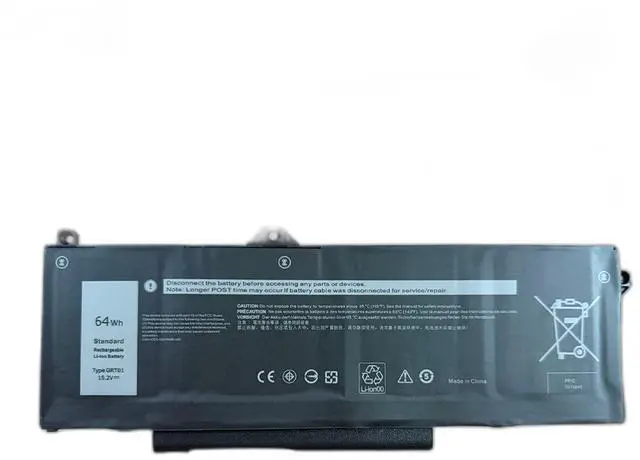
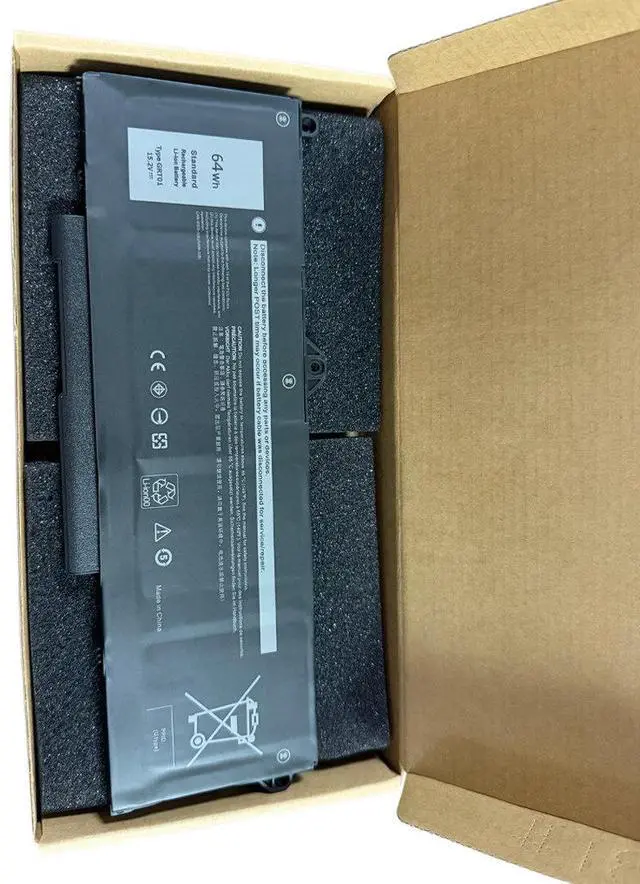
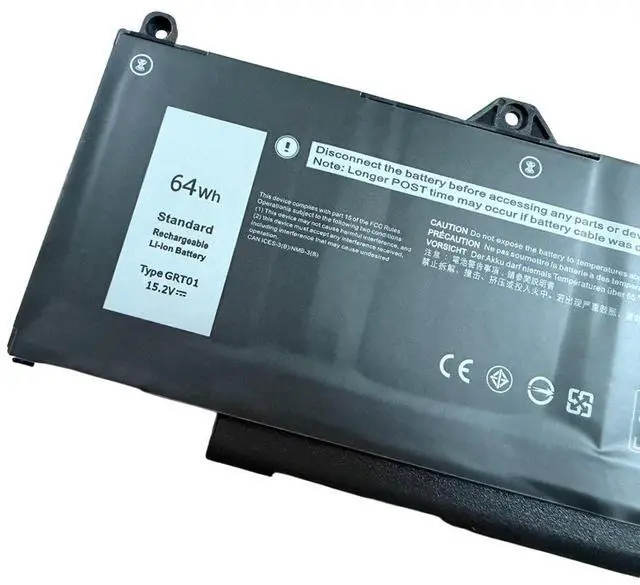
Battery for Dell Precision 3561 3571 3581 3470 Laptop 15.2V 62Wh GRT01, 4-Cell Li-ion, Compatible with 0GRT01, High Capacity & Long Life, 12-Month Warranty
- High-Capacity 62Wh Power: 15.2V 4-cell Li-ion battery delivers reliable, long-lasting performance for Dell Precision 3561/3571/3581/3470 laptops, reducing downtime during work or travel.
- Perfect Fit & Easy Installation: Direct replacement for OEM part GRT01, 0GRT01, with identical dimensions and connectors no modification or extra tools needed, just plug and play.
- Multi-Layer Safety Protection: Built-in overcharge, over-discharge, short circuit, and over-temperature protection circuits ensure safe charging and stable operation, extending battery lifespan.
- Wide Compatibility: Fully compatible with Dell Precision 3000 series models including 3561, 3571, 3581, 3470, and Latitude 3000/5000 series (check model list below).
- Month Warranty & Support: Backed by a full 12-month replacement warranty and responsive customer service buy with confidence for your Dell laptop.
+
+
Overview
Specs
Reviews
**Product Description**
Upgrade or replace your worn-out Dell laptop battery with this high-performance 62Wh replacement battery, specifically designed for Dell Precision 3561, 3571, 3581, and 3470 series. Whether youre a professional on the go or a student in class, this battery provides the reliable power you need to stay productive without constant plugging in.
**Important Voltage Warning**
Please verify that your original battery is 15.2V . Using an incorrect voltage battery may cause charging failure or damage to your laptop.
**Compatible Models (Partial List) **
- Dell Precision 3561 / 3571 / 3581 / 3470
- Dell Latitude 3420 / 3520 / 3530 / 5430 / 5530 / 7430 / 7530
- Dell Latitude 5440 / 5540 / 7340 / 7540 (verify compatibility before purchase)
*Note: Not compatible with 2-in-1 or detachable models. Please check your original battery part number. *
**Specifications Table**
| Parameter | Value |
|-----------|-------|
| Battery Type | Li-ion (Lithium-ion) |
| Voltage | 15.2V |
| Capacity | 62Wh |
| Cells | 4 cells |
| Color | Black |
| Weight | Approx. 250g |
| Dimensions | 270 x 60 x 7 mm (approx. ) |
| OEM Part Numbers | GRT01, 0GRT01, 1GRT01, 2GRT01 |
**Comparison Table**
| Feature | This Battery | Generic Low-Cost Battery |
|---------|-------------|--------------------------|
| Capacity | 62Wh |
| Safety Protection | 5-layer (overcharge, over-discharge, short circuit, over-temperature, current limit) | Basic protection only |
| Cell Quality | Grade A cells | Unknown or recycled cells |
| Warranty | 12 months | 3-6 months |
| Compatibility | Precision 3561/3571/3581/3470 & more | Limited to few models |
**Installation Tips**
1. Power off your laptop and disconnect the AC adapter.
2. Remove the bottom cover (use a plastic pry tool to avoid damage).
3. Locate the battery connector and gently disconnect the cable.
4. Remove the old battery (usually held by screws keep them safe).
5. Insert the new battery, reconnect the cable, and secure with screws.
6. Replace the bottom cover and power on.
7. For first use, charge to 100% and then discharge to 10% to calibrate.
**Package Includes**
- 1 x Replacement Battery (GRT01)
-
**Customer Note**
If your laptop does not recognize the battery after installation, please
try a hard reset: disconnect AC, remove battery, hold power button for 30 seconds, then reconnect battery and AC. If issues persist, contact our support team for a quick replacement.
**Warranty**
We offer a 12-month hassle-free warranty. If you encounter any defects or compatibility issues, we will replace the battery free of charge. Your satisfaction is our priority.
Warranty & Returns
Warranty, Returns, And Additional Information
Warranty
- Please contact the Seller directly for warranty information. Warranty information may also be found on the Manufacturer's website.
- CONTACT
Return Policies
- Return for refund within: 30 days
- Return for replacement within: 90 days
- This item is covered by xuanlan Return Policy
Manufacturer Contact Info
- For a directory of all our manufacturers, please click below.
- Manufacturers Directory
LOADING...