


- Free 30-day Returns
$44.49
Ships from China.

Meet Your Seller



Visit Xuanlan Store
FOLLOW
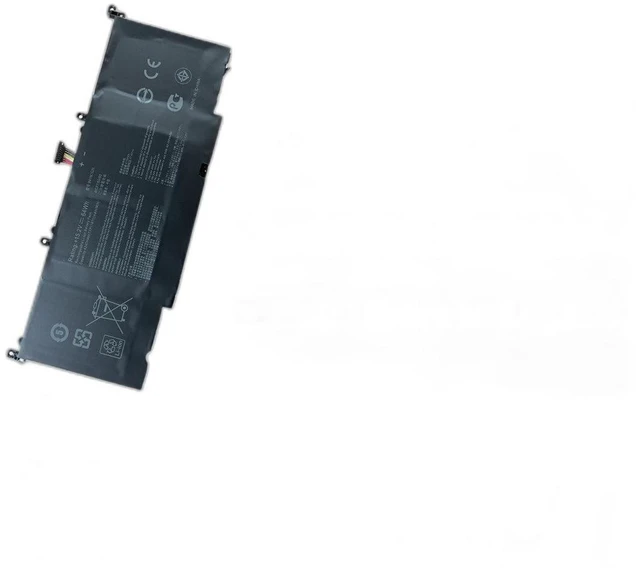
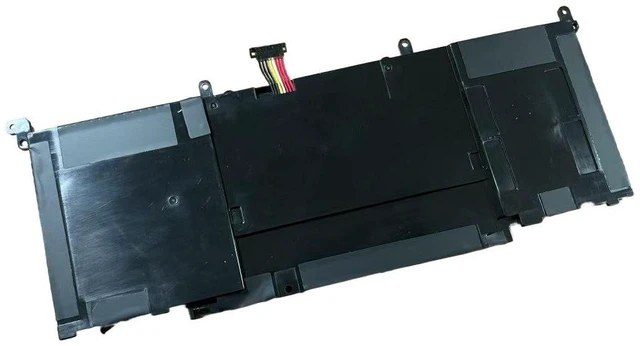
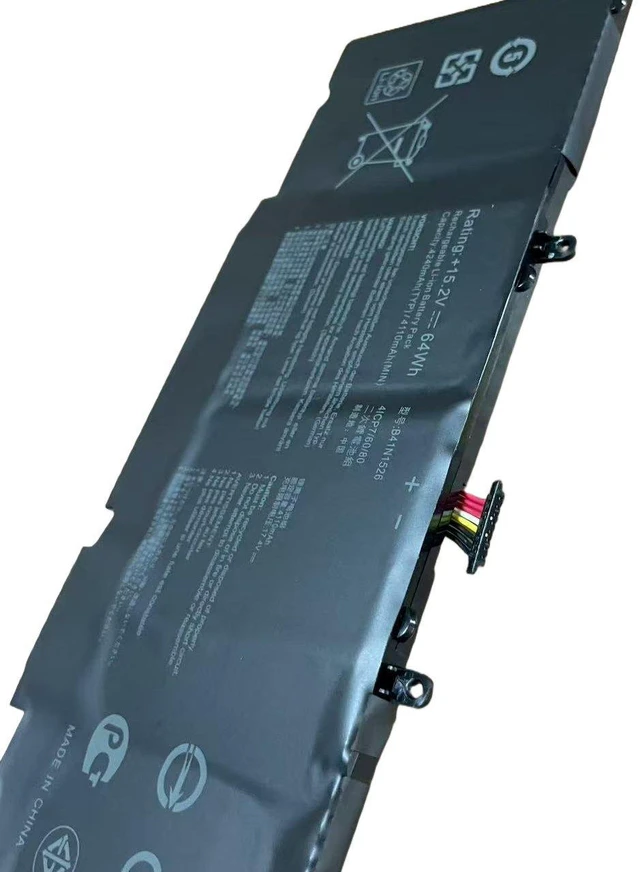
Laptop Battery for ASUS ROG Strix FX60VM ZX60V FX502VM, 11.4V 48Wh, B41N1526, B31N1526, C41N1526, 3-Cell Li-ion, High Capacity, 12-Month Warranty
- High-Capacity 48Wh / 4200mAh, 11.4V Li-ion Battery Designed to match or exceed original runtime for ASUS ROG Strix series laptops.
- Perfect Fit for ASUS FX60VM, ZX60V, FX502VM, and compatible with OEM part numbers B41N1526, B31N1526, C41N1526.
- Built-in Overcharge, Over-discharge, Over-current, and Short-circuit Protection Safe and reliable for daily use.
- Easy Plug-and-Play Installation No drivers or software needed; direct replacement for your worn-out battery.
- Month Warranty & 30-Day Money-Back Guarantee Quality assured with responsive customer support.
+
+
Overview
Specs
Reviews
**Product Description**
Upgrade your ASUS ROG Strix laptop with this premium replacement battery, specifically designed for the FX60VM, ZX60V, and FX502VM series. Say goodbye to constant plugging in and enjoy reliable, long-lasting power for work, gaming, or streaming.
** Voltage Warning**
Please verify your original battery voltage before purchasing. This battery is rated at ** 11.4V **. Using an incorrect voltage (e. g., 14.4V or 15.2V ) may cause compatibility issues or damage your device. Check your laptops original battery label or system info to confirm.
**Compatible Laptop Models**
- ASUS ROG Strix FX60VM
- ASUS ROG Strix ZX60V
- ASUS ROG Strix FX502VM
- Also compatible with other models using the same battery connector and voltage.
**Compatible OEM Part Numbers**
- B41N1526
- B31N1526
- C41N1526
- C31N1526
- 0B200-03110000
**Specifications**
| Parameter | Value |
|-----------|-------|
| Battery Type | Li-ion |
| Voltage | 11.4V |
| Capacity | 48Wh / 4200mAh |
| Cells | 3-Cell |
| Color | Black |
| Connector | 6-pin (same as original) |
| Certification | CE, FCC, RoHS |
**Comparison Table**
| Feature | This Battery | Generic Low-Cost Battery |
|---------|--------------|--------------------------|
| Capacity | 48Wh (High) | Often 40Wh or less |
| Safety Protection | Full (overcharge, short-circuit, etc. ) | Limited or none |
| Warranty | 12 Months | Usually 6 months or less |
| Cell Quality | Grade A cells | Unknown or recycled cells |
**Installation Tips**
1. Power off your laptop and unplug the AC adapter.
2. Remove the bottom panel screws (refer to your laptop manual).
3. Disconnect the old battery cable and remove the battery.
4. Insert the new battery, connect the cable, and secure the panel.
5. Charge the battery fully before first use for optimal performance.
6. If the battery is not recognized, restart your laptop once.
**Note**
This is a third-party replacement battery, not an OEM ASUS product. It is fully tested for compatibility and safety. Ensure your laptop model matches the list above before purchasing.
Upgrade your ASUS ROG Strix laptop with this premium replacement battery, specifically designed for the FX60VM, ZX60V, and FX502VM series. Say goodbye to constant plugging in and enjoy reliable, long-lasting power for work, gaming, or streaming.
** Voltage Warning**
Please verify your original battery voltage before purchasing. This battery is rated at ** 11.4V **. Using an incorrect voltage (e. g., 14.4V or 15.2V ) may cause compatibility issues or damage your device. Check your laptops original battery label or system info to confirm.
**Compatible Laptop Models**
- ASUS ROG Strix FX60VM
- ASUS ROG Strix ZX60V
- ASUS ROG Strix FX502VM
- Also compatible with other models using the same battery connector and voltage.
**Compatible OEM Part Numbers**
- B41N1526
- B31N1526
- C41N1526
- C31N1526
- 0B200-03110000
**Specifications**
| Parameter | Value |
|-----------|-------|
| Battery Type | Li-ion |
| Voltage | 11.4V |
| Capacity | 48Wh / 4200mAh |
| Cells | 3-Cell |
| Color | Black |
| Connector | 6-pin (same as original) |
| Certification | CE, FCC, RoHS |
**Comparison Table**
| Feature | This Battery | Generic Low-Cost Battery |
|---------|--------------|--------------------------|
| Capacity | 48Wh (High) | Often 40Wh or less |
| Safety Protection | Full (overcharge, short-circuit, etc. ) | Limited or none |
| Warranty | 12 Months | Usually 6 months or less |
| Cell Quality | Grade A cells | Unknown or recycled cells |
**Installation Tips**
1. Power off your laptop and unplug the AC adapter.
2. Remove the bottom panel screws (refer to your laptop manual).
3. Disconnect the old battery cable and remove the battery.
4. Insert the new battery, connect the cable, and secure the panel.
5. Charge the battery fully before first use for optimal performance.
6. If the battery is not recognized, restart your laptop once.
**Note**
This is a third-party replacement battery, not an OEM ASUS product. It is fully tested for compatibility and safety. Ensure your laptop model matches the list above before purchasing.
Warranty & Returns
Warranty, Returns, And Additional Information
Warranty
- Please contact the Seller directly for warranty information. Warranty information may also be found on the Manufacturer's website.
- CONTACT
Return Policies
- Return for refund within: 30 days
- Return for replacement within: 90 days
- This item is covered by xuanlan Return Policy
Manufacturer Contact Info
- For a directory of all our manufacturers, please click below.
- Manufacturers Directory
LOADING...