


- Free 30-day Returns
$39.44
Ships from China.

Meet Your Seller



Visit Xuanlan Store
FOLLOW
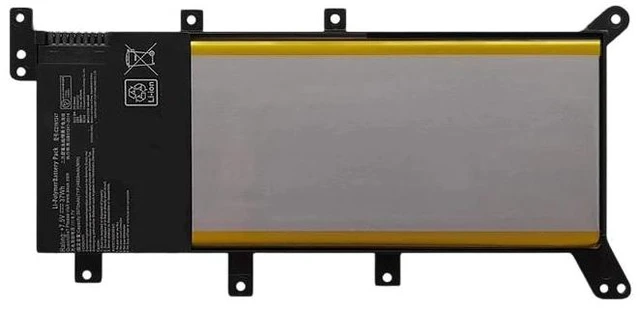
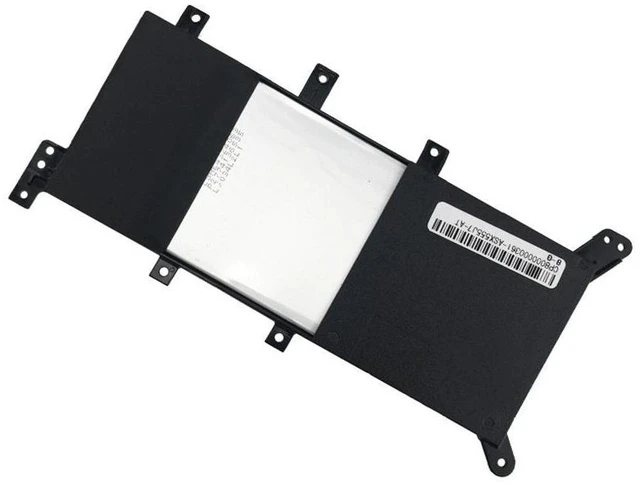
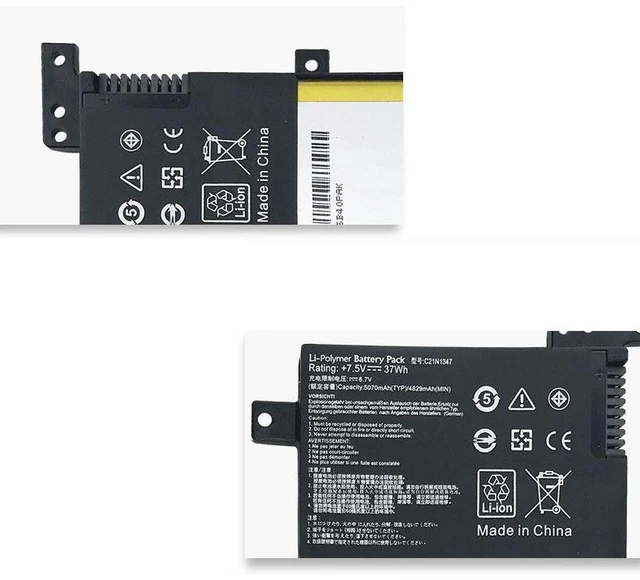
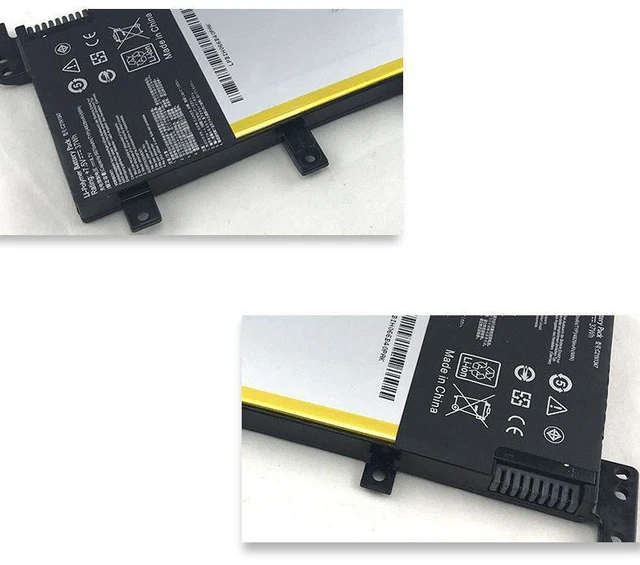
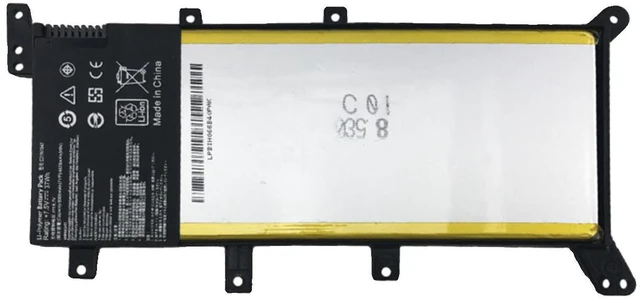
Battery for ASUS A555L X555L VM510L W519L F555L K555L Series 11.4V 48Wh C21N1347, High Capacity, 1-Year Warranty
- High Compatibility: Designed for ASUS A555L, X555L, VM510L, W519L, F555L, K555L series laptops, replacing original part C21N1347.
- Reliable Performance: 11.4V voltage and 48Wh capacity ensure stable power output and long-lasting usage for daily work and entertainment.
- Strict Safety Standards: Built-in multiple protection circuits (overcharge, over-discharge, short circuit, overheat) for safe and worry-free operation.
- Easy Installation: Direct drop-in replacement no modification or extra tools required. Follow simple instructions for a quick swap.
- Year Warranty: Backed by a full 1-year warranty and responsive customer support for your peace of mind.
+
+
Overview
Specs
Reviews
**Product Description**
Upgrade or replace your old, worn-out laptop battery with this high-quality replacement specifically designed for ASUS A555L, X555L, VM510L, W519L, F555L, K555L series laptops. This battery uses the original part number C21N1347 and delivers the same voltage ( 11.4V ) and capacity (48Wh) as the factory battery, ensuring seamless compatibility and reliable performance.
**Important Voltage Warning**
Please verify that your original battery voltage is 11.4V before purchasing. Using an incorrect voltage battery may cause damage to your laptop or battery. If your original battery is 14.8V or 15.2V, this product is NOT compatible.
**Compatible Laptop Models (Including but not limited to): **
- ASUS A555L Series
- ASUS X555L Series
- ASUS VM510L Series
- ASUS W519L Series
- ASUS F555L Series
- ASUS K555L Series
**Replacement Part Numbers: **
C21N1347
**Specifications Table: **
| Parameter | Value |
|-----------|-------|
| Battery Type | Li-ion |
| Voltage | 11.4V |
| Capacity | 48Wh |
| Cells | 4-cell |
| Color | Black |
| Warranty | 1 Year |
**Comparison Table (New vs Old Battery): **
| Feature | Our Replacement Battery | Typical Old/Degraded Battery |
|---------|------------------------|-----------------------------|
| Capacity | 48Wh (full capacity) | Reduced capacity (e. g., 20-30Wh) |
| Charge Cycles | 500+ cycles | Limited remaining cycles |
| Safety Protection | Overcharge/over-discharge/short circuit/overheat | May lack or have degraded protection |
| Performance | Stable voltage, long runtime | Frequent shutdowns, shorter usage time |
**Installation Tips: **
1. Power off your laptop and unplug the AC adapter.
2. Remove the battery compartment cover (if applicable) or the entire bottom panel.
3. Disconnect the old battery cable and remove the battery.
4. Insert the new battery, reconnect the cable, and secure the cover.
5. Charge the battery fully before first use for optimal performance.
**Note: ** If your laptop does not power on after installation, please check the battery connection and ensure the voltage matches. For any issues, contact our support team for assistance.
Upgrade your laptops battery today and enjoy longer work sessions, uninterrupted streaming, and reliable portable power!
Upgrade or replace your old, worn-out laptop battery with this high-quality replacement specifically designed for ASUS A555L, X555L, VM510L, W519L, F555L, K555L series laptops. This battery uses the original part number C21N1347 and delivers the same voltage ( 11.4V ) and capacity (48Wh) as the factory battery, ensuring seamless compatibility and reliable performance.
**Important Voltage Warning**
Please verify that your original battery voltage is 11.4V before purchasing. Using an incorrect voltage battery may cause damage to your laptop or battery. If your original battery is 14.8V or 15.2V, this product is NOT compatible.
**Compatible Laptop Models (Including but not limited to): **
- ASUS A555L Series
- ASUS X555L Series
- ASUS VM510L Series
- ASUS W519L Series
- ASUS F555L Series
- ASUS K555L Series
**Replacement Part Numbers: **
C21N1347
**Specifications Table: **
| Parameter | Value |
|-----------|-------|
| Battery Type | Li-ion |
| Voltage | 11.4V |
| Capacity | 48Wh |
| Cells | 4-cell |
| Color | Black |
| Warranty | 1 Year |
**Comparison Table (New vs Old Battery): **
| Feature | Our Replacement Battery | Typical Old/Degraded Battery |
|---------|------------------------|-----------------------------|
| Capacity | 48Wh (full capacity) | Reduced capacity (e. g., 20-30Wh) |
| Charge Cycles | 500+ cycles | Limited remaining cycles |
| Safety Protection | Overcharge/over-discharge/short circuit/overheat | May lack or have degraded protection |
| Performance | Stable voltage, long runtime | Frequent shutdowns, shorter usage time |
**Installation Tips: **
1. Power off your laptop and unplug the AC adapter.
2. Remove the battery compartment cover (if applicable) or the entire bottom panel.
3. Disconnect the old battery cable and remove the battery.
4. Insert the new battery, reconnect the cable, and secure the cover.
5. Charge the battery fully before first use for optimal performance.
**Note: ** If your laptop does not power on after installation, please check the battery connection and ensure the voltage matches. For any issues, contact our support team for assistance.
Upgrade your laptops battery today and enjoy longer work sessions, uninterrupted streaming, and reliable portable power!
Warranty & Returns
Warranty, Returns, And Additional Information
Warranty
- Please contact the Seller directly for warranty information. Warranty information may also be found on the Manufacturer's website.
- CONTACT
Return Policies
- Return for refund within: 30 days
- Return for replacement within: 90 days
- This item is covered by xuanlan Return Policy
Manufacturer Contact Info
- For a directory of all our manufacturers, please click below.
- Manufacturers Directory
LOADING...