


- Free 30-day Returns
$48.81
Ships from China.

Meet Your Seller



Visit Xuanlan Store
FOLLOW
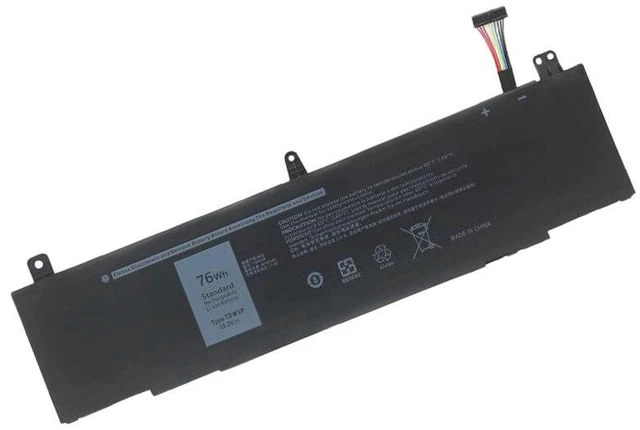
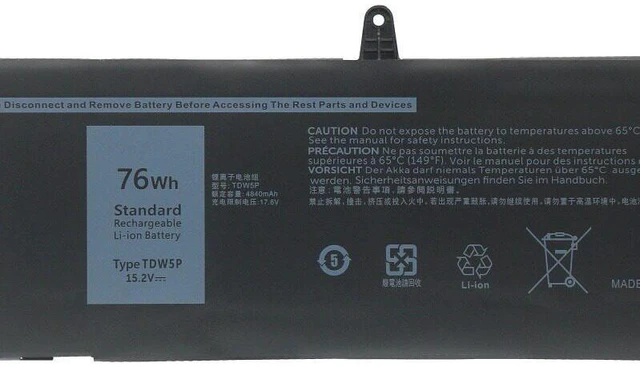
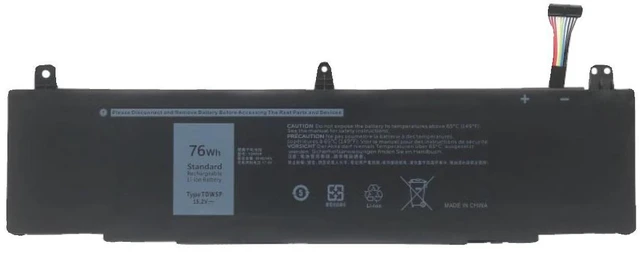
Battery for Dell Alienware 13 R3 P81G ALW13CR TDW5P 11.4V 76Wh, Compatible with Alienware 13 R3, M14X R2, M15X, M17X R4, M18X R2, 1-Year Warranty
- High-Capacity 76Wh Power: Delivers extended runtime for your Alienware 13 R3, supporting up to 6-8 hours of mixed usage (depending on settings and workload).
- Perfect Fit & Easy Installation: Designed specifically for P81G, ALW13CR, and TDW5P models no modifications needed, plug-and-play replacement in minutes.
- Multi-Device Compatibility: Works seamlessly with Alienware 13 R3, M14X R2, M15X, M17X R4, M18X R2, and more (see full list below).
- Advanced Safety Protection: Built-in overcharge, over-discharge, short-circuit, and over-temperature protection circuits for worry-free daily use.
- Year Warranty & 30-Day Money-Back: Backed by our reliable customer support buy with confidence.
+
+
Overview
Specs
Reviews
**Important
Voltage Warning: **
Please verify that your original battery voltage is ** 11.4V ** before purchasing. Using an incorrect voltage battery may cause system instability or damage. This replacement is strictly for 11.4V models only.
**Compatible Models & Part Numbers: **
- Alienware 13 R3 (P81G)
- Alienware 13 R3 (ALW13CR)
- Alienware 13 R3 (TDW5P)
- Alienware M14X R2
- Alienware M15X
- Alienware M17X R4
- Alienware M18X R2
- Also compatible with: Alienware 13 R1, R2, Alienware 15 R1, R2, Alienware 17 R1, R2 (please check voltage first)
**Replacement Part Numbers: **
- TDW5P
- P81G
- ALW13CR
- 0TDW5P
- 0P81G
- 0ALW13CR
**Product
| Specification |
|---------------|---------|
| Battery Type | Li-ion |
| Voltage | 11.4V |
| Capacity | 76Wh / 6660mAh |
| Cells | 6-cell |
| Color | Black |
| Weight | Approx. 320g |
| Dimensions | 27.5 x 9.5 x 2.0 cm |
| Warranty | 1 Year |
**Why Choose This Battery? **
- **High-Quality Cells: ** Uses Grade A lithium-ion cells for stable power output and long cycle life (500+ charge cycles).
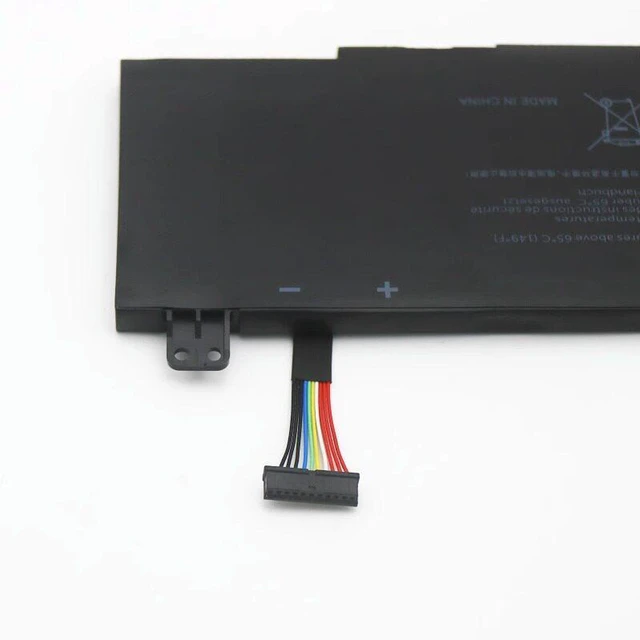
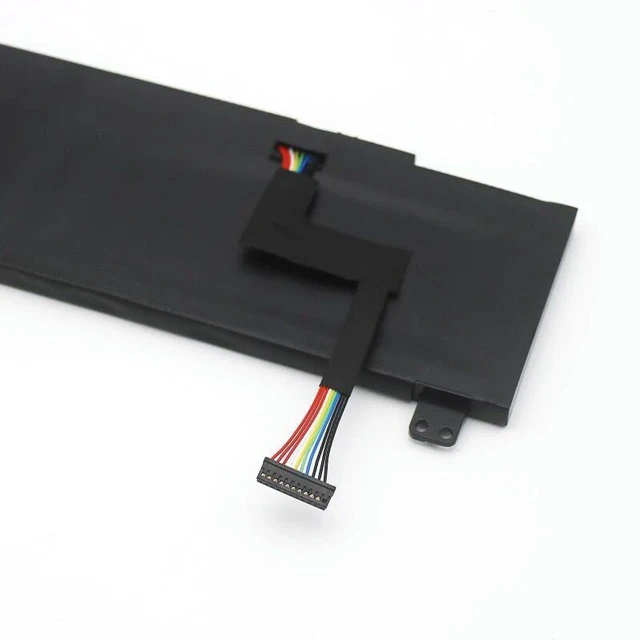
- **100% OEM Compatible: ** Matches original battery dimensions, connectors, and mounting points no adapter needed.
- **Smart IC Chip: ** Communicates correctly with your Alienware system, displaying accurate battery percentage and charge status.
- **Rigorous Testing: ** Each battery passes 12 safety tests including drop, vibration, high-temperature, and short-circuit tests.
**Installation Tips: **
1. Power off your laptop and disconnect the AC adapter.
2. Remove the bottom panel screws (refer to your laptop manual).
3. Disconnect the old battery cable and remove the battery.
4. Insert the new battery, reconnect the cable, and secure the panel.
5. Charge fully (3-4 hours) before first use for optimal performance.
6. If your laptop does not detect the battery, try
a hard reset: unplug AC, remove battery, hold power button for 30 seconds, then reinstall.
**Package Includes: **
- 1 x Replacement Battery
- 1 x Installation Guide (digital download link)
**Note: ** This is a third-party replacement battery, not an OEM product. It is fully compatible and tested to meet or exceed original specifications. For any questions, please contact us before purchasing.
**Customer Satisfaction Guarantee: **
We stand behind our products. If you experience any issues within 30 days, we offer a full refund or replacement. Our support team is available 24/7 to assist you.
Voltage Warning: **
Please verify that your original battery voltage is ** 11.4V ** before purchasing. Using an incorrect voltage battery may cause system instability or damage. This replacement is strictly for 11.4V models only.
**Compatible Models & Part Numbers: **
- Alienware 13 R3 (P81G)
- Alienware 13 R3 (ALW13CR)
- Alienware 13 R3 (TDW5P)
- Alienware M14X R2
- Alienware M15X
- Alienware M17X R4
- Alienware M18X R2
- Also compatible with: Alienware 13 R1, R2, Alienware 15 R1, R2, Alienware 17 R1, R2 (please check voltage first)
**Replacement Part Numbers: **
- TDW5P
- P81G
- ALW13CR
- 0TDW5P
- 0P81G
- 0ALW13CR
**Product
Specifications
: **| Specification |
Details
||---------------|---------|
| Battery Type | Li-ion |
| Voltage | 11.4V |
| Capacity | 76Wh / 6660mAh |
| Cells | 6-cell |
| Color | Black |
| Weight | Approx. 320g |
| Dimensions | 27.5 x 9.5 x 2.0 cm |
| Warranty | 1 Year |
**Why Choose This Battery? **
- **High-Quality Cells: ** Uses Grade A lithium-ion cells for stable power output and long cycle life (500+ charge cycles).
- **100% OEM Compatible: ** Matches original battery dimensions, connectors, and mounting points no adapter needed.
- **Smart IC Chip: ** Communicates correctly with your Alienware system, displaying accurate battery percentage and charge status.
- **Rigorous Testing: ** Each battery passes 12 safety tests including drop, vibration, high-temperature, and short-circuit tests.
**Installation Tips: **
1. Power off your laptop and disconnect the AC adapter.
2. Remove the bottom panel screws (refer to your laptop manual).
3. Disconnect the old battery cable and remove the battery.
4. Insert the new battery, reconnect the cable, and secure the panel.
5. Charge fully (3-4 hours) before first use for optimal performance.
6. If your laptop does not detect the battery, try
a hard reset: unplug AC, remove battery, hold power button for 30 seconds, then reinstall.
**Package Includes: **
- 1 x Replacement Battery
- 1 x Installation Guide (digital download link)
**Note: ** This is a third-party replacement battery, not an OEM product. It is fully compatible and tested to meet or exceed original specifications. For any questions, please contact us before purchasing.
**Customer Satisfaction Guarantee: **
We stand behind our products. If you experience any issues within 30 days, we offer a full refund or replacement. Our support team is available 24/7 to assist you.
Warranty & Returns
Warranty, Returns, And Additional Information
Warranty
- Please contact the Seller directly for warranty information. Warranty information may also be found on the Manufacturer's website.
- CONTACT
Return Policies
- Return for refund within: 30 days
- Return for replacement within: 90 days
- This item is covered by xuanlan Return Policy
Manufacturer Contact Info
- For a directory of all our manufacturers, please click below.
- Manufacturers Directory
LOADING...