


- Free 30-day Returns
$43.52
Ships from China.

Meet Your Seller



Visit Xuanlan Store
FOLLOW
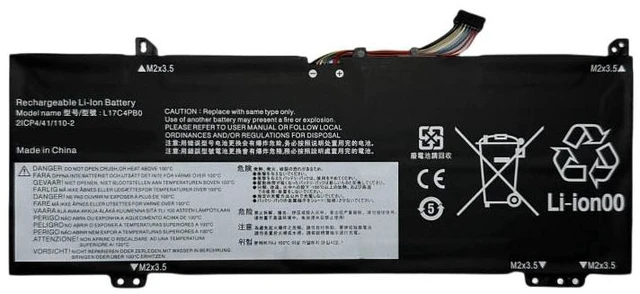
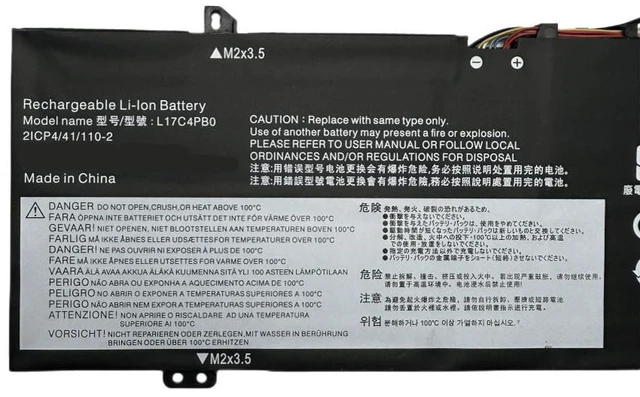
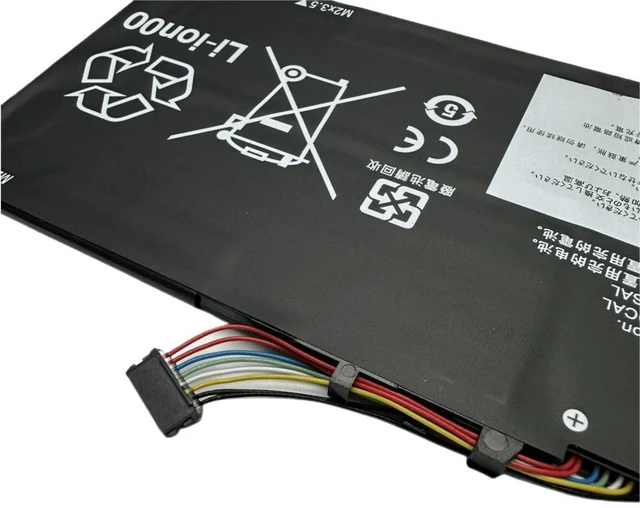
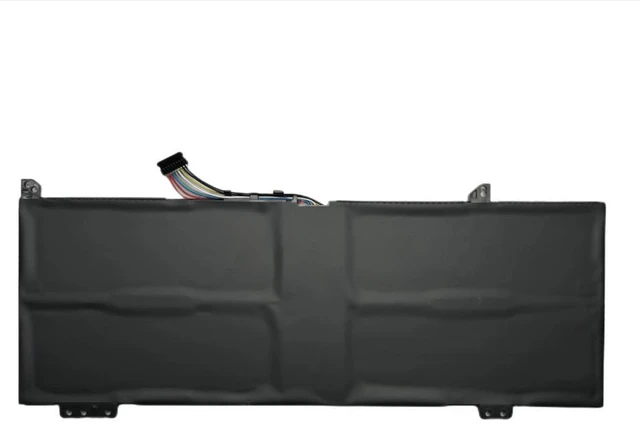
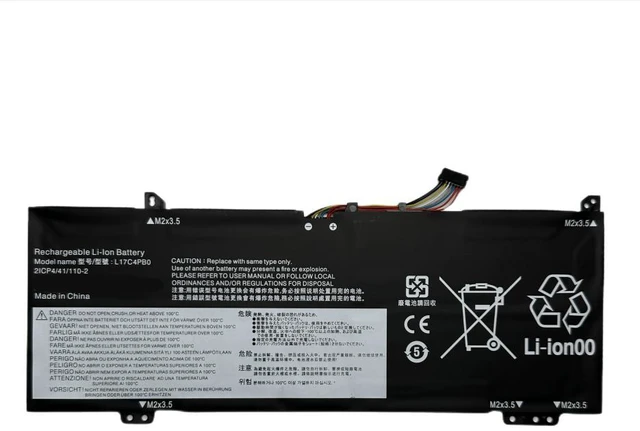
Laptop Battery for Lenovo XiaoXin Air 14/15 IWL IKBR ARR, Flex 6-14ARR IKB, L17C4PB0, 11.4V 52.5Wh, Replacement for L17M4PB0 L17L4PB0, 1-Year Warranty
- High-Capacity 52.5Wh Power: 11.4V 4600mAh Li-ion battery ensures long-lasting performance for daily work, streaming, and browsing.
- Perfect Fit for Multiple Models: Compatible with Lenovo XiaoXin Air 14 IWL/IKBR/ARR, Air 15 IWL/IKBR/ARR, and Flex 6-14ARR/IKB series.
- Direct Replacement for OEM Parts: Replaces original battery models L17C4PB0, L17M4PB0, L17L4PB0, L17C4PB1, and L17M4PB1 with identical connectors and dimensions.
- Built-in Safety Protection: Overcharge, over-discharge, over-current, and short-circuit protection for reliable and safe daily use.
- Month Warranty & 30-Day Free Return: Buy with confidence; we stand behind the quality of every battery.
+
+
Overview
Specs
Reviews
**Important
Voltage Warning: **
Please verify that your original battery voltage is ** 11.4V ** before purchasing. This battery is NOT compatible with 7.6V, 7.7V, or 15.2V systems. Using an incorrect voltage battery may damage your device or cause safety hazards.
**Compatible Laptop Models (including but not limited to): **
- Lenovo XiaoXin Air 14 IWL (2019)
- Lenovo XiaoXin Air 14 IKBR (2018)
- Lenovo XiaoXin Air 14 ARR
- Lenovo XiaoXin Air 15 IWL
- Lenovo XiaoXin Air 15 IKBR
- Lenovo XiaoXin Air 15 ARR
- Lenovo Flex 6-14ARR
- Lenovo Flex 6-14IKB
**Replaces Original Battery Part Numbers: **
L17C4PB0, L17M4PB0, L17L4PB0, L17C4PB1, L17M4PB1, L17L4PB1
**Product
| Specification |
|---------------|---------|
| Battery Type | Li-ion |
| Voltage | 11.4V |
| Capacity | 52.5W h / 4600mAh |
| Cell Count | 4 cells |
| Color | Black |
| Connector | 6-pin |
| Dimensions | Approx. 270 x 70 x 5.5 mm |
| Weight | Approx. 240g |
**Comparison Table (OEM vs.
Our Replacement): **
| Feature | OEM Battery | Our Replacement |
|---------|-------------|----------------|
| Voltage | 11.4V | 11.4V (Exact Match) |
| Capacity | 52.5W h | 52.5W h (Equal) |
| Safety Certifications | Yes | CE, FCC, RoHS |
| Warranty | Varies | 12 Months |
| Price | High | Affordable |
**Installation Tips: **
1. Power off your laptop and unplug the AC adapter before replacing the battery.
2. Use a plastic pry tool to carefully remove the bottom cover.
3. Disconnect the old battery cable from the motherboard, then remove the screws holding the battery in place.
4. Install the new battery in the same orientation, reconnect the cable, and secure with screws.
5. Reattach the bottom cover, plug in the charger, and allow the battery to charge fully before first use.
6. If the battery is not detected immediately, try
a hard reset: disconnect AC power, remove the battery, hold the power button for 15 seconds, then reinstall the battery and AC power.
**Note: ** This is a compatible replacement, not an OEM product. Performance and lifespan may vary depending on usage and charging habits.
Voltage Warning: **
Please verify that your original battery voltage is ** 11.4V ** before purchasing. This battery is NOT compatible with 7.6V, 7.7V, or 15.2V systems. Using an incorrect voltage battery may damage your device or cause safety hazards.
**Compatible Laptop Models (including but not limited to): **
- Lenovo XiaoXin Air 14 IWL (2019)
- Lenovo XiaoXin Air 14 IKBR (2018)
- Lenovo XiaoXin Air 14 ARR
- Lenovo XiaoXin Air 15 IWL
- Lenovo XiaoXin Air 15 IKBR
- Lenovo XiaoXin Air 15 ARR
- Lenovo Flex 6-14ARR
- Lenovo Flex 6-14IKB
**Replaces Original Battery Part Numbers: **
L17C4PB0, L17M4PB0, L17L4PB0, L17C4PB1, L17M4PB1, L17L4PB1
**Product
Specifications
: **| Specification |
Details
||---------------|---------|
| Battery Type | Li-ion |
| Voltage | 11.4V |
| Capacity | 52.5W h / 4600mAh |
| Cell Count | 4 cells |
| Color | Black |
| Connector | 6-pin |
| Dimensions | Approx. 270 x 70 x 5.5 mm |
| Weight | Approx. 240g |
**Comparison Table (OEM vs.
Our Replacement): **
| Feature | OEM Battery | Our Replacement |
|---------|-------------|----------------|
| Voltage | 11.4V | 11.4V (Exact Match) |
| Capacity | 52.5W h | 52.5W h (Equal) |
| Safety Certifications | Yes | CE, FCC, RoHS |
| Warranty | Varies | 12 Months |
| Price | High | Affordable |
**Installation Tips: **
1. Power off your laptop and unplug the AC adapter before replacing the battery.
2. Use a plastic pry tool to carefully remove the bottom cover.
3. Disconnect the old battery cable from the motherboard, then remove the screws holding the battery in place.
4. Install the new battery in the same orientation, reconnect the cable, and secure with screws.
5. Reattach the bottom cover, plug in the charger, and allow the battery to charge fully before first use.
6. If the battery is not detected immediately, try
a hard reset: disconnect AC power, remove the battery, hold the power button for 15 seconds, then reinstall the battery and AC power.
**Note: ** This is a compatible replacement, not an OEM product. Performance and lifespan may vary depending on usage and charging habits.
Warranty & Returns
Warranty, Returns, And Additional Information
Warranty
- Please contact the Seller directly for warranty information. Warranty information may also be found on the Manufacturer's website.
- CONTACT
Return Policies
- Return for refund within: 30 days
- Return for replacement within: 90 days
- This item is covered by xuanlan Return Policy
Manufacturer Contact Info
- For a directory of all our manufacturers, please click below.
- Manufacturers Directory
LOADING...