


- Free 30-day Returns
$54.10
Ships from China.

Meet Your Seller



Visit Xuanlan Store
FOLLOW
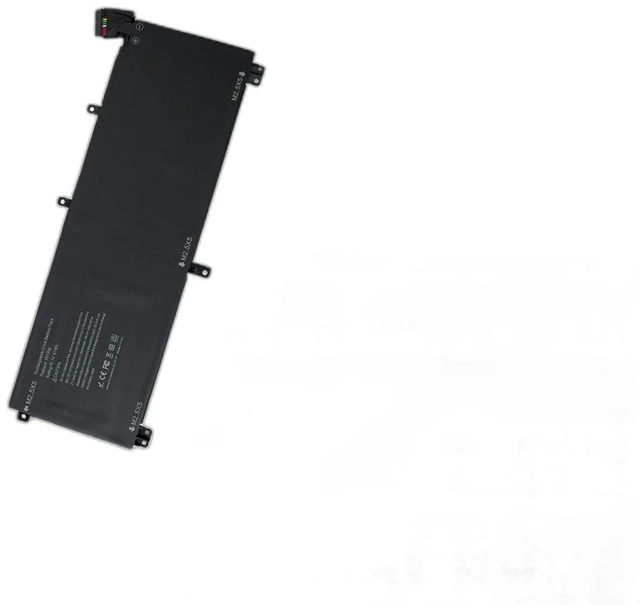
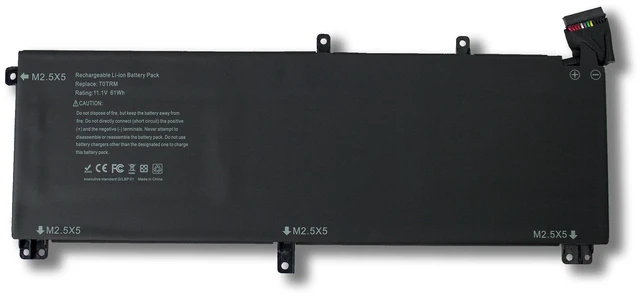
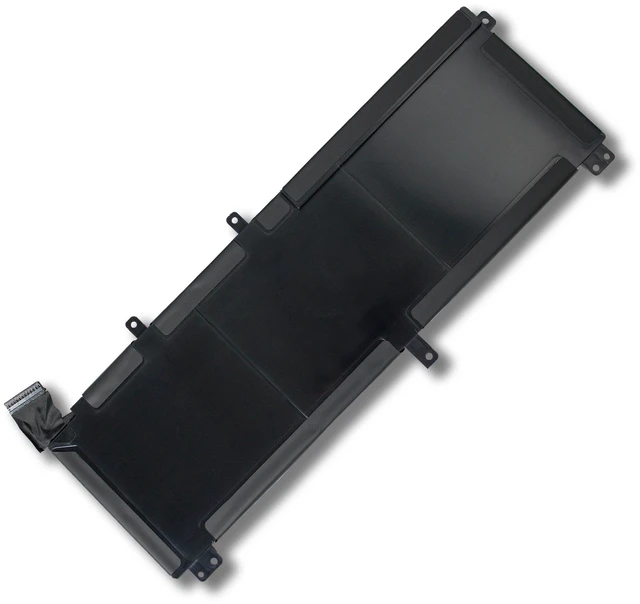
Battery for Dell Precision M3800 XPS 15 9530 T0TRM 11.4V 61Wh, Compatible with M3800, XPS 15 9530, 0T0TRM, 8T09V, 6GTP1, 0C6X3, 1 Year Warranty
- High-Capacity 61Wh / 5200mAh Provides longer runtime for Dell Precision M3800 & XPS 15 9530, ideal for work, study, and travel.
- Perfect Fit & Easy Installation Direct replacement for original battery models T0TRM, 0T0TRM, 8T09V, 6GTP1, 0C6X3; no extra tools or modifications needed.
- Multi-Layer Safety Protection Built-in overcharge, over-discharge, short circuit, and over-temperature protection for safe and stable performance.
- Rigorously Tested & Certified CE, FCC, RoHS certified; each battery undergoes strict quality control to ensure reliability and longevity.
- Year Warranty & 30-Day Money-Back Buy with confidence; our dedicated customer support team is ready to assist you.
+
+
Overview
Specs
Reviews
**Important
Voltage Warning: **
Please confirm your original battery voltage is ** 11.4V ** before purchasing. Using an incorrect voltage battery may damage your device or cause safety hazards. This battery is NOT compatible with 7.6V or 14.8V models.
**Compatible Laptop Models: **
- Dell Precision M3800
- Dell XPS 15 9530 (Late 2013 Early 2014 models)
- Dell XPS 15 9530 Touch / Non-Touch
**Replacement Part Numbers: **
T0TRM, 0T0TRM, 8T09V, 6GTP1, 0C6X3, 0C6X4, 0T0TRM, 8T09V, 6GTP1, 0C6X3
**Battery
| Specification |
|---------------|---------|
| Voltage | 11.4V |
| Capacity | 61Wh / 5200mAh |
| Cell Type | Li-ion |
| Color | Black |
| Weight | Approx. 320g |
| Warranty | 1 Year |
**Comparison Table (Original vs.
Replacement): **
| Feature | Original Dell Battery | Our Replacement Battery |
|------------------------|-----------------------|-------------------------|
| Voltage | 11.4V | 11.4V |
| Capacity | 61Wh | 61Wh |
| Safety Certifications | Yes | CE, FCC, RoHS |
| Price | High | Affordable |
| Warranty | Limited | 1 Year |
**Installation Tips: **
1. Turn off your laptop and unplug the AC adapter.
2. Remove the bottom cover (Phillips screwdriver required).
3. Disconnect the old battery cable and remove the screws holding it in place.
4. Insert the new battery, reconnect the cable, and secure with screws.
5. Replace the bottom cover, plug in the charger, and let the battery charge fully before first use.
**Note: ** If your laptop does not recognize the new battery immediately, please
perform a power reset:
- Disconnect the AC adapter and remove the battery.
- Press and hold the power button for 30 seconds.
- Reinstall the battery and connect the charger.
**Package Includes: **
1 x Replacement Battery for Dell Precision M3800 / XPS 15 9530
**Customer Support: **
We stand behind our products. If you have any questions about compatibility, installation, or performance, please contact us anytime. We will respond within 24 hours.
Voltage Warning: **
Please confirm your original battery voltage is ** 11.4V ** before purchasing. Using an incorrect voltage battery may damage your device or cause safety hazards. This battery is NOT compatible with 7.6V or 14.8V models.
**Compatible Laptop Models: **
- Dell Precision M3800
- Dell XPS 15 9530 (Late 2013 Early 2014 models)
- Dell XPS 15 9530 Touch / Non-Touch
**Replacement Part Numbers: **
T0TRM, 0T0TRM, 8T09V, 6GTP1, 0C6X3, 0C6X4, 0T0TRM, 8T09V, 6GTP1, 0C6X3
**Battery
Specifications
: **| Specification |
Details
||---------------|---------|
| Voltage | 11.4V |
| Capacity | 61Wh / 5200mAh |
| Cell Type | Li-ion |
| Color | Black |
| Weight | Approx. 320g |
| Warranty | 1 Year |
**Comparison Table (Original vs.
Replacement): **
| Feature | Original Dell Battery | Our Replacement Battery |
|------------------------|-----------------------|-------------------------|
| Voltage | 11.4V | 11.4V |
| Capacity | 61Wh | 61Wh |
| Safety Certifications | Yes | CE, FCC, RoHS |
| Price | High | Affordable |
| Warranty | Limited | 1 Year |
**Installation Tips: **
1. Turn off your laptop and unplug the AC adapter.
2. Remove the bottom cover (Phillips screwdriver required).
3. Disconnect the old battery cable and remove the screws holding it in place.
4. Insert the new battery, reconnect the cable, and secure with screws.
5. Replace the bottom cover, plug in the charger, and let the battery charge fully before first use.
**Note: ** If your laptop does not recognize the new battery immediately, please
perform a power reset:
- Disconnect the AC adapter and remove the battery.
- Press and hold the power button for 30 seconds.
- Reinstall the battery and connect the charger.
**Package Includes: **
1 x Replacement Battery for Dell Precision M3800 / XPS 15 9530
**Customer Support: **
We stand behind our products. If you have any questions about compatibility, installation, or performance, please contact us anytime. We will respond within 24 hours.
Warranty & Returns
Warranty, Returns, And Additional Information
Warranty
- Please contact the Seller directly for warranty information. Warranty information may also be found on the Manufacturer's website.
- CONTACT
Return Policies
- Return for refund within: 30 days
- Return for replacement within: 90 days
- This item is covered by xuanlan Return Policy
Manufacturer Contact Info
- For a directory of all our manufacturers, please click below.
- Manufacturers Directory
LOADING...