
Your Browsing History
- Free 30-day Returns
$54.10
Ships from China.

Meet Your Seller



Visit Xuanlan Store
FOLLOW
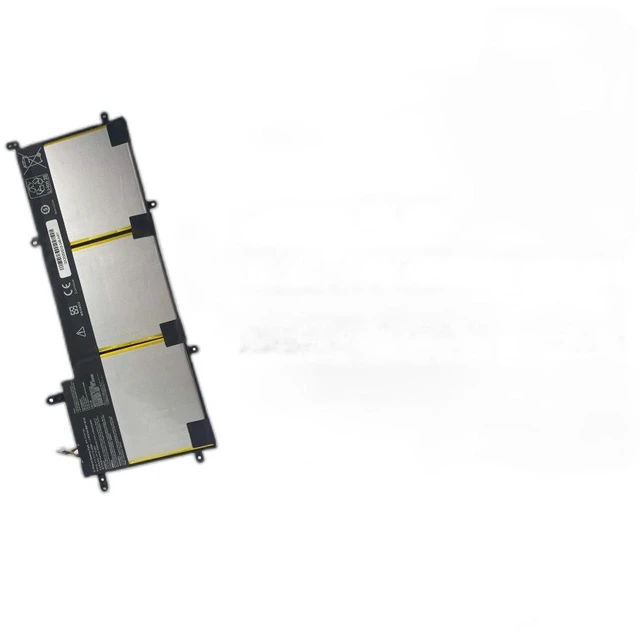
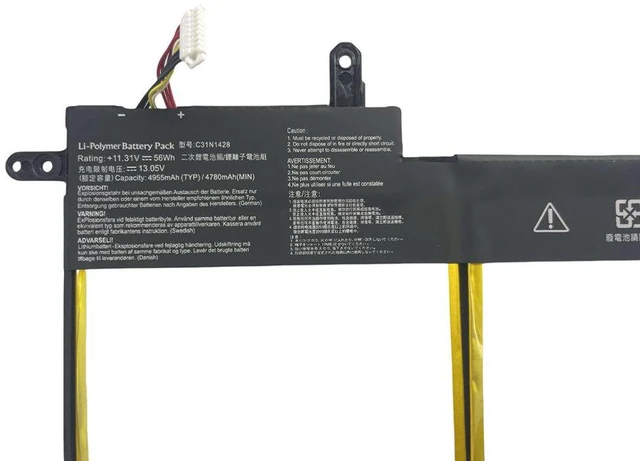
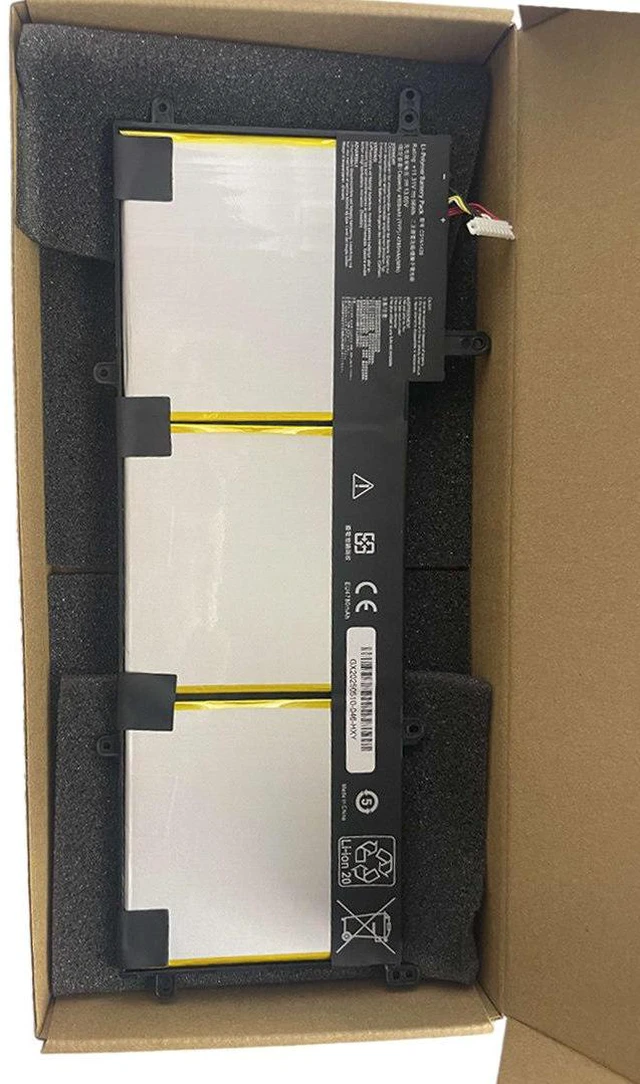
Laptop Battery for ASUS ZenBook UX305L UX305LA UX305UA C31N1428 11.4V 45Wh, High Capacity, 1-Year Warranty
- High-Capacity 45Wh Power: Provides reliable, long-lasting energy for your ASUS ZenBook UX305 series, ensuring extended usage between charges.
- Perfect Compatibility: Specifically designed for C31N1428, compatible with UX305L, UX305LA, UX305UA, and more a seamless drop-in replacement.
- Premium Safety & Durability: Built with Grade A cells, overcharge/short-circuit protection, and rigorous testing for stable performance.
- Easy Installation: Precisely matched connectors and dimensions no tools or modifications needed, just plug and play.
- Year Warranty & Support: Backed by a full year of warranty and responsive customer service for your peace of mind.
+
+
Overview
Specs
Reviews
**Important
Voltage Warning: **
Please confirm your original batterys voltage is ** 11.4V ** before purchasing. Using an incorrect voltage battery may cause damage to your device or battery. This replacement is NOT compatible with 7.6V or 14.8V models.
**Compatibility List: **
This battery is a direct replacement for the following
ASUS ZenBook models:
- ASUS ZenBook UX305L
- ASUS ZenBook UX305LA
- ASUS ZenBook UX305UA
- ASUS ZenBook UX305FA (verify voltage first)
- ASUS ZenBook UX305C (verify voltage first)
**Replacement Part Numbers: **
C31N1428
**Specifications Table: **
| Parameter | Value |
|--------------------|--------------------|
| Battery Type | Li-ion |
| Voltage | 11.4V |
| Capacity | 45Wh / 4000mAh |
| Cells | 4-cell |
| Color | Black |
| Weight | Approx. 250g |
| Warranty | 1 Year |
**Comparison Table (Original vs.
Replacement): **
| Feature | Original Battery | Our Replacement |
|--------------------|--------------------|--------------------|
| Voltage | 11.4V | 11.4V (exact match) |
| Capacity | 45Wh | 45Wh (same or higher) |
| Cell Quality | OEM Grade | Grade A+ cells |
| Safety Cert | Yes | CE, RoHS, FCC |
| Price | High | Affordable |
**Installation Tips: **
1. Power off your laptop and unplug the AC adapter.
2. Remove the back cover screws (if applicable) or locate the battery compartment.
3. Disconnect the old battery connector gently.
4. Insert the new battery, ensuring the connector clicks firmly.
5. Reassemble the cover and charge the battery fully before first use.
6. If your laptop does not detect the battery, try a hard reset (hold power button for 15 seconds).
**Note: ** This battery is a high-quality aftermarket replacement, not an original OEM product. It is designed to meet or exceed original specifications. For best performance, calibrate the battery once every 3 months (fully charge, then fully discharge).
Voltage Warning: **
Please confirm your original batterys voltage is ** 11.4V ** before purchasing. Using an incorrect voltage battery may cause damage to your device or battery. This replacement is NOT compatible with 7.6V or 14.8V models.
**Compatibility List: **
This battery is a direct replacement for the following
ASUS ZenBook models:
- ASUS ZenBook UX305L
- ASUS ZenBook UX305LA
- ASUS ZenBook UX305UA
- ASUS ZenBook UX305FA (verify voltage first)
- ASUS ZenBook UX305C (verify voltage first)
**Replacement Part Numbers: **
C31N1428
**Specifications Table: **
| Parameter | Value |
|--------------------|--------------------|
| Battery Type | Li-ion |
| Voltage | 11.4V |
| Capacity | 45Wh / 4000mAh |
| Cells | 4-cell |
| Color | Black |
| Weight | Approx. 250g |
| Warranty | 1 Year |
**Comparison Table (Original vs.
Replacement): **
| Feature | Original Battery | Our Replacement |
|--------------------|--------------------|--------------------|
| Voltage | 11.4V | 11.4V (exact match) |
| Capacity | 45Wh | 45Wh (same or higher) |
| Cell Quality | OEM Grade | Grade A+ cells |
| Safety Cert | Yes | CE, RoHS, FCC |
| Price | High | Affordable |
**Installation Tips: **
1. Power off your laptop and unplug the AC adapter.
2. Remove the back cover screws (if applicable) or locate the battery compartment.
3. Disconnect the old battery connector gently.
4. Insert the new battery, ensuring the connector clicks firmly.
5. Reassemble the cover and charge the battery fully before first use.
6. If your laptop does not detect the battery, try a hard reset (hold power button for 15 seconds).
**Note: ** This battery is a high-quality aftermarket replacement, not an original OEM product. It is designed to meet or exceed original specifications. For best performance, calibrate the battery once every 3 months (fully charge, then fully discharge).
Warranty & Returns
Warranty, Returns, And Additional Information
Warranty
- Please contact the Seller directly for warranty information. Warranty information may also be found on the Manufacturer's website.
- CONTACT
Return Policies
- Return for refund within: 30 days
- Return for replacement within: 90 days
- This item is covered by xuanlan Return Policy
Manufacturer Contact Info
- For a directory of all our manufacturers, please click below.
- Manufacturers Directory
LOADING...