
Your Browsing History
- Free 30-day Returns
$44.01
Ships from China.

Meet Your Seller

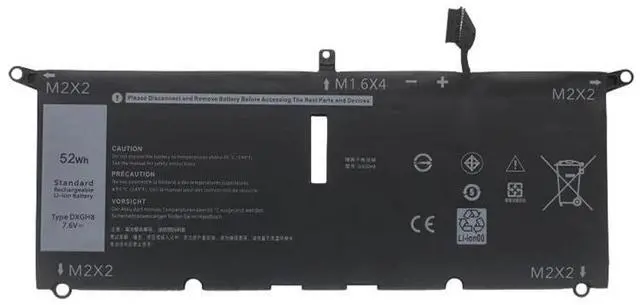


Visit Xuanlan Store
FOLLOW
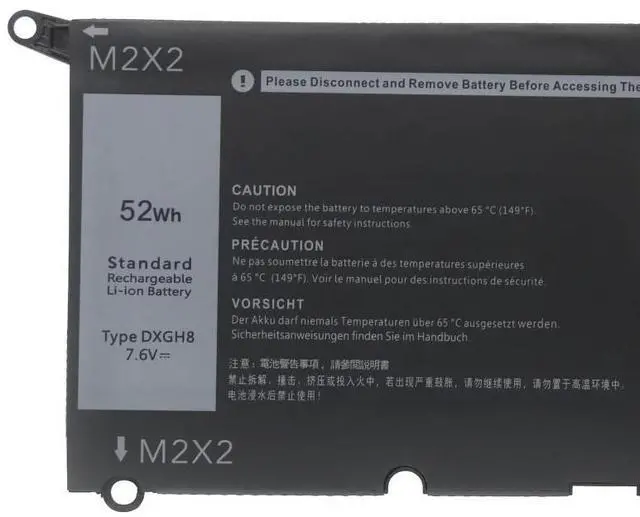
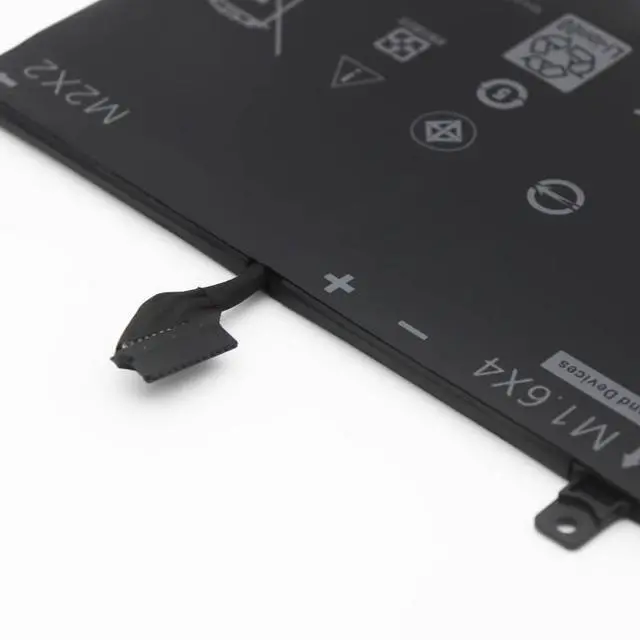
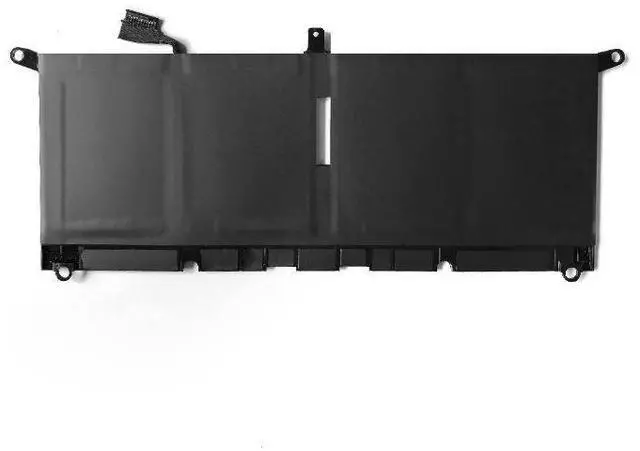
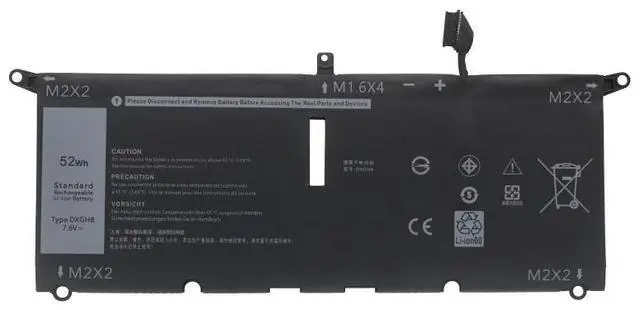
Battery for DELL XPS 13 9370 9380 7390 P82G 002 DXGH8 HK6N5 7.6V 52Wh 1-Year Warranty
- Perfect Fit for DELL XPS 13 9370/9380/7390 Directly replaces OEM models P82G, 002, DXGH8, HK6N5
- High Capacity 52Wh / 7.6V Delivers long-lasting power for work, study, and entertainment
- Premium Grade A Cells Built with safety circuits to prevent overcharge, overheat, and short circuit
- Easy Plug-and-Play Installation No extra tools or drivers needed, just remove old battery and insert new one
- Month Warranty & 30-Day Money-Back Guarantee Buy with confidence and reliable after-sales support
+
+
Overview
Specs
Reviews
**Important
Voltage Warning: **
Please confirm your original battery voltage is ** 7.6V **. This battery is NOT compatible with 11.4V or 15.2V models. Using the wrong voltage may damage your laptop.
**Compatibility List: **
- DELL XPS 13 9370
- DELL XPS 13 9380
- DELL XPS 13 7390 (2-in-1 models may differ, please check voltage)
- DELL XPS 13 P82G / P82G001 / P82G002
- Replaces OEM Part Numbers: 002, DXGH8, HK6N5, 0DXGH8, 0HK6N5
**Specifications: **
| Parameter | Value |
|-----------|-------|
| Battery Type | Li-ion |
| Voltage | 7.6V |
| Capacity | 52Wh / 6900mAh |
| Cell Quality | Grade A |
| Color | Black |
| Protection | Overcharge, over-discharge, over-current, short circuit, temperature protection |
| Warranty | 12 Months |
**Comparison Table: **
| Feature | Our Battery | Generic Battery |
|---------|-------------|----------------|
| Cell Grade | Grade A | Often Grade B or recycled |
| Safety Protection | 5-layer protection | Basic or none |
| Capacity Accuracy | 52Wh (tested) | May be inflated |
| Warranty | 12 months | Usually 6 months or less |
**Installation Tips: **
1. Shut down your laptop and disconnect the AC adapter.
2. Remove the bottom case screws (Phillips #0 recommended).
3. Gently disconnect the old battery cable from the motherboard.
4. Remove the old battery and insert the new one.
5. Reconnect the cable, replace the bottom cover, and tighten screws.
6. Charge the battery to 100% before first use for optimal performance.
**Note: ** If your laptop does not power on after installation, please check that the battery connector is fully seated. For any issues, contact our support team we are here to help.
Voltage Warning: **
Please confirm your original battery voltage is ** 7.6V **. This battery is NOT compatible with 11.4V or 15.2V models. Using the wrong voltage may damage your laptop.
**Compatibility List: **
- DELL XPS 13 9370
- DELL XPS 13 9380
- DELL XPS 13 7390 (2-in-1 models may differ, please check voltage)
- DELL XPS 13 P82G / P82G001 / P82G002
- Replaces OEM Part Numbers: 002, DXGH8, HK6N5, 0DXGH8, 0HK6N5
**Specifications: **
| Parameter | Value |
|-----------|-------|
| Battery Type | Li-ion |
| Voltage | 7.6V |
| Capacity | 52Wh / 6900mAh |
| Cell Quality | Grade A |
| Color | Black |
| Protection | Overcharge, over-discharge, over-current, short circuit, temperature protection |
| Warranty | 12 Months |
**Comparison Table: **
| Feature | Our Battery | Generic Battery |
|---------|-------------|----------------|
| Cell Grade | Grade A | Often Grade B or recycled |
| Safety Protection | 5-layer protection | Basic or none |
| Capacity Accuracy | 52Wh (tested) | May be inflated |
| Warranty | 12 months | Usually 6 months or less |
**Installation Tips: **
1. Shut down your laptop and disconnect the AC adapter.
2. Remove the bottom case screws (Phillips #0 recommended).
3. Gently disconnect the old battery cable from the motherboard.
4. Remove the old battery and insert the new one.
5. Reconnect the cable, replace the bottom cover, and tighten screws.
6. Charge the battery to 100% before first use for optimal performance.
**Note: ** If your laptop does not power on after installation, please check that the battery connector is fully seated. For any issues, contact our support team we are here to help.
Warranty & Returns
Warranty, Returns, And Additional Information
Warranty
- Please contact the Seller directly for warranty information. Warranty information may also be found on the Manufacturer's website.
- CONTACT
Return Policies
- Return for refund within: 30 days
- Return for replacement within: 90 days
- This item is covered by xuanlan Return Policy
Manufacturer Contact Info
- For a directory of all our manufacturers, please click below.
- Manufacturers Directory
LOADING...