


- Free 30-day Returns
$44.49
Ships from China.

Meet Your Seller



Visit Xuanlan Store
FOLLOW
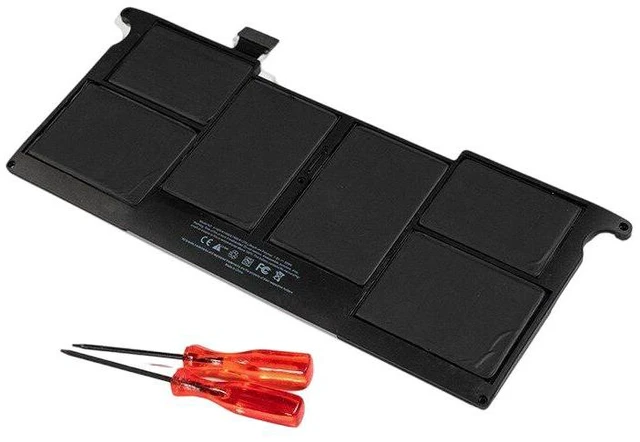
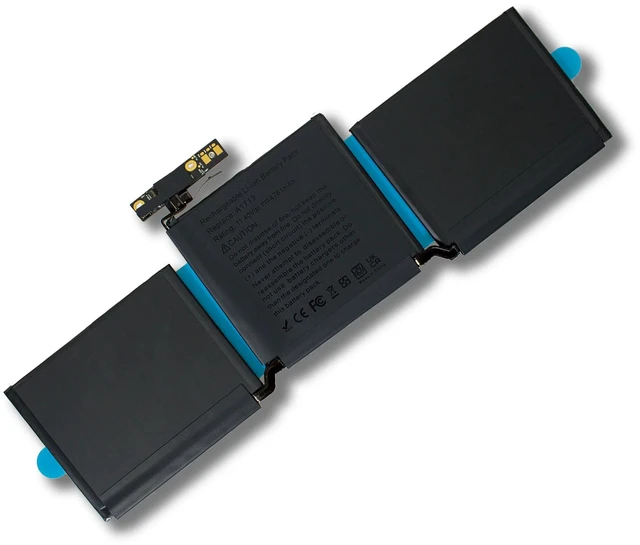
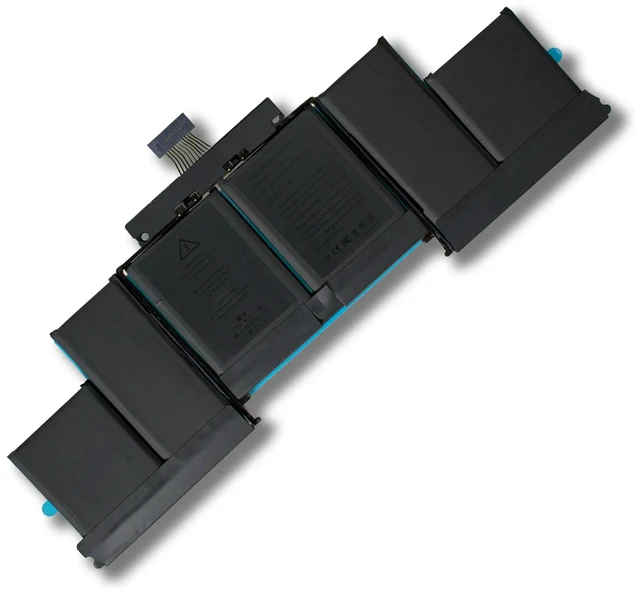
Laptop Battery for MacBook Pro/Air A1406 A1466 A1398 A1708 A1706 A1502 A2179, 11.4V/7.6V 44Wh-99.5Wh, High Capacity, 1-Year Warranty
- % compatible with Apple MacBook Pro/Air models: A1406, A1466, A1398, A1708, A1706, A1502, A2179 direct fit replacement.
- High-quality Li-ion cells with overcharge/over-discharge protection, ensuring stable voltage and long battery life.
- Multiple voltage options supported: 11.4V or 7.6V (please confirm your original battery voltage before ordering).
- Easy installation with pre-installed connector and adhesive strips no special tools required.
- Backed by 1-year warranty and 30-day money-back guarantee for worry-free purchase.
+
+
Overview
Specs
Reviews
**Important
Voltage Warning: **
Please check your original battery voltage before purchasing. This replacement supports both 11.4V and 7.6V models. Using the wrong voltage may cause charging failure or device damage. If unsure, locate the voltage printed on your old battery (e. g., 11.4V or 7.6V ) and match it.
**Compatible Models & Part Numbers: **
- MacBook Pro 13" Retina (A1502, A1425)
- MacBook Pro 15" Retina (A1398)
- MacBook Air 13" (A1466, A1406)
- MacBook Pro 13" Touch Bar (A1706, A1708)
- MacBook Pro 16" (A2179)
- Replaces part numbers: A1406, A1466, A1398, A1708, A1706, A1502, A2179, and many more.
**Specifications: **
| Parameter | Value |
|-----------|-------|
| Voltage | 11.4V / 7.6V (choose based on original) |
| Capacity | 44Wh 99.5W h (varies by model) |
| Cell Type | Lithium-ion |
| Cycle Life| 500 charge cycles |
| Protection| Overcharge, over-discharge, short circuit, over-temperature |
| Warranty | 1 Year |
**Comparison Table (vs.
Original): **
| Feature | This Battery | Generic/Cheap Battery |
|---------|--------------|-----------------------|
| Voltage Accuracy | ± 0.1V | ± 0.5V or unstable |
| Capacity Retention | 85% after 300 cycles | May drop below 70% |
| Safety Certifications | CE, RoHS, FCC | Often uncertified |
| Fit & Finish | Precision mold, flush fit | May have gaps or loose connectors |
**Installation Tips: **
1. Power off your MacBook and disconnect the charger.
2. Remove the bottom case screws (P5 or Tri-wing depending on model).
3. Carefully disconnect the old battery connector (use a plastic spudger).
4. Remove the old battery (adhesive strips may require gentle pulling).
5. Install the new battery, connect the cable, and secure the bottom case.
6. Charge the battery to 100% before first full use.
7. If the battery is not recognized, reset the SMC (System Management Controller) instructions vary by model.
**Note: ** This battery is a third-party replacement, not an original Apple product. It is designed to meet or exceed OEM specifications. For best performance, avoid extreme temperatures and deep discharges.
Voltage Warning: **
Please check your original battery voltage before purchasing. This replacement supports both 11.4V and 7.6V models. Using the wrong voltage may cause charging failure or device damage. If unsure, locate the voltage printed on your old battery (e. g., 11.4V or 7.6V ) and match it.
**Compatible Models & Part Numbers: **
- MacBook Pro 13" Retina (A1502, A1425)
- MacBook Pro 15" Retina (A1398)
- MacBook Air 13" (A1466, A1406)
- MacBook Pro 13" Touch Bar (A1706, A1708)
- MacBook Pro 16" (A2179)
- Replaces part numbers: A1406, A1466, A1398, A1708, A1706, A1502, A2179, and many more.
**Specifications: **
| Parameter | Value |
|-----------|-------|
| Voltage | 11.4V / 7.6V (choose based on original) |
| Capacity | 44Wh 99.5W h (varies by model) |
| Cell Type | Lithium-ion |
| Cycle Life| 500 charge cycles |
| Protection| Overcharge, over-discharge, short circuit, over-temperature |
| Warranty | 1 Year |
**Comparison Table (vs.
Original): **
| Feature | This Battery | Generic/Cheap Battery |
|---------|--------------|-----------------------|
| Voltage Accuracy | ± 0.1V | ± 0.5V or unstable |
| Capacity Retention | 85% after 300 cycles | May drop below 70% |
| Safety Certifications | CE, RoHS, FCC | Often uncertified |
| Fit & Finish | Precision mold, flush fit | May have gaps or loose connectors |
**Installation Tips: **
1. Power off your MacBook and disconnect the charger.
2. Remove the bottom case screws (P5 or Tri-wing depending on model).
3. Carefully disconnect the old battery connector (use a plastic spudger).
4. Remove the old battery (adhesive strips may require gentle pulling).
5. Install the new battery, connect the cable, and secure the bottom case.
6. Charge the battery to 100% before first full use.
7. If the battery is not recognized, reset the SMC (System Management Controller) instructions vary by model.
**Note: ** This battery is a third-party replacement, not an original Apple product. It is designed to meet or exceed OEM specifications. For best performance, avoid extreme temperatures and deep discharges.
Warranty & Returns
Warranty, Returns, And Additional Information
Warranty
- Please contact the Seller directly for warranty information. Warranty information may also be found on the Manufacturer's website.
- CONTACT
Return Policies
- Return for refund within: 30 days
- Return for replacement within: 90 days
- This item is covered by xuanlan Return Policy
Manufacturer Contact Info
- For a directory of all our manufacturers, please click below.
- Manufacturers Directory
LOADING...