


- Free 30-day Returns
$48.09
Ships from China.

Meet Your Seller



Visit Xuanlan Store
FOLLOW
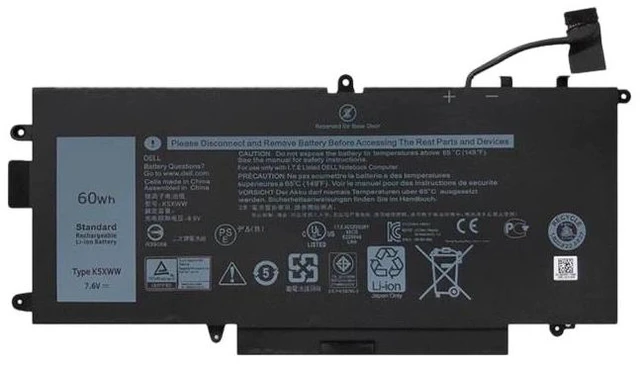
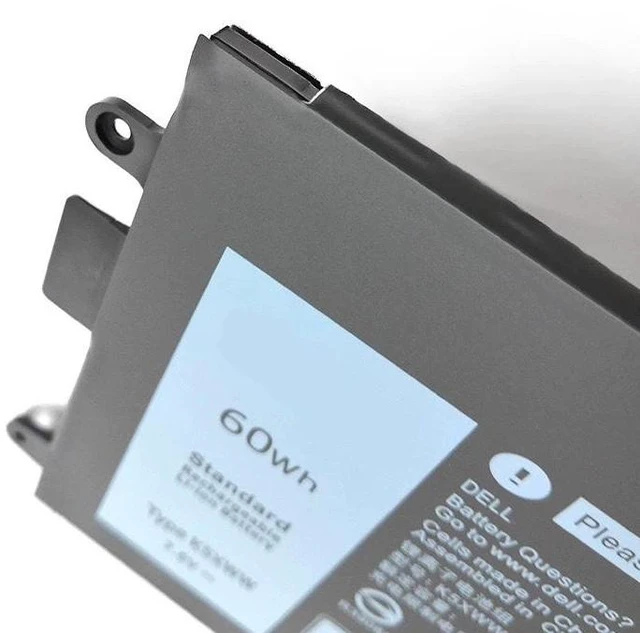
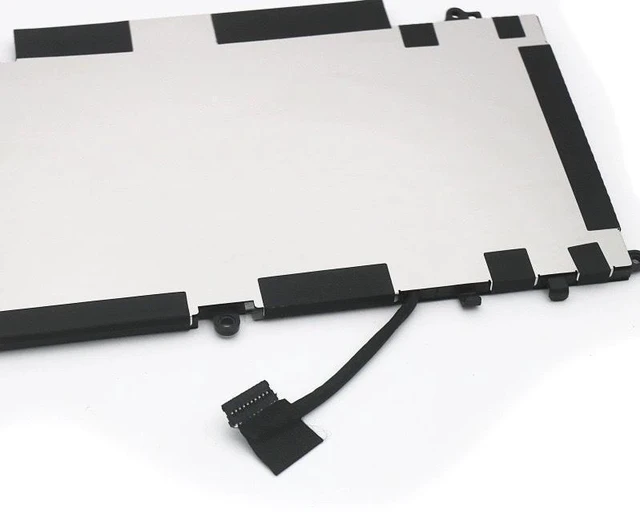
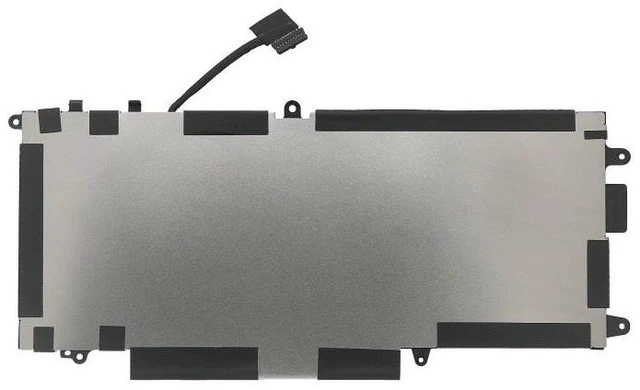
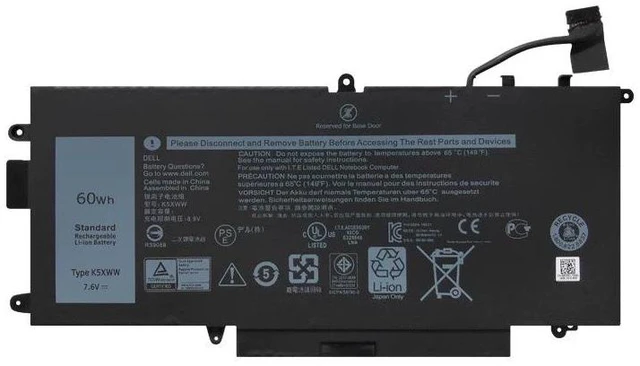
New Battery for Dell Latitude 7390 7389 5289 2-in-1 Series 11.4V 57Wh K5XWW, Compatible with 0K5XWW, 451-BCNF, 492-BBCT 2-Year Warranty
- High-Capacity 57Wh / 5000mAh 11.4V Li-ion battery ensures longer runtime for Dell Latitude 7390, 7389, 5289 2-in-1 laptops
- Direct replacement for OEM part numbers K5XWW, 0K5XWW, 451-BCNF, 492-BBCT, 0K5XWW, 0F3R2C, 0G5V2N plug-and-play installation
- Built-in overcharge, over-discharge, short circuit, and over-temperature protection for safe daily use
- Tested for 100% compatibility with Dell Latitude 7390, 7389, 5289 2-in-1 (non-touch and touch models)
- Backed by 2-year warranty and 30-day money-back guarantee for peace of mind
+
+
Overview
Specs
Reviews
**Important Voltage & Compatibility Warning**
Please confirm your original battery voltage is ** 11.4V ** before purchasing. This battery is NOT compatible with 7.6V or 15.2V models. Using an incorrect voltage battery may damage your laptop or cause charging failure.
**Compatible Dell Laptop Models**
- Dell Latitude 7390 2-in-1
- Dell Latitude 7389 2-in-1
- Dell Latitude 5289 2-in-1
**Replaces OEM Part Numbers**
K5XWW, 0K5XWW, 451-BCNF, 492-BBCT, 0F3R2C, 0G5V2N, 0K5XWW, 0F3R2C, 0G5V2N, 451-BCNF, 492-BBCT
**Product Specifications**
| Specification |
|---------------|---------|
| Battery Type | Li-ion (Lithium-ion) |
| Voltage | 11.4V |
| Capacity | 57Wh / 5000mAh |
| Cell Count | 4 cells |
| Color | Black |
| Connector | 6-pin (original shape) |
| Dimensions | Approx. 270 x 70 x 7 mm |
| Weight | Approx. 280g |
| Certification | CE, FCC, RoHS |
**Comparison Table**
| Feature | Our Battery (57Wh) | Standard 42Wh Battery |
|---------|-------------------|----------------------|
| Runtime (typical) | Up to 8-10 hours | Up to 5-6 hours |
| Cycle Life | 500+ charge cycles | 300-400 cycles |
| Overcharge Protection | Yes | Varies |
| Warranty | 2 Years | 1 Year or less |
**Installation Tips**
1. Power off your laptop and disconnect the AC adapter.
2. Remove the bottom case screws (Phillips #0) and carefully lift the base cover.
3. Disconnect the old battery cable from the motherboard.
4. Remove the screws securing the old battery and lift it out.
5. Insert the new battery, reconnect the cable, and replace the bottom cover.
6. Charge the battery fully before first use for optimal performance.
**Note: ** If your laptop does not charge or power on after installation, please check the battery connector is fully seated and the voltage matches your original battery ( 11.4V ).
**Package Includes**
- 1 x New Replacement Battery
- 1 x Installation Guide
**Warranty & Support**
We offer a 2-year warranty against manufacturing defects. If you have any issues, please contact us via eBay/Newegg messaging we will respond within 24 hours.
Please confirm your original battery voltage is ** 11.4V ** before purchasing. This battery is NOT compatible with 7.6V or 15.2V models. Using an incorrect voltage battery may damage your laptop or cause charging failure.
**Compatible Dell Laptop Models**
- Dell Latitude 7390 2-in-1
- Dell Latitude 7389 2-in-1
- Dell Latitude 5289 2-in-1
**Replaces OEM Part Numbers**
K5XWW, 0K5XWW, 451-BCNF, 492-BBCT, 0F3R2C, 0G5V2N, 0K5XWW, 0F3R2C, 0G5V2N, 451-BCNF, 492-BBCT
**Product Specifications**
| Specification |
Details
||---------------|---------|
| Battery Type | Li-ion (Lithium-ion) |
| Voltage | 11.4V |
| Capacity | 57Wh / 5000mAh |
| Cell Count | 4 cells |
| Color | Black |
| Connector | 6-pin (original shape) |
| Dimensions | Approx. 270 x 70 x 7 mm |
| Weight | Approx. 280g |
| Certification | CE, FCC, RoHS |
**Comparison Table**
| Feature | Our Battery (57Wh) | Standard 42Wh Battery |
|---------|-------------------|----------------------|
| Runtime (typical) | Up to 8-10 hours | Up to 5-6 hours |
| Cycle Life | 500+ charge cycles | 300-400 cycles |
| Overcharge Protection | Yes | Varies |
| Warranty | 2 Years | 1 Year or less |
**Installation Tips**
1. Power off your laptop and disconnect the AC adapter.
2. Remove the bottom case screws (Phillips #0) and carefully lift the base cover.
3. Disconnect the old battery cable from the motherboard.
4. Remove the screws securing the old battery and lift it out.
5. Insert the new battery, reconnect the cable, and replace the bottom cover.
6. Charge the battery fully before first use for optimal performance.
**Note: ** If your laptop does not charge or power on after installation, please check the battery connector is fully seated and the voltage matches your original battery ( 11.4V ).
**Package Includes**
- 1 x New Replacement Battery
- 1 x Installation Guide
**Warranty & Support**
We offer a 2-year warranty against manufacturing defects. If you have any issues, please contact us via eBay/Newegg messaging we will respond within 24 hours.
Warranty & Returns
Warranty, Returns, And Additional Information
Warranty
- Please contact the Seller directly for warranty information. Warranty information may also be found on the Manufacturer's website.
- CONTACT
Return Policies
- Return for refund within: 30 days
- Return for replacement within: 90 days
- This item is covered by xuanlan Return Policy
Manufacturer Contact Info
- For a directory of all our manufacturers, please click below.
- Manufacturers Directory
LOADING...