
Your Browsing History
- Free 30-day Returns
$46.89
Ships from China.

Meet Your Seller



Visit Xuanlan Store
FOLLOW
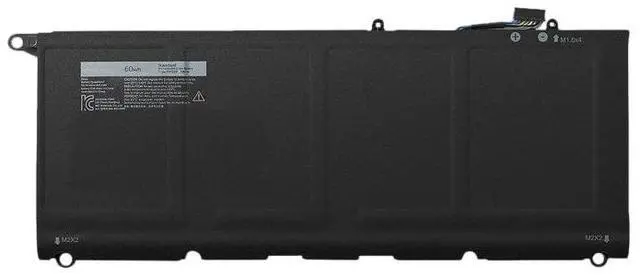
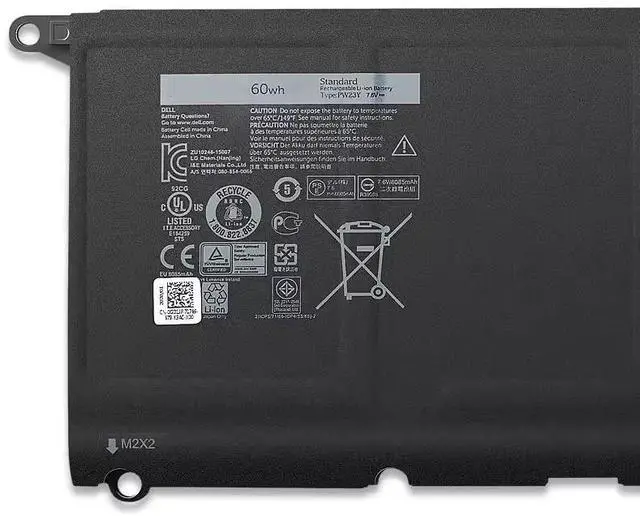
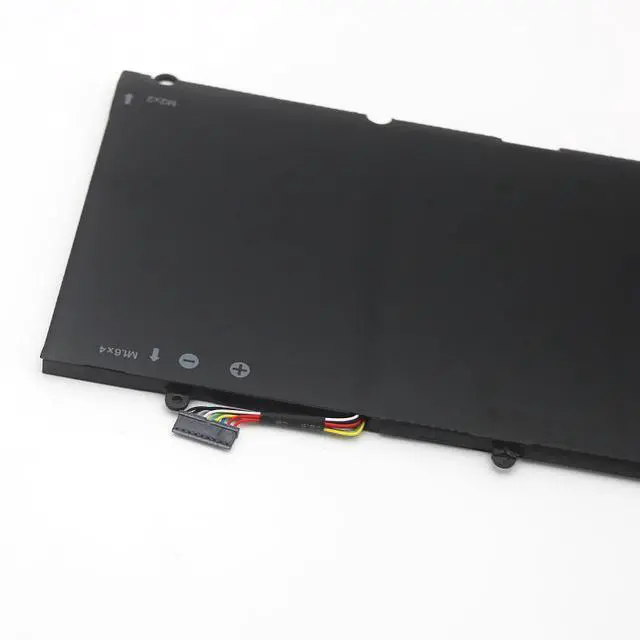
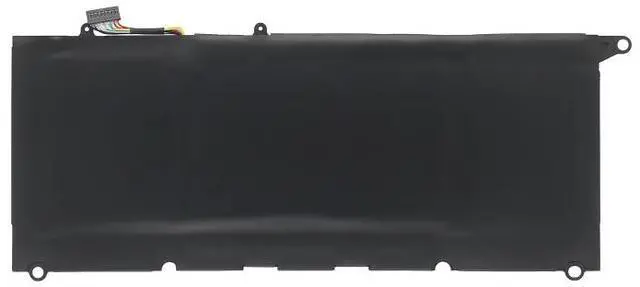
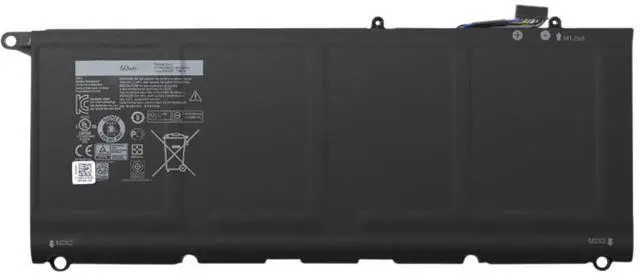
Battery for Dell XPS 13 9343 9350 9360 P54G JD25G 90V7W PW23Y 7.6V 52Wh 1-Year Warranty
- High-Capacity 52Wh / 7.6V Li-ion battery, engineered to match OEM specifications for Dell XPS 13 9343/9350/9360
- Directly replaces part numbers JD25G, 90V7W, PW23Y, P54G, 0JD25G, 090V7W, 0PW23Y plug-and-play installation
- Built-in overcharge, over-discharge, short circuit, and over-temperature protection for safe daily use
- Tested for 500+ charge cycles, delivering stable power and long-lasting performance for work or study
- Backed by 12-month warranty and 24/7 customer support risk-free purchase
+
+
Overview
Specs
Reviews
**Important Voltage & Compatibility Warning**
This battery is designed specifically for Dell XPS 13 9343, 9350, and 9360 models. Please verify your original battery voltage is 7.6V (not 11.4V ). Using an incorrect voltage battery may cause charging failure or damage to your device. Check your laptops bottom label or original battery part number before ordering.
**Compatible Models**
- Dell XPS 13 9343 (2015)
- Dell XPS 13 9350 (2015-2016)
- Dell XPS 13 9360 (2016-2017)
**Replaces OEM Part Numbers**
JD25G, 90V7W, PW23Y, P54G, 0JD25G, 090V7W, 0PW23Y, 0P54G
**Battery Specifications**
| Specification | Value |
| --- | --- |
| Chemistry | Lithium-Ion |
| Voltage | 7.6V |
| Capacity | 52Wh / 6800mAh |
| Cell Count | 4 cells |
| Color | Black |
| Weight | Approx. 220g |
| Warranty | 12 months |
**Comparison: Original vs. Replacement**
| Feature | Original Dell Battery | Our Replacement |
| --- | --- | --- |
| Voltage | 7.6V | 7.6V (exact match) |
| Capacity | 52Wh | 52Wh (same as original) |
| Safety Certifications | Yes | CE, FCC, RoHS |
| Cycle Life | ~500 cycles | 500+ cycles |
| Price | High | Affordable |
| Warranty | Limited | 12 months |
**Installation Tips**
1. Power off your laptop and disconnect the AC adapter.
2. Remove the bottom case screws (Phillips #0) and carefully lift the back cover.
3. Locate the battery connector and gently disconnect it from the motherboard.
4. Remove the screws securing the old battery, then lift it out.
5. Place the new battery in the same position, reconnect the cable, and secure with screws.
6. Replace the bottom cover, tighten screws, and charge the battery fully before first use.
**Note: ** If your laptop does not charge or detect the battery after installation, try
a hard reset: disconnect AC power, hold the power button for 15 seconds, then reconnect and restart.
This battery is designed specifically for Dell XPS 13 9343, 9350, and 9360 models. Please verify your original battery voltage is 7.6V (not 11.4V ). Using an incorrect voltage battery may cause charging failure or damage to your device. Check your laptops bottom label or original battery part number before ordering.
**Compatible Models**
- Dell XPS 13 9343 (2015)
- Dell XPS 13 9350 (2015-2016)
- Dell XPS 13 9360 (2016-2017)
**Replaces OEM Part Numbers**
JD25G, 90V7W, PW23Y, P54G, 0JD25G, 090V7W, 0PW23Y, 0P54G
**Battery Specifications**
| Specification | Value |
| --- | --- |
| Chemistry | Lithium-Ion |
| Voltage | 7.6V |
| Capacity | 52Wh / 6800mAh |
| Cell Count | 4 cells |
| Color | Black |
| Weight | Approx. 220g |
| Warranty | 12 months |
**Comparison: Original vs. Replacement**
| Feature | Original Dell Battery | Our Replacement |
| --- | --- | --- |
| Voltage | 7.6V | 7.6V (exact match) |
| Capacity | 52Wh | 52Wh (same as original) |
| Safety Certifications | Yes | CE, FCC, RoHS |
| Cycle Life | ~500 cycles | 500+ cycles |
| Price | High | Affordable |
| Warranty | Limited | 12 months |
**Installation Tips**
1. Power off your laptop and disconnect the AC adapter.
2. Remove the bottom case screws (Phillips #0) and carefully lift the back cover.
3. Locate the battery connector and gently disconnect it from the motherboard.
4. Remove the screws securing the old battery, then lift it out.
5. Place the new battery in the same position, reconnect the cable, and secure with screws.
6. Replace the bottom cover, tighten screws, and charge the battery fully before first use.
**Note: ** If your laptop does not charge or detect the battery after installation, try
a hard reset: disconnect AC power, hold the power button for 15 seconds, then reconnect and restart.
Warranty & Returns
Warranty, Returns, And Additional Information
Warranty
- Please contact the Seller directly for warranty information. Warranty information may also be found on the Manufacturer's website.
- CONTACT
Return Policies
- Return for refund within: 30 days
- Return for replacement within: 90 days
- This item is covered by xuanlan Return Policy
Manufacturer Contact Info
- For a directory of all our manufacturers, please click below.
- Manufacturers Directory
LOADING...