


- Free 30-day Returns
$46.41
Ships from China.

Meet Your Seller



Visit Xuanlan Store
FOLLOW
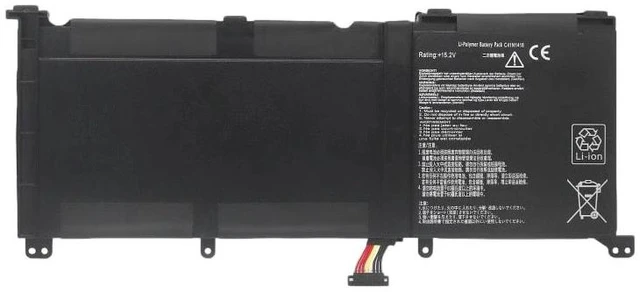
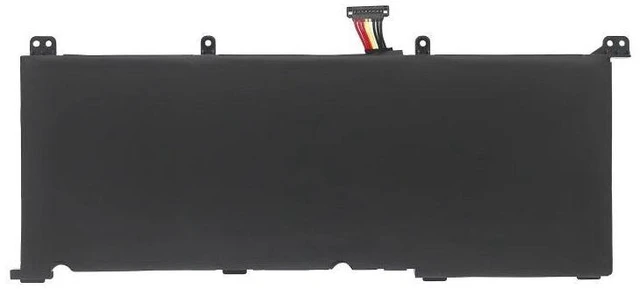
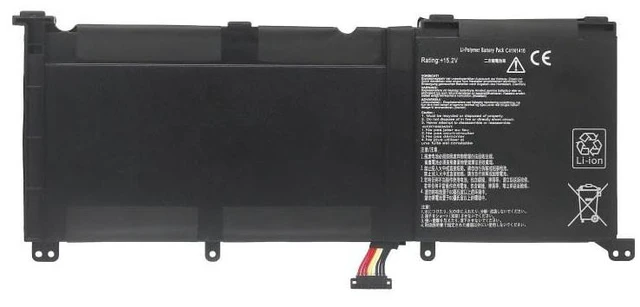
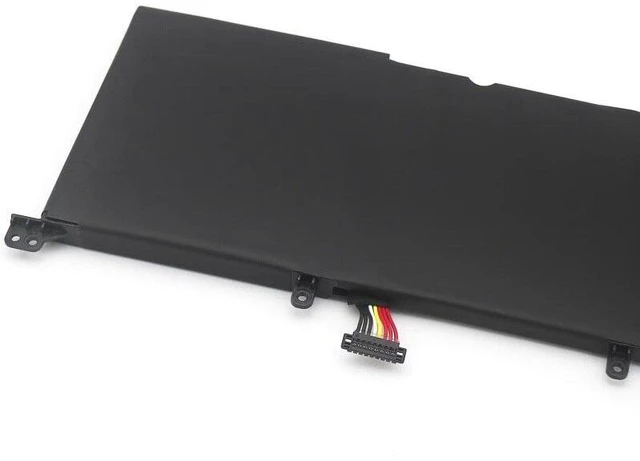
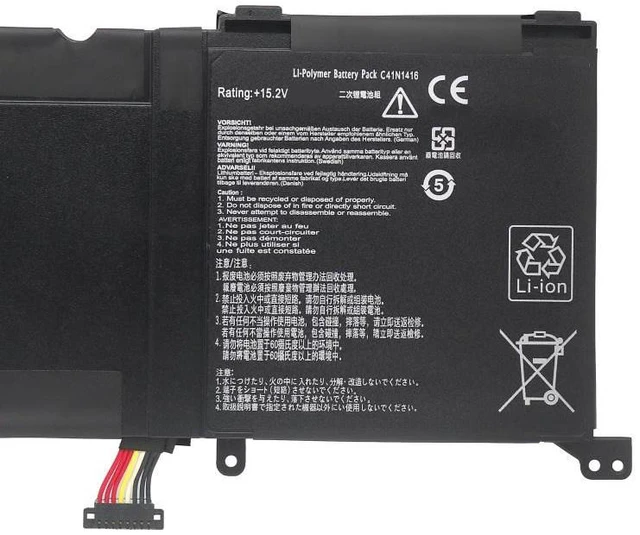
C41N1416 Replacement Battery for ASUS UX501J UX501LW N501L N501JW G601JW 15.4V 96Wh 6000mAh High Capacity, 2-Year Warranty
- High Capacity 96Wh / 6000mAh Exceeds original specs for longer runtime, ideal for intensive tasks like gaming and video editing.
- Perfect Compatibility Direct replacement for ASUS C41N1416, fits UX501J, UX501LW, N501L, N501JW, G601JW series.
- Premium Grade A Cells Built with certified lithium-ion cells, built-in protection against overcharge, short circuit, and overheating.
- Easy Plug-and-Play Installation No drivers or software needed; includes mounting screws and step-by-step guide.
- Year Warranty & 30-Day Money-Back Risk-free purchase with dedicated customer support.
+
+
Overview
Specs
Reviews
**Important
Voltage Warning: **
Please confirm your original battery voltage is 15.4V before purchasing. Using an incorrect voltage battery may cause system instability or damage. This replacement is designed for 15.4V ASUS models only.
**Compatibility List (Laptop Models): **
- ASUS UX501J / UX501JW / UX501LW
- ASUS N501L / N501JW
- ASUS G601JW
- Also compatible with: UX501V, UX501VW, UX501JX (verify voltage and connector shape)
**Replacement Part Numbers: **
C41N1416, C41N1416-1, C41N1416-2, C41N1416-3
**Specifications: **
- Chemistry: Lithium-Ion (Li-ion)
- Voltage: 15.4V
- Capacity: 96Wh / 6000mAh
- Color: Black
- Cell Quality: Grade A, certified
- Protection: Overcharge, over-discharge, over-current, short circuit, temperature control
**Comparison Table: **
| Feature | Original ASUS Battery | Our Replacement |
|---------|----------------------|----------------|
| Capacity | 96Wh | 96Wh (same or higher) |
| Cell Grade | OEM | Premium Grade A |
| Warranty | 1 year | 2 years |
| Price | High | Affordable |
| Safety Certifications | Yes | CE, RoHS, FCC |
**Installation Tips: **
1. Power off your laptop and unplug the AC adapter.
2. Remove the back cover (use a plastic pry tool to avoid damage).
3. Disconnect the old battery cable and remove the screws.
4. Insert the new battery, reconnect the cable, and secure with screws.
5. Reattach the back cover, plug in the charger, and charge fully before first use.
6. If the battery is not detected, try
a hard reset: disconnect AC, remove battery, hold power button for 30 seconds, then reinstall.
**Why Choose Our Battery? **
- Rigorously tested for performance and safety.
- Matches OEM dimensions and connector for a perfect fit.
- Eco-friendly packaging and recyclable materials.
- Fast dispatch from local warehouse (US/EU/UK).
**Note: **
- Do not disassemble, puncture, or expose to high temperatures.
- Recycle old batteries responsibly according to local regulations.
- For any compatibility questions, please message us with your laptop serial number.
Voltage Warning: **
Please confirm your original battery voltage is 15.4V before purchasing. Using an incorrect voltage battery may cause system instability or damage. This replacement is designed for 15.4V ASUS models only.
**Compatibility List (Laptop Models): **
- ASUS UX501J / UX501JW / UX501LW
- ASUS N501L / N501JW
- ASUS G601JW
- Also compatible with: UX501V, UX501VW, UX501JX (verify voltage and connector shape)
**Replacement Part Numbers: **
C41N1416, C41N1416-1, C41N1416-2, C41N1416-3
**Specifications: **
- Chemistry: Lithium-Ion (Li-ion)
- Voltage: 15.4V
- Capacity: 96Wh / 6000mAh
- Color: Black
- Cell Quality: Grade A, certified
- Protection: Overcharge, over-discharge, over-current, short circuit, temperature control
**Comparison Table: **
| Feature | Original ASUS Battery | Our Replacement |
|---------|----------------------|----------------|
| Capacity | 96Wh | 96Wh (same or higher) |
| Cell Grade | OEM | Premium Grade A |
| Warranty | 1 year | 2 years |
| Price | High | Affordable |
| Safety Certifications | Yes | CE, RoHS, FCC |
**Installation Tips: **
1. Power off your laptop and unplug the AC adapter.
2. Remove the back cover (use a plastic pry tool to avoid damage).
3. Disconnect the old battery cable and remove the screws.
4. Insert the new battery, reconnect the cable, and secure with screws.
5. Reattach the back cover, plug in the charger, and charge fully before first use.
6. If the battery is not detected, try
a hard reset: disconnect AC, remove battery, hold power button for 30 seconds, then reinstall.
**Why Choose Our Battery? **
- Rigorously tested for performance and safety.
- Matches OEM dimensions and connector for a perfect fit.
- Eco-friendly packaging and recyclable materials.
- Fast dispatch from local warehouse (US/EU/UK).
**Note: **
- Do not disassemble, puncture, or expose to high temperatures.
- Recycle old batteries responsibly according to local regulations.
- For any compatibility questions, please message us with your laptop serial number.
Warranty & Returns
Warranty, Returns, And Additional Information
Warranty
- Please contact the Seller directly for warranty information. Warranty information may also be found on the Manufacturer's website.
- CONTACT
Return Policies
- Return for refund within: 30 days
- Return for replacement within: 90 days
- This item is covered by xuanlan Return Policy
Manufacturer Contact Info
- For a directory of all our manufacturers, please click below.
- Manufacturers Directory
LOADING...