At Smart Ink, we strictly control the printer's firmware updates to provide you the most up-to-date version of the chip. That's why your printer will always work with our cartridges, no matter what firmware version you have.
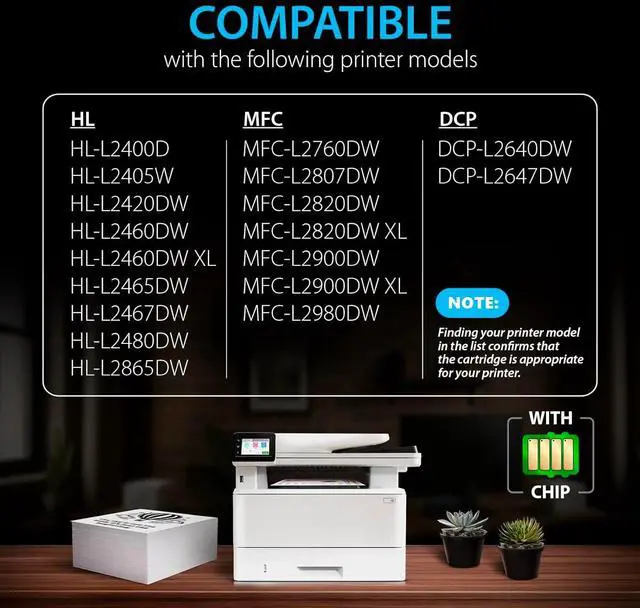
MFC-L2760DW, MFC-L2807DW, MFC-L2820DW, MFC-L2820DW XL, MFC-L2900DW, MFC-L2900DW XL, MFC-L2980DW
DCP-L2640DW, DCP-L2647DW
Gently shake the toner cartridge to evenly distribute the toner inside the cartridge and carefully remove the protective orange cap
Put the toner cartridge into the drum unit. The green lock lever should then lift automatically
Gently slide the tab in the drum unit back and forth several times to clean the corona wire, then return tab to its original position
Install the new toner cartridge and drum unit assembly
100% TONER RECOGNITION Smart Ink TN760 is for your quality printing WORK WITH BROTHER: STEP 1: STEP 2: STEP 3: STEP 4: