


- Free 15-day Returns
$34.09
Ships from China.


Meet Your Seller

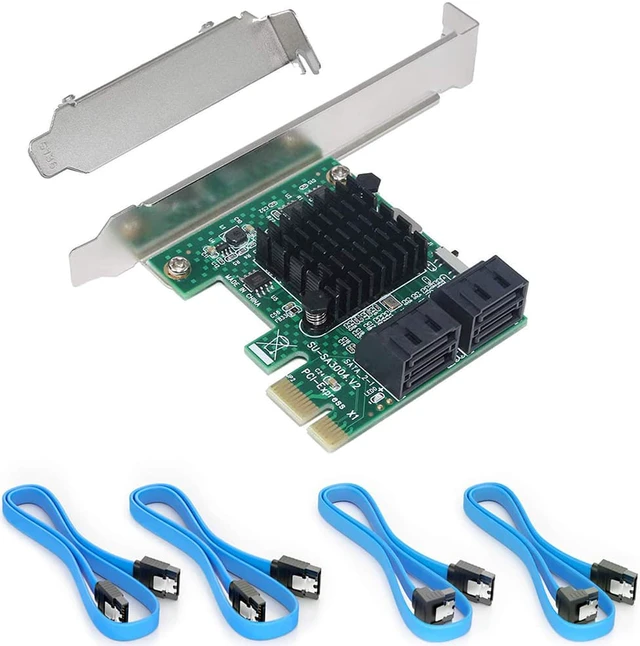
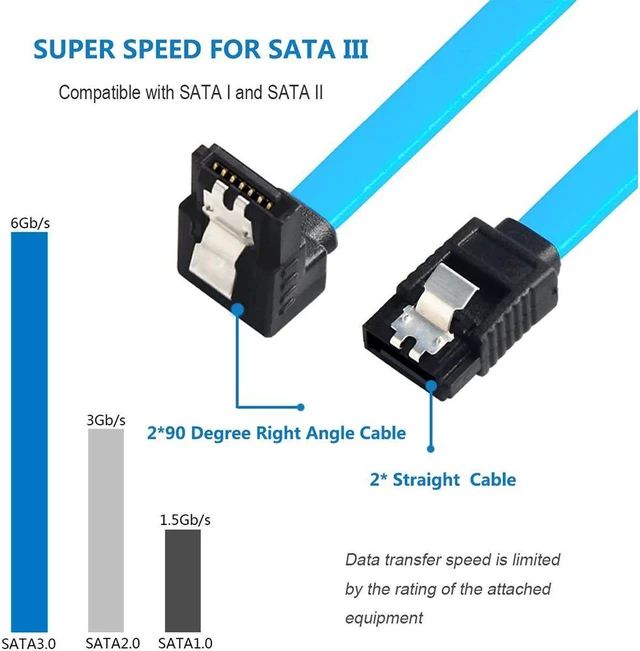
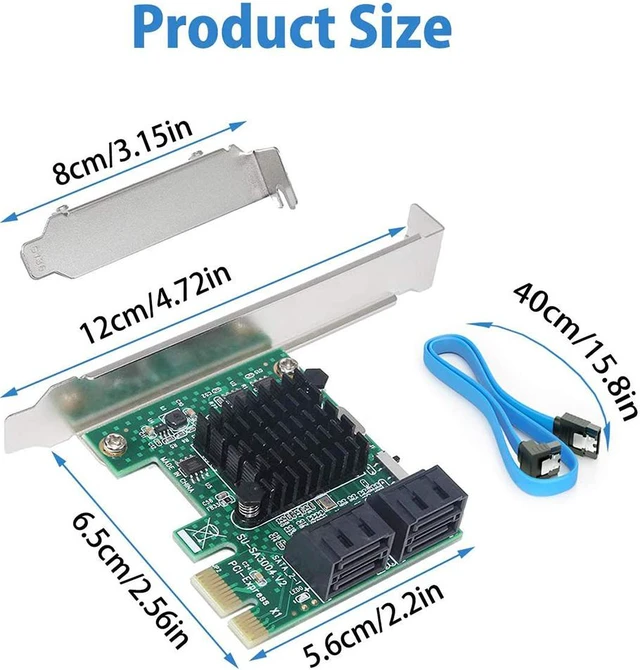
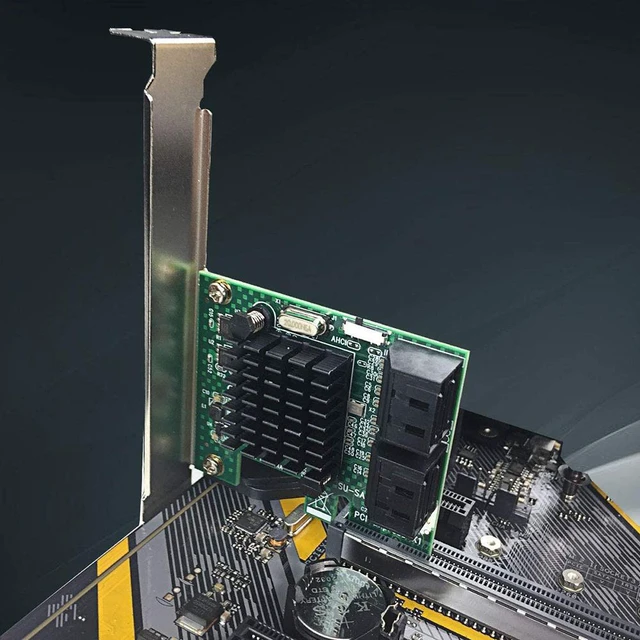


SATA 3.0 Card with 4 SATA Cables,PCIe SATA Controller Expression Card with Low Profile Bracket,ASM1061+ASM1093 Chip, Boot as System Disk, Support 4 SATA 3.0 Devices
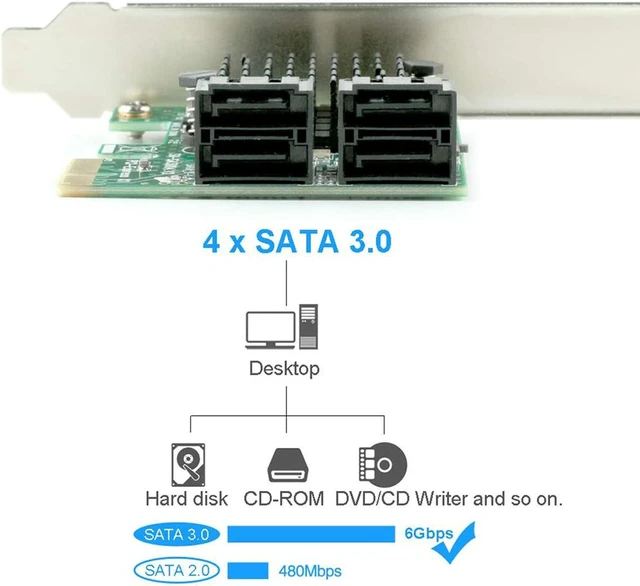
- - Add 4 6Gb/s SATA 3.0 devices to your desktop PC.Software Raid Supported,not hardware RAID.If your motherboard has RAID function, you could make a RAID with this SATA Card.
- - Chipset --- With using The chip ASM 1061+ASM 1093,more stable and compatible.Port Multiplier FIS-based and Command-based switching supported,supports Hot Plug and Hot Swap.
- - For All PCs --- PCI-Express x1 Interface is Compatible with PCI-Express x2 x4,x8,x16 slots.With low profile Bracket and 4 SATA Cables,compatible with 99% size chassis on the market.
- - System Support --- Connect 4 large capacity storage devices at the same time.Compatible with Windows XP / 2003 / Vista / 7 / 8 / 10 OS.No driver installation is required for 2 port operation, but drive is reqiried for 4 port operation.
+
+
Overview
Specs
Reviews
SATA III 4 Ports Adapter Card (SA3004)
PCIe X1 to 4 SATA 3.0 ports controller card offers a simple connection between a host computer and SATA 3.0 devices (SATA hard drive or SATA device), which allows 4 SATA devices at the speed up to 6Gb/s.
Serial ATA 3.0, compatible with SATA 2.0 and SATA 1.0
PCI-Express V 2.0, compatible with PCI-Express V 1.0
PCI-Express X1 slot, can be used on PCIe X2 X4 X8 X16 slots
Plug and play, supports Hot Plug and Hot Swap
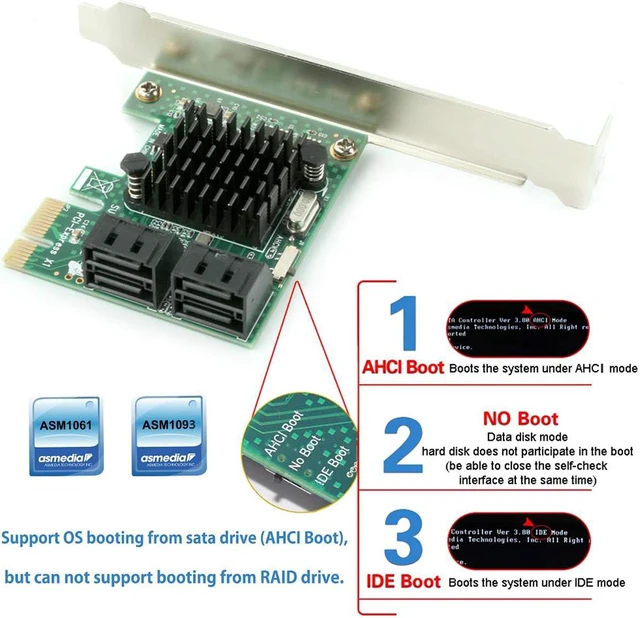
Chip: ASM 1061 (PCIE to SATA Controller) +ASM 1093 (Port Multiplier)
System Requirements
Support Windows XP / 2003 / Vista / 7 / 8 / 10(32/64 bit)
Only supports windows system, not for other systems
PCI-Express Slot
PCI-Express X1 slot, can be used on PCIe X2 X4 X8 X16 slots
Does not support PCI slots
Package List
1 x PCIe X1 to 4 SATA 3.0 Card
4 x SATACables(40cm/ 15.8 in)
1 x CD Driver
1 x Low-profile bracket
1 x Screwdriver
1 x Screw kit
Installation guide
Remove the fixing screws from the host computer's case and push open the side cover.
Install the sata card on the pcie slot and tighten the fixing screw.
Install the driver from our website or the CD
Connect the hard disk to the sata card.
Enter bois, select the first boot to find the corresponding hard disk, and restart.
Note
Installation sequence: sata card --- driver --- hard disk and other devices
Make sure the driver is installed successfully.
No driver installation is required for 2 port operation, but drive is reqiried for 4 port operation.
When installing the system with PE, you need to set the mode switch to NO Boot mode. After installing the system, you can switch to AHCI or IDE and use it normally (GHOST or installation version can be installed directly)
PCIe X1 to 4 SATA 3.0 ports controller card offers a simple connection between a host computer and SATA 3.0 devices (SATA hard drive or SATA device), which allows 4 SATA devices at the speed up to 6Gb/s.
Serial ATA 3.0, compatible with SATA 2.0 and SATA 1.0
PCI-Express V 2.0, compatible with PCI-Express V 1.0
PCI-Express X1 slot, can be used on PCIe X2 X4 X8 X16 slots
Plug and play, supports Hot Plug and Hot Swap
Chip: ASM 1061 (PCIE to SATA Controller) +ASM 1093 (Port Multiplier)
System Requirements
Support Windows XP / 2003 / Vista / 7 / 8 / 10(32/64 bit)
Only supports windows system, not for other systems
PCI-Express Slot
PCI-Express X1 slot, can be used on PCIe X2 X4 X8 X16 slots
Does not support PCI slots
Package List
1 x PCIe X1 to 4 SATA 3.0 Card
4 x SATACables(40cm/ 15.8 in)
1 x CD Driver
1 x Low-profile bracket
1 x Screwdriver
1 x Screw kit
Installation guide
Remove the fixing screws from the host computer's case and push open the side cover.
Install the sata card on the pcie slot and tighten the fixing screw.
Install the driver from our website or the CD
Connect the hard disk to the sata card.
Enter bois, select the first boot to find the corresponding hard disk, and restart.
Note
Installation sequence: sata card --- driver --- hard disk and other devices
Make sure the driver is installed successfully.
No driver installation is required for 2 port operation, but drive is reqiried for 4 port operation.
When installing the system with PE, you need to set the mode switch to NO Boot mode. After installing the system, you can switch to AHCI or IDE and use it normally (GHOST or installation version can be installed directly)
Warranty & Returns
Warranty, Returns, And Additional Information
Warranty
- Please contact the Seller directly for warranty information. Warranty information may also be found on the Manufacturer's website.
- CONTACT
Return Policies
- Return for refund within: 15 days
- Return for replacement within: 30 days
- This item is covered by fadaoe Return Policy
Manufacturer Contact Info
- For a directory of all our manufacturers, please click below.
- Manufacturers Directory
LOADING...