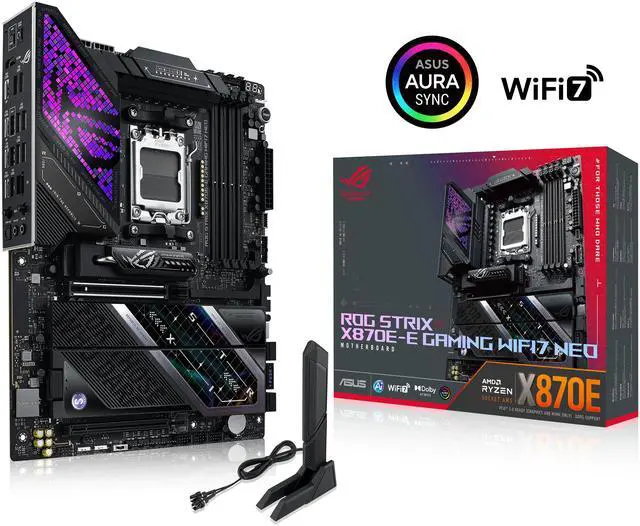
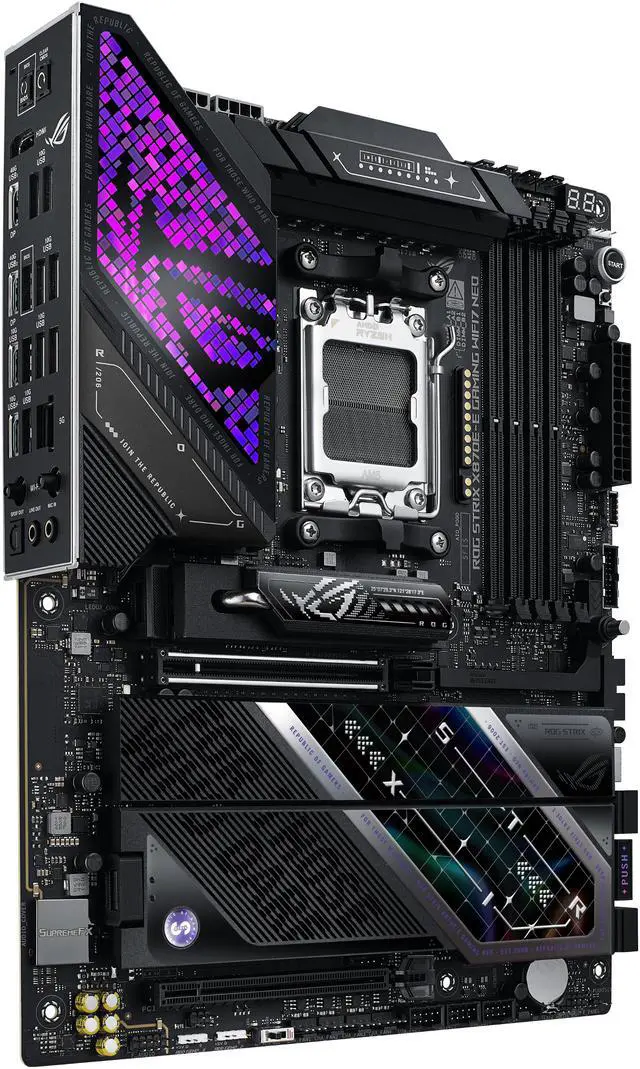
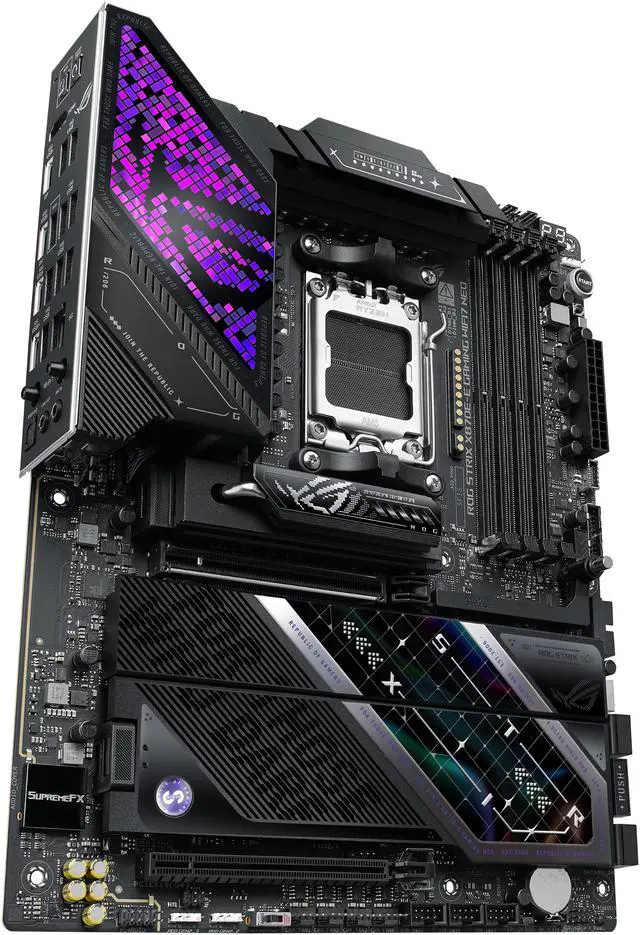
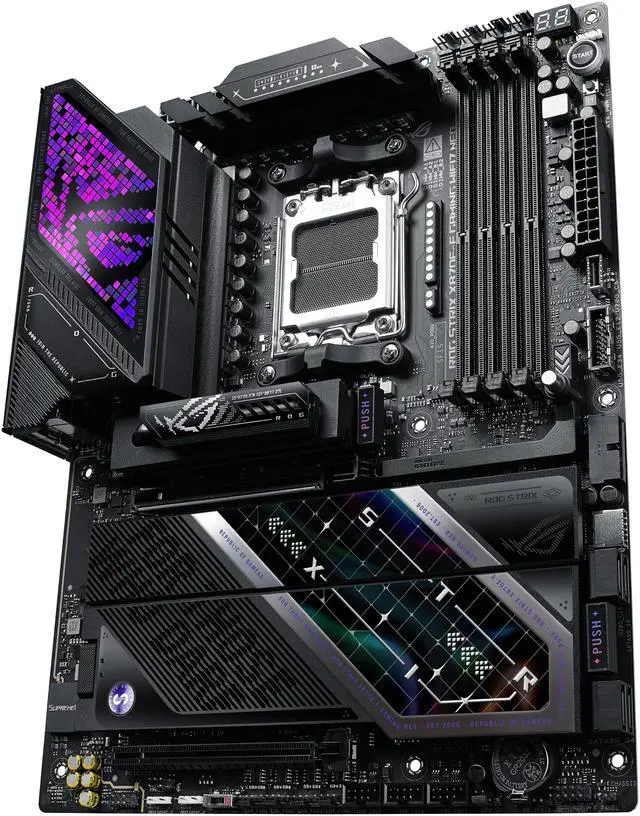
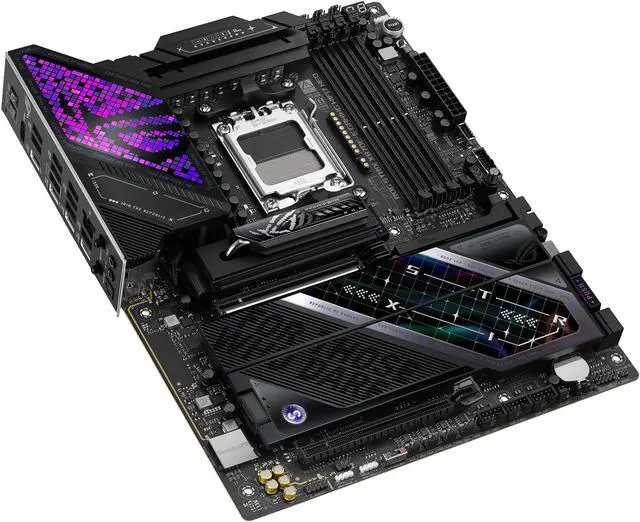
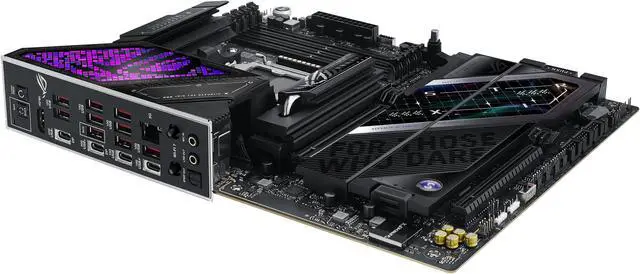
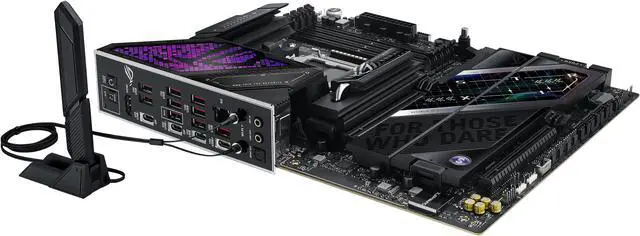
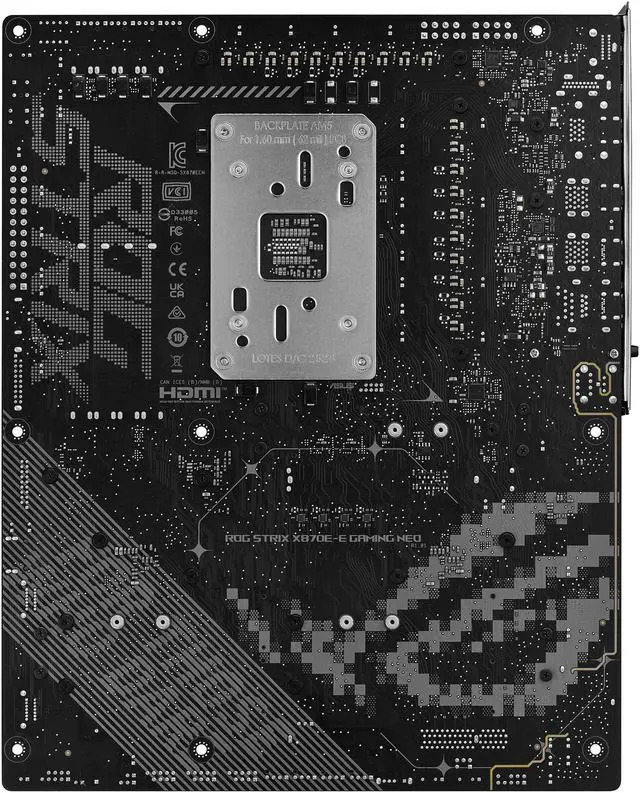
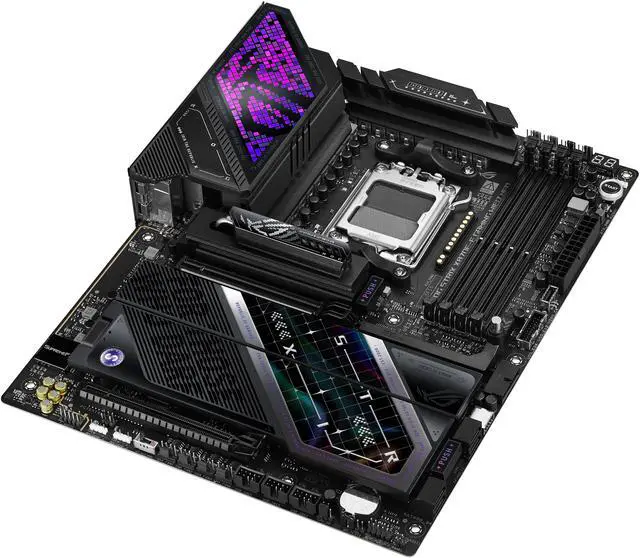
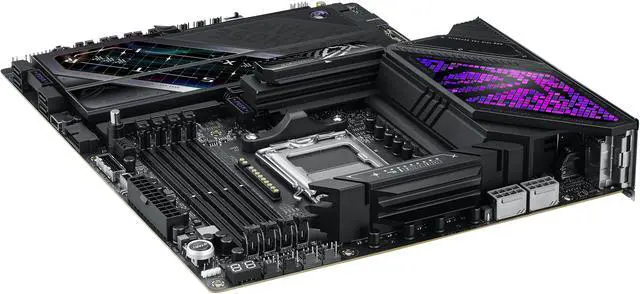
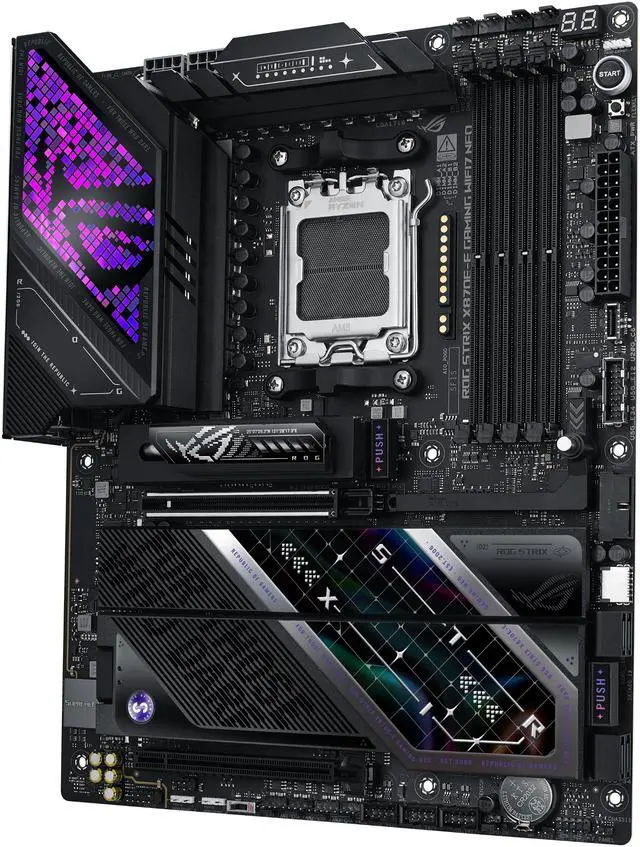
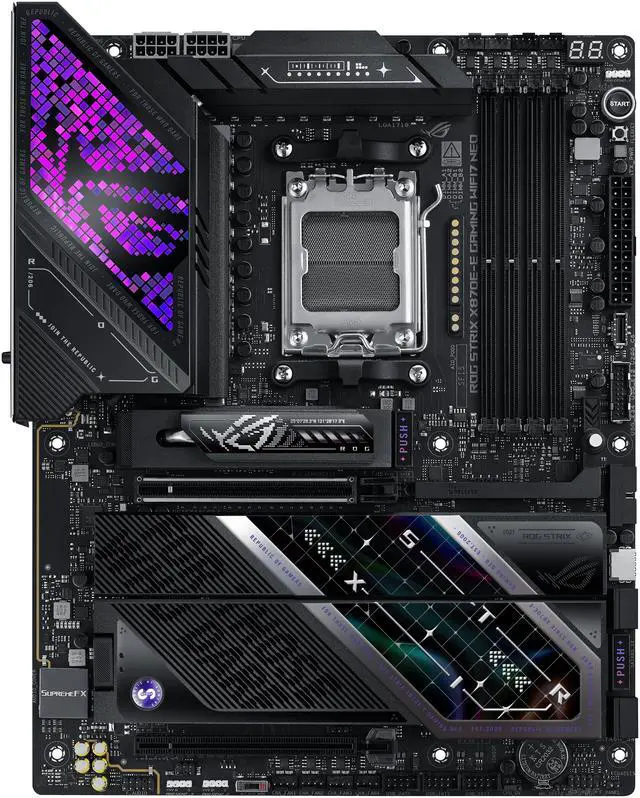
The ASUS ROG Strix X870E-E Gaming WiFi7 NEO is a high-end ATX AM5 motherboard built for Ryzen 7000, 8000, and 9000 desktop CPUs, making it a strong fit for enthusiasts, AI-focused PC builders, and gamers who want PCIe 5.0 graphics support, five M.2 slots, Wi‑Fi 7, 5Gb Ethernet, and dual USB4 connectivity.
Recommended For
- Tweakers and memory tuners who actually use BIOS features such as EXPO tuning, AI overclocking, debug aids, and onboard buttons instead of just enabling default settings and leaving the board untouched.
- Users running several NVMe drives for games, project files, or scratch storage who specifically want an ATX board with five M.2 slots and tool-free build conveniences rather than adding expansion cards later.
- AM5 builders planning a high-end Ryzen 9000 or X3D system who want one motherboard they can keep through multiple upgrades, with Wi‑Fi 7, USB4, PCIe 5.0 GPU support, and lots of onboard storage options.
Real-World Use Scenarios
- Tuning DDR5 memory or trying EXPO and manual tweaks on an enthusiast AM5 build: this is a realistic use case, and the expected outcome is easier experimentation with high-speed kits than on mainstream boards, especially for users who actually spend time in BIOS optimizing memory behavior.
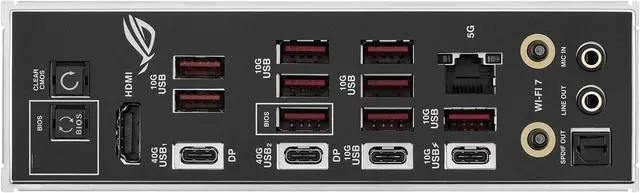
- Using the PC as a desk hub for fast external storage, docking, and modern peripherals: the real-world experience should be convenient for creators and power users because the rear I/O is unusually dense, including dual USB4 and a large number of 10Gbps USB ports.
- Creating a storage-heavy build with multiple NVMe drives for a game library, scratch disks, or project files: it fits that use well, but users should plan slot placement carefully because one M.2 slot can reduce USB4 capability and another can disable the secondary PCIe x16 slot when populated.
- Running a Ryzen 9 system for long gaming sessions, compiling, or rendering: the likely experience is stable operation under sustained load, with review testing showing low VRM temperatures and no obvious complaints during extended heavy use.
- Building a high-end AM5 gaming PC with a Ryzen 9000 CPU and next-gen GPU: the board is aimed at this kind of build, and reviews indicate gaming results are in line with other top X870E boards, with the main benefit being expansion, cooling, and tuning headroom rather than extra FPS from the motherboard itself.
Spec Summary
| Attribute | Value |
|---|
| Best For | High-performance AMD AM5 desktop builds that use Ryzen 9000/8000/7000 processors and need PCIe 5.0 GPU support, multiple NVMe drives (five M.2), high‑speed networking (WiFi 7 and 5Gb Ethernet) and Dual USB4 for modern peripherals and AI/advanced connectivity workflows |
|---|
| CPU And Socket | Socket AM5 supporting AMD Ryzen 9000, 8000 and 7000 series desktop processors |
|---|
| Chipset And Platform | AMD X870E chipset on an AM5 platform, compatible with Windows 11 and Windows 10 platforms where supported |
|---|
| Memory Configuration | 4 × DDR5 DIMM slots (dual‑channel), ECC and un‑buffered memory supported, up to 256GB maximum with supported OC speeds that vary by CPU generation (listed per processor series) |
|---|
| Expansion Slots & PCIe | One PCIe 5.0 x16 slot (x16 mode with supported Ryzen 9000/7000 CPUs) plus multiple PCIe 4.0 x16/x8/x4 slots depending on installed CPU and chipset lanes, designed to accommodate next‑gen GPUs and expansion cards |
|---|
| Storage And M.2 | Five M.2 slots (two support PCIe 5.0 x4 with supported Ryzen 9000/7000 CPUs; three support PCIe 4.0 x4 via the X870E chipset) plus SATA 6Gb/s ports for additional drives; note M.2_2 shares bandwidth with USB 40Gbps Type‑C ports (can be switched in BIOS) and M.2_3 shares bandwidth with a PCIe x16 lane |
|---|
| Networking & Wireless | Onboard Wi‑Fi 7 (802.11be) with Bluetooth support and a Realtek 5Gb Ethernet port for multi‑gig wired networking |
|---|
| Rear I/O & USB | Rear panel includes 2 × USB4 (40Gbps, Type‑C with DP Alt Mode), multiple 10Gbps USB ports including a USB‑C with PD/PPS up to 30W, one HDMI port, Wi‑Fi module, BIOS FlashBack and Clear CMOS buttons, optical S/PDIF and analog audio jacks |
|---|
| Audio | ROG SupremeFX audio with Realtek ALC4080 codec, Savitech SV3H712 amplifier, gold‑plated jacks and optical S/PDIF out; high SNR (120 dB playback / 110 dB recording) and front‑panel support up to 32‑bit/384 kHz plus LHDC Bluetooth audio support |
|---|
| Power & VRM | 18+2+2 power stages rated up to 110A per stage with dual ProCool II CPU power connectors, high‑quality alloy chokes and durable capacitors to support multi‑core AM5 processors; main 24‑pin ATX and 2 × 8‑pin +12V CPU power connectors |
|---|
| Cooling & Thermal | Large VRM heatsinks with integrated I/O cover, L‑shaped heatpipe, M.2 Combo‑Sink with U‑shaped direct contact heatpipe and M.2 heatsink/backplate to improve cooling for M.2 drives |
|---|
| Headers & Internal Connectors | Multiple fan/AIO headers (CPU, CPU_OPT, AIO Pump, 5 chassis), 3 × Addressable RGB Gen2 headers, USB headers (2 × USB 20Gbps connector supporting Type‑C, 2 × USB 5Gbps headers, 3 × USB 2.0 headers) and standard front‑panel/system headers for build integration |
|---|
| BIOS & Software | UEFI AMI BIOS (64MB flash) with ASUS utilities and ROG-exclusive software including Armoury Crate, Aura Sync, AI Advisor, AI Overclocking and fan/thermal controls plus utilities like EZ Flash and CrashFree BIOS |
|---|
| Form Factor & Physical | ATX motherboard, PCB dimensions 12.0" × 9.6" (W × L); item/package weights and package dimensions provided for shipping and installation planning |
|---|
| Model Identifiers & Compliance | ASUS ROG STRIX X870E-E GAMING WIFI7 NEO (ROG STRIX series); model number strings and FCC/SDOC identifiers included for regulatory reference |
|---|
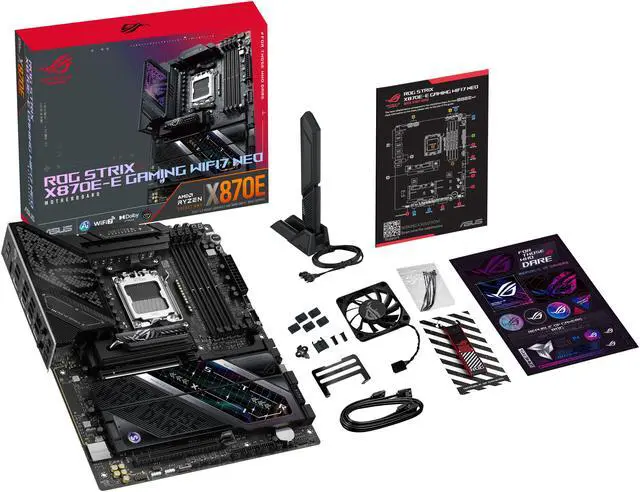
| Package Contents | Includes SATA cables, DDR5 fan holder and cooling kit accessories (ROG assistant fan, M.2 Q‑Latch/Slide packages), WiFi Q‑Antenna, cable ties, screws and documentation for installation |
|---|
Reference Q&A
Q: Should I buy the ASUS ROG STRIX X870E-E GAMING WIFI7 NEO or a B850 motherboard for an AM5 gaming build?
A: Choose the ASUS ROG STRIX X870E-E GAMING WIFI7 NEO if you want a higher-end AM5 board with more expansion and I/O headroom. Its platform position is above B850, and this model adds dual USB4, 5Gb Ethernet, five M.2 slots, and stronger onboard power delivery. A B850 board is the more practical choice when you want AM5 CPU support and overclocking at a lower total build cost, and you do not need as many high-speed ports or storage lanes.
Q: Is the ASUS ROG STRIX X870E-E GAMING WIFI7 NEO worth it over the older ROG STRIX X870E-E GAMING WIFI?
A: The NEO version makes more sense if you want the newest ASUS feature set and longer-term platform convenience rather than a major performance change. The underlying position stays similar: both are upper-tier X870E ATX boards for Ryzen 7000, 8000, and 9000 CPUs, with strong VRM design, PCIe 5.0 support, and premium connectivity. The NEO model mainly updates the board generation with ASUS's newer AI-focused software positioning and an expanded 64MB ROM approach intended to improve future BIOS flexibility and include onboard Wi-Fi driver support.
Q: Should I choose the ASUS ROG STRIX X870E-E GAMING WIFI7 NEO or move up to a Crosshair X870E board?
A: Choose the X870E-E GAMING WIFI7 NEO if you want a premium gaming-focused AM5 board without stepping into the highest-priced enthusiast tier. Move up to Crosshair X870E if your build specifically benefits from workstation-class expansion, more extreme overclocking features, or flagship-level onboard components. For most gaming and general high-end desktop builds, the Strix model already covers the main reasons people buy X870E: strong VRM capacity, PCIe 5.0 graphics support, multiple M.2 slots, USB4, Wi‑Fi 7, and 5Gb Ethernet.
Q: For gaming, will the ASUS ROG STRIX X870E-E GAMING WIFI7 NEO perform better than a cheaper AM5 motherboard?
A: Usually not by a meaningful margin in average gaming results if the CPU and GPU stay the same and both boards run the processor correctly. Higher-end motherboard differences tend to matter more in connectivity, storage expansion, VRM thermals, onboard networking, and quality-of-life features than in raw frame rates. The X870E-E GAMING WIFI7 NEO is the better choice when you want more USB bandwidth, more fast storage options, heavier Ryzen CPUs, or more room for upgrades over time.
Q: Is this a good motherboard for a high-end Ryzen 9000 gaming or workstation build?
A: Yes, if you want a premium AM5 board with unusually broad I/O and storage. It supports Ryzen 7000, 8000, and 9000 CPUs, uses an 18+2+2 power design, offers five M.2 slots, dual USB4, Wi‑Fi 7, and 5Gb Ethernet. It is best suited to buyers building a top-tier gaming, content creation, or heavy multitasking PC rather than a budget system.
Q: Will all five M.2 slots work without trade-offs?
A: No. The board has five M.2 slots, but two of the important trade-offs are bandwidth sharing and lane disabling. The M.2_2 slot shares bandwidth with the rear USB4 ports, and using it can reduce those USB4 ports to x2 or disable them if M.2_2 is forced to x4 in BIOS. The M.2_3 slot also shares bandwidth with the chipset PCIe x16 slot, so installing a drive in M.2_3 disables that secondary PCIe slot. This board is strong for storage-heavy builds, but buyers should plan lane usage before adding multiple SSDs and expansion cards.
Q: Is it better than a cheaper X870 or B850 motherboard?
A: It is better only if you will use its extra connectivity and expansion. Compared with cheaper AM5 boards, this model adds more M.2 capacity, dual USB4, 5Gb Ethernet, a stronger power stage design, and more premium tuning features. If your build only needs one GPU, two to three SSDs, standard USB, and basic networking, a lower-cost X870 or B850 board will usually be the better value.
Q: Is this motherboard a good choice for fast external storage, docks, and modern connectivity?
A: Yes. Dual USB4, rear USB-C with up to 30W PD/PPS, many additional 10Gbps USB ports, Wi‑Fi 7, and 5Gb Ethernet make it a strong choice for users with fast external SSDs, USB-C docks, high-speed networking, and newer peripherals. Its main limitation is that one internal M.2 slot shares bandwidth with USB4, so maximum internal storage flexibility and maximum USB4 capability are not fully independent.
Q: Who is this motherboard not ideal for?
A: It is not ideal for budget-focused builders, simple office PCs, or buyers who will not use its premium features. This board makes the most sense for enthusiasts who want Ryzen 9000 support, heavy storage expansion, stronger networking, USB4, and advanced BIOS or overclocking features. For a mainstream gaming PC with fewer SSDs and standard I/O needs, a less expensive AM5 board is usually more sensible.
Q: Is the ROG Strix X870E-E Gaming WiFi7 NEO worth buying over cheaper AM5 boards?
A: It makes the most sense if you specifically want a high-end AM5 board with USB4, Wi-Fi 7, 5GbE, strong RAM capacity, and a large amount of NVMe storage support. Reddit discussion around this model repeatedly focuses on its likely premium pricing, so it is a better fit for buyers who will actually use features like dual USB4, five M.2 slots, and heavy I/O. If you mainly need a stable AM5 gaming build without those extras, a less expensive B850 or lower-tier X870 board is the more rational choice.
Q: Who is this motherboard best suited for?
A: This board is best suited for enthusiasts building a premium AM5 desktop around Ryzen 7000, 8000, or 9000 CPUs and wanting more connectivity than mainstream boards provide. It fits users planning multiple NVMe drives, fast wired networking, Wi-Fi 7, USB4 peripherals, and possible CPU or memory tuning. It is less suitable for budget-focused gaming builds or for users who will install one SSD and leave most expansion unused.
Q: What are the main trade-offs of choosing this board?
A: The biggest trade-off is that some of its advanced connectivity shares bandwidth. On this model, the rear USB4 ports and the M.2_2 slot share bandwidth, and enabling full x4 operation for M.2_2 can disable the rear 40Gbps USB-C ports. Also, installing a drive in M.2_3 disables the secondary PCIe 4.0 x16 slot. This means the board offers many expansion options, but not all of them can be used at full speed at the same time.
Q: Is this a good choice for a high-end gaming and workstation hybrid PC?
A: Yes, if you want one system for gaming plus heavier desktop workloads. The board supports up to 256GB of DDR5, includes ECC support for unbuffered memory, offers five M.2 slots, 5Gb Ethernet, Wi-Fi 7, and a robust 18+2+2 power design. That makes it a practical fit for users combining gaming with content creation, virtualization, large local storage, or fast external devices. It is less compelling if your workload does not need the extra storage, networking, or I/O headroom.
Q: What is the maximum memory supported by the ASUS ROG STRIX X870E-E GAMING WIFI7 NEO motherboard?
A: The maximum memory supported by the ASUS ROG STRIX X870E-E GAMING WIFI7 NEO motherboard is 256GB.
Q: How many M.2 slots does the ASUS ROG STRIX X870E-E GAMING WIFI7 NEO motherboard have?
A: The ASUS ROG STRIX X870E-E GAMING WIFI7 NEO motherboard has five M.2 slots.
Q: Who is this motherboard best suited for?
A: This board is best suited for enthusiasts building a premium AM5 desktop around Ryzen 7000, 8000, or 9000 CPUs and wanting more connectivity than mainstream boards provide. It fits users planning multiple NVMe drives, fast wired networking, Wi-Fi 7, USB4 peripherals, and possible CPU or memory tuning. It is less suitable for budget-focused gaming builds or for users who will install one SSD and leave most expansion unused.
Q: Is this a good choice for a high-end gaming and workstation hybrid PC?
A: Yes, if you want one system for gaming plus heavier desktop workloads. The board supports up to 256GB of DDR5, includes ECC support for unbuffered memory, offers five M.2 slots, 5Gb Ethernet, Wi-Fi 7, and a robust 18+2+2 power design. That makes it a practical fit for users combining gaming with content creation, virtualization, large local storage, or fast external devices. It is less compelling if your workload does not need the extra storage, networking, or I/O headroom.
Q: What are the main trade-offs of choosing this board?
A: The biggest trade-off is that some of its advanced connectivity shares bandwidth. On this model, the rear USB4 ports and the M.2_2 slot share bandwidth, and enabling full x4 operation for M.2_2 can disable the rear 40Gbps USB-C ports. Also, installing a drive in M.2_3 disables the secondary PCIe 4.0 x16 slot. This means the board offers many expansion options, but not all of them can be used at full speed at the same time.
Q: Is the ROG Strix X870E-E Gaming WiFi7 NEO worth buying over cheaper AM5 boards?
A: It makes the most sense if you specifically want a high-end AM5 board with USB4, Wi-Fi 7, 5GbE, strong RAM capacity, and a large amount of NVMe storage support. Reddit discussion around this model repeatedly focuses on its likely premium pricing, so it is a better fit for buyers who will actually use features like dual USB4, five M.2 slots, and heavy I/O. If you mainly need a stable AM5 gaming build without those extras, a less expensive B850 or lower-tier X870 board is the more rational choice.
Q: Is this motherboard a good choice for fast external storage, docks, and modern connectivity?
A: Yes. Dual USB4, rear USB-C with up to 30W PD/PPS, many additional 10Gbps USB ports, Wi‑Fi 7, and 5Gb Ethernet make it a strong choice for users with fast external SSDs, USB-C docks, high-speed networking, and newer peripherals. Its main limitation is that one internal M.2 slot shares bandwidth with USB4, so maximum internal storage flexibility and maximum USB4 capability are not fully independent.
Q: Who is this motherboard not ideal for?
A: It is not ideal for budget-focused builders, simple office PCs, or buyers who will not use its premium features. This board makes the most sense for enthusiasts who want Ryzen 9000 support, heavy storage expansion, stronger networking, USB4, and advanced BIOS or overclocking features. For a mainstream gaming PC with fewer SSDs and standard I/O needs, a less expensive AM5 board is usually more sensible.
Q: Is it better than a cheaper X870 or B850 motherboard?
A: It is better only if you will use its extra connectivity and expansion. Compared with cheaper AM5 boards, this model adds more M.2 capacity, dual USB4, 5Gb Ethernet, a stronger power stage design, and more premium tuning features. If your build only needs one GPU, two to three SSDs, standard USB, and basic networking, a lower-cost X870 or B850 board will usually be the better value.
Q: Will all five M.2 slots work without trade-offs?
A: No. The board has five M.2 slots, but two of the important trade-offs are bandwidth sharing and lane disabling. The M.2_2 slot shares bandwidth with the rear USB4 ports, and using it can reduce those USB4 ports to x2 or disable them if M.2_2 is forced to x4 in BIOS. The M.2_3 slot also shares bandwidth with the chipset PCIe x16 slot, so installing a drive in M.2_3 disables that secondary PCIe slot. This board is strong for storage-heavy builds, but buyers should plan lane usage before adding multiple SSDs and expansion cards.
Q: Is this a good motherboard for a high-end Ryzen 9000 gaming or workstation build?
A: Yes, if you want a premium AM5 board with unusually broad I/O and storage. It supports Ryzen 7000, 8000, and 9000 CPUs, uses an 18+2+2 power design, offers five M.2 slots, dual USB4, Wi‑Fi 7, and 5Gb Ethernet. It is best suited to buyers building a top-tier gaming, content creation, or heavy multitasking PC rather than a budget system.
Q: For gaming, will the ASUS ROG STRIX X870E-E GAMING WIFI7 NEO perform better than a cheaper AM5 motherboard?
A: Usually not by a meaningful margin in average gaming results if the CPU and GPU stay the same and both boards run the processor correctly. Higher-end motherboard differences tend to matter more in connectivity, storage expansion, VRM thermals, onboard networking, and quality-of-life features than in raw frame rates. The X870E-E GAMING WIFI7 NEO is the better choice when you want more USB bandwidth, more fast storage options, heavier Ryzen CPUs, or more room for upgrades over time.