
Your Browsing History


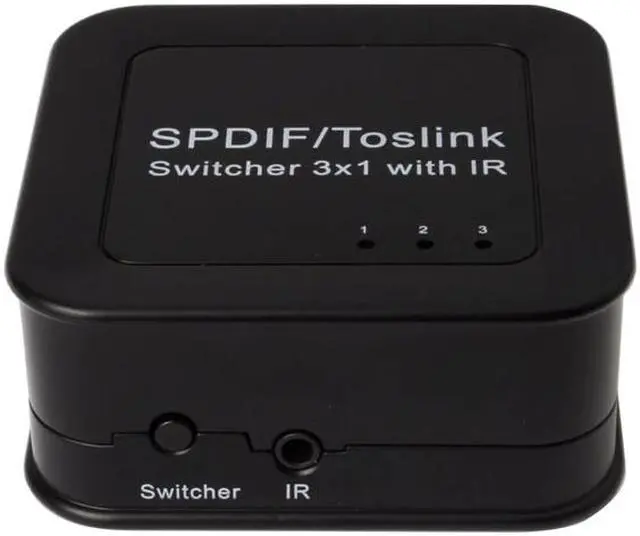
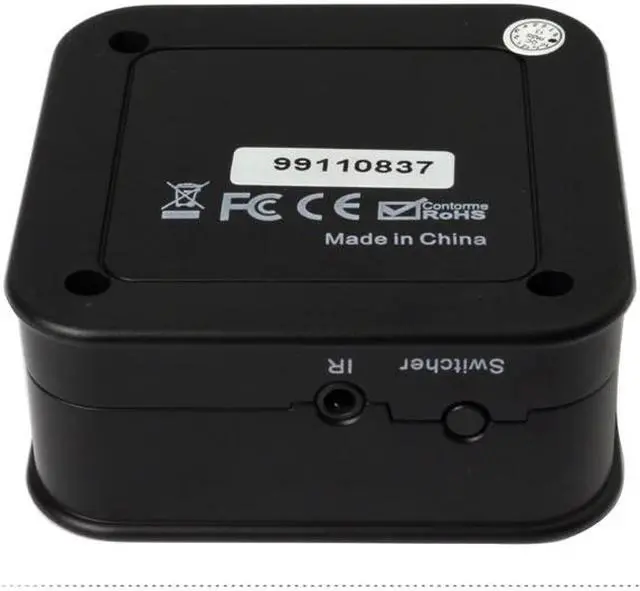


SPDIF/TosLink Digital Optical Audio 3x1 Switchers 5.1 audio switcher audio power amplifier(AIS ADSW0301M1)
Limited time offer, ends 09/19 By Dazan Technology
+
+
Overview
Specs
Reviews
Digital Optical Audio 3x1 Switchers
Model No: ADSW0301M1
INTRODUCTION
Dear customer
Thank you for purchasing this product. For optimum performance and safety, please read these instructions carefully before connecting, operating or adjusting this product. Please keep this manual for future reference.
Our series of converters, switchers, extenders, matrixes and splitters are designed to make your A/V device use more convenient, more comfortable, more productive and more cost-efficient.
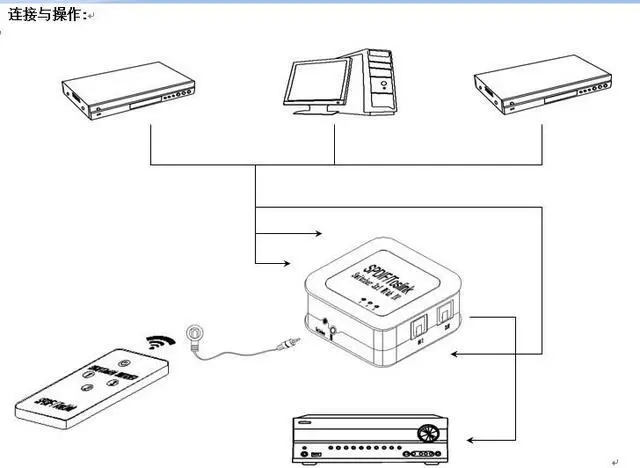
This SPDIF/TosLink Digital Optical Audio Switchers can let the users to connect three digital optical TosLink sources to one optical TosLink (SPDIF) input on your AV amplifier.
Our devices offer solutions for noise, space and security concerns, data center control, information distribution, conference room presentation, school and corporate training environments.
FEATURES
l Three ways of optical fiber signals switch to one sets of SPDIF/TosLink signal receiving device.
l Audio format support : LPCM2.0/DTS/Dolby-AC3
l Support signal retiming
l Used optical fiber cable loss less the 0.2Db/m, Output distance is up to 40m.
l The input control can through R/M and also can directly press the button
l Support last time working state memory when power off
l Over-voltage protection can prevent the damage caused by connecting unmatched power adapter to the machine
l LED status indication
l No loss of quality
l Installs in minutes
l Need DC5V/500mA power supply
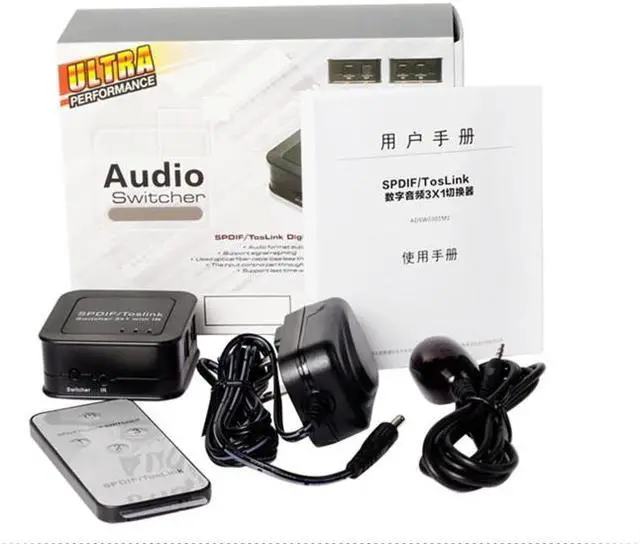
The accessories with the machines lists
1. 5V Power Adaptor
2. Operation Manual
3. Remote-control unit
4. IR extender line
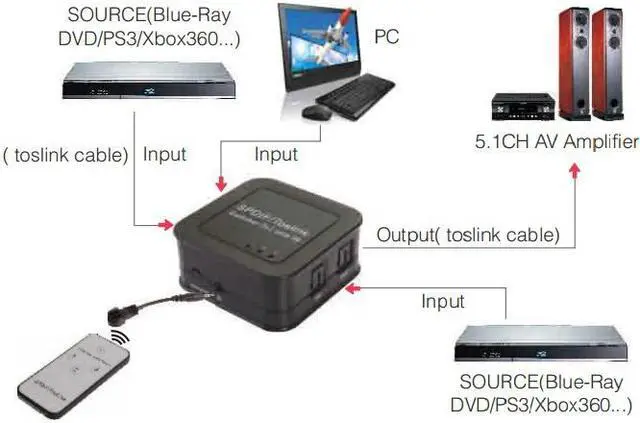
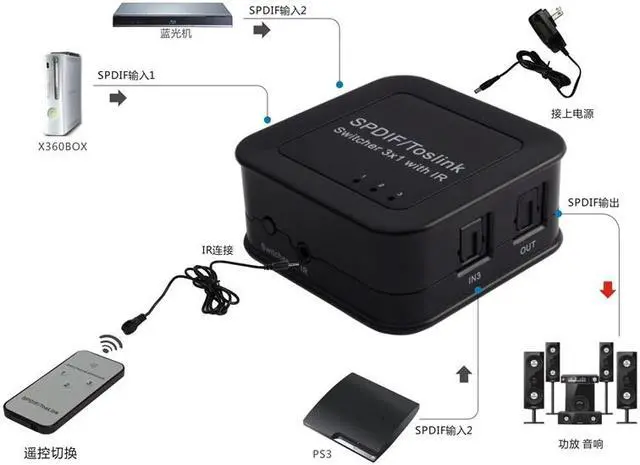
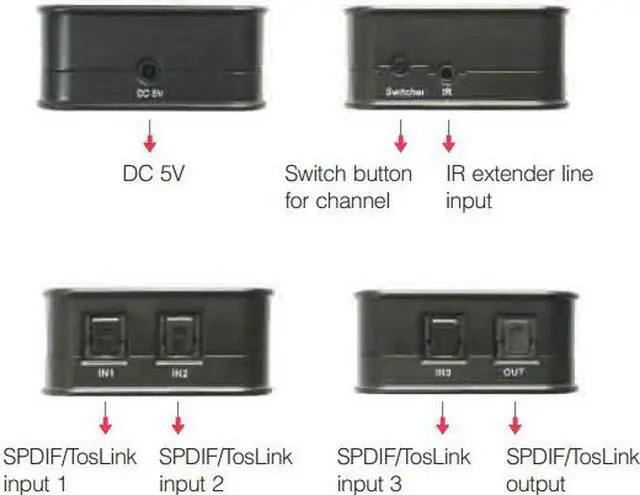
1. To use the optical fiber cable to connect the optical fiber signal source (such as blue-ray player, the computer and so on) with the switchers input.
2. To let the switchers output port connected to the optical fiber signal receiver (such as amplifier, home theater and so on) by using the optical cable.
3. Connect IR extender line to IR extender line input port.
4. Connect 5V power supply to the matrix DC input port
5. Use the remote or button to switch the input source freely.
SPECIFICATIONS: ADSW0301M1
Support audio format………..LPCM2.0/DTS/Dolby-AC3
Peak wavelength……………650nm
Max baud rate…..………16Mbps
Output cable distance .....…=40m(Use the optical fiber cable loss less the 0.2Db/m )
Max working current………………...100mA
Power adapter format………….Input:AC (50HZ, 60HZ) 100V-240V; Output: DC5V/500mA
Operating Temperature range…….… (0 to +40)
Operating Humidity range…………….5 to 90%RH (No Condensation)
Dimension (L x W x H)……………….…………54x54x23.5 (mm)
Weight…..…….…………………35g
Notes:
Pls use the machine as the instruction listed to keep the long use lifetime of the machine.
1. The machine should be placed at the spot far from the Damp, High-Temperature, Dusty, Erosive, and oxidative environment.
2. All parts will be free from the strong shake, hit, fall.
3. Touching the power adaptor with the wet hands is prohibited.
4. Pls hold the power adaptor head and do not pull the power cord when cut off from the socket.
5. Pls turn the power off when the machine is not used for long time.
6. Pls do not open the cover and do not touch the inside parts.
7. Pls use the original factory power adaptor.
Before power on, pls check the connection line carefully. And make sure that all interfaces are normally connected. The common trouble shooting way shows below:
Serial NO
Trouble Description
Cause and Ways to deal with
1
Non-Power-Connected
1Check if the power adaptor head is truly and correctly inserted the power socket.
2Check the power switch if it is in on status.
2
No sound output
1Check the signal receiving equipment and the machine connection are in good condition.
2To check if the signal source is on and well connected.
3Check the system connection quality.
4Check if the line is all good quality.
3
Sound interrupted
1To try again to connect the cable to be free from the unsuccessful connection.
Model No: ADSW0301M1
INTRODUCTION
Dear customer
Thank you for purchasing this product. For optimum performance and safety, please read these instructions carefully before connecting, operating or adjusting this product. Please keep this manual for future reference.
Our series of converters, switchers, extenders, matrixes and splitters are designed to make your A/V device use more convenient, more comfortable, more productive and more cost-efficient.
This SPDIF/TosLink Digital Optical Audio Switchers can let the users to connect three digital optical TosLink sources to one optical TosLink (SPDIF) input on your AV amplifier.
Our devices offer solutions for noise, space and security concerns, data center control, information distribution, conference room presentation, school and corporate training environments.
FEATURES
l Three ways of optical fiber signals switch to one sets of SPDIF/TosLink signal receiving device.
l Audio format support : LPCM2.0/DTS/Dolby-AC3
l Support signal retiming
l Used optical fiber cable loss less the 0.2Db/m, Output distance is up to 40m.
l The input control can through R/M and also can directly press the button
l Support last time working state memory when power off
l Over-voltage protection can prevent the damage caused by connecting unmatched power adapter to the machine
l LED status indication
l No loss of quality
l Installs in minutes
l Need DC5V/500mA power supply
The accessories with the machines lists
1. 5V Power Adaptor
2. Operation Manual
3. Remote-control unit
4. IR extender line
1. To use the optical fiber cable to connect the optical fiber signal source (such as blue-ray player, the computer and so on) with the switchers input.
2. To let the switchers output port connected to the optical fiber signal receiver (such as amplifier, home theater and so on) by using the optical cable.
3. Connect IR extender line to IR extender line input port.
4. Connect 5V power supply to the matrix DC input port
5. Use the remote or button to switch the input source freely.
SPECIFICATIONS: ADSW0301M1
Support audio format………..LPCM2.0/DTS/Dolby-AC3
Peak wavelength……………650nm
Max baud rate…..………16Mbps
Output cable distance .....…=40m(Use the optical fiber cable loss less the 0.2Db/m )
Max working current………………...100mA
Power adapter format………….Input:AC (50HZ, 60HZ) 100V-240V; Output: DC5V/500mA
Operating Temperature range…….… (0 to +40)
Operating Humidity range…………….5 to 90%RH (No Condensation)
Dimension (L x W x H)……………….…………54x54x23.5 (mm)
Weight…..…….…………………35g
Notes:
Pls use the machine as the instruction listed to keep the long use lifetime of the machine.
1. The machine should be placed at the spot far from the Damp, High-Temperature, Dusty, Erosive, and oxidative environment.
2. All parts will be free from the strong shake, hit, fall.
3. Touching the power adaptor with the wet hands is prohibited.
4. Pls hold the power adaptor head and do not pull the power cord when cut off from the socket.
5. Pls turn the power off when the machine is not used for long time.
6. Pls do not open the cover and do not touch the inside parts.
7. Pls use the original factory power adaptor.
Before power on, pls check the connection line carefully. And make sure that all interfaces are normally connected. The common trouble shooting way shows below:
Serial NO
Trouble Description
Cause and Ways to deal with
1
Non-Power-Connected
1Check if the power adaptor head is truly and correctly inserted the power socket.
2Check the power switch if it is in on status.
2
No sound output
1Check the signal receiving equipment and the machine connection are in good condition.
2To check if the signal source is on and well connected.
3Check the system connection quality.
4Check if the line is all good quality.
3
Sound interrupted
1To try again to connect the cable to be free from the unsuccessful connection.
Warranty & Returns
Warranty, Returns, And Additional Information
Warranty
- Please contact the Seller directly for warranty information. Warranty information may also be found on the Manufacturer's website.
- CONTACT
Return Policies
- Return for refund within: 30 days
- Return for replacement within: 30 days
- This item is covered by Dazan Technology Return Policy
Manufacturer Contact Info
- For a directory of all our manufacturers, please click below.
- Manufacturers Directory
LOADING...
LOADING...