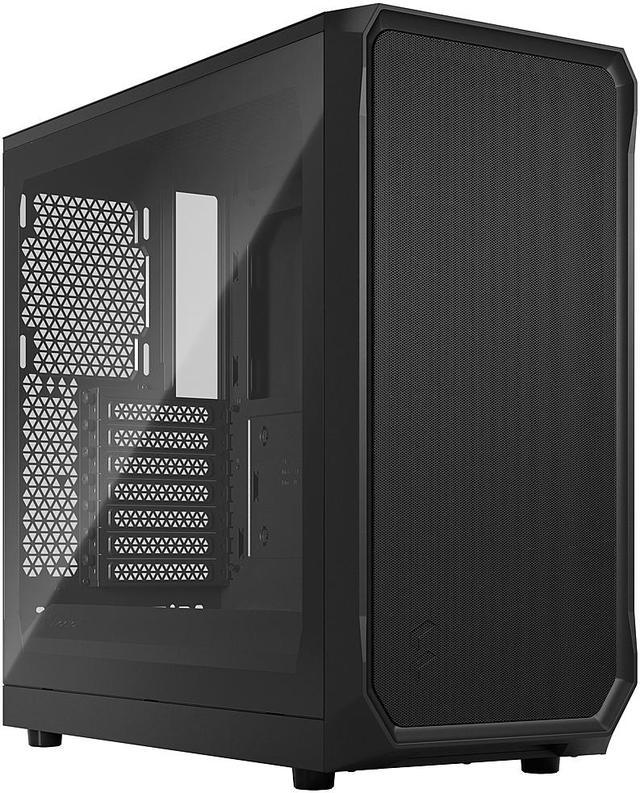
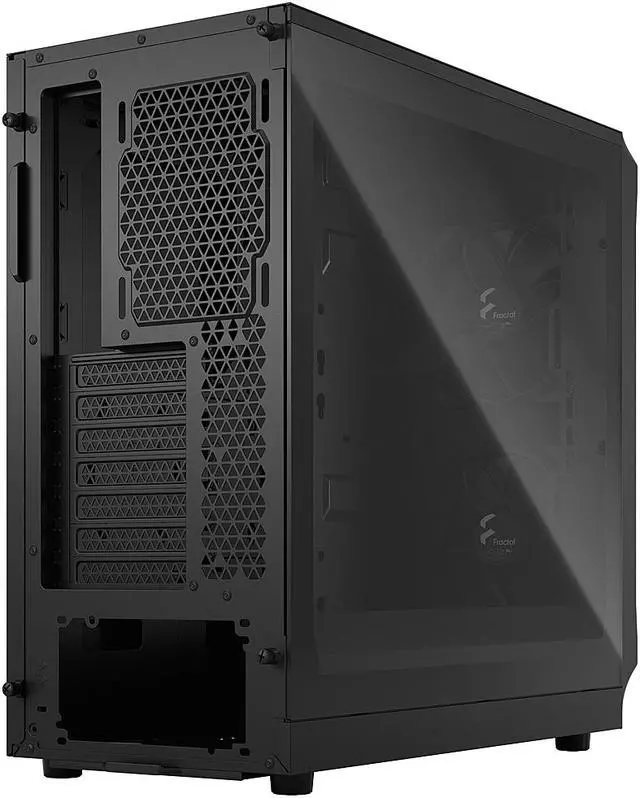
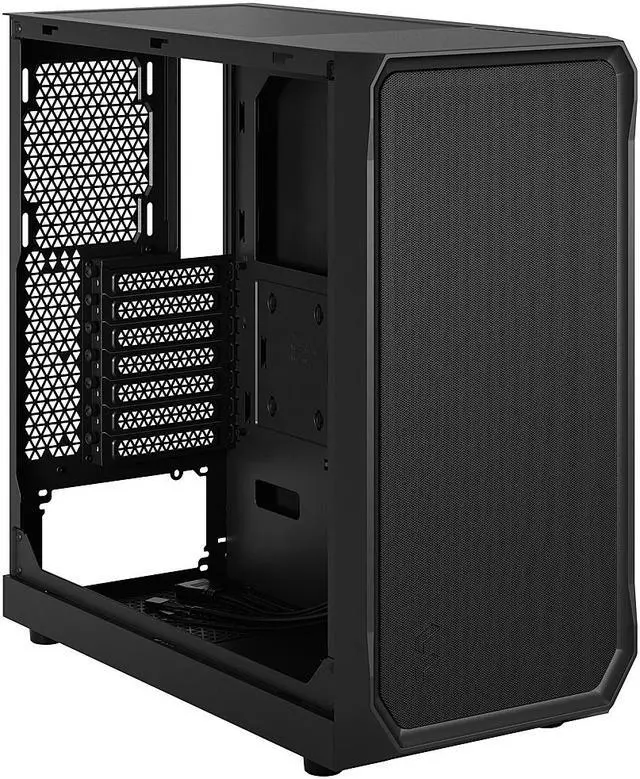
The Fractal Design Focus 2 is a black ATX mid-tower PC case built for gamers and DIY builders who want strong airflow, tempered-glass visibility, and broad hardware support for ATX, Micro ATX, and Mini-ITX systems.
Recommended For
- Budget-focused PC builders who want an airflow-first ATX case with usable stock cooling instead of paying extra for replacement fans right away.
- First-time builders who want an easy mid-tower build process with straightforward cable routing, good component clearance, and a simple internal layout.
- Mainstream gamers using long GPUs or larger air coolers who need strong front intake and modern part clearance without moving up to a larger premium chassis.
- Users who want a clean, understated tower with tempered glass and mesh airflow, but without aggressive RGB-heavy styling.
- Builders who may want a low-cost upgrade path later, such as adding front USB-C, more storage brackets, or extra cooling over time.
Real-World Use Scenarios
- Building a mainstream gaming PC with a long modern graphics card and tower air cooler: the case is typically used for this kind of setup because it leaves generous GPU clearance, includes two front 140 mm fans, and usually delivers straightforward front-to-back airflow with no major fit issues for standard ATX parts.
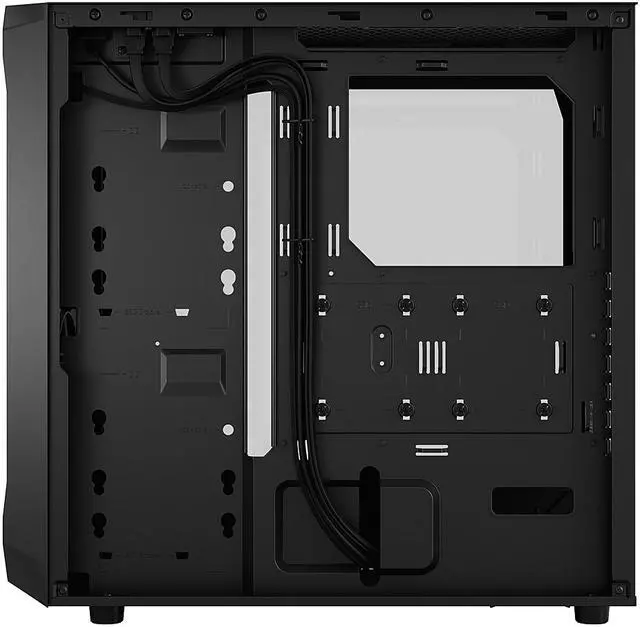
- Putting together a first or budget-conscious custom PC: most users can complete a clean, functional build without much trouble, but cable routing is usually the part that takes extra time because the case has less hidden space behind the motherboard tray than more premium enclosures.
- Using the case for an airflow-focused gaming or everyday workstation build: owners generally get solid stock cooling for typical CPU and GPU loads, but enthusiasts often add top and rear exhaust fans to improve heat removal during longer gaming sessions or heavier sustained workloads.
- Installing a front 360 mm radiator or a larger air cooler for a higher-heat gaming build: the case is commonly chosen when the goal is to fit bigger cooling hardware without moving up to a larger chassis, though top radiator space is more limited than front mounting.
- Choosing a case for a home office or bedroom PC where noise matters: the included 140 mm front fans are generally viewed as quiet enough for normal use, but the chassis is still optimized more for airflow than sound dampening, so fan tuning matters if the system will sit close to the user.
- Running a system in a dust-prone room and trying to minimize maintenance: the case is usable for this, but community discussion shows buyers often weigh its airflow-first front design against the likelihood of needing more regular cleaning than on cases with a denser dedicated front dust filter.
Spec Summary
| Attribute | Value |
|---|
| Best For | Mid-tower PC builds that showcase components behind a tempered glass side panel and prioritize airflow—supports ATX/micro‑ATX/mini‑ITX boards, multiple 120/140mm fans and front radiators up to 360mm, making it suitable for visible air‑cooled or AIO radiator builds |
|---|
| Physical Dimensions & Weight | Product dimensions 18.56" x 8.46" x 17.74" and product weight 14.11 lbs; package dimensions 30.5 x 53.5 x 55 cm with package weight 7.74 kg (packaging info provided separately) |
|---|
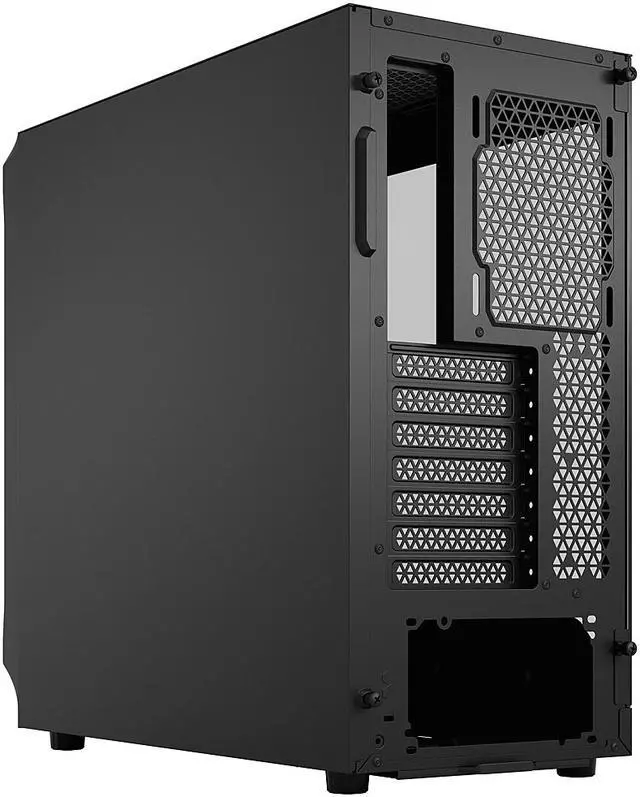
| Motherboard & Expansion | Supports Micro‑ATX, ATX, Mini‑ITX and Mini‑DTX motherboards with 7 expansion slots |
|---|
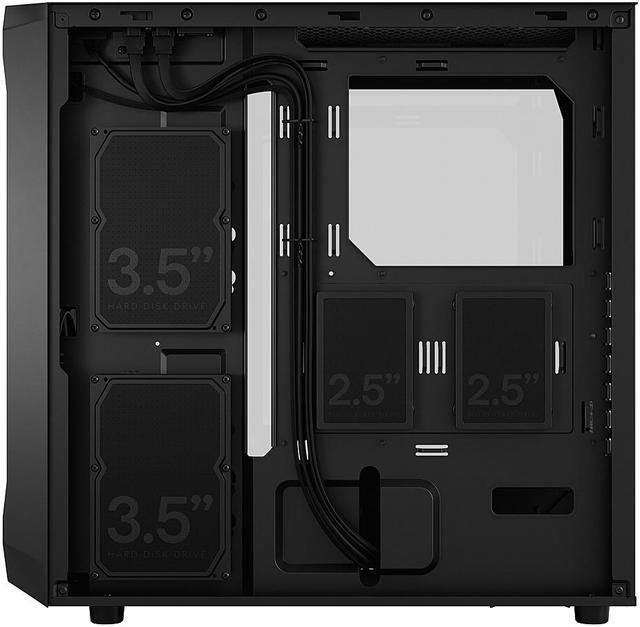
| Drive Bays & Storage Support | Two 3.5" HDD mounts and two included 2.5" SSD bays (2 included, up to 6 total 2.5" positions reported); HDD quick clips behind motherboard panel and additional optional brackets for more SSDs |
|---|
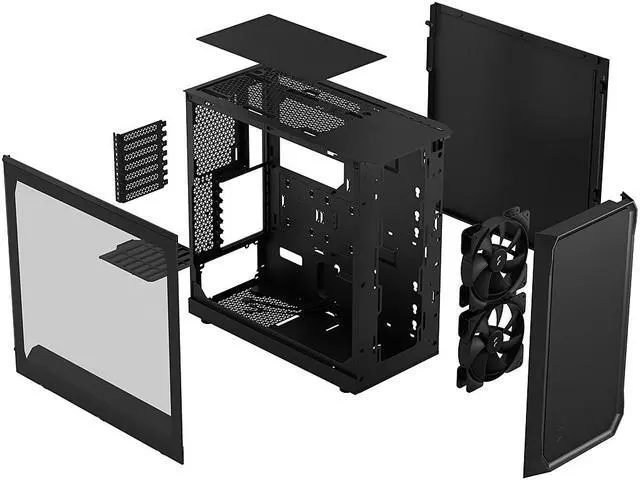
| Cooling & Radiator Support | Includes 2 x 140mm Aspect front fans; supports up to 3 x 120mm or 2 x 140mm front, 2 x 120mm/2 x 140mm top and 1 x 120mm rear fan positions; radiator support front up to 360/280/240/140/120mm, top up to 240/120mm (46mm max motherboard component height), rear 120mm |
|---|
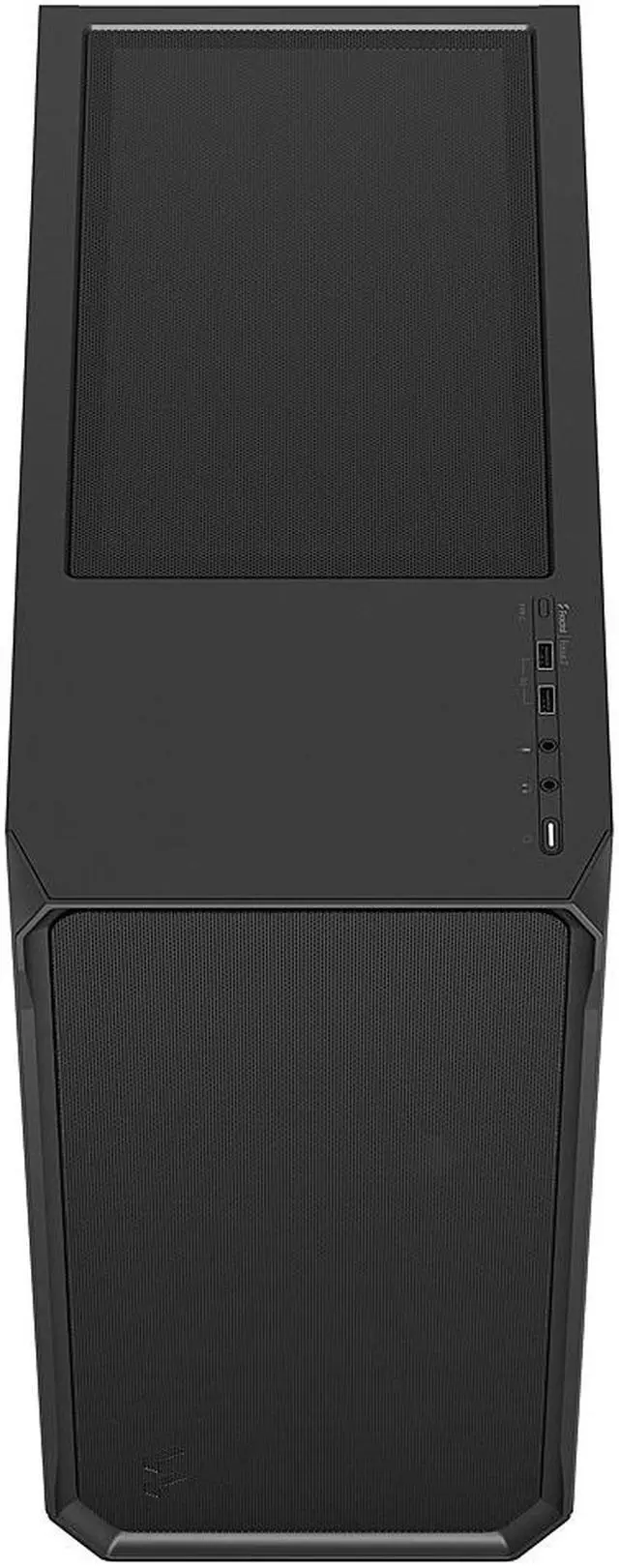
| Front I/O & Internal Connectivity | Front I/O has 2 × USB 3.0 (5 Gb/s) ports plus mic and headphone jacks; optional USB Type‑C front port available via separate USB‑C upgrade kit |
|---|
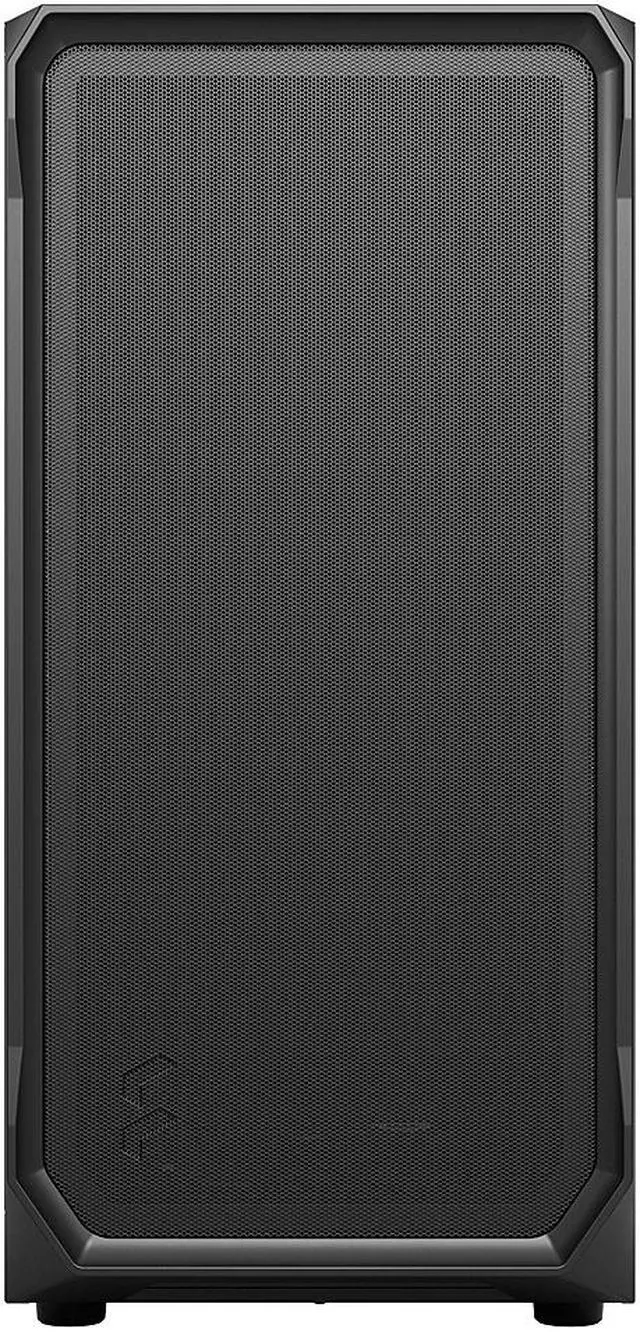
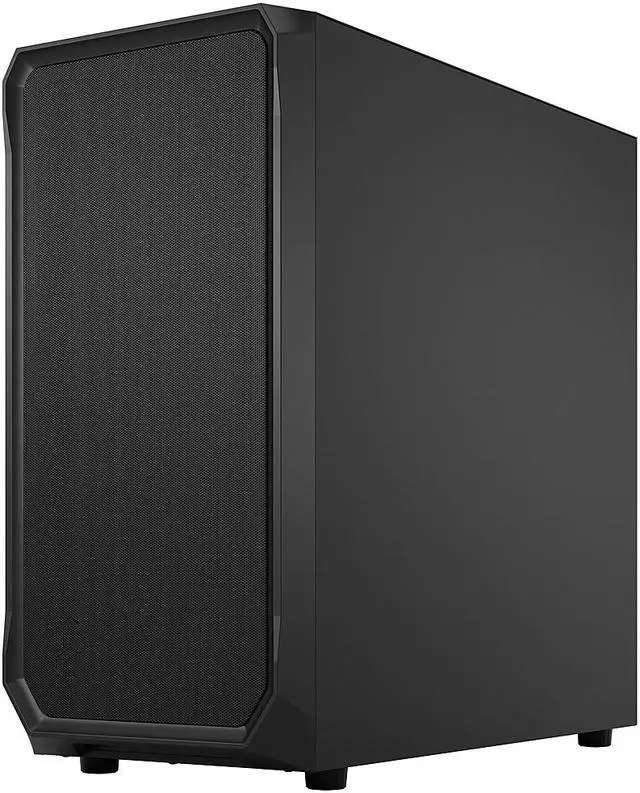
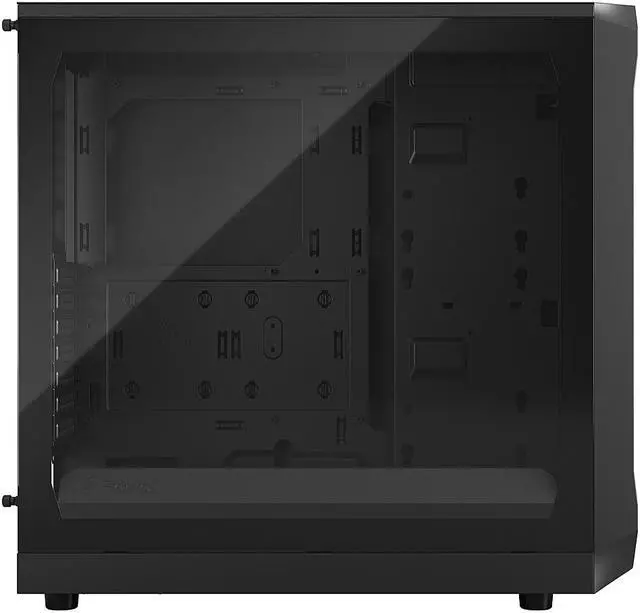
| Materials & Panels | Black steel chassis with a tempered glass side panel and front steel mesh for airflow; multiple dust filters (front steel mesh, top plastic mesh, PSU nylon) |
|---|
| Power Supply & Mounting | No power supply included; bottom-mounted PSU position with maximum supported PSU length 250 mm (175 mm recommended) |
|---|
| Clearance & Component Fit | Supports GPU length up to 405 mm (with front fan mounted) and CPU cooler height up to 170 mm |
|---|
| Included Items & Packaging | Package contains the Focus 2 case, accessory bag and user manual; unit/package quantity reported as 1 |
|---|
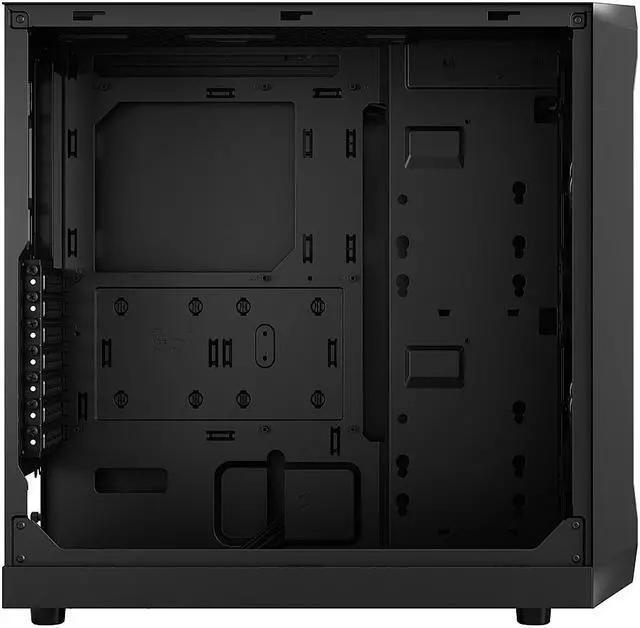
| Features & Build | Innovative shroud system for improved GPU airflow and easy building, SSD quick clips behind motherboard tray, HDD mounts on motherboard panel, multibracket options (sold separately), and extensive cable management |
|---|
| Model Identifiers | Fractal Design Focus 2 — model FD-C-FOC2A-01 (also referenced as FD-C-FOC2A-01 23348119 and external model number 7340172703457); Manufacturer Fractal Design |
|---|
Reference Q&A
Q: Should I buy the Fractal Design Focus 2 or Corsair 4000D Airflow?
A: Choose the Fractal Design Focus 2 if you want a simpler airflow-focused ATX case with two included 140 mm front fans, very long GPU clearance, and lower upfront complexity. Choose the Corsair 4000D Airflow if you value a more refined chassis layout and cable-management system. Across reviews and community discussions, both are treated as strong mainstream airflow cases, but the Focus 2 is more often the value-oriented pick while the 4000D Airflow is more often chosen for builder convenience and overall polish.
Q: Is the Fractal Design Focus 2 a better buy than the Fractal Pop Air?
A: Buy the Focus 2 if your priority is a cleaner, more straightforward airflow case with larger included 140 mm front fans and strong GPU clearance. Buy the Pop Air if you want more included stock fans and the Pop series design features, including the distinctive front styling and hidden 5.25-inch compartment. In real-world discussion, these two are often seen as close alternatives, with Focus 2 leaning toward minimal airflow-first builds and Pop Air leaning toward users who want extra features and a more expressive design.
Q: Should I step up from the Focus 2 to the Fractal Meshify 2 Compact?
A: Step up to the Meshify 2 Compact if you want a more premium ATX case with front USB-C included, a removable top panel for easier building, and a more feature-rich interior. Stay with the Focus 2 if your main goal is solid airflow and broad component compatibility at a lower cost. The practical trade-off is that Meshify 2 Compact offers a more advanced chassis experience, while Focus 2 covers the core needs of most gaming builds without requiring the higher-tier spend.
Q: For an airflow-first gaming build, should I choose the Focus 2 or Fractal Torrent Compact?
A: Choose the Focus 2 if you want a more affordable mainstream ATX case that still supports large GPUs, multiple radiator options, and strong front airflow. Choose the Torrent Compact if air-cooling performance is the main goal and you are willing to pay more for Fractal's higher-airflow layout with large 180 mm front fans. Official positioning and reviewer coverage consistently place the Torrent family above standard airflow cases for air-cooling emphasis, while the Focus 2 is the more cost-conscious choice.
Q: Is the Fractal Design Focus 2 a good case for a first-time ATX gaming PC build?
A: Yes. It is a practical entry-to-midrange ATX case for first-time builders who want strong airflow, tempered glass, and straightforward compatibility without paying for premium extras. It supports ATX, microATX, and Mini-ITX boards, includes two 140 mm front fans, and has front mesh intake plus room for additional fans or radiators. The main trade-off is that it is a simpler case: there is no front USB-C port unless you buy the upgrade kit separately, and it is less feature-rich than higher-end airflow cases.
Q: Will this case fit a large modern graphics card and a standard ATX power supply?
A: Usually yes. The Focus 2 supports GPUs up to 405 mm with the front fan mounted, which is enough for many large current cards, and it supports bottom-mounted PSUs up to 250 mm, with 175 mm recommended for easier cable clearance. This makes it suitable for most mainstream and many high-end gaming builds, but very long GPUs or extra-thick front radiator setups should still be checked carefully before buying.
Q: Is the Focus 2 better for airflow than a closed-front budget case?
A: Yes, if airflow is a priority. The Focus 2 uses a mesh front panel that also acts as a dust filter, and it comes with two 140 mm front fans preinstalled. That makes it a better fit for hotter gaming components than budget cases with more restricted front intake. The trade-off is that airflow-focused cases are usually less focused on silence and luxury features than more premium or closed-panel designs.
Q: Does this case have front USB-C, and does that matter?
A: Not by default. The Focus 2 includes two front USB 3.0 Type-A ports plus mic and headphone jacks, but front USB-C requires a separate upgrade kit. That is fine for buyers using mostly USB-A peripherals, but it is a drawback if you want built-in front USB-C for newer phones, external SSDs, or convenient high-speed front-panel connectivity.
Q: Who is the Fractal Design Focus 2 best suited for compared with a pricier airflow case like the Fractal Pop Air or Corsair 4000D class?
A: The Focus 2 is best for buyers who want a clean, airflow-first ATX case with tempered glass and broad hardware support at a lower price. A pricier alternative in the Pop Air or Corsair 4000D tier may offer a richer feature set, stronger accessory ecosystem, or more refined layout details, but the Focus 2 already covers the main decision points for many gaming builds: good intake airflow, large GPU support, radiator support, and simple compatibility. It is the better value choice when price matters more than extras.
Q: Is the Fractal Design Focus 2 a good value ATX case for a mid-range gaming or everyday PC build?
A: Yes, if you want a simple airflow-focused ATX case at a lower price tier. Reddit and YouTube discussion repeatedly frame the Focus 2 as a budget-oriented case with good airflow, two included 140 mm front fans, and enough room for typical mid-range builds. The main trade-offs are that it ships without a rear fan and keeps extras fairly minimal.
Q: Who is the Fractal Design Focus 2 best suited for?
A: It is best suited for buyers who want a standard-size ATX case with strong front airflow, support for large graphics cards, and a straightforward layout without paying for premium features. It fits ATX, microATX, and Mini-ITX boards, supports GPUs up to 405 mm, and has room for air cooling or front 360 mm radiators. It is less suited to buyers who want a more feature-rich case out of the box.
Q: What are the main trade-offs of buying the Fractal Design Focus 2 instead of a more premium airflow case?
A: The main trade-offs are feature cuts rather than core compatibility. Community discussion commonly points to the missing rear fan, the optional rather than included front USB-C port, and the simplified PSU shroud approach. In practice, that means the case prioritizes airflow and basic build space over extras and polish.
Q: Is the Fractal Design Focus 2 a good choice for large GPUs and airflow-focused builds?
A: Yes. It is a strong fit for airflow-focused builds that use larger modern GPUs. The case supports graphics cards up to 405 mm and uses an open lower layout with front intake fans aimed at feeding the GPU area. That makes it a practical option for builders who care more about cooling room and compatibility than compact size.
Q: Is the Fractal Design Focus 2 a good pick if you want easy cable management and a cleaner-looking interior?
A: It is acceptable, but not ideal if cable management is a top priority. The Focus 2 has routing space and mounting points, but repeated discussion notes that the case's open lower design and partial shroud concept make it less tidy and less forgiving than cases with a full PSU basement. It is better for practical, budget-conscious builds than for showcase-level cable presentation.







/11-352-191/1-logo.jpg)
/11-352-191/1-main.jpg)
/11-352-191/split-line.jpg)
/11-352-191/2-feature-a.jpg)
/11-352-191/2-airflow.jpg)
/11-352-191/3-ASPECTS.jpg)
/11-352-191/4-OPEN.jpg)
/11-352-191/5-show.jpg)
/11-352-191/6-SMART.jpg)
/11-352-191/7-USB-C.jpg)
/11-352-191/8-Extra-feature.jpg)
/11-352-191/9-what's-included.jpg)
/11-352-191/9-front-a.jpg)
/11-352-191/9-components-and-fans.jpg)
/11-352-191/10-accessory-box.jpg)
/11-352-191/11-compatible.jpg)