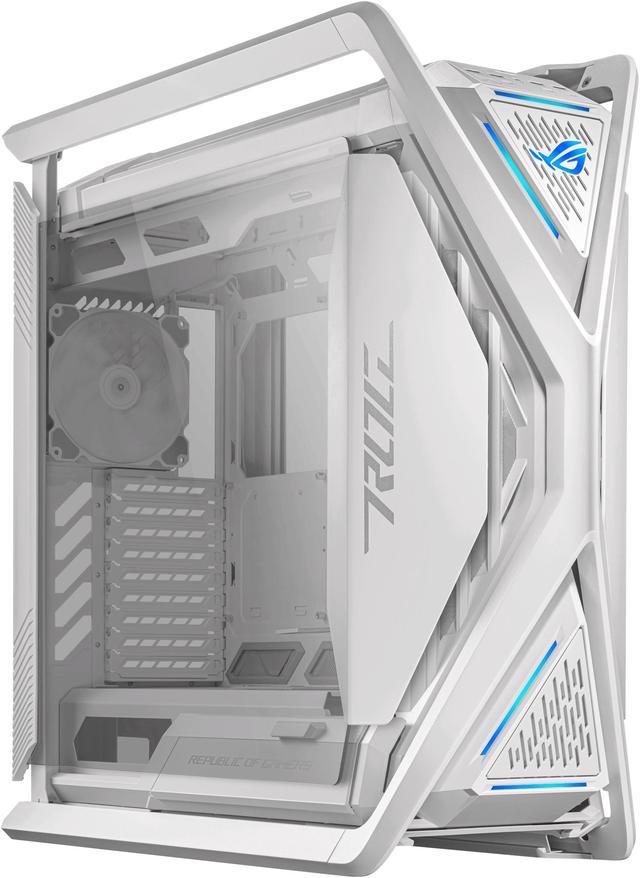
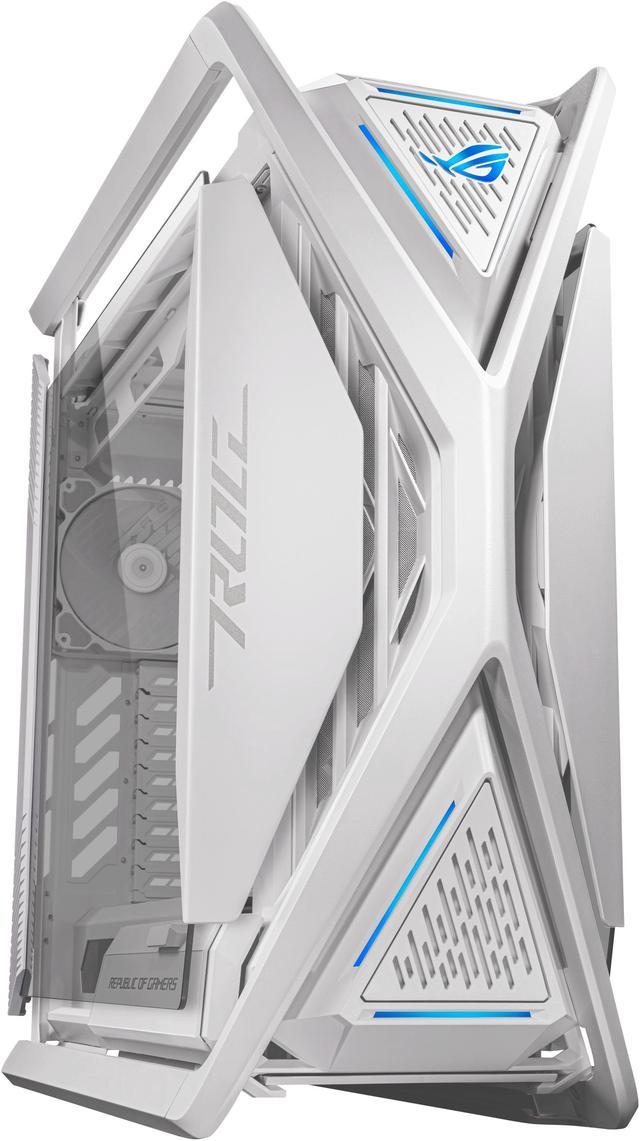
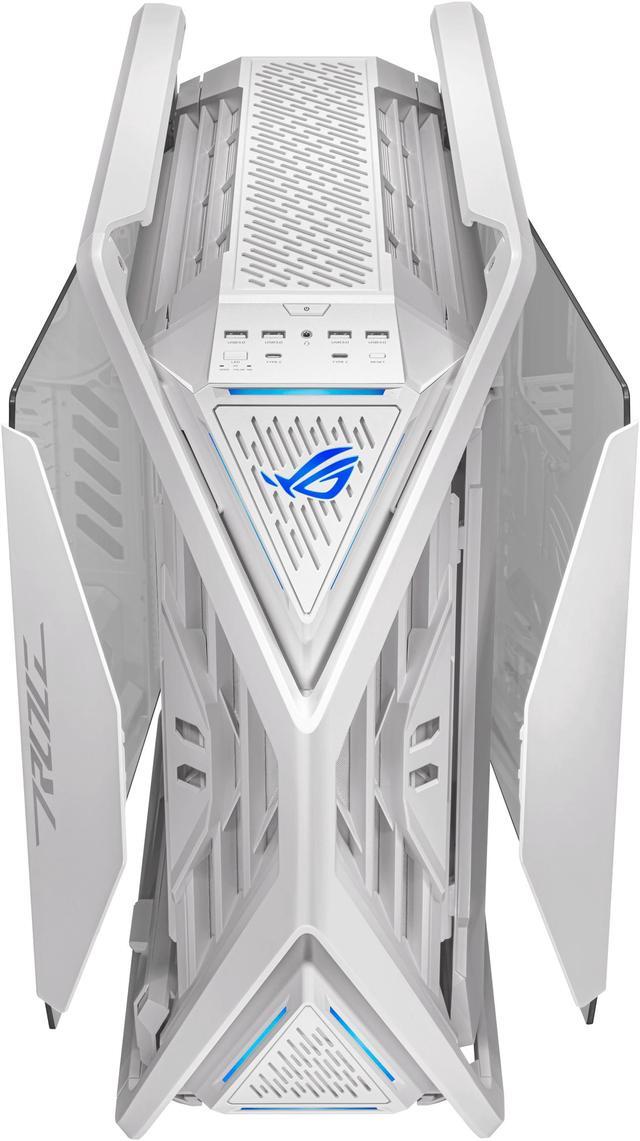
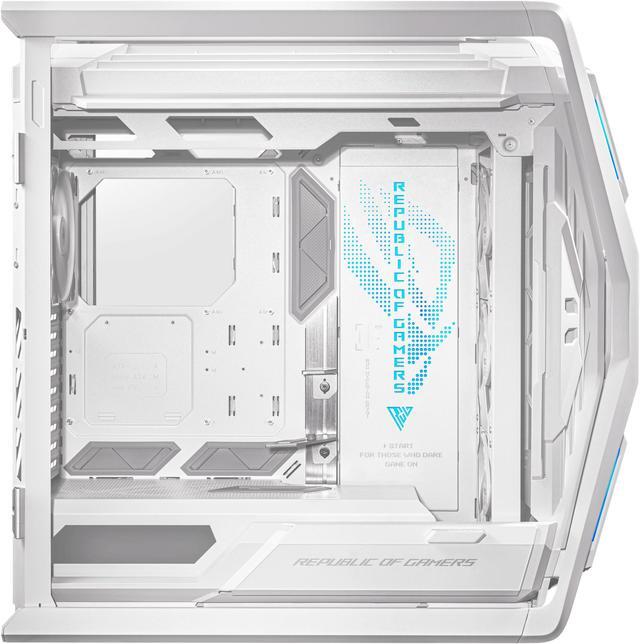
The ASUS ROG Hyperion GR701 is a white E-ATX full-tower PC case designed for high-performance gaming and workstation builds, with support for up to two 420 mm radiators, GPUs up to 460 mm, and CPUs coolers up to 190 mm tall.
Recommended For
- PC enthusiasts building high-end E-ATX or oversized ATX systems who need clearance for long graphics cards, tall air coolers, large power supplies, or complex component layouts.
- Custom water-cooling and large-AIO builders who plan to install one or two large radiators and want substantial internal room for tubing, fans, and component clearance.
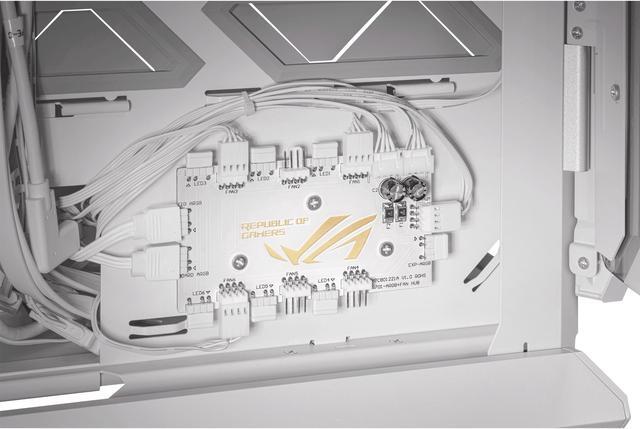
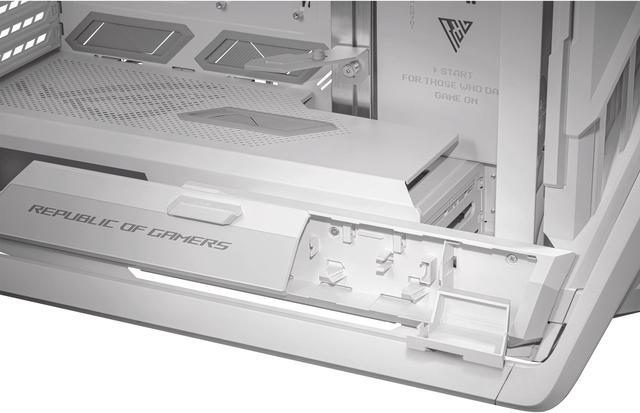
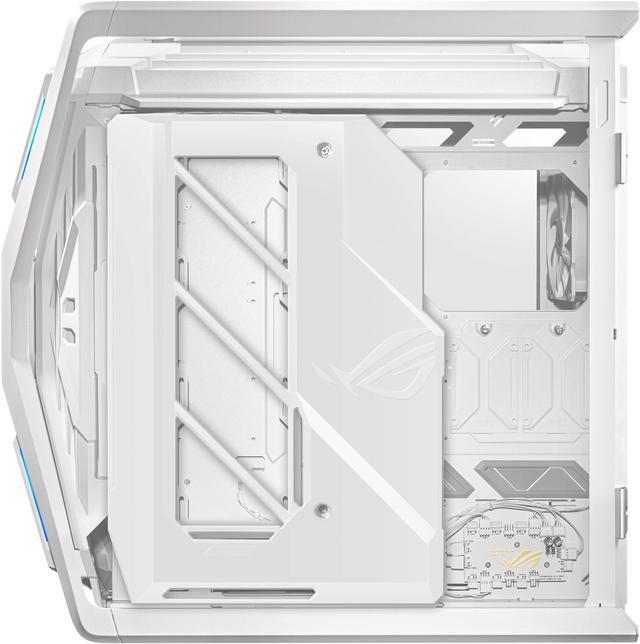
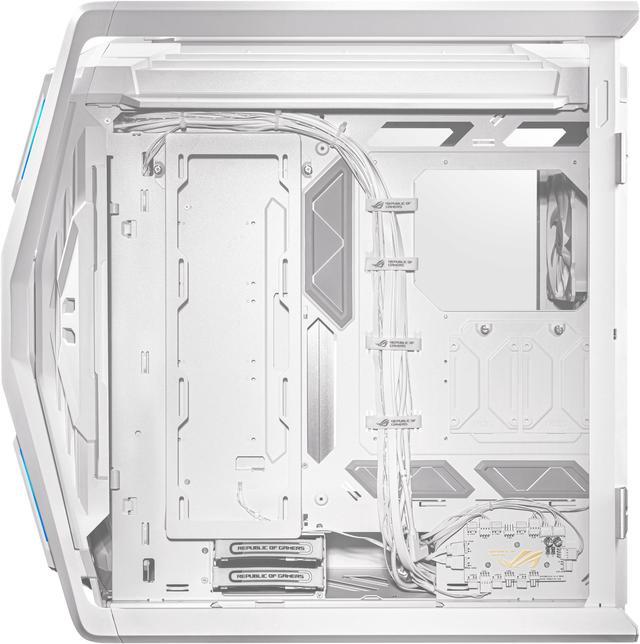
- Builders who prioritize an organized, serviceable installation, including tool-free hinged glass panels, extensive cable-routing space, a fan/ARGB hub, accessory storage, and an adjustable graphics-card support bracket.
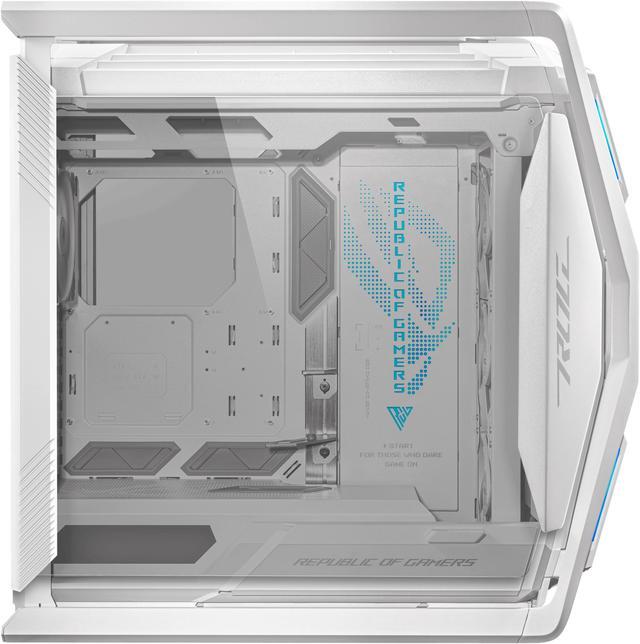
- ASUS ROG-focused builders who want a showcase chassis with prominent aluminum construction, integrated ARGB styling, broad front-panel connectivity, and support for visually oriented horizontal or vertical GPU installations.
- Stationary desktop users with enough floor or desk space for a very large full tower and who value long-term upgrade room more than easy relocation.
Real-World Use Scenarios
- A builder assembling a high-end gaming or workstation PC with an E-ATX motherboard, oversized graphics card, and large power supply can install the components without the tight clearances common in smaller cases. The result is more room around the GPU, motherboard, and cabling, with both horizontal and vertical graphics-card mounting available.
- A user building a CPU-intensive gaming, rendering, or content-creation system can install a large front- or top-mounted liquid cooler, including configurations using two 420 mm radiators. The spacious interior makes radiator and fan installation relatively straightforward, although a full custom loop still requires careful planning.
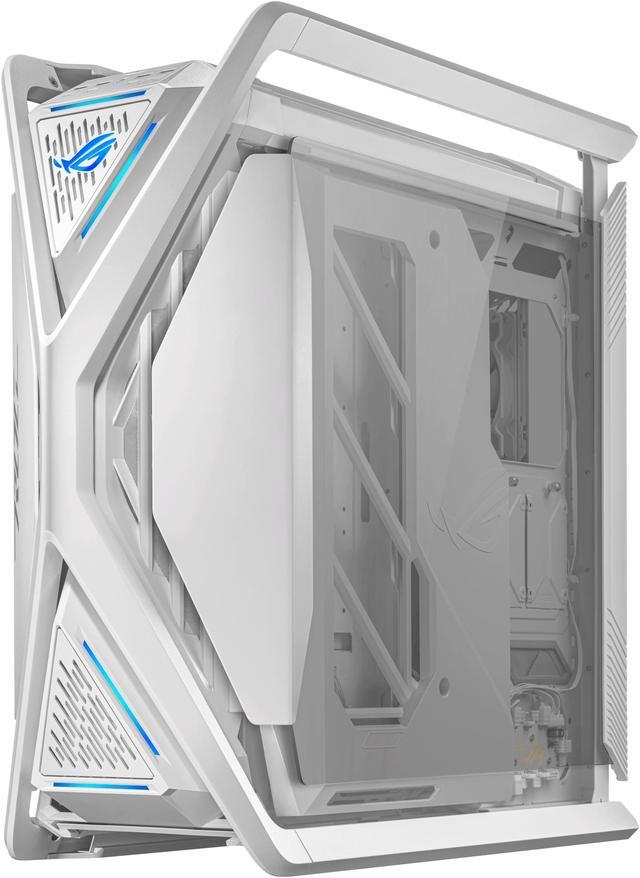
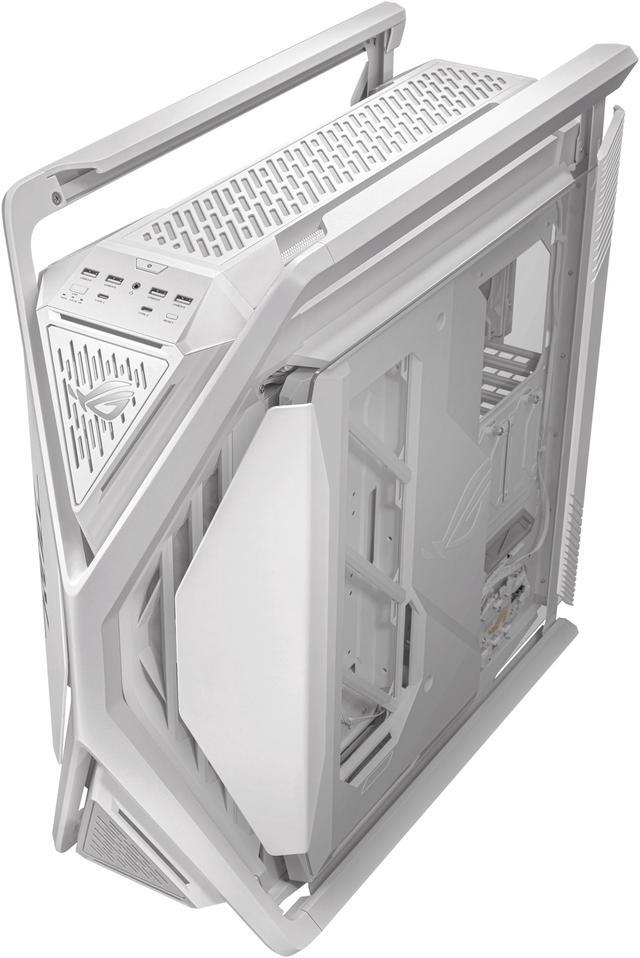
- A PC builder who frequently changes components, cleans the system, or adjusts fan placement can open the hinged glass side panels without tools and use the integrated drawer to keep screws, brackets, and cable accessories nearby. Maintenance is more convenient than with a conventional screw-secured side panel, but the case is large and heavy to rotate or reposition.
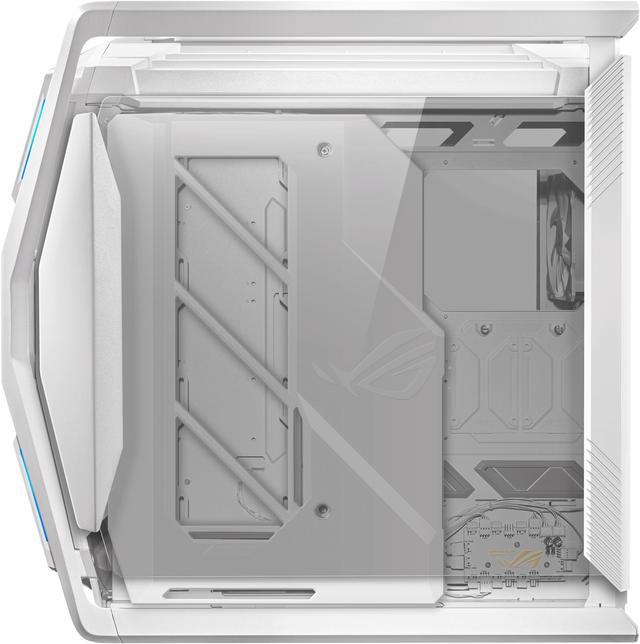
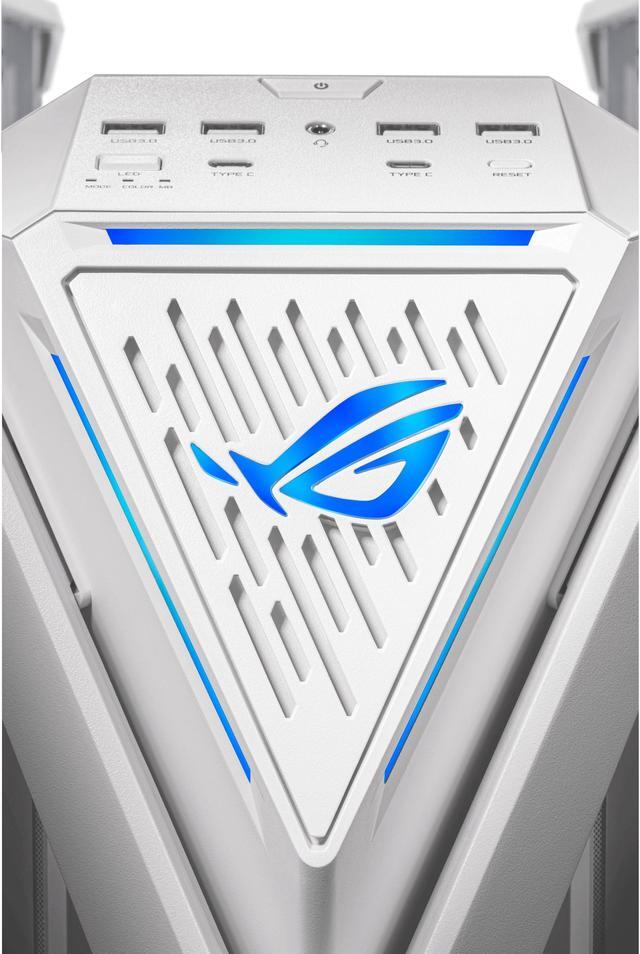
- A user creating a visible showcase PC can route cables behind the motherboard tray, use the included graphics-card support, and arrange the ARGB lighting panel and transparent side window around the main components. The finished system can look clean and deliberate, while connecting the case hub to motherboard lighting software may require extra attention during setup.
- A user installing a long, heavy graphics card can choose horizontal or vertical placement and use the integrated holder to reduce visible sag. This is particularly useful for showcase builds with large flagship GPUs, but vertical mounting still depends on the selected riser cable and available airflow around the card.
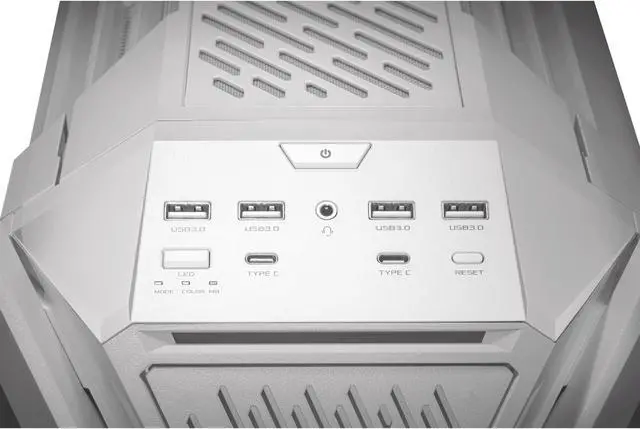
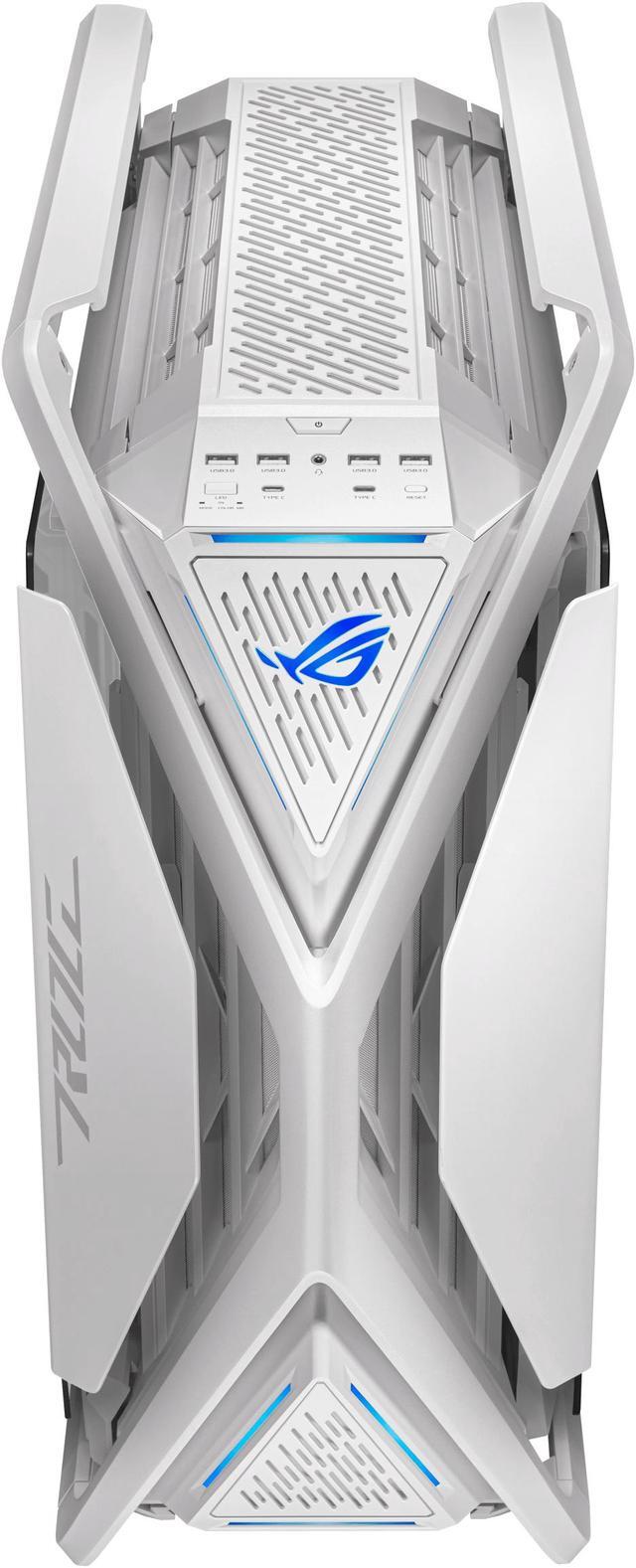
- A user with several USB-C peripherals or a compatible motherboard can connect fast storage and charge devices from the front of the case without reaching behind the computer. The two front USB-C ports are most useful in a modern desk setup, but their highest charging and data rates depend on motherboard compatibility.
Spec Summary
| Attribute | Value |
|---|
| Best For | Full-tower PC builds using Extended ATX, ATX, Micro ATX, or Mini ITX motherboards, with support for GPUs up to 460 mm long and large radiator-based cooling systems |
|---|
| Chassis Design And Compatibility | White E-ATX full-tower chassis with an aluminum, steel, tempered-glass, and ABS plastic construction, a side window, bottom/front/top dust filters, and support for motherboards up to 12 x 10.9 inches |
|---|
| Cooling And Radiator Support | Includes four 140 mm PWM fans: three front and one rear; supports front and top radiators up to 420 mm, side radiators up to 360 mm, and rear radiators up to 140 mm, with fan mounting for up to three 140 mm fans in the front and top |
|---|
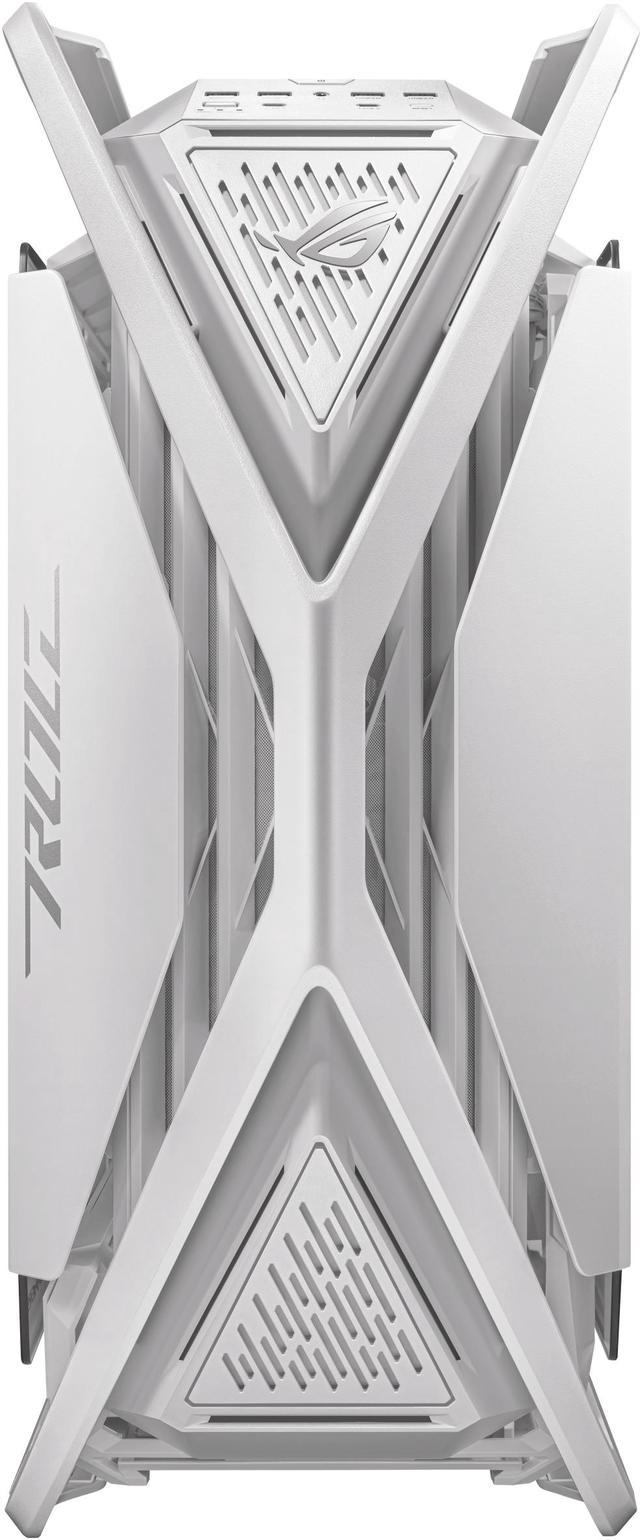
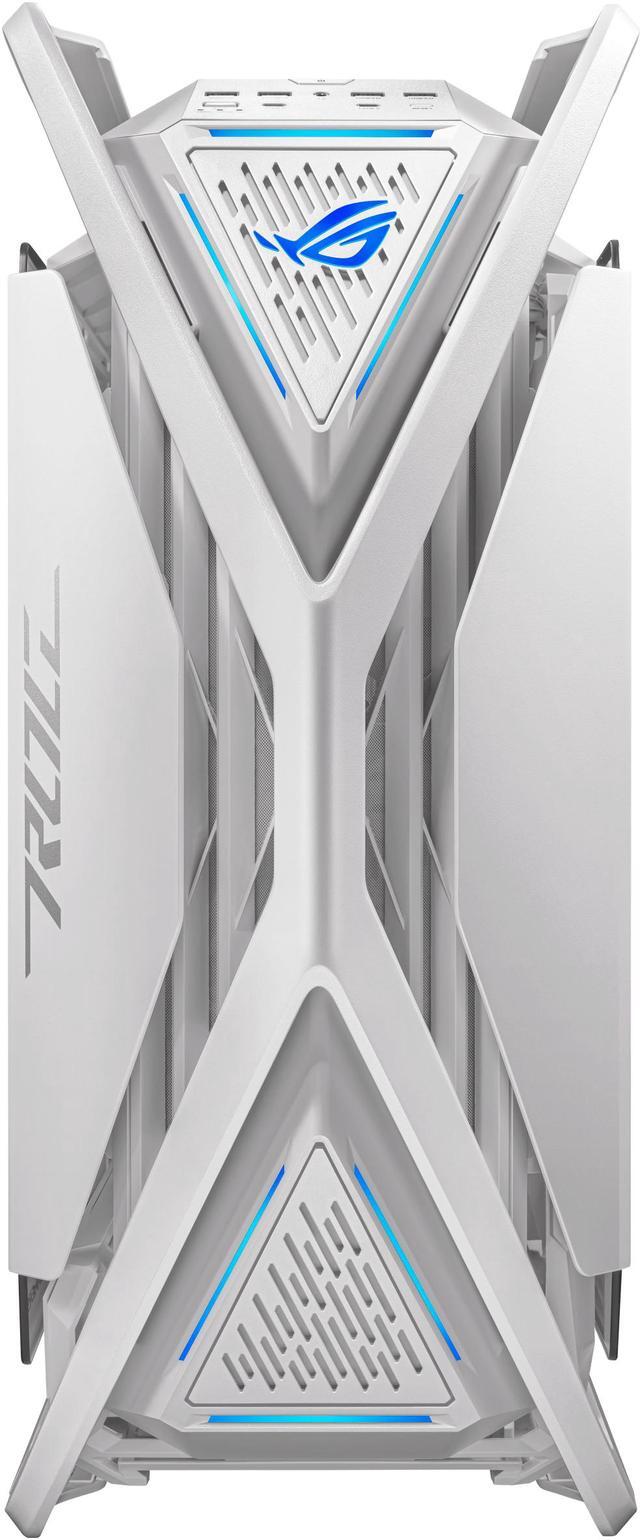
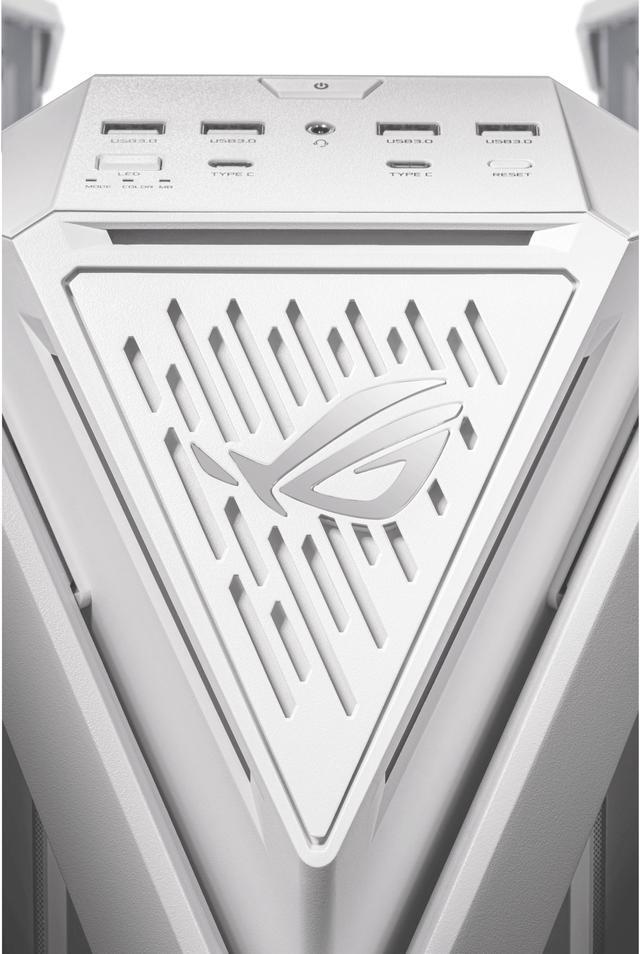
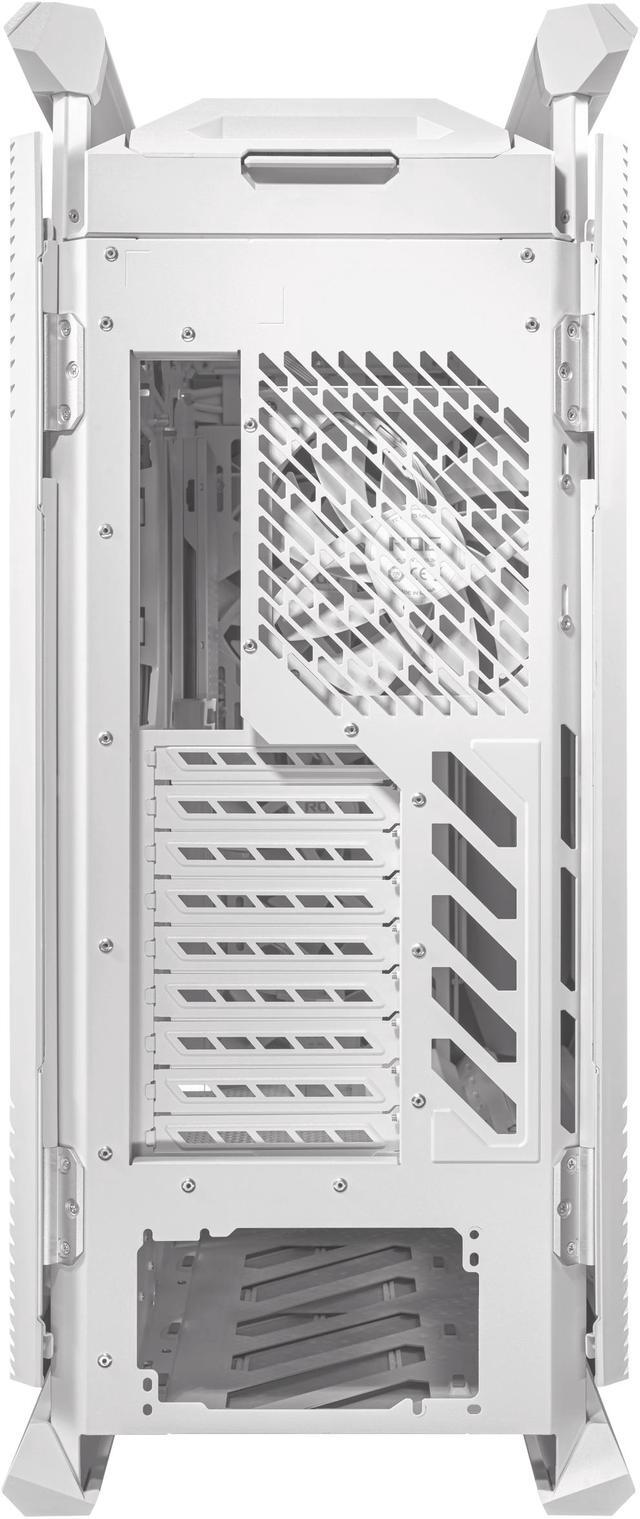
| Expansion And Front I/O | Provides nine expansion slots including three vertical slots, plus four USB 3.2 Gen 1 ports, two USB 3.2 Gen 2x2 Type-C ports, and an audio port |
|---|
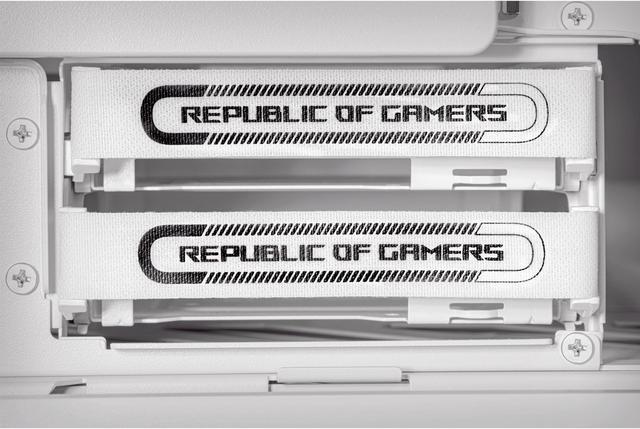
| Storage Support | Holds two internal 3.5-inch drives and two internal 2.5-inch drives |
|---|
| Component Clearance | Supports graphics cards up to 460 mm long, CPU coolers up to 190 mm high, and power supplies up to 240 mm long |
|---|
| Power Supply And Features | Power supply is not included and uses a bottom-mounted power supply position; features a semi-open structure, radiator support, a built-in graphics card holder, and an internal hub with fan and ARGB headers |
|---|
| Dimensions And Weight | Measures 25.94 x 10.55 x 25.16 inches and weighs 45.86 pounds |
|---|
| Model Identifiers | ASUS ROG Hyperion GR701 in the white GR701/WT/PWM FAN// configuration |
|---|
Reference Q&A
Q: ASUS ROG Hyperion GR701 vs ROG Strix Helios: is the Hyperion a worthwhile upgrade?
A: Choose the ROG Hyperion GR701 when you need newer enthusiast-focused features, including support for two 420 mm radiators, a 460 mm graphics card, dual front USB-C ports with up to 60 W charging, a built-in GPU holder, and four included 140 mm PWM fans. Choose the ROG Strix Helios when you already have a compatible 420 mm or 360 mm cooling setup and prefer its lighter, cleaner design. The upgrade is mainly about cooling flexibility, connectivity, and build features rather than a fundamental change in motherboard compatibility.
Q: ASUS ROG Hyperion GR701 vs Corsair 7000D Airflow: which full-tower case is better for a high-end build?
A: Choose the ROG Hyperion GR701 for a feature-rich ROG build with four included 140 mm fans, dual 420 mm radiator support, dual USB-C ports, integrated GPU support, and a more distinctive aluminum-frame design. Choose the Corsair 7000D Airflow when storage capacity and an airflow-oriented mesh front are higher priorities: it supports up to six 3.5-inch drives, four 2.5-inch drives, and radiator sizes up to 480 mm in supported positions. Both cases support E-ATX motherboards, large graphics cards, and high-end liquid cooling, so the decision is primarily between integrated convenience and storage/cooling layout flexibility.
Q: ASUS ROG Hyperion GR701 vs Lian Li O11D EVO XL: which is better for custom water cooling?
A: Choose the Lian Li O11D EVO XL when the goal is maximum radiator capacity and a dual-chamber showcase layout; it supports up to three 420 mm radiators, offers a reversible chassis, and provides up to seven storage-drive positions. Choose the ROG Hyperion GR701 when you want a more conventional airflow path, four included 140 mm fans, support for two 420 mm radiators, and an integrated GPU holder without relying as heavily on added cooling hardware. The O11D EVO XL provides more custom-loop expansion, while the GR701 provides more built-in cooling and assembly features.
Q: ASUS ROG Hyperion GR701 vs Fractal Design Torrent: which is better for performance-first cooling and portability?
A: Choose the Fractal Design Torrent for air-cooled systems and easier transport: it uses an open front grille, includes two 180 mm front fans and three 140 mm bottom fans, and weighs about 11.1 kg. Choose the ROG Hyperion GR701 for E-ATX builds, very large graphics cards, dual 420 mm radiator configurations, and integrated carrying handles. The GR701 is better suited to large liquid-cooled or showcase systems, while the Torrent is more practical when low weight and high out-of-the-box airflow are the main priorities.
Q: Will this case fit a large graphics card and a liquid-cooling radiator at the same time?
A: Yes. The case supports graphics cards up to 460 mm long and radiators up to 420 mm at the front or top. Actual clearance depends on the radiator, fan thickness, GPU dimensions, and mounting position, so unusually thick combinations should be checked before installation.
Q: What motherboard sizes are compatible with this case?
A: It supports E-ATX motherboards up to 12 x 10.9 inches, as well as standard ATX, Micro ATX, and Mini ITX boards. The E-ATX size limit should be verified against the motherboard’s exact dimensions and cable-connection layout.
Q: Can the graphics card be installed vertically, and is a riser cable included?
A: The built-in graphics card holder supports both horizontal and vertical installation. The provided specifications do not confirm that a PCIe riser cable is included, so a riser cable may need to be purchased separately for vertical mounting.
Q: Does the case include fans and support high-airflow cooling setups?
A: Yes. It includes three 140 mm PWM front fans and one 140 mm PWM rear fan. It also supports additional fans on the front, top, side, and rear, plus up to two 420 mm radiators, making it suitable for high-performance air-cooled, AIO-cooled, or custom-water-cooled builds.
Q: Does this listing include a power supply or a complete computer?
A: No. This is an E-ATX full-tower computer case, not a complete desktop computer. It does not include a power supply, motherboard, processor, memory, storage, graphics card, or monitor; those components must be purchased separately.
Q: Is the ASUS ROG Hyperion GR701 worth buying for a high-end PC build?
A: It is best suited to high-end builds that need extensive cooling, large graphics-card clearance, E-ATX support, or a showcase-oriented design. Its trade-offs are full-tower size, nearly 46-pound weight, premium pricing, and less rear cable-management space than some users may expect.
Q: Is the GR701 a good choice for custom water cooling or a 420 mm AIO?
A: Yes. The case supports 420 mm radiators at both the front and top, plus a 360 mm radiator on the side. Users still recommend checking the exact radiator thickness, fan arrangement, motherboard clearance, and cable routing because nominal 420 mm support does not guarantee compatibility with every AIO.
Q: What are the main drawbacks of the ASUS ROG Hyperion GR701?
A: The main reported drawbacks are limited space behind the motherboard tray when many cables or fan controllers are installed, difficult PSU access because several lower panels must be removed, and a high price that may be difficult to justify if appearance and premium features are not priorities.
Q: Who is the ASUS ROG Hyperion GR701 best suited for?
A: It is best suited for enthusiasts building large, high-performance systems with E-ATX motherboards, GPUs up to 460 mm, tall CPU coolers, multiple radiators, or custom water-cooling components. It is less suitable for compact builds, frequent relocation, or buyers focused mainly on value and minimal desk or floor space.
Q: Does the GR701 make it easier to install and support a large graphics card?
A: It provides a built-in graphics-card holder and supports both horizontal and vertical GPU installation, with up to 460 mm of GPU length. The holder helps address GPU sag, but users should still verify vertical-mount clearance, riser requirements, power-cable bend space, and airflow for their specific graphics card.








/11-173-056/Hyperion_White_PT01.jpg)
/11-173-056/Hyperion_White_PT02.jpg)
/11-173-056/Hyperion_White_PT03.jpg)
/11-173-056/Hyperion_White_PT04.jpg)
/11-173-056/Hyperion_White_PT05.jpg)
/11-173-056/Hyperion_White_PT06.jpg)