


- $169.99
- Free 30-day Returns
$109.99
Add to PC build list
Sold by Newegg
Shipped by Newegg
Add to Wish List(Found on 53 wish lists)


Get Educated
Make informed decisions with expert advice. Learn More
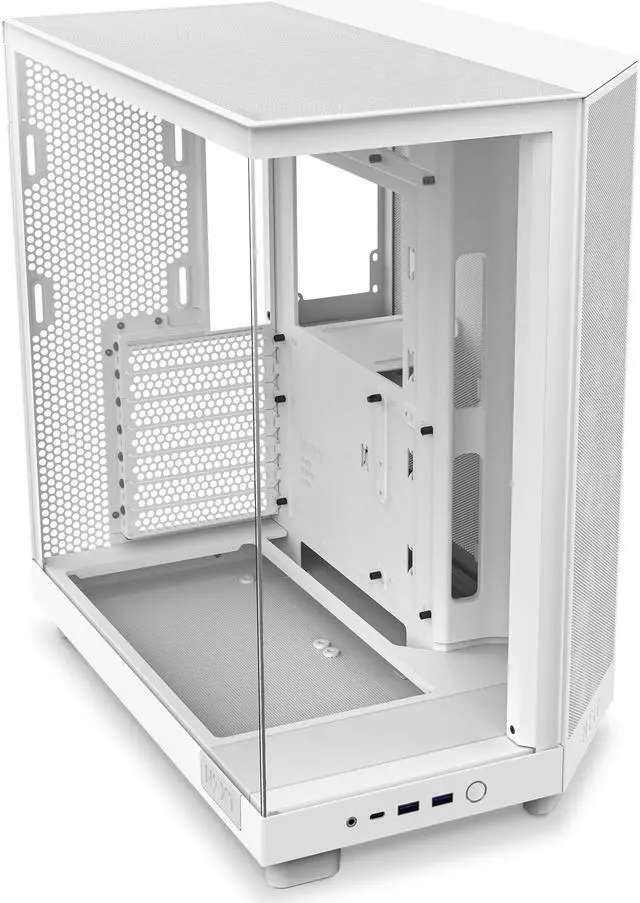
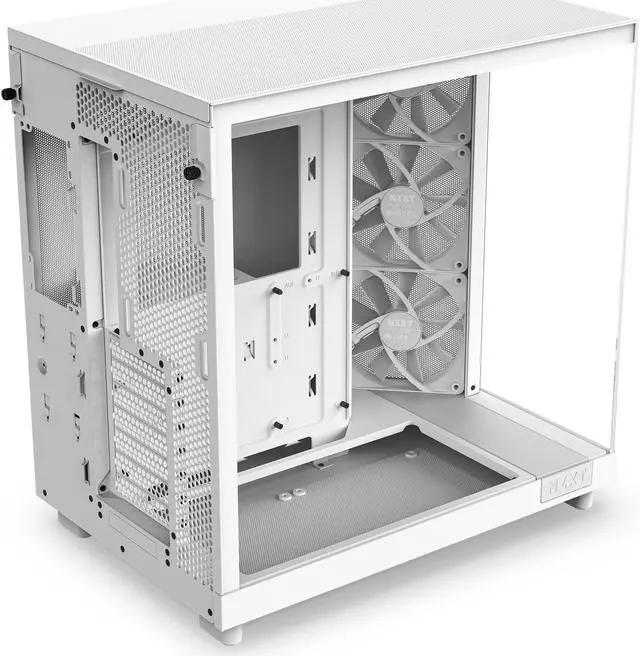
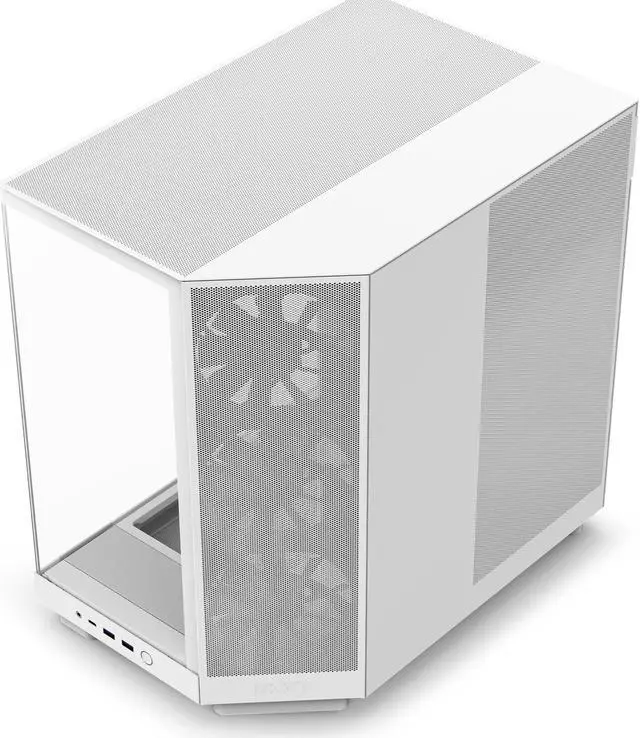
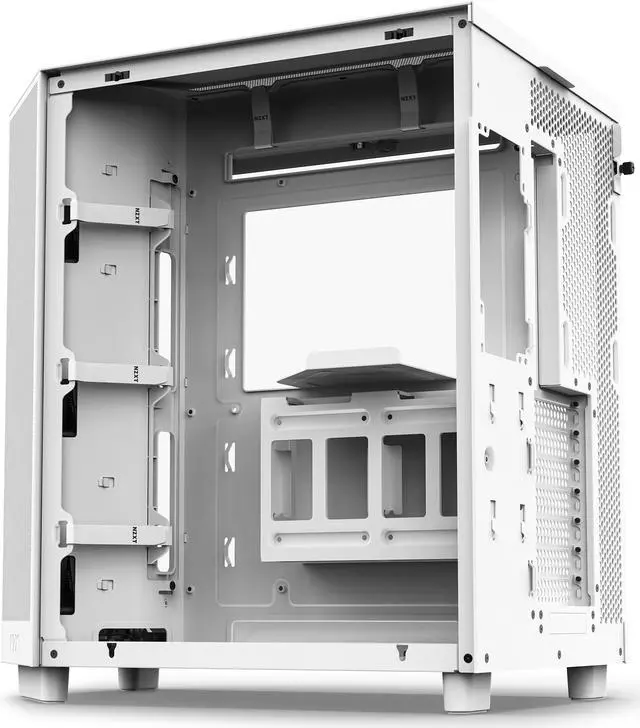
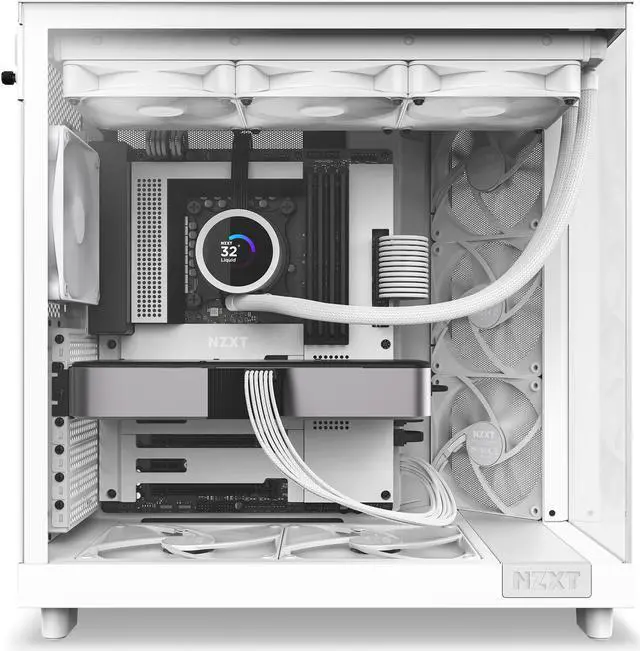
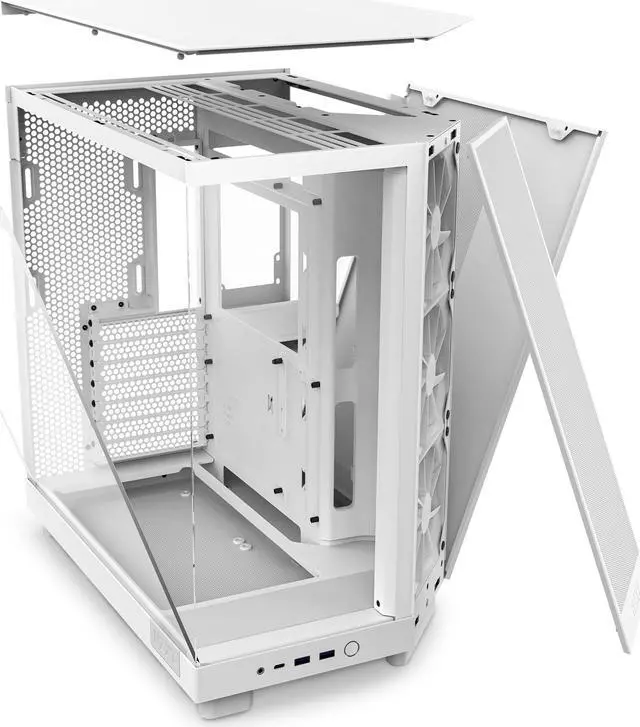
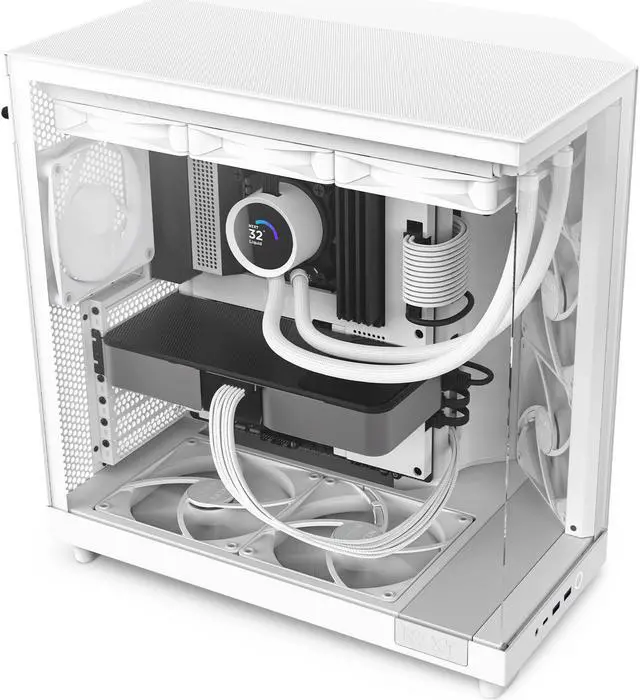


NZXT H6 FLOW Compact Dual-Chamber Mid-Tower Airflow Case, White, CC-H61FW-01
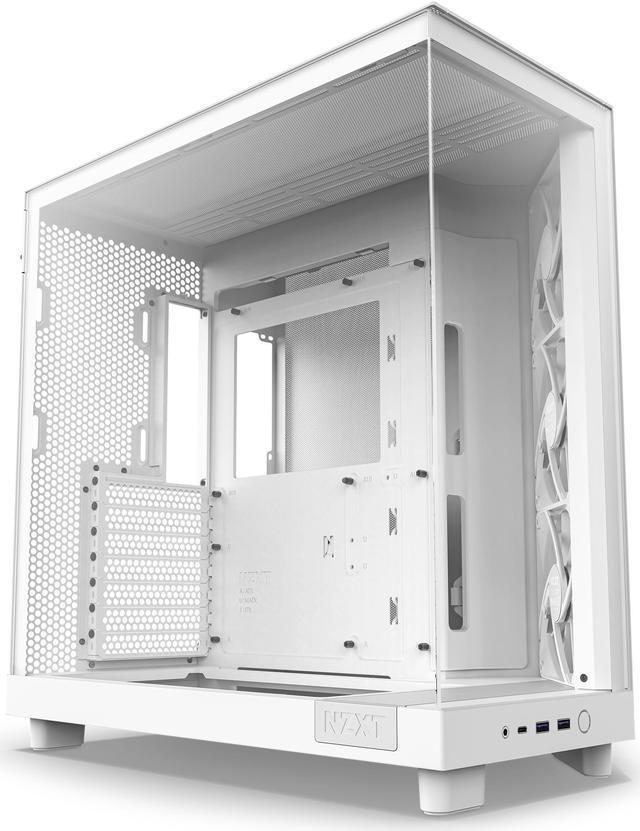
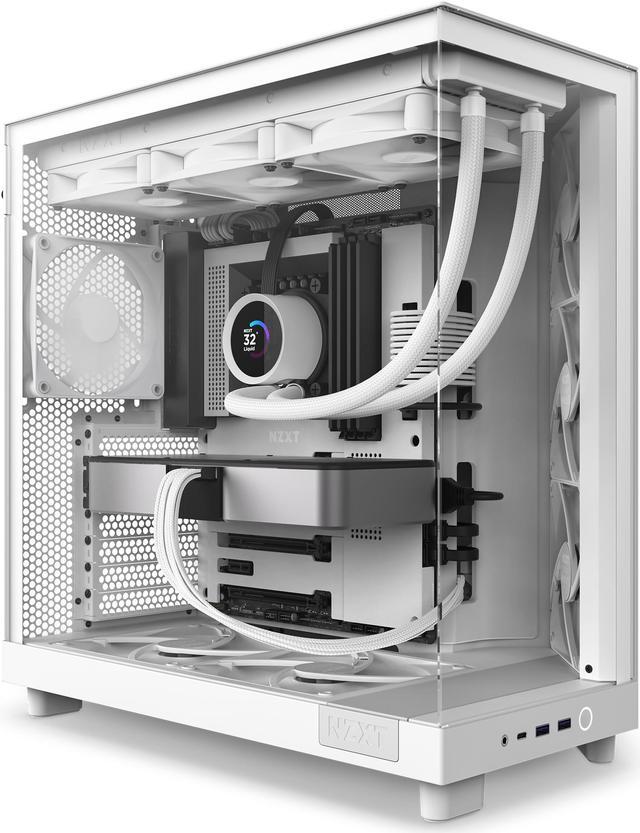
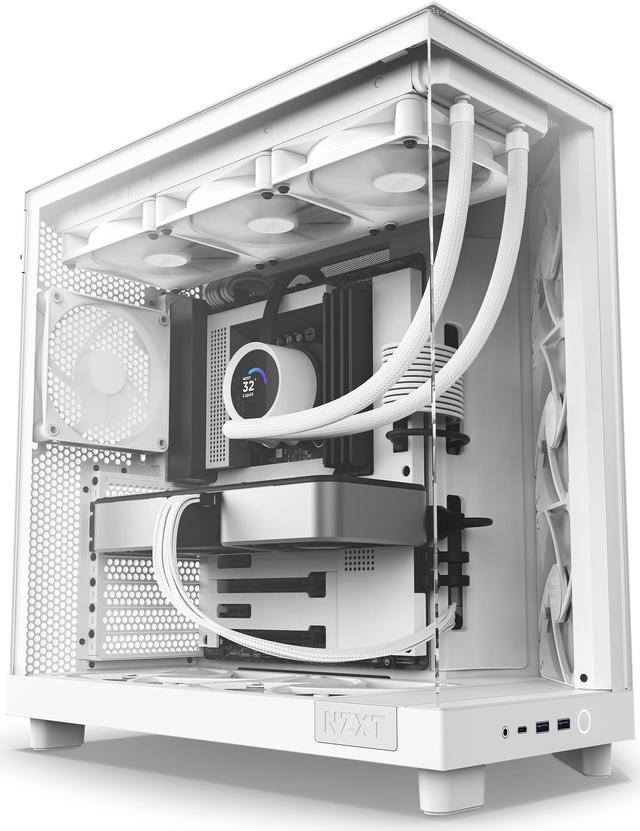
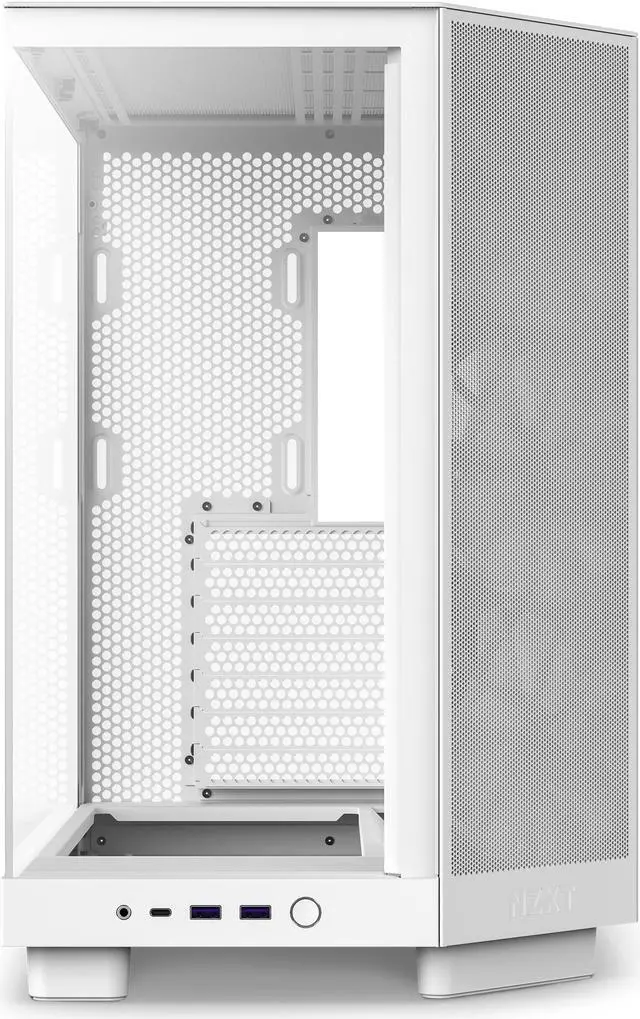
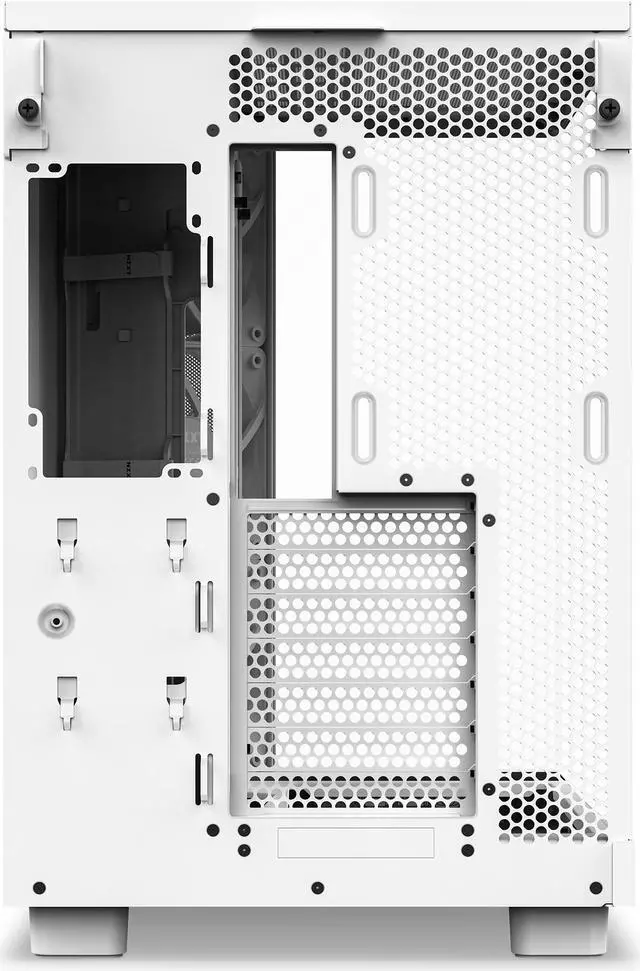
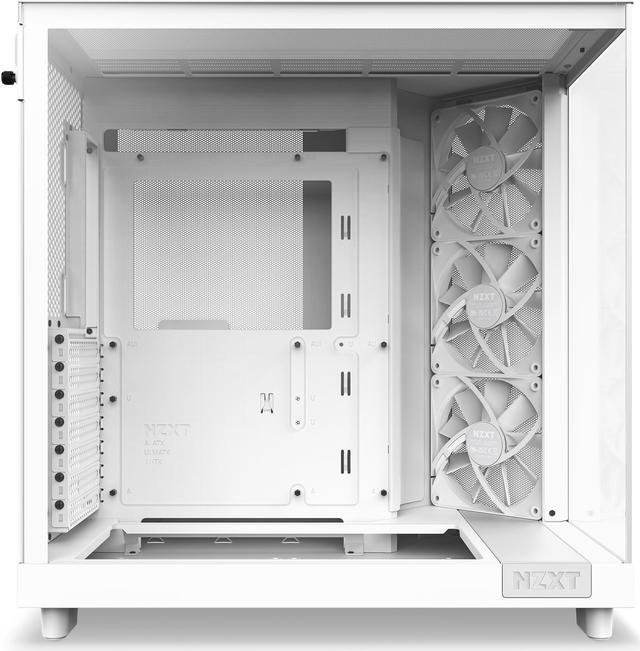
- A SEAMLESS SHOWCASE: Tempered glass front and side panels offer an uninterrupted view of components, while the dual-chamber design hides PSU and storage for a sleek, compact, and standout look.
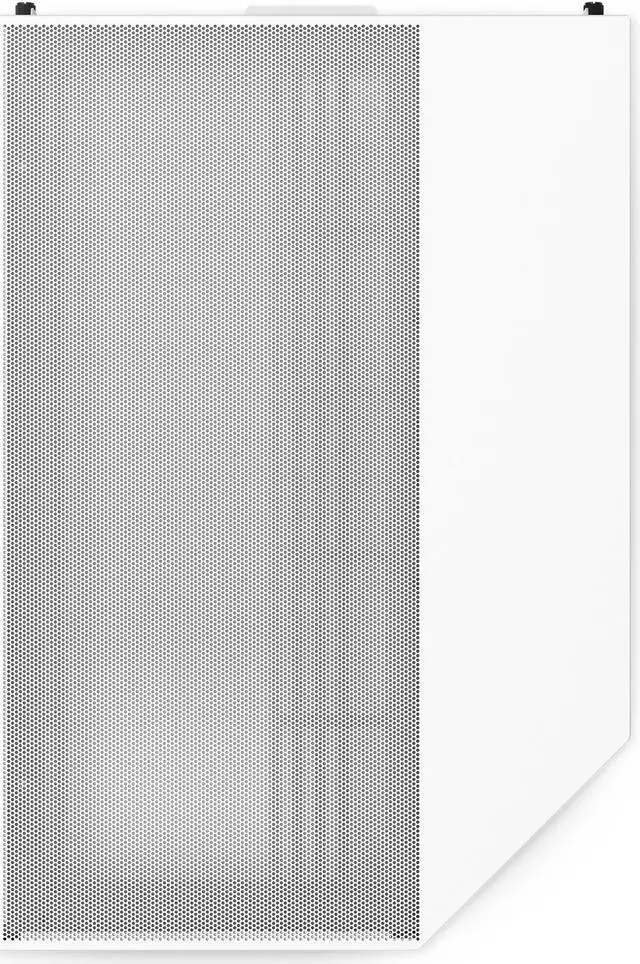
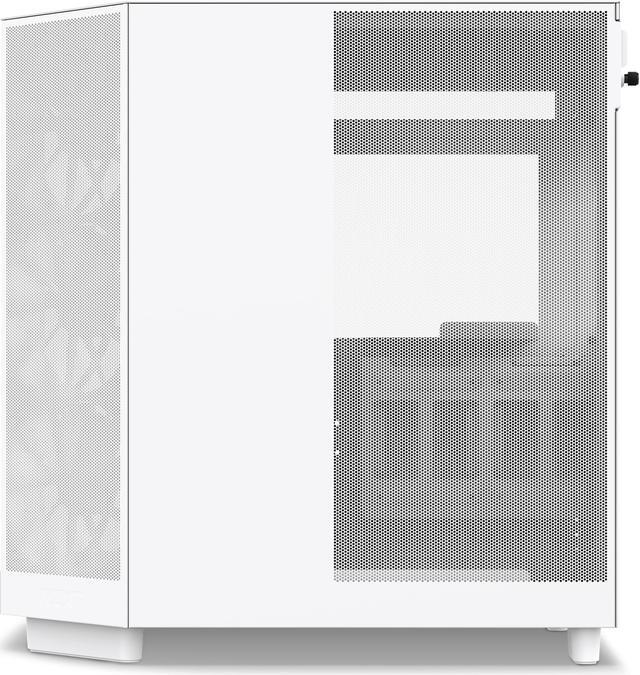
- ANGLED AIRFLOW: The angled front-right corner with 3 x120mm fans targets heat-prone components. Supports 2 x 140mm fans beneath the GPU for optimal cooling while perforated panels enhance airflow.
- BUILDING MADE SIMPLE: H6 Flow's intuitive design makes building a breeze. Wide channels and included straps aid cable management. Tool-less access to top and side panels simplifies tinkering and upgrading.
+
+
Overview
Specs
Reviews (365)
Why choose the NZXT H6 Flow Compact Dual-Chamber ATX Mid-Tower Airflow Computer Case in White for your next PC build? This innovative case is designed to deliver peak performance with its unique dual-chamber structure, prioritizing efficient GPU cooling. The H6 Flow features a stunning panoramic glass panel that not only showcases your build's interior but also enhances airflow by freeing up space. The wraparound glass panel provides an unobstructed view, allowing you to admire your components while ensuring optimal cooling. The compact dual-chamber design enhances cooling performance and maintains a clean, uncluttered aesthetic.
Equipped with three 120mm fans, the H6 Flow offers optimal out-of-the-box cooling, ensuring your system runs efficiently from the start. Engineered for high-performance airflow, the case features a perforation pattern on its panels, meticulously optimized to maximize airflow and keep your components cool. Cable management is made easy with wide channels and included straps, allowing for a tidy and organized setup. For those who frequently upgrade, the tool-free entry system provides quick and easy access to the top and side panels, making component swaps and upgrades a breeze. The NZXT H6 Flow also offers spacious support, accommodating up to a 360mm radiator at the top and providing clearance for a 365mm GPU, making it an ideal choice for high-performance builds.
Equipped with three 120mm fans, the H6 Flow offers optimal out-of-the-box cooling, ensuring your system runs efficiently from the start. Engineered for high-performance airflow, the case features a perforation pattern on its panels, meticulously optimized to maximize airflow and keep your components cool. Cable management is made easy with wide channels and included straps, allowing for a tidy and organized setup. For those who frequently upgrade, the tool-free entry system provides quick and easy access to the top and side panels, making component swaps and upgrades a breeze. The NZXT H6 Flow also offers spacious support, accommodating up to a 360mm radiator at the top and providing clearance for a 365mm GPU, making it an ideal choice for high-performance builds.
Warranty & Returns
Warranty, Returns, And Additional Information
Warranty
- Limited Warranty period (parts): 2 years
- Limited Warranty period (labor): 2 years
- Read full details
Return Policies
- Return for refund within: 30 days
- Return for replacement within: 30 days
- This item is covered by Newegg.ca's Standard Return Policy.
- Read full return policy for details.
Manufacturer Contact Info
- Manufacturer Product Page
- Manufacturer Website
- Support Phone: 1-800-228-9395
- Support Email: service@nzxt.com
- Support Website
- View other products from NZXT
LOADING...
LOADING...
The NZXT H6 FLOW is a compact dual-chamber ATX mid-tower PC case with tempered-glass panels, angled airflow, and three included 120 mm fans. It suits gaming and performance-focused builds that need support for GPUs up to 365 mm, top radiators up to 360 mm, and a clean component showcase.
Recommended For
- PC gamers building a showcase-focused ATX system who want panoramic tempered-glass visibility, a clean dual-chamber interior, and direct airflow toward the graphics card.
- First-time or occasional PC builders who want a comparatively straightforward installation process, with wide cable-routing channels, included straps, and tool-free access to the top and side panels.
- Builders assembling compact high-airflow gaming PCs with a standard ATX, Micro-ATX, or Mini-ITX motherboard, a graphics card up to 365 mm, and an air cooler or top-mounted radiator.
- Users who want useful out-of-the-box airflow without immediately purchasing a full set of additional fans, since the non-RGB H6 Flow includes three pre-installed 120 mm intake fans.
Real-World Use Scenarios
- A user assembling a new ATX gaming PC can install the motherboard, graphics card, and cooling hardware in a relatively compact case while using the included three-fan intake setup and rear cable channels to finish the build with less visible cable clutter.
- A gamer installing a modern, heat-producing graphics card can use the angled front intake and optional bottom fans to direct fresh air toward the GPU; the likely result is a layout designed around GPU cooling rather than a conventional flat-front case.
- A builder using a 240mm or 360mm liquid CPU cooler can mount the radiator at the top while keeping the main chamber visually open; the experience is suited to performance-focused builds that want liquid cooling without moving to a larger full tower.
- A user building a white-themed or component-showcase PC can display the hardware through the wraparound tempered-glass panels while routing the power supply and storage behind the second chamber, producing a cleaner view from the desk.
- A builder who expects to replace fans, upgrade storage, or access the interior later can remove the top and side panels without traditional screws and use the case’s cable channels and straps; upgrades are convenient, although compact clearances make component installation order worth planning.
Reference Q&A
Q: Should I get the NZXT H6 Flow or the H5 Flow?
A: Choose the NZXT H6 Flow for a dual-chamber layout, panoramic glass presentation, three pre-installed 120 mm fans, and support for a top-mounted radiator up to 360 mm. Choose the H5 Flow when a narrower case and longer GPU clearance are more important: the H5 Flow is 225 mm wide and supports GPUs up to 410 mm, while the H6 Flow is 287 mm wide and supports GPUs up to 365 mm. ([support.nzxt.com](https://support.nzxt.com/hc/en-us/articles/40225168535451-H5-Flow-2024-Specs?utm_source=openai))
Q: Is the NZXT H6 Flow better than the Fractal Design North?
A: Choose the NZXT H6 Flow for a modern dual-chamber build with three included intake fans, a panoramic glass layout, and more GPU clearance. Choose the Fractal Design North if you prefer a narrower traditional layout, a wood-accented front design, or two internal 3.5-inch drive bays. The H6 Flow is the more suitable option for showcase builds and cable management behind the motherboard tray, while the North favors storage flexibility and a conventional case shape. ([nzxt.com](https://nzxt.com/en-intl/collections/cases?utm_source=openai))
Q: Should I choose the NZXT H6 Flow or the larger H7 Flow?
A: Choose the NZXT H6 Flow when you want a more compact dual-chamber case with a showcase-oriented layout. Choose the H7 Flow when you need more internal room for large components, longer GPUs, additional fans, or larger radiators. NZXT lists the H7 Flow at 62.1 liters with GPU support up to 410 mm, compared with 51.8 liters and 365 mm GPU support for the H6 Flow. ([nzxt.com](https://nzxt.com/en-intl/collections/cases?utm_source=openai))
Q: Is the NZXT H6 Flow RGB worth choosing over the regular H6 Flow?
A: Choose the NZXT H6 Flow RGB if integrated lighting and a coordinated RGB build are priorities. Choose the regular H6 Flow if you prefer non-RGB airflow fans and a simpler fan-control setup. The two versions share the same dual-chamber layout and core clearance design; the RGB version replaces the standard pre-installed fans with RGB fans and adds RGB connectivity. ([support.nzxt.com](https://support.nzxt.com/hc/en-us/articles/19796556693019-NZXT-H6-Series-FAQ?utm_source=openai))
Q: Is the NZXT H6 Flow a good choice for a high-performance gaming PC?
A: The NZXT H6 Flow is a practical choice for high-performance gaming systems that fit within its 365 mm GPU and 163 mm CPU-cooler limits. Its angled intake layout and included three-fan configuration provide a strong starting point for GPU-focused airflow, while the bottom fan mounts can add direct airflow beneath the graphics card. For unusually large GPUs, very tall air coolers, or maximum expansion room, a larger case such as the H7 Flow is a better fit. Professional testing and community builds commonly highlight the H6 Flow’s cooling-focused layout and effective stock airflow. ([tomshardware.com](https://www.tomshardware.com/pc-components/pc-cases/nzxt-h6-flow-rgb-review?utm_source=openai))
Q: Will a large graphics card fit in the NZXT H6 Flow?
A: The case supports graphics cards up to 365 mm long. Confirm the exact GPU length and thickness before buying, especially if your build uses unusually large cooling hardware or accessories.
Q: Can this case fit a 360 mm liquid CPU cooler?
A: Yes. The NZXT H6 Flow supports a radiator up to 360 mm at the top and up to 120 mm at the rear. Buyers should still verify the specific radiator, fan, motherboard, and memory clearances for their build.
Q: Does the NZXT H6 Flow include case fans?
A: Yes. It includes three pre-installed 120 mm F120Q airflow fans in the front-right intake area. The case also supports additional fans at the top, bottom, and rear, so extra fans may be useful for a high-performance build.
Q: What motherboard sizes are compatible with this case?
A: The NZXT H6 Flow supports standard ATX, Micro-ATX, and Mini-ITX motherboards. It is a mid-tower case and does not list E-ATX support, so oversized workstation motherboards may not fit.
Q: Is the NZXT H6 Flow a good choice for a clean, easy-to-build gaming PC?
A: It is well suited to compact ATX gaming builds that prioritize airflow, component visibility, and cable organization. The dual-chamber layout hides the power supply and storage, while wide cable channels, included straps, and tool-less panel access simplify assembly and upgrades. Its trade-offs are limited storage capacity, a 163 mm CPU-cooler height limit, and a maximum PSU length of 200 mm.
Q: Is the NZXT H6 Flow worth buying for a gaming PC?
A: It is a good fit for builders who want a compact ATX case with a showcase-style dual-chamber layout and strong airflow potential. The main trade-offs are limited drive capacity, a 163 mm CPU-cooler limit, and tighter compatibility with unusually thick radiators or large motherboard heatsinks.
Q: Does the NZXT H6 Flow have good airflow without adding extra fans?
A: Yes. It includes three 120 mm front-right intake fans and supports top, bottom, and rear fans. For many builds, the included fans provide a workable starting configuration, but fan direction matters; community discussions commonly recommend front-right and bottom intake with top and rear exhaust when those positions are used.
Q: Is the NZXT H6 Flow easy to build in and manage cables?
A: It is generally beginner-friendly because the dual-chamber design separates the power supply and cable-routing area, and build guides show straightforward access to the motherboard, storage, fans, and cable channels. However, radiator installation and some non-NZXT fan ecosystems can require more planning because the interior is compact and component placement is unconventional.
Q: Will a large GPU or 360 mm liquid cooler fit in the NZXT H6 Flow?
A: The case supports GPUs up to 365 mm long, CPU coolers up to 163 mm tall, and a top radiator up to 360 mm according to the provided specifications. Compatibility can become tight with thick radiator-and-fan combinations or large motherboard VRM heatsinks, so those dimensions should be checked before purchase.