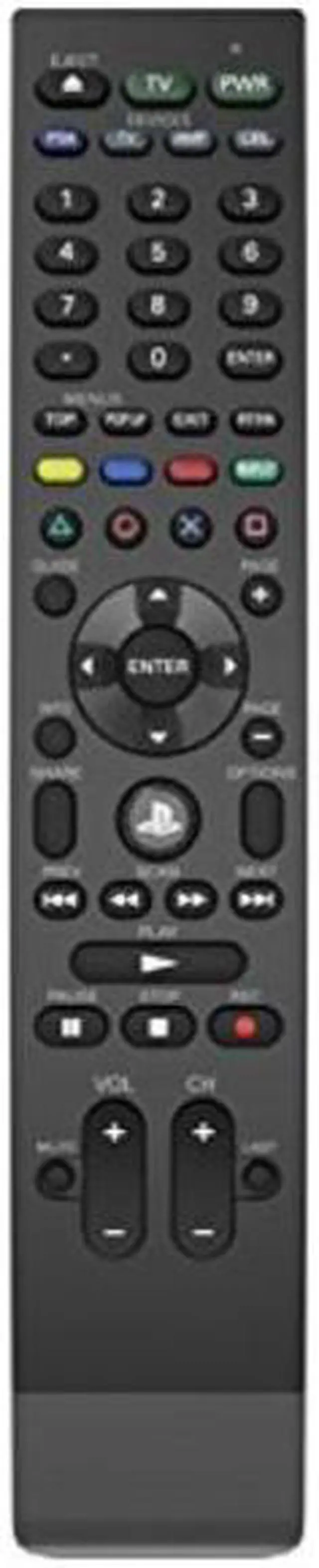
The new and improved Universal Media Remote for the PlayStation 4 system gives you control of all PS4 media playback via Bluetooth. With 25% more battery life, easily control up to 4 devicesPS4, Set Top Box, TV, and Audio Receiverand enjoy direct access to PS4 home and power buttons without a controller. The Universal Media Remote is officially licensed by Sony Interactive Entertainment America LLC and provides easy access to your system, Compatible with the following apps on PS4 Netflix,, NBA GAME TIME, Blu-ray Disc Player, PlayStation Vue, PlayStation Video, Crunchyroll, FUNimation, and Media Player.
The Universal Media Remote also includes a PS button to turn the system ON/OFF without a controller and 11 learning keys to program additional functions. Enjoy an effortless, convenient, and hassle-free way to navigate and control your PlayStation 4 system. It is also compatible with ps4 pro.
NOTE: To re-pair the PS4
Media Remote: Go to Settings> Devices> Bluetooth Devices. Select the remote from the list and choose Disconnect option. Using the PS4 controller, select the remote from the devices list again. Press Options with the PS4 controller. Select Forget Device. Confirm the selection OK. Restart the console. Remove the remotes batteries and put them back again. Once the console is ON, start pairing the remote by pressing PS and Share button for a few seconds until the LED starts blinking continuously. Find the remote on Bluetooth devices menu, select it and Register.


 We‘re shipping as usual! The Canada Post strike only affects certain remote deliveries and PO Boxes. Details
 Holiday Shipping Details & Extended Holiday Returns

