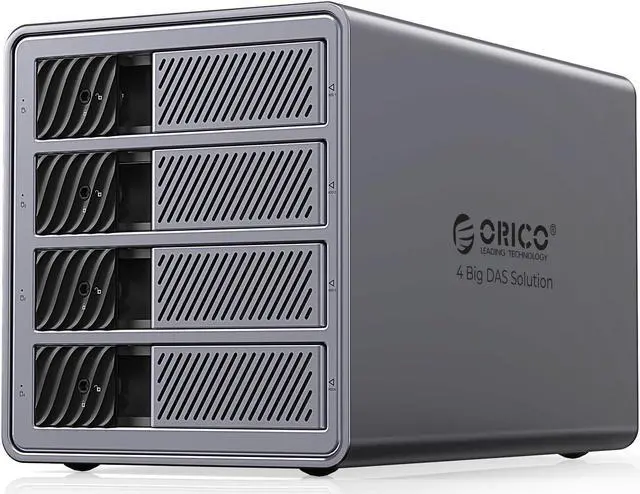
ORICO 5 Bay DAS Hard Drive Docking Station-ProRAID
Large capacity storage system designed for small and medium-sized businesses
The ORICO 5 Bay DAS Hard Drive Docking Station is a high-capacity and secure storage system designed specifically for small and medium-sized businesses. With support for up to 110TB of storage (5 drive bays) and 4 RAID modes, it offers ample space to easily manage and store large work documents or entertainment content libraries. The innovative tool-free sliding hard drive trays, equipped with independent locks, ensure the security of your valuable data.
ORICO 5 Bay DAS Hard Drive Docking Station-ProRAID
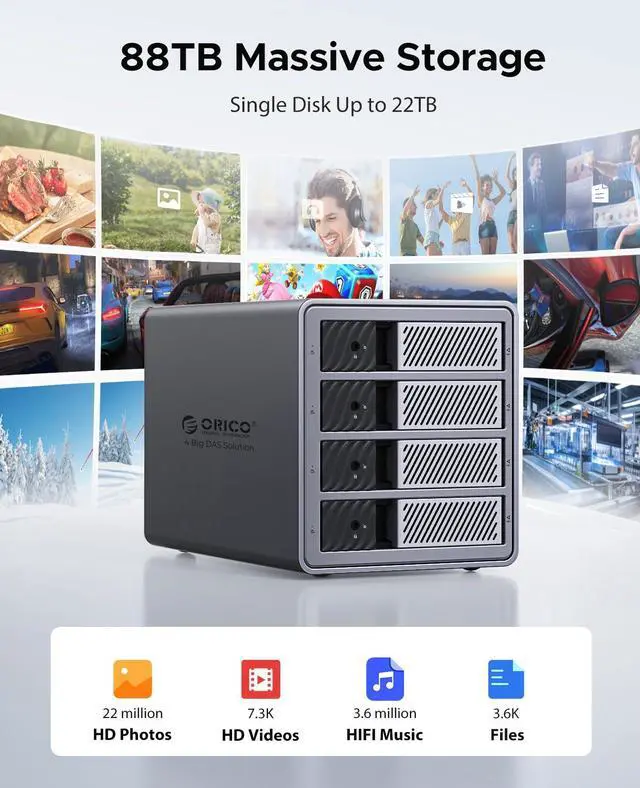
- Supporting up to 110TB storage (5 bays),1 bay supports a maximum of 22TB
- Tool-free trays with locks,Keep your valuable information safe
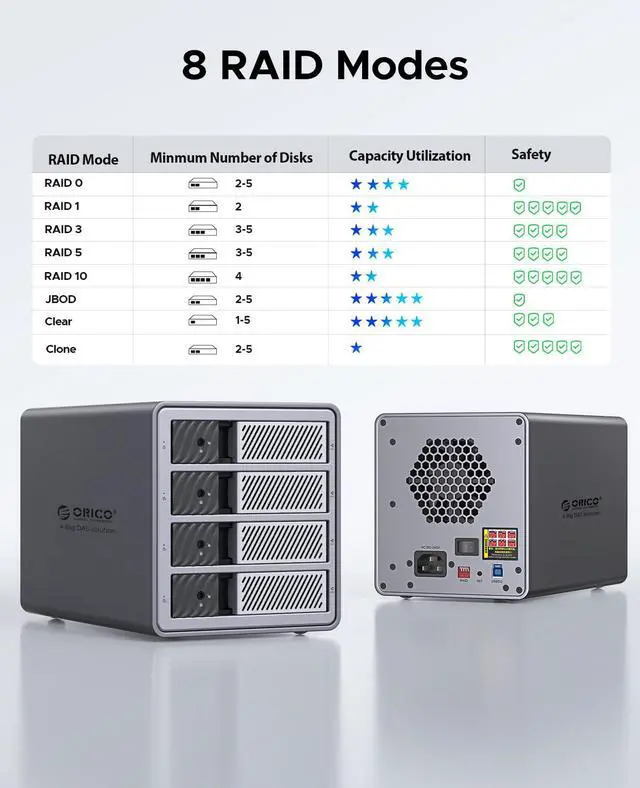
- Flexible array support with 7 RAID modes.
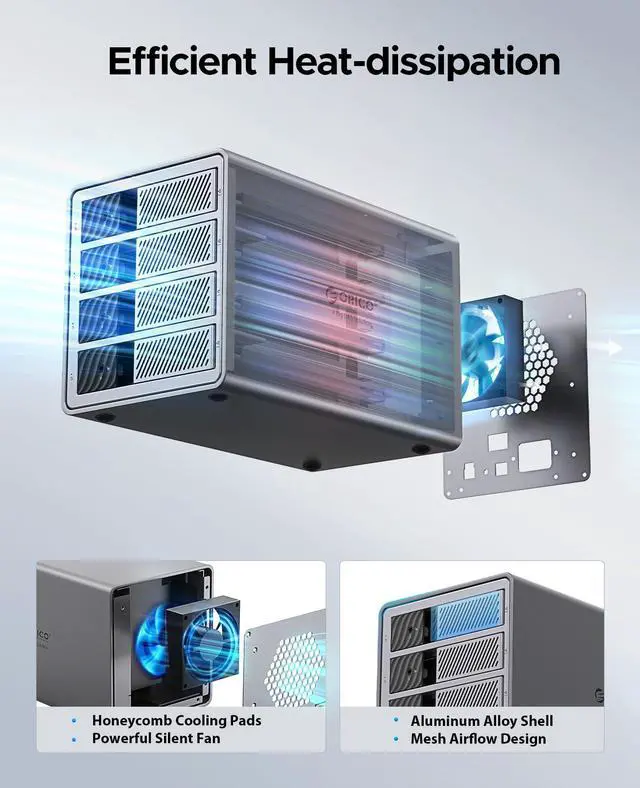
- Efficient heat dissipation with aluminum body, built-in fan, and ventilation.
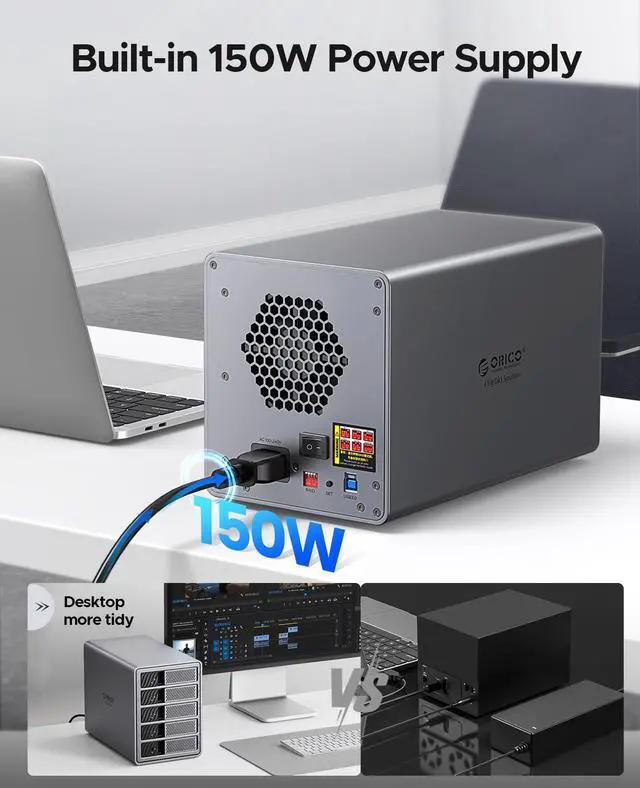
- 150W power supply for uninterrupted operation.
Multiple RAID modes-Pro RAID
Supports 7 RAID modes to meet various work requirements.
Improved data storage performance, security, and reliability
110TB Mass Storage Expansion
Providing storage solutions for managing large data effortlessly
Smart Chip Fast & Stable
Excellent chip designed for high performance and reliability,capable of enduring continuous 24/7 use
Sturdy and Durable
Aluminum alloy body with a cooling fan and pressure resistance toprotect the hard disk from damage
150W Built-in Power Supply
12V/12.5A power adapter supports to multiple disks,reliable performance and space saving
ORICO multi-bay hard drive enclosure, the preferred choice for small and medium-sized enterprise storage! With flexible layout and efficient backup, the 110TB space meets all your needs. The all-aluminum body ensures professional heat dissipation, guaranteeing stable 24/7 operation. Supporting RAID modes for performance and security. Equipped with an independent security lock for worry-free data safety. Choose ORICO for robust protection of your data, and enjoy convenience and reliability!
Model: ORICO-9858RU3
Material: Aluminum Alloy
Output: USB 3.0 Type-B
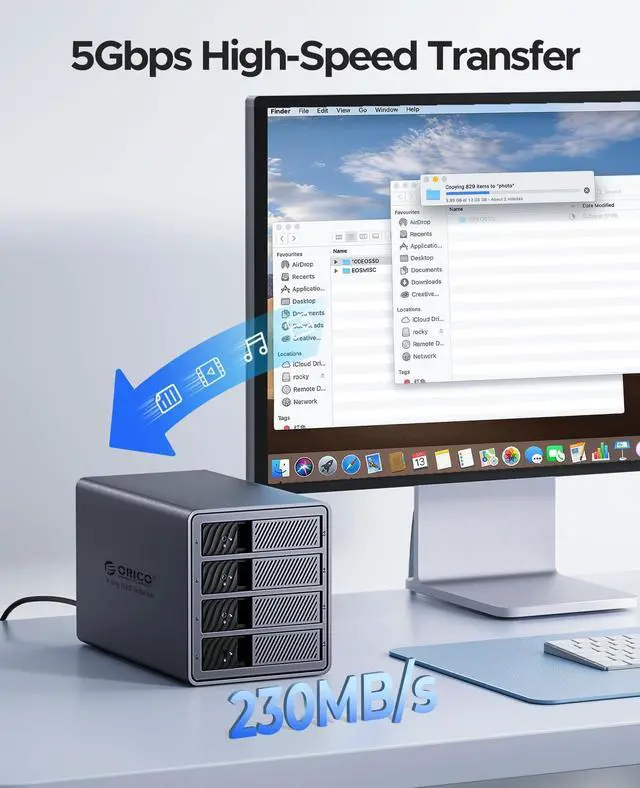
Speed: USB 3.0 5Gbps
Size: 259mm*146mm*196mm
Power Supply: Built-in 150W
Maximum Capacity: 110TB (Single bay 22TB)
Install ways: Tool free
1.
Worry-Free Storage Space: With expandable space of up to 110TB, whether it's extensive work documents or a vast entertainment content library, everything can be easily managed and stored. For small and medium-sized businesses, worry-free expansion of operations is ensured, while individual users can securely store precious data.
2.
Disk Array: Supporting 7 RAID array modes, users can flexibly configure according to work requirements, effectively enhancing data storage performance, security, and reliability. This feature is particularly crucial for small and medium-sized businesses that require high data integrity and business continuity.
3.
Professional Heat Dissipation: Featuring a high thermal conductivity all-aluminum alloy body, high-speed silent fan, and heat dissipation holes design, this is indispensable for professional users seeking long-term stable device operation.
4.
Large Power Supply: Equipped with a built-in 150W power supply, ensuring stable power supply for extended periods. Business and data processing will not be interrupted due to power issues.
5.
Secure Hard Drive Protection: The independent latch-type door, coupled with a safety lock design, securely locks with a key to prevent accidental hard drive ejection and falling, ensuring the safety of your data.
What will you get?
01. Packaging box
02. Products
03. Power adapter
04. A to B data cable
05. Screws
06. Screwdriver
07. User Manual
You may have the following questions:
1. How do I know if my hard drive is malfunctioning?
If one of the hard drives is damaged or malfunctions, the corresponding LED indicator will turn red, and the hard drive enclosure will emit a warning sound.
2. How do I replace a hard drive or add a hard drive to the enclosure while in use?
Eject the hard drive from the computer, then power off the hard drive enclosure and remove the hard drive. (Make sure to eject the hard drive from the computer first to avoid data loss! )
3. Can I connect my devices to my computer through a hub?
We recommend connecting the hard drive enclosure directly to the computer as connecting through a hub may be unstable.
4. Why does the hard drive show as dynamically invalid in disk management after being removed from an old computer?
This is due to a system issue. Reinstall the hard drive into the original computer motherboard, back up the data, format it, or if your old computer is no longer functional or cannot boot into the system, you can download dynamic disk conversion software to convert it to basic disk directly.
5. The hard drive is detected but does not have a drive letter?
Add a disk name for use. In disk management, right-click on the disk partition section and select "Change Drive Letter and Paths. "
6. The connection is automatically disconnected during transmission, then reconnects after a while?
In such cases, it could be due to issues with the computer's USB interface, USB data cable, computer USB driver, hard drive, or hard drive enclosure. Contact our technical support to troubleshoot each one.
7. Why can't I find the hard drive after connecting a brand new one to the computer, and it doesn't show a drive letter?
A brand new hard drive must be formatted for the system to recognize and use it.
Instructions: Right-click on "Computer, " then click on "Manage, " open "Disk Management, " find the newly added hard drive, right-click on it, select "Initialize" and choose "MBR (for hard drives up to 2TB) " or "GPT (over 2TB), " then "Create Simple Volume, " proceed with default partition formatting, once formatted, the hard drive will be usable and display the new drive letter.
8. When a hard drive appears as RAW format in disk management due to improper ejection or power failure, what should be done?
To recover, use the chkdsk command; the operation method is as follows: run cmd as an administrator, enter
CHKDSK i: /f (where i is the disk drive letter), press Enter, once the scan and repair are complete, restart the computer to display the results.

 We‘re shipping as usual! The Canada Post strike only affects certain remote deliveries and PO Boxes.
  Holiday Shipping Details & Extended Holiday Returns