


- $199.99
- Free 92-day Returns
$129.99
Add to PC build list
Sold by Newegg
Shipped by Newegg
Add to Wish List(Found on 65 wish lists)


Get Educated
Make informed decisions with expert advice. Learn More
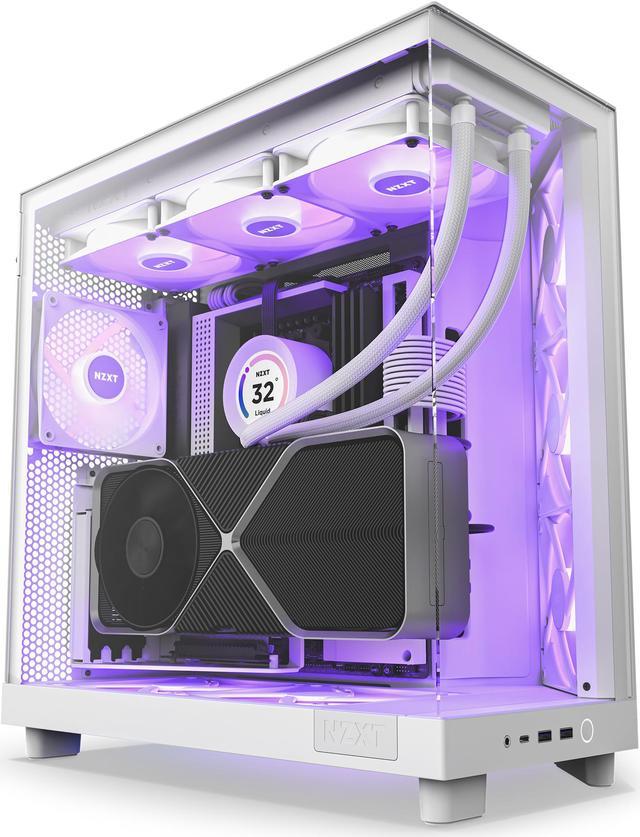
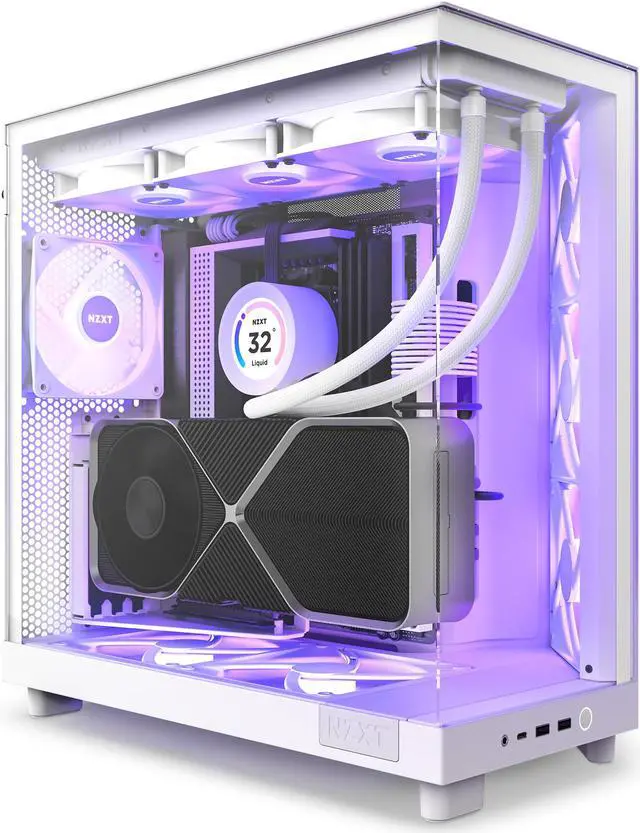
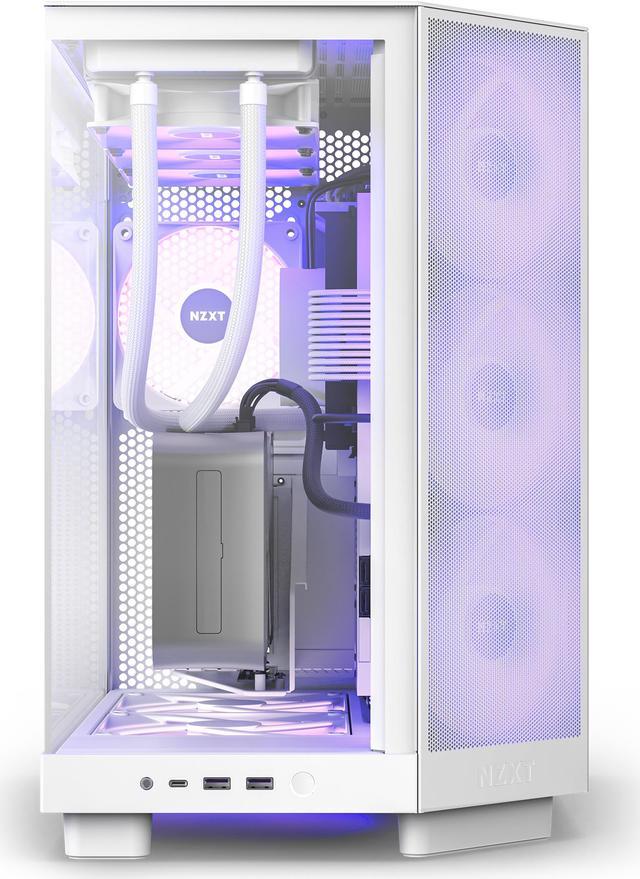
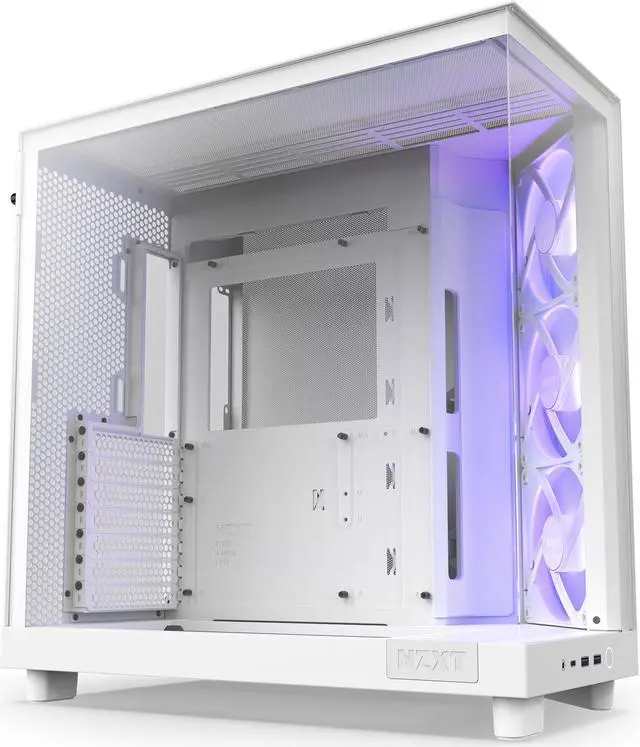
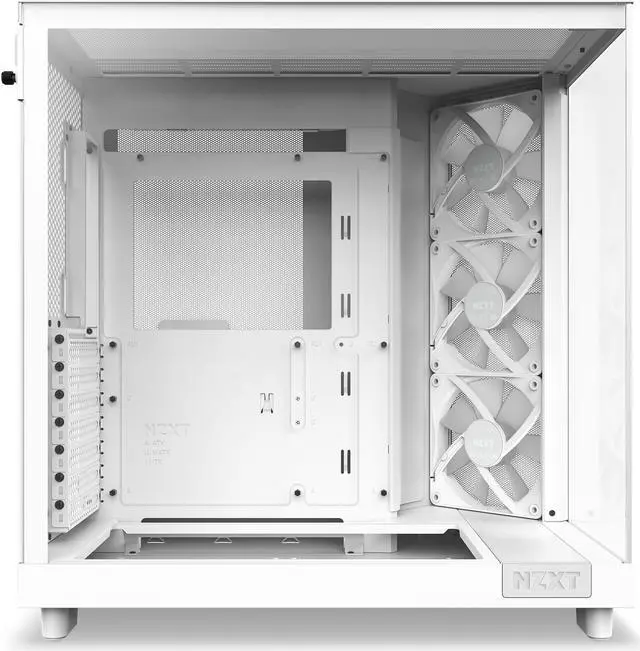
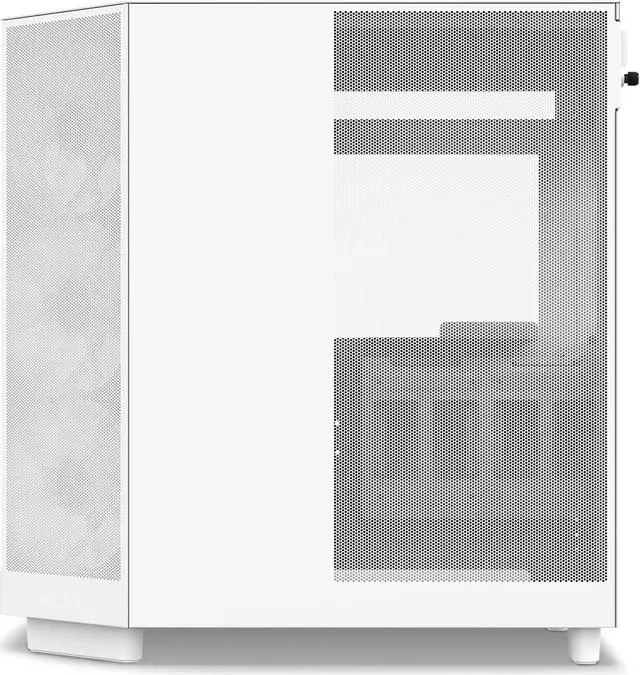
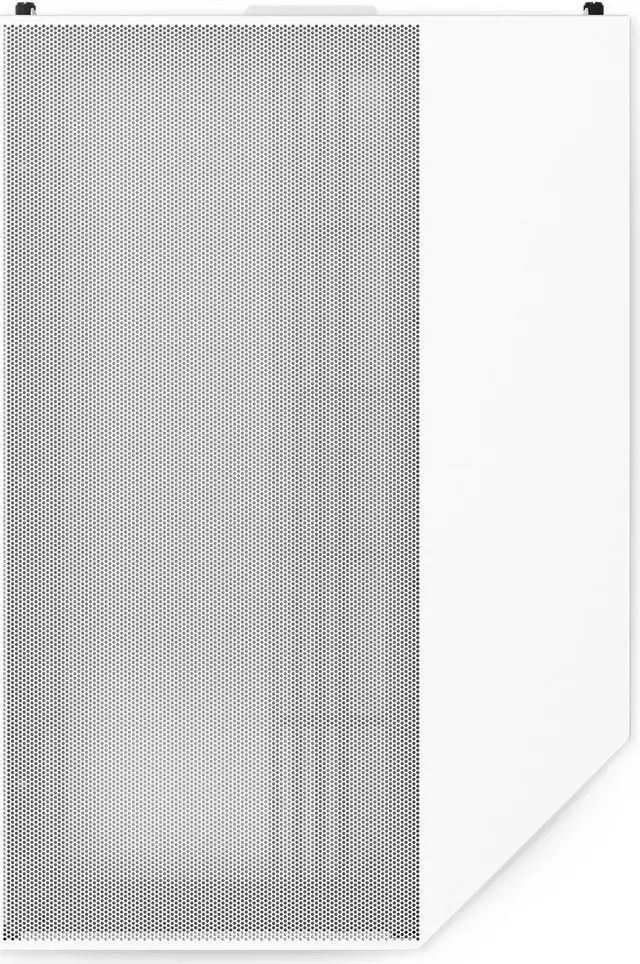
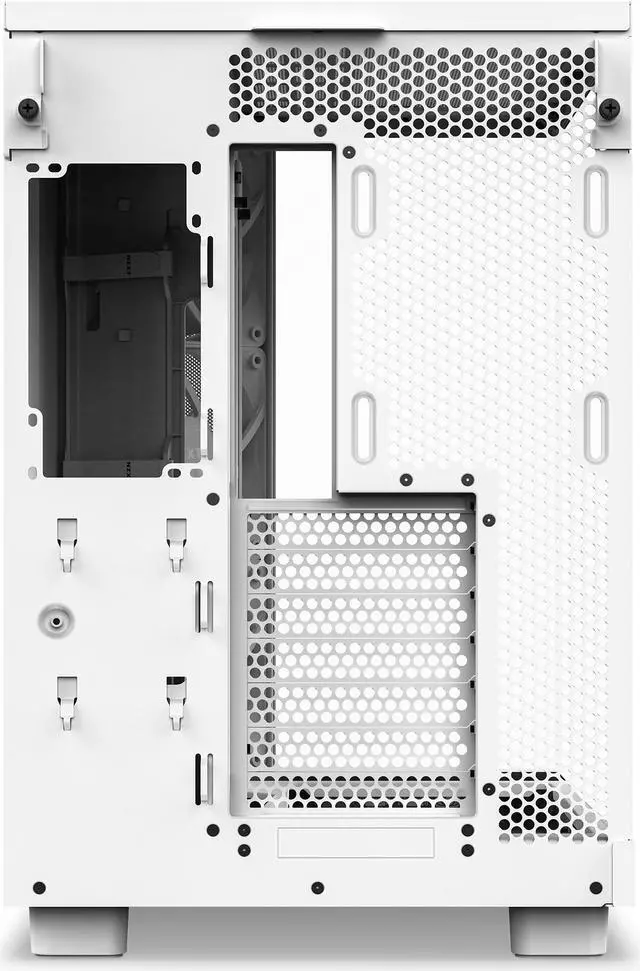
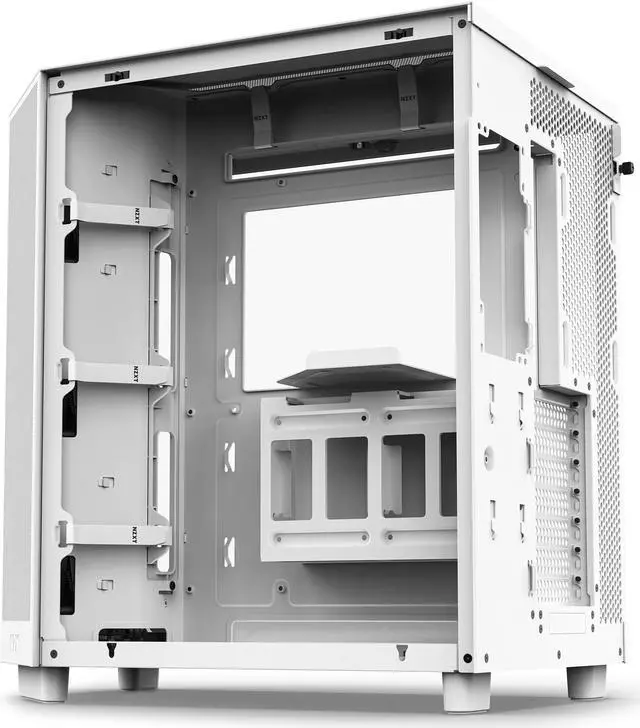
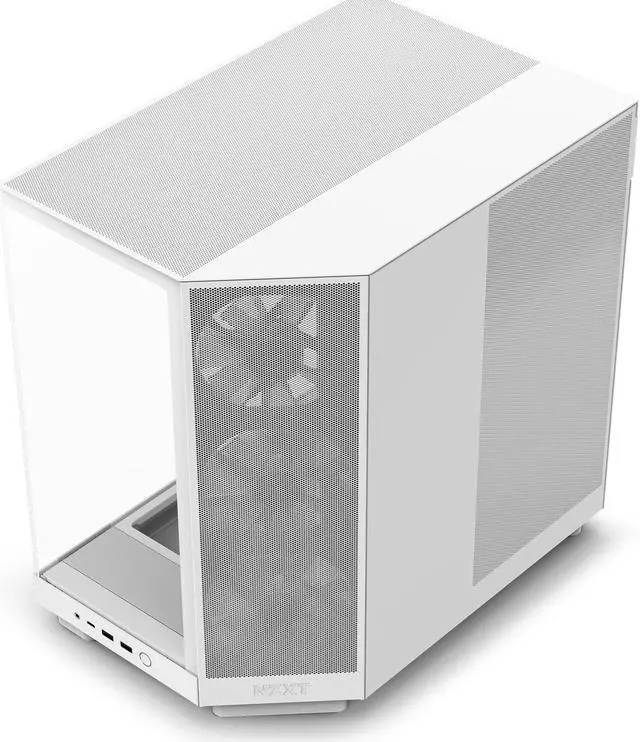
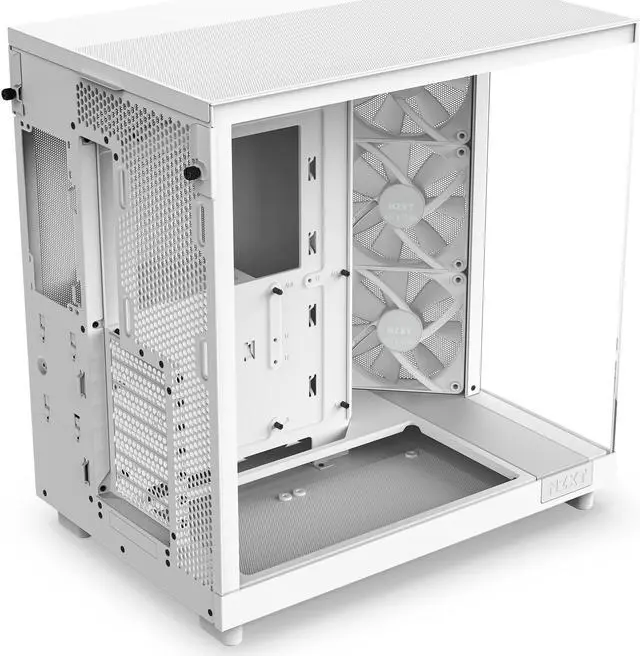
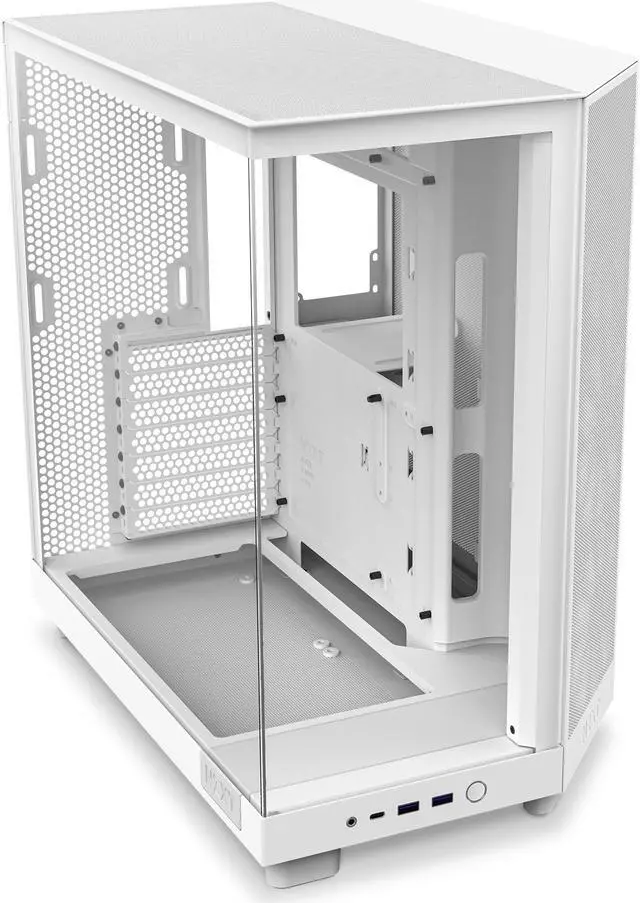
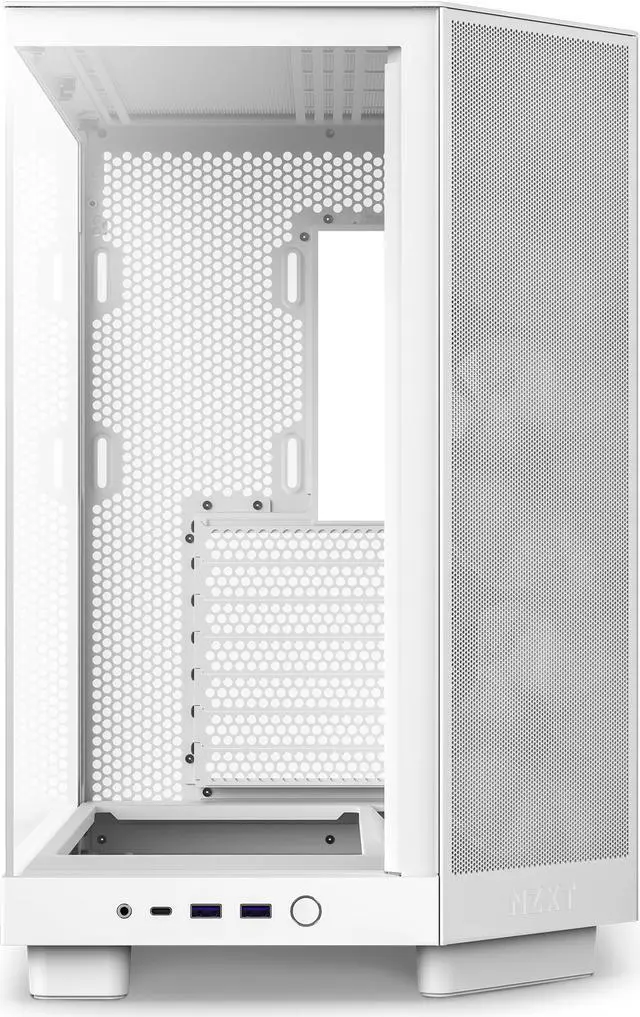


NZXT H6 FLOW RGB Compact Dual-Chamber Mid-Tower Airflow Case, White, CC-H61FW-R1
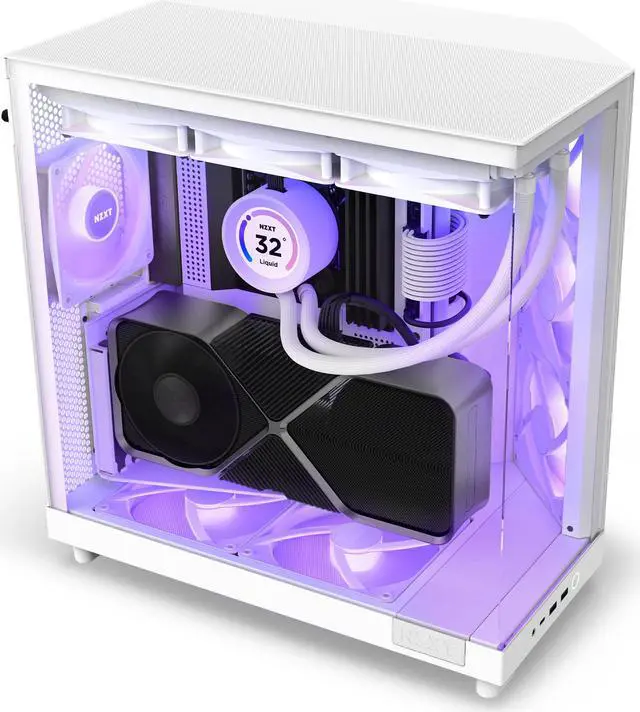
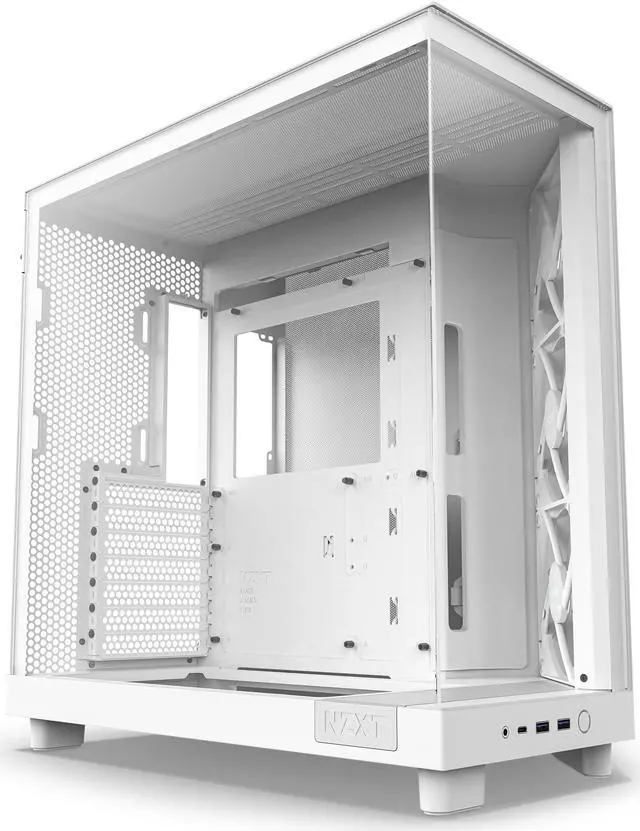
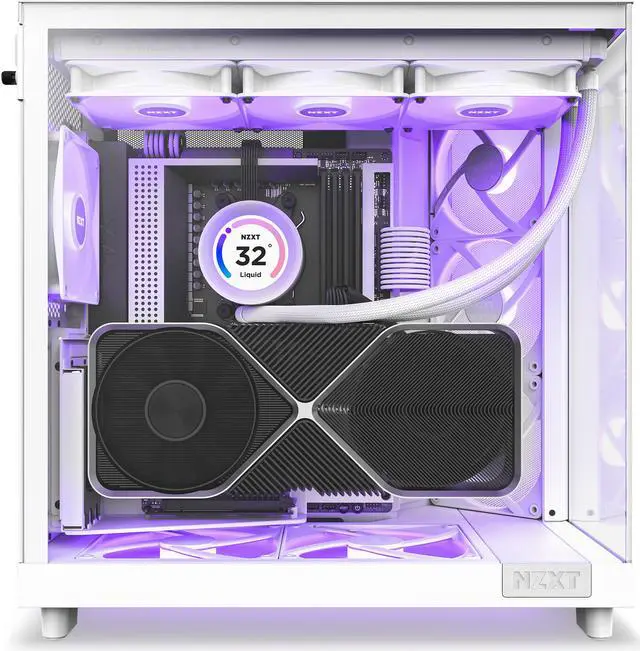
- A SEAMLESS SHOWCASE: Tempered glass front and side panels offer an uninterrupted view of components, while the dual-chamber design hides PSU and storage for a sleek, compact, and standout look.
- ANGLED AIRFLOW: The angled front-right corner with 3 x120mm fans targets heat-prone components. Supports 2 x 140mm fans beneath the GPU for optimal cooling while perforated panels enhance airflow.
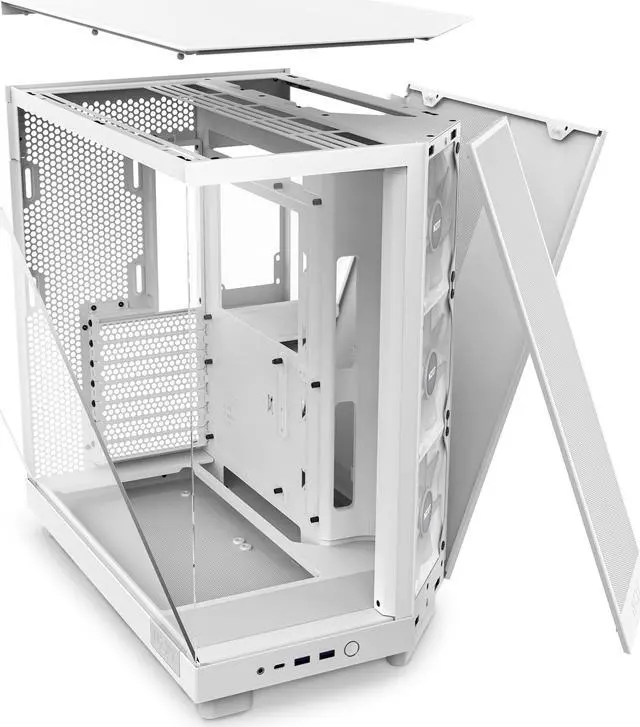
- BUILDING MADE SIMPLE: H6 Flow's intuitive design makes building a breeze. Wide channels and included straps aid cable management. Tool-less access to top and side panels simplifies tinkering and upgrading.
+
+
Overview
Specs
Reviews (366)
Because the NZXT H6 Flow RGB Compact Dual-Chamber ATX Mid-Tower Airflow Computer Case in White is designed for peak performance and vibrant aesthetics, it is an ideal choice for gamers and PC enthusiasts. This innovative case prioritizes GPU cooling with its dual-chamber design, ensuring efficient heat dissipation and an uncluttered interior. The panoramic wraparound glass panel provides an unobstructed view of your components, allowing you to showcase your build while enhancing airflow. The H6 Flow features three 120mm RGB fans, strategically angled for optimal cooling performance right out of the box. These fans not only deliver superior airflow but also add a splash of vibrant RGB lighting, elevating the visual appeal of your setup.
The case's perforated panel design is meticulously optimized to maximize airflow, ensuring your system remains cool even during intense gaming sessions. Cable management is made easy with wide channels and included straps, allowing for a clean and organized build. The tool-free entry system provides quick and hassle-free access to the top and side panels, making upgrades and maintenance a breeze. With spacious support for up to a 360mm radiator at the top and clearance for a 365mm GPU, the NZXT H6 Flow offers flexibility and compatibility for high-performance components.
The case's perforated panel design is meticulously optimized to maximize airflow, ensuring your system remains cool even during intense gaming sessions. Cable management is made easy with wide channels and included straps, allowing for a clean and organized build. The tool-free entry system provides quick and hassle-free access to the top and side panels, making upgrades and maintenance a breeze. With spacious support for up to a 360mm radiator at the top and clearance for a 365mm GPU, the NZXT H6 Flow offers flexibility and compatibility for high-performance components.
Warranty & Returns
Warranty, Returns, And Additional Information
Warranty
- Limited Warranty period (parts): 2 years
- Limited Warranty period (labor): 2 years
- Read full details
Return Policies
- Return for refund until: January 31, 2026
- Return for replacement until: January 31, 2026
- This item is covered by Newegg.ca's Extended Holiday Return Policy.
- Read full return policy for details.
We want to ensure your holiday shopping this year is hassle-free. That’s why we’re automatically extending our return policies on almost every product! For purchases placed between November 1st, 2025 and December 31, 2025 you will have until January 31, 2026 to return your product.
Manufacturer Contact Info
- Manufacturer Product Page
- Manufacturer Website
- Support Phone: 1-800-228-9395
- Support Email: service@nzxt.com
- Support Website
- View other products from NZXT
LOADING...
LOADING...
The NZXT H6 FLOW RGB is a compact white dual-chamber ATX mid-tower PC case designed for airflow-focused gaming and enthusiast builds. Its angled front-right intake, three included 120 mm RGB fans, tempered-glass panels, and support for GPUs up to 365 mm make it suitable for showcase systems with high-performance components.
Recommended For
- PC gamers building a showcase-style ATX system who want panoramic tempered glass, visible RGB lighting, and a cleaner-looking interior from the dual-chamber layout.
- Gaming PC builders using a large modern graphics card who want stronger direct airflow toward the GPU without moving to a full-size case.
- First-time or occasional PC builders who want wide cable-routing channels, included straps, tool-free panel access, and a layout that is easier to work in than a conventional single-chamber mid-tower.
- Users planning an ATX, Micro-ATX, or Mini-ITX gaming build with a top-mounted 240mm or 360mm radiator and a graphics card up to the case's supported length.
- Builders who want a smaller-than-full-tower footprint while still keeping room for high-end gaming hardware, additional top or bottom fans, and a conventional ATX power supply.
Real-World Use Scenarios
- A builder assembling a gaming PC with a large graphics card can use the H6 Flow RGB to keep the GPU visibly showcased while the angled intake fans direct airflow toward the graphics card; reviews generally report strong gaming-load thermals, although fan noise can become noticeable under sustained load.
- Someone replacing an older airflow-restricted case can use the H6 Flow RGB to improve ventilation without moving to a full-size tower; the dual-chamber layout and mesh panels provide a cleaner interior and more direct airflow around the GPU.
- A first-time PC builder can use the H6 Flow RGB for an ATX, Micro-ATX, or Mini-ITX system and benefit from wide cable channels, included straps, and tool-free access; community feedback and build videos commonly describe the assembly process as approachable, though tight clearances may require planning around certain components.
- A user building a display-focused gaming or streaming PC can use the panoramic tempered-glass design to highlight RGB fans, liquid cooling, and internal components while keeping the power supply and most cabling out of the main viewing area.
- A performance-oriented builder using a 360 mm top radiator can pair the H6 Flow RGB with a high-end CPU and discrete GPU; testing and build demonstrations show that the case can support liquid-cooled configurations, but radiator, memory, motherboard, and cable clearances should be checked before purchasing components.
- A user who relies mainly on NVMe or a small number of SSDs can build comfortably in the H6 Flow RGB, but it is less suitable for a workstation or media server needing many internal drives because storage capacity is limited compared with larger mid-tower cases.
Reference Q&A
Q: Should I get the NZXT H6 Flow RGB or the NZXT H7 Flow RGB?
A: Choose the H6 Flow RGB for a more compact dual-chamber layout, three included angled RGB fans, and strong GPU-focused airflow in a 51.8-liter case. Choose the H7 Flow RGB when you need more internal space for larger components, additional cooling flexibility, or a roomier building area. Testing found the H6 Flow RGB ran slightly cooler on CPU temperature, while the H7 Flow RGB provided lower GPU temperatures in one comparison because of its larger lower intake area.
Q: Is the NZXT H6 Flow RGB better than the NZXT H5 Flow RGB?
A: The H6 Flow RGB is the better choice when you want three pre-installed angled RGB fans, a top-mounted radiator up to 360 mm, and a showcase-style dual-chamber design. The H5 Flow RGB is more practical when a lighter case, a narrower chassis, E-ATX support, or up to 410 mm of GPU clearance matters more. The H5 Flow RGB also includes a rear fan, while the H6 Flow RGB leaves the rear fan position open for an optional 120 mm fan.
Q: NZXT H6 Flow RGB or Fractal Design North: which case should I choose?
A: Choose the H6 Flow RGB for a glass-heavy RGB build with three included fans, a dual-chamber cable layout, and a 360 mm top-radiator option. Choose the Fractal Design North if you prefer its wood-accented design, need one additional 3.5-inch drive bay, or want a more conventional front-to-back case layout. The H6 Flow RGB provides more GPU clearance, while the North is a better fit for users who prioritize its understated appearance and storage layout.
Q: Is the NZXT H6 Flow RGB a worthwhile upgrade from the 2022 NZXT H5 Flow RGB?
A: Upgrade to the H6 Flow RGB if you want a more distinctive dual-chamber presentation, three angled front-right fans, improved GPU-directed airflow, and support for a 360 mm top radiator. The 2022 H5 Flow RGB remains suitable for a smaller conventional ATX build with two front 140 mm RGB fans, a bottom fan, and a top radiator up to 240 mm. The H6 is better suited to newer high-performance builds, while the older H5 can remain practical if your current GPU and cooling hardware already fit.
Q: Does the NZXT H6 Flow RGB come with a complete PC build or only the case?
A: It is an empty PC case, not a prebuilt computer. The package includes the case, three preinstalled 120 mm RGB fans, and installation accessories, but you must add the motherboard, processor, memory, graphics card, power supply, storage, and CPU cooler separately.
Q: How many fans are included with the NZXT H6 Flow RGB?
A: The case includes three preinstalled F120 RGB Core 120 mm fans in the angled front-right intake position. Additional fans can be added at the top, bottom, and rear, but they are sold separately.
Q: What motherboard sizes and graphics card dimensions fit in this case?
A: The case supports ATX, Micro-ATX, and Mini-ITX motherboards. It supports graphics cards up to 365 mm long, CPU coolers up to 163 mm tall, and power supplies up to 200 mm long. Always compare these limits with the exact dimensions of your components.
Q: Can I install a 360 mm liquid-cooling radiator in the NZXT H6 Flow RGB?
A: Yes. A radiator up to 360 mm can be installed at the top of the case. The angled front-right and bottom fan positions support fans but do not support radiators, so radiator placement is more limited than fan placement.
Q: Can the included RGB fans connect directly to the motherboard?
A: Yes. The included fans use a 3-pin 5V addressable RGB connection and can connect directly to a compatible motherboard ARGB header. The case does not include an NZXT CAM-powered RGB or fan controller, so a separate controller is required if you want to manage the fans through CAM.
Q: Is the NZXT H6 Flow RGB a good choice for a compact, showcase-style gaming PC?
A: Yes, if you want a visually focused mid-tower with a dual-chamber layout, tempered-glass front and side panels, three included RGB intake fans, and strong component visibility. It is less suitable if you prioritize maximum internal space or extensive custom cooling over appearance and compactness.
Q: Does the H6 Flow RGB provide good airflow for a gaming PC?
A: It is designed for airflow-focused builds, with three angled 120 mm front-right intake fans, mesh-filtered panels, support for two 140 mm bottom fans, and top radiator support up to 360 mm. Its cooling layout is a strong fit for conventional gaming systems, although final temperatures still depend on the CPU cooler, GPU, fan setup, and component power levels.
Q: Will a thick 360 mm AIO cooler fit in the NZXT H6 Flow RGB?
A: A 360 mm radiator is officially supported on top, but thick radiator-and-fan combinations are not universally safe. Reddit build reports indicate that clearance can become tight around the motherboard VRM heatsinks and CPU power cables, especially with large ATX boards. Check the combined radiator-and-fan thickness and motherboard clearance before buying a specific AIO.
Q: Is the H6 Flow RGB easy to build in and manage cables in?
A: It is generally suited to straightforward builds because the dual-chamber design, cable channels, straps, and removable panels simplify routing and access. However, the compact layout leaves less flexibility around the top radiator area and some cable paths, so unusually thick cooling hardware or complex multi-radiator builds may require more planning.
Q: What are the main trade-offs of choosing the NZXT H6 Flow RGB?
A: The main advantages are its compact dual-chamber design, included RGB intake fans, component visibility, and airflow-oriented layout. The main trade-offs are limited drive capacity, a 163 mm CPU-cooler height limit, tighter top-radiator clearance with some motherboards and AIOs, and less flexibility than larger cases for complex cooling configurations.