






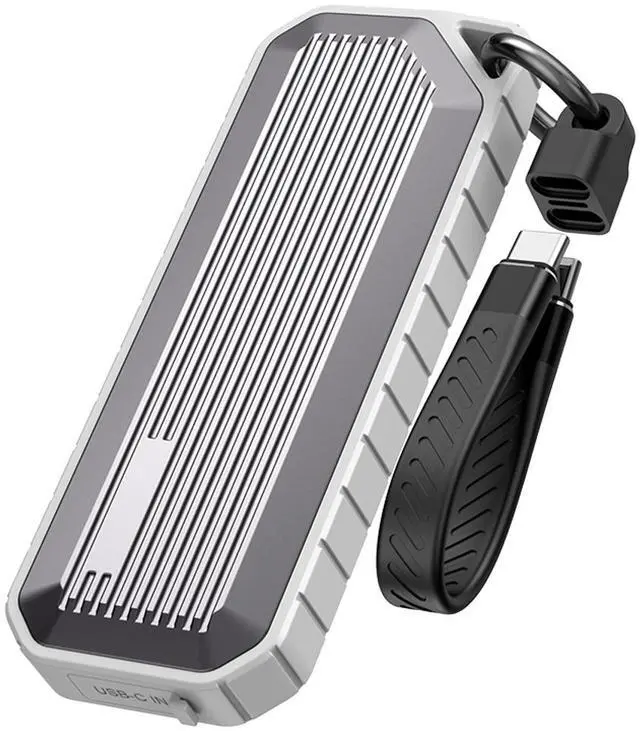
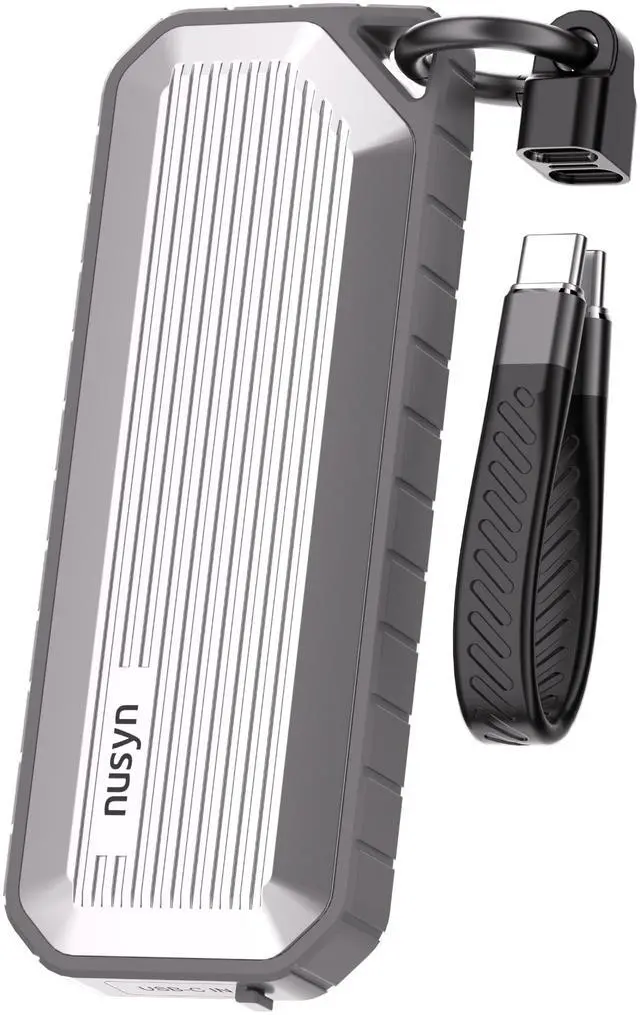



Dual Protocol Wide Compatibility:
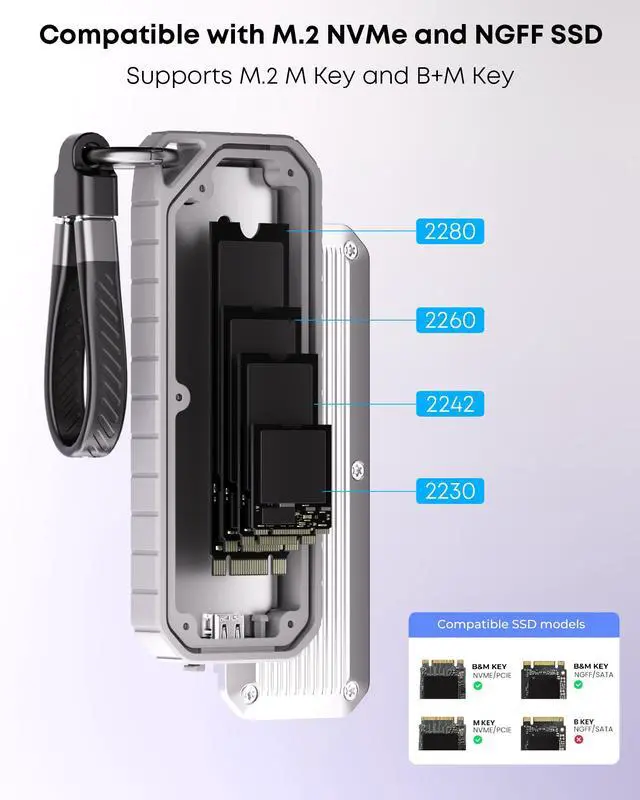
Supports NVMe/PCIe & SATA/NGFF dual protocols, fits 2230/2242/2260/2280 size M.2 SSDs. Adopts multi-safety protection, supports UASP & Trim. Not fit M.2 SATA AHCI B Key SSDs.
10Gbps High-Speed Transmission:
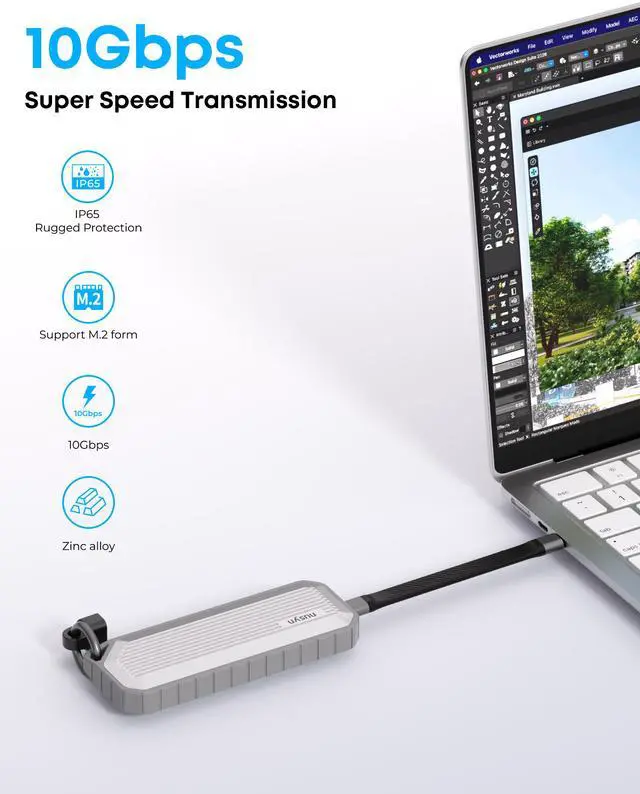
USB3.2 Gen2 Type-C interface reaches max 10Gbps speed for NVMe and 6Gbps for SATA SSD, fast finish large file transfer and data backup, compatible with Thunderbolt
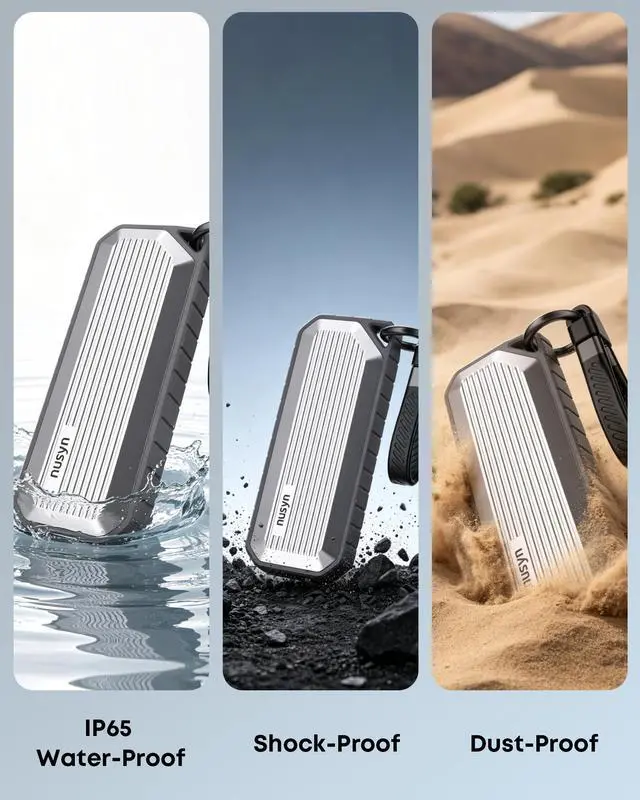
Core IP65 All-Round Protection:
Featured with official IP65 waterproof, dustproof, shockproof and scratch-resistant performance. Zinc alloy body plus silicone edge design ensures sturdy structure, built-in heat dissipation pad keeps stable operation.
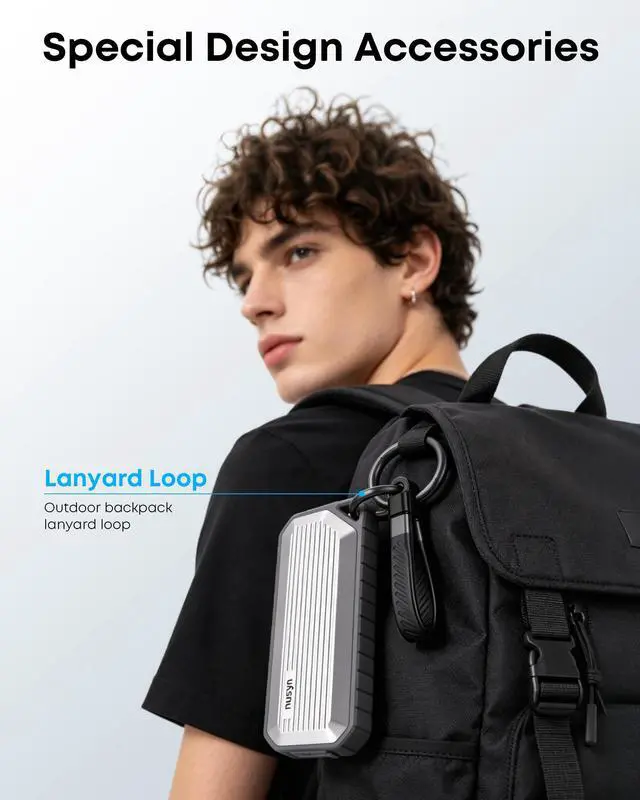
Lanyard Data Cable Design:
Comes with practical short charging data cable that can be used as portable hanging lanyard, easy to hang and carry outdoors, no need to prepare extra cord, convenient for travel and field use.
Large Capacity & Multi-Scene Use:
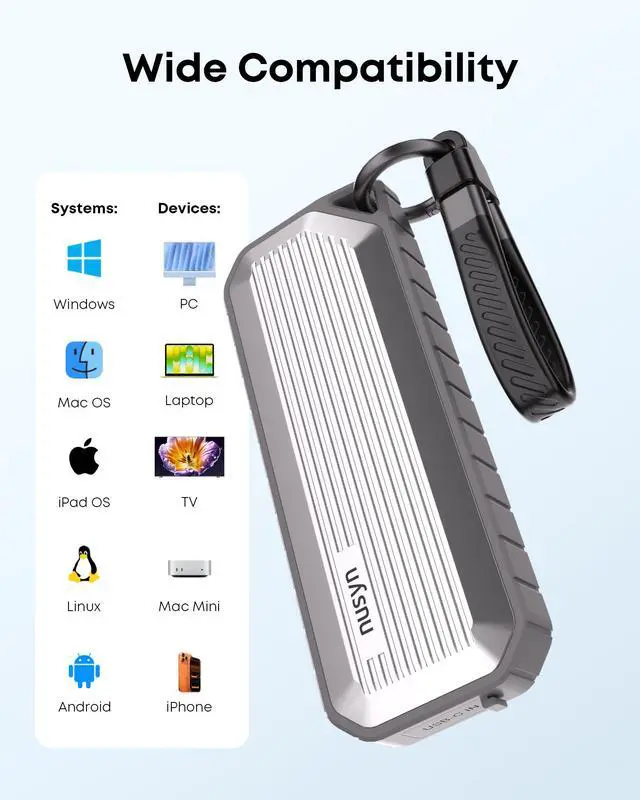
Max support 4TB storage capacity, compatible with Windows, Mac, Linux, Android and iOS systems. Works with computers, phones, tablets and game consoles. Compact lightweight body with screwdriver for easy installation, ideal for office, shooting, outdoor work and daily storage.
The Nusyn NSE35 is a compact USB-C 3.2 Gen 2 M.2 SSD enclosure for NVMe and SATA drives, built for users who want fast 10Gbps-class external storage for laptops, phones, tablets, and travel setups. It fits 2230/2242/2260/2280 SSDs up to 4TB and is especially suitable for portable backups, file transfers, and mobile workflows.
| Attribute | Value |
|---|---|
| Best For | Portable M.2 NVMe and SATA SSD enclosure for users who need external storage or storage expansion on laptops, desktops, tablets and smartphones (includes iPhone 15 and above) |
| Compatibility & Supported Drives | Single-bay enclosure supporting one M.2 NVMe or SATA SSD in 2230, 2242, 2260 or 2280 sizes |
| Interface & Transfer | USB 3.2 Gen 2 Type-C host interface with included USB-C to C cable |
| Performance | Advertised transfer speeds up to 1,000 MB/s read and 800 MB/s write; actual speed depends on the installed SSD and host system |
| Case & Build | Zinc alloy body with silicone elements in a compact gray form factor |
| Thermal And Cooling | No active fan (passive cooling) |
| Physical Dimensions & Weight | 1.82 x 4.80 x 0.63 inches; 0.44 lb |
| Installation And Package Contents | Includes M.2 SSD enclosure, USB-C to C cable, and user manual |
| Special Features | Portable, lightweight design with wide device compatibility |
| Model Identifiers | NUSYN NSE35GR |
Q: Should I choose the Nusyn NSE35 or a standard 10Gbps M.2 enclosure for everyday external SSD use?
A: Choose the Nusyn NSE35 if you want one enclosure that can handle both NVMe and SATA M.2 drives and you expect to carry it around often. Its dual-protocol support matches a common 10Gbps enclosure feature set, but the added IP65 water and dust resistance and integrated lanyard-style cable make it a better fit for travel, field work, or backup kits. A standard 10Gbps enclosure is the simpler choice when ruggedness is not part of the decision and the enclosure will stay mostly on a desk.
Q: Is the Nusyn NSE35 better than a SATA-only M.2 enclosure?
A: Yes, if you want flexibility for future SSD upgrades. The NSE35 supports both NVMe and SATA M.2 drives, while a SATA-only enclosure limits you to older and slower drive types. That makes the NSE35 the better choice for users who may reuse multiple SSDs over time or move from SATA to NVMe later. A SATA-only enclosure still makes sense when you already own a SATA M.2 drive and do not plan to switch.
Q: Should I get the Nusyn NSE35 or a 20Gbps / USB4 enclosure for an NVMe SSD?
A: Choose the Nusyn NSE35 when broad compatibility, lower heat, and near-1GB/s class transfers are enough for your workflow. Independent testing and community comparisons show that 10Gbps enclosures commonly top out around 1GB/s, while 20Gbps and USB4 models can go higher but only when the host device also supports those faster standards. A higher-tier enclosure is the better choice for large media projects or scratch-disk use where the system can actually deliver 20Gbps or more.
Q: Should I buy the Nusyn NSE35 or a rugged portable SSD like the Samsung T7 Shield?
A: Choose the Nusyn NSE35 if you already have an M.2 SSD or want the freedom to pick, upgrade, or replace the internal drive yourself. Choose a rugged portable SSD like the Samsung T7 Shield if you want a ready-to-use package with the SSD, enclosure, thermal design, and firmware already integrated. Both target portable use and IP65-style protection, but the NSE35 is the modular option, while a portable SSD is the simpler all-in-one option.
Q: Will this enclosure work with both NVMe and SATA M.2 SSDs, and what are the compatibility limits?
A: Yes, it is designed for both NVMe/PCIe and SATA/NGFF M.2 SSDs in 2230, 2242, 2260, and 2280 sizes. The main decision point is protocol compatibility: this model is broader than many competing enclosures because many retail alternatives support only NVMe. Buyers should still verify the exact drive type, because AHCI-based M.2 SATA variants are commonly excluded on similar products and can cause confusion.
Q: Is this a good buy for travel, field work, or everyday portable backup?
A: Yes, it is a strong fit for portable backup if durability matters more than the absolute smallest size or highest desktop-class speed. The decision advantage is the IP65 water- and dust-resistant design, zinc-alloy body, and integrated short lanyard cable, which make it better suited to travel bags, outdoor work, and mobile backup than standard bare-metal enclosures. The trade-off is that rugged sealing and compact portability do not guarantee the highest sustained performance under heavy heat loads.
Q: Is it fast enough for office work, backups, and moving large files?
A: Yes. For office files, meetings, media transfers, and routine backup, a 10Gbps USB-C enclosure is usually more than sufficient. This model is rated up to about 1,000 MB/s read and 800 MB/s write, which is well suited to external project storage and large-file transfer. The practical trade-off is that it is not meant to deliver the full raw speed of a high-end internal NVMe SSD, because the USB 10Gbps interface becomes the bottleneck.
Q: Who is this enclosure most suitable for?
A: It is best for buyers who already have an M.2 SSD and want a compact external drive for cross-device use, especially across laptops, desktops, tablets, newer USB-C phones, and light mobile workflows. It is a better fit for people who value broad SSD support and portability than for buyers who need a single-purpose, maximum-speed enclosure tuned only for NVMe.
Q: Is this better than a typical NVMe-only enclosure?
A: It depends on the buyer. This enclosure is the better choice if you want flexibility to reuse either NVMe or SATA M.2 drives and want a rugged portable shell. A typical NVMe-only enclosure can be simpler if you know you will only use NVMe and care mainly about straightforward compatibility with that one interface. The main trade-off is flexibility versus specialization.
Q: Is this enclosure a good buy if I want one case for both NVMe and SATA M.2 SSDs?
A: Yes, if you specifically want one enclosure that can accept both NVMe and SATA M.2 drives. That solves a common buying mistake discussed in Reddit threads, where users discover too late that many enclosures support only one protocol. The main trade-off is speed: this model tops out at USB 3.2 Gen 2 10Gbps, so it is suitable for mainstream external storage, backup, and file transfer, but it will not deliver the full potential of faster high-end NVMe drives.
Q: Who is this enclosure most suitable for?
A: It is best suited to users who want portable external SSD storage for backups, work files, travel, or moving an existing M.2 drive into a reusable USB-C enclosure. Based on the product data, it fits 2230/2242/2260/2280 drives, supports up to 4TB, and works across common desktop, laptop, phone, and tablet platforms. It is a practical fit for people who value drive flexibility and portability more than maximum possible NVMe speed.
Q: What are the main trade-offs of this enclosure compared with faster M.2 enclosures?
A: The main trade-off is bandwidth. A 10Gbps USB-C enclosure is usually enough for PCIe 3.0 NVMe and everyday external SSD use, but it is still a ceiling that can bottleneck faster Gen4-class SSDs. Another trade-off is thermals: compact metal enclosures are better than plastic for heat dissipation, but sustained heavy transfers can still generate heat in any small M.2 enclosure.
Q: Is this a good choice for use with phones, including iPhone 15 or newer?
A: It can be a sensible choice if your goal is portable USB-C external storage for a phone, especially when compact size matters. The product data explicitly lists iPhone 15 and above compatibility. The practical limitation is that phone workflows usually benefit most from a short cable, stable connection, and speeds around the 10Gbps class, so this is better suited to storage and transfer convenience than to chasing peak enclosure performance.
Q: Are there any compatibility details I should check before buying?
A: Yes. The most important check is whether your SSD is actually supported by the enclosure protocol and keying. This model is intended for M.2 NVMe and M.2 SATA drives in common 2230 to 2280 sizes, but the product data says it is not compatible with M.2 SATA AHCI B Key SSDs. If you are unsure what type of M.2 drive you already own, this is worth verifying before purchase because interface mismatch is one of the most repeated problems in Reddit enclosure discussions.