






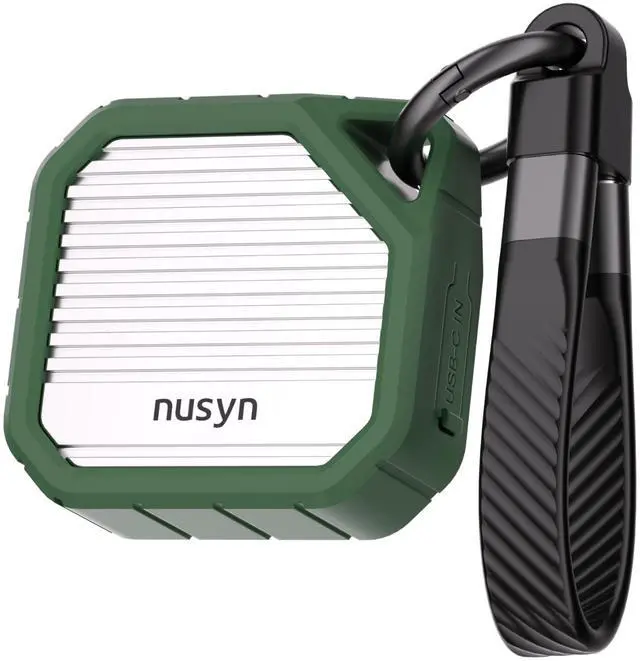
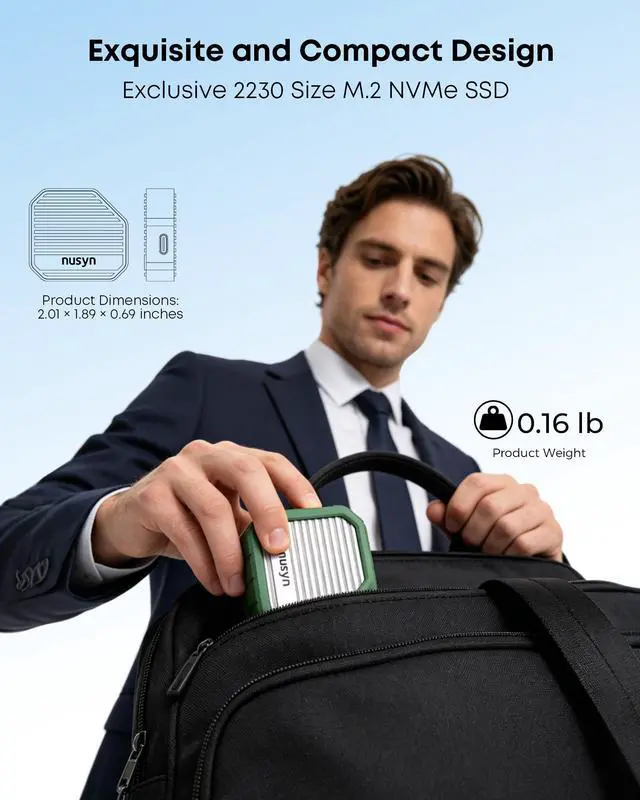
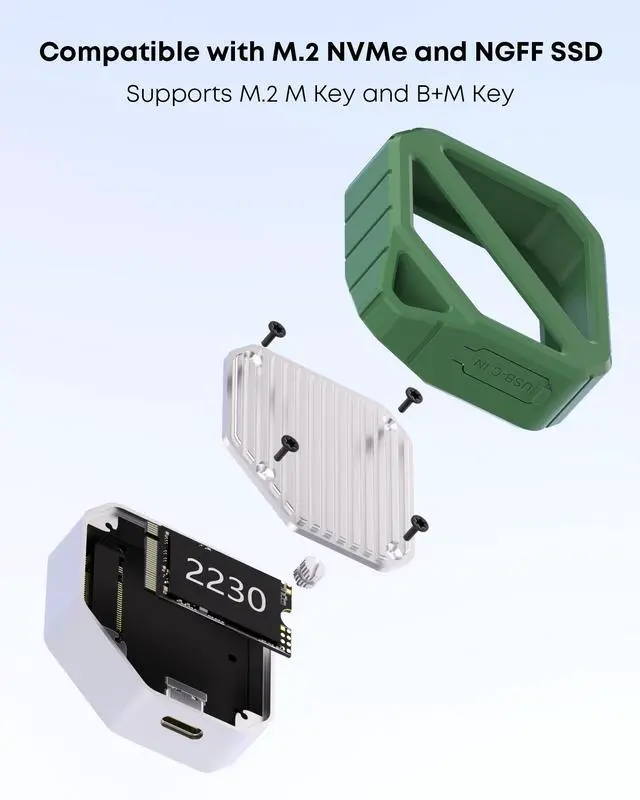


Exclusive 2230 Size & 2TB Large Capacity:
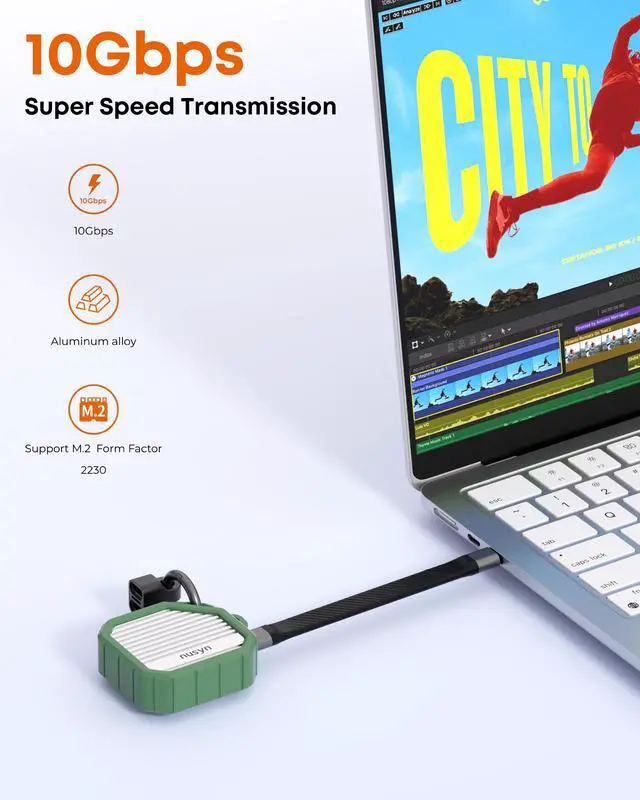
Tailored only for 2230 specification M.2 SSD, maximum support 2TB storage expansion, easily upgrade device space and keep your workspace neat and orderly.
10Gbps High-Speed Transfer Performance:
Stable 10Gbps fast transmission, swiftly transfer videos, photos and large files, efficiently free up device storage and optimize Steam Deck storage experience.
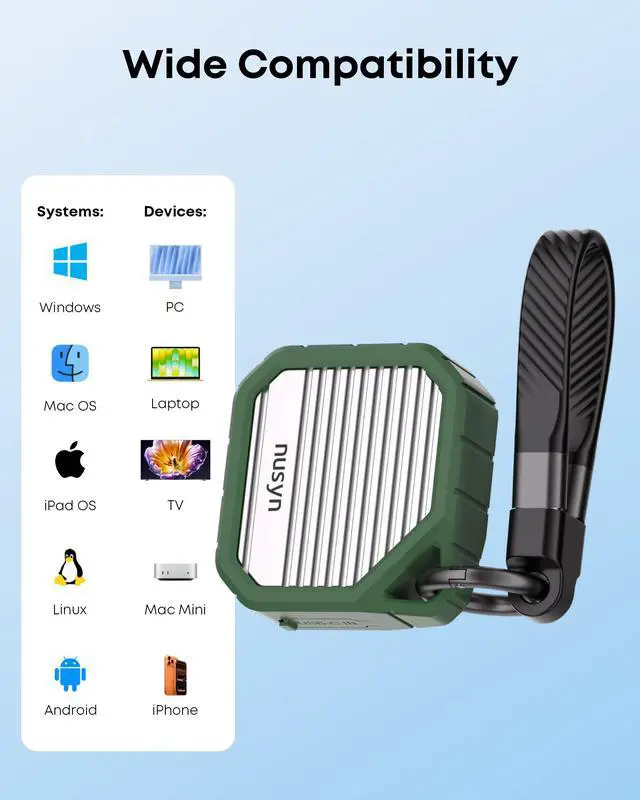
Plug & Play, Wide System Compatibility:
No drivers or apps needed for instant use, support direct file editing. Compatible with Windows, Mac, Linux, Android, iOS, fits iPhone 15 series, laptops, mobile phones, cameras, game consoles and all Type-C devices.
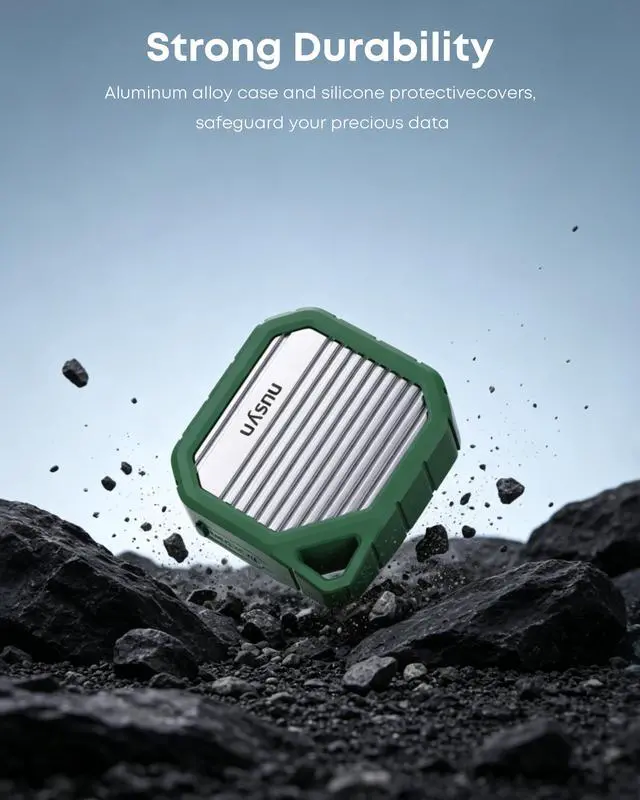
Sturdy Shockproof Build:
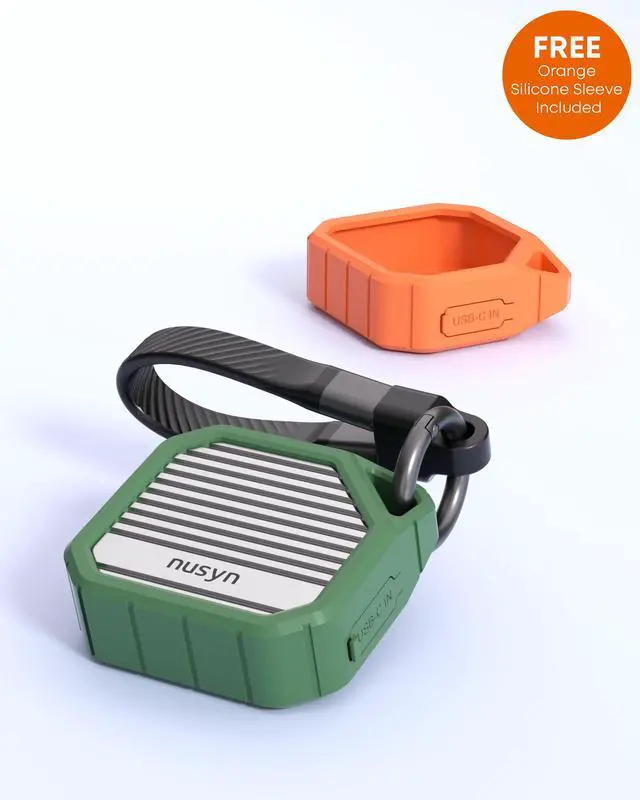
Adopt premium aluminum alloy outer shell matched with shockproof silicone case, drop-resistant and durable, fully shield your SSD and important data from daily bumps and scratches.
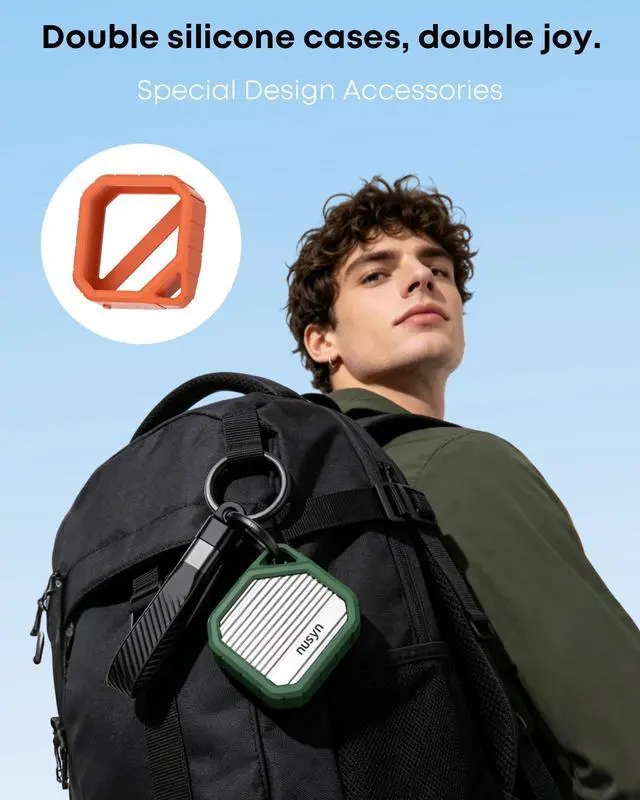
Lanyard Data Cable Design:
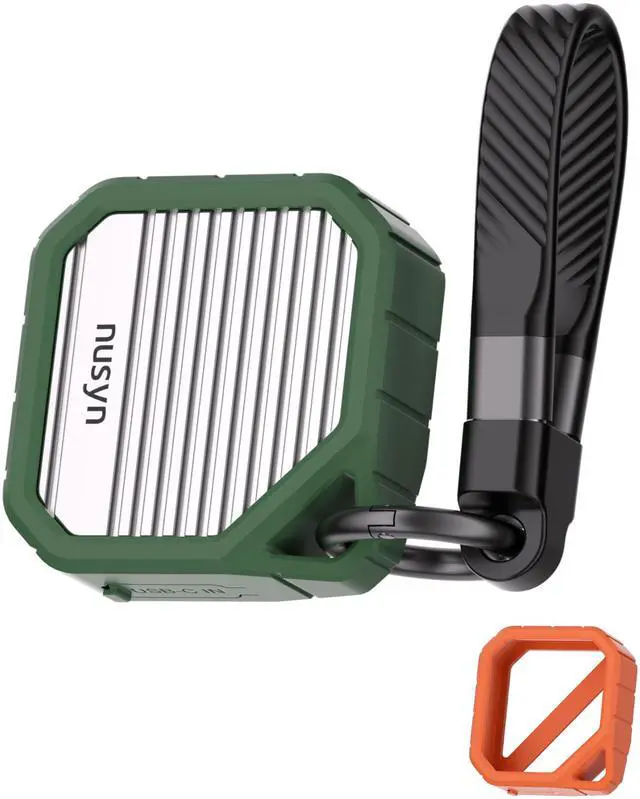
Comes with integrated USB-C data cable that can be used as portable hanging lanyard in daily use, convenient to hang and carry around, avoid loss and save extra cable carrying trouble. Ultra-slim lightweight body fits pocket and backpack perfectly, ideal for commute, travel and outdoor portable storage.
The Nusyn NSE32 is a compact USB-C 3.2 Gen 2 enclosure for M.2 2230 NVMe SSDs, designed for users who want fast portable storage for devices like laptops, tablets, phones, and Steam Deck while keeping a small, travel-friendly setup.
| Attribute | Value |
|---|---|
| Best For | Portable NVMe storage expansion for USB-C devices such as laptops, desktops, tablets, Steam Deck, Android phones and iPhone 15 and above |
| Supported SSD & Form Factor | Single M.2 2230 SSD in one bay, compact M.2 form factor with support for up to 2TB per bay |
| Interface And Performance | External USB 3.2 Gen 2 Type-C connection with included USB-C to C cable; rated read up to 1,000 MB/s and write up to 800 MB/s |
| Compatibility & System Support | Broad compatibility with iPhone 15 and above, desktop computers, tablets, smartphones and laptops; designed for wide system support |
| Build And Materials | Aluminum alloy body with silicone elements in green color, compact lightweight design; dimensions 2.01" x 1.89" x 0.69" and weight 0.16 lb |
| Protection & Accessories | Includes enclosure, USB-C to C cable, user manual and orange silicone sleeve for added scratch and shock protection |
| Power And Cooling | No fan included |
| Model Identifiers | NUSYN NSE32GR |
Q: Should I choose the Nusyn NSE32 or a standard 2230/2242/2260/2280 M.2 enclosure?
A: Choose the Nusyn NSE32 if you specifically want a small enclosure for a 2230 SSD, especially for a Steam Deck spare drive, phone use, or everyday carry. Its size, integrated USB-C lanyard cable, and silicone protection fit portability-first use well. Choose a multi-size enclosure instead if you want one enclosure that can also reuse longer 2242, 2260, or 2280 SSDs later. In real buying decisions, the main trade-off is specialization and compactness versus broader SSD compatibility.
Q: Is the Nusyn NSE32 a better fit than a 2280-focused enclosure for Steam Deck users?
A: For Steam Deck users who want to reuse an upgraded 2230 SSD, the Nusyn NSE32 is usually the more natural fit because it is built around the same 2230 form factor and stays smaller in a travel setup. A 2280-focused enclosure makes more sense if you care more about flexibility across desktop SSDs or future drive swaps. Community discussion around Steam Deck storage upgrades consistently treats 2230 enclosures as useful for cloning an old drive or carrying extra game storage, while larger enclosures are chosen more for reuse across multiple systems.
Q: Should I buy the Nusyn NSE32 or a rugged enclosure like the ASUS TUF Gaming A1?
A: Choose the Nusyn NSE32 if your priority is the smallest possible 2230-based external SSD setup. Choose a rugged enclosure like the ASUS TUF Gaming A1 if you want more emphasis on enclosure-level durability features and wider SSD size support. The trade-off is straightforward: Nusyn is optimized for compact 2230 portability, while the TUF Gaming A1 is positioned as a tougher, more universal enclosure for larger M.2 drives.
Q: Does the Nusyn NSE32 make more sense than a higher-end 2230 enclosure with active cooling?
A: Yes, if your main use is portable file transfer, backup, or occasional external game storage. A higher-end 2230 enclosure with active cooling is a better fit when you expect longer sustained transfers and want more thermal control during heavy use. Reviews of premium 2230 enclosures show that active cooling helps manage SSD heat, while compact passive enclosures are generally chosen for simplicity, size, and lower carry bulk rather than for sustained peak workloads.
Q: Will the Nusyn NSE32 feel slower than faster USB 20Gbps or 40Gbps enclosures?
A: For everyday use, the Nusyn NSE32's 10Gbps class is usually enough for backups, media transfer, handheld gaming storage, and phone workflows. Step up to a faster enclosure only if your host devices also support 20Gbps or higher and you regularly move very large files where transfer time is the top priority. In practice, the buying decision is less about the SSD itself and more about whether your devices and workload can benefit from bandwidth above standard 10Gbps portable enclosure speeds.
Q: Will this enclosure work with any M.2 SSD, or only certain ones?
A: It is only suitable for M.2 2230 SSDs. That is the main buying constraint. If you already have a 2230 NVMe drive from a Steam Deck, handheld, mini PC, or similar device, this enclosure is a direct fit. If your SSD is a more common 2242, 2260, or 2280 size, or a double-sided drive with a heatsink, this is not the right enclosure.
Q: Is this a good choice for Steam Deck owners with a spare 2230 SSD?
A: Yes, this is a sensible fit for Steam Deck owners who want to reuse a spare 2230 SSD as portable external storage. The form factor matches the 2230 drive size, and the USB-C 10Gbps interface is appropriate for game transfers, backups, ROM libraries, and general external storage use. The trade-off is that it is specialized: it is more useful if you already own a 2230 SSD, but less flexible than larger enclosures that accept 2230 through 2280 drives.
Q: Is 10Gbps fast enough, or should I buy a faster enclosure instead?
A: For most buyers, 10Gbps is fast enough. It is a practical tier for moving large files, backups, light editing, and external game storage, and it aligns with the product's stated peak performance of about 1,000 MB/s read and 800 MB/s write. A faster enclosure only makes sense if your workflow and host device can actually use USB4 or Thunderbolt-class speeds. The trade-off is simple: this model prioritizes portability and lower complexity over maximum throughput.
Q: Is this worth buying for phone, tablet, and travel use?
A: Yes, if your setup is already USB-C and you want a very small external SSD build. This enclosure is better suited to travel than a full-size M.2 enclosure because it is built specifically around the shorter 2230 drive format and includes an integrated USB-C lanyard-style cable. It is a good match for iPhone 15-series devices, tablets, laptops, and handhelds. The trade-off is expandability: it is convenient for travel, but only if you are committed to 2230 SSDs.
Q: Should I buy this instead of a standard multi-size NVMe enclosure?
A: Buy this model if you specifically want the smallest enclosure for a 2230 SSD. Buy a standard multi-size enclosure instead if you want broader compatibility with 2230, 2242, 2260, and 2280 drives, or if you may reuse other SSDs later. In short, the Nusyn enclosure is the better fit for compactness and 2230 reuse, while a general-purpose enclosure is the better fit for flexibility.
Q: Who is a 2230 USB-C SSD enclosure like this best for?
A: It is best for people who already have a spare M.2 2230 NVMe SSD and want a very small external drive for devices like a Steam Deck, laptop, tablet, or USB-C phone. It makes more sense for reuse and portability than for buyers starting from scratch, because you still need to supply the SSD separately and 2230-specific enclosures are a niche format.
Q: Is this a good choice for Steam Deck storage expansion?
A: Yes, if your goal is portable external storage and you specifically use a 2230 SSD. The 10Gbps USB-C interface is appropriate for game installs, file transfers, and reusing the Steam Deck's original 2230 drive. The trade-off is that an external enclosure is less integrated than an internal upgrade or microSD card, and some users report setup steps such as formatting or initializing the SSD on another device before it is recognized.
Q: Is it a practical option for iPhone 15 or other USB-C phones?
A: It can be practical for USB-C phones if you want compact external storage for large files, especially photo or video workflows. The main advantage is size: a 2230 enclosure is smaller than a typical 2280 enclosure. The trade-off is that phone compatibility can depend on power draw and the SSD used, so it is safer for lighter, efficient NVMe setups than for assuming every 2230 drive will behave the same way.
Q: What are the main trade-offs of choosing a 2230-only enclosure instead of a more common M.2 enclosure?
A: The main benefit is portability: a 2230-only enclosure can be smaller and easier to carry. The main trade-off is flexibility. A 2230-only design limits you to the shorter SSD size, while many standard M.2 enclosures accept multiple lengths such as 2230, 2242, 2260, and 2280. That means this type is a better fit for buyers who already know they want a compact 2230 setup, not for people who want maximum SSD reuse across different drives.
Q: Is a compact 2230 enclosure like this worth buying for travel or everyday carry?
A: It is worth buying if small size, low cable clutter, and easy pocket carry matter more to you than maximum cooling or broad SSD-size support. For travel and light everyday use, the compact form is a real advantage. The trade-off is that very small NVMe enclosures can run warmer under sustained heavy transfers than larger enclosures with more surface area or active cooling.