


- Free 91-day Returns
$7,679.99
Sold by Newegg
Shipped by Newegg
Add to Wish List(Found on 102 wish lists)



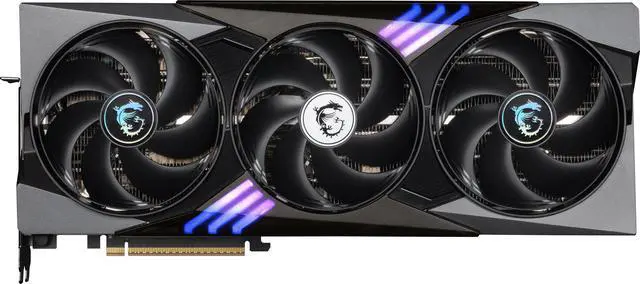
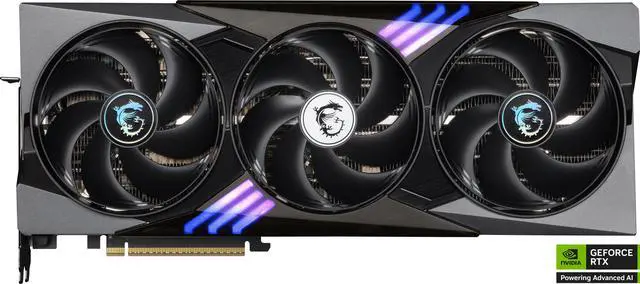
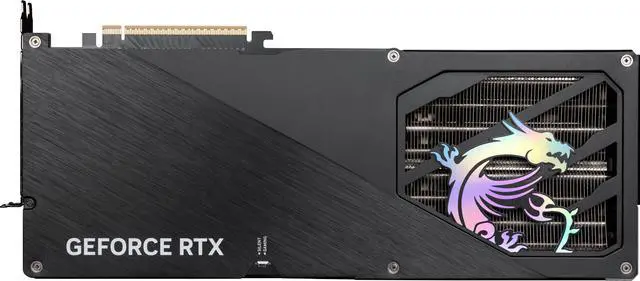
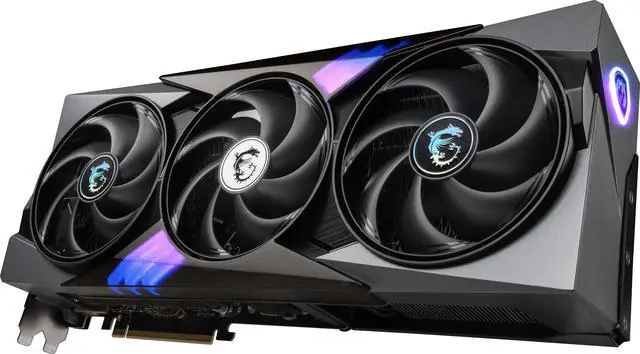
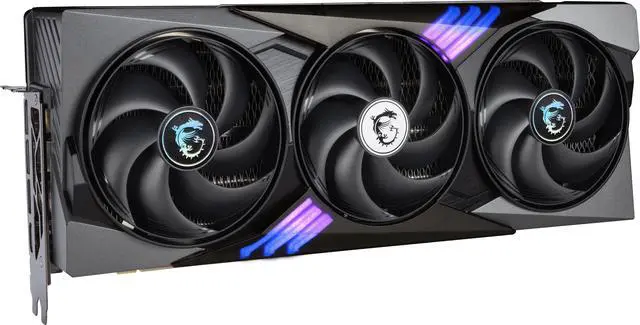
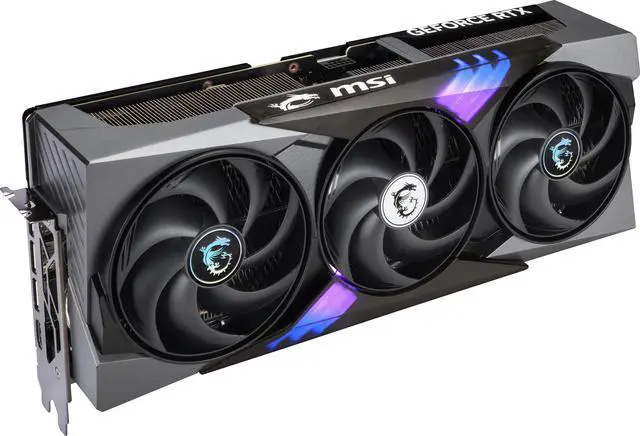
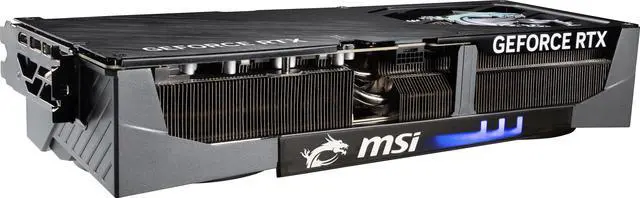
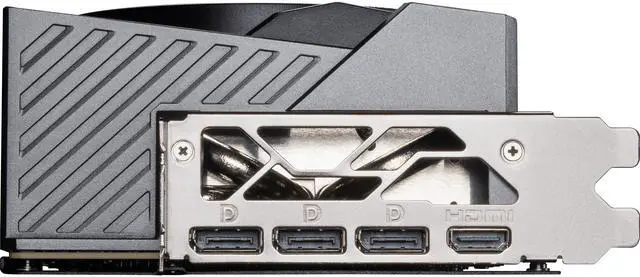
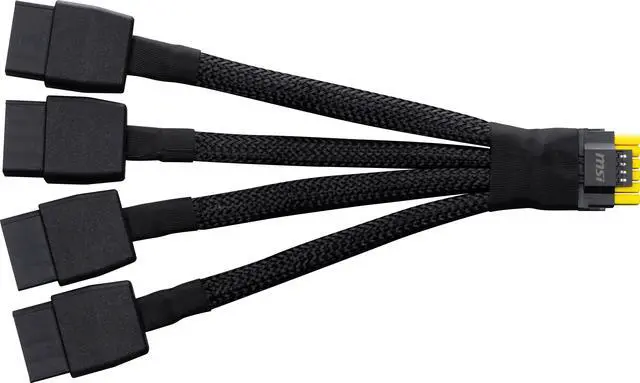
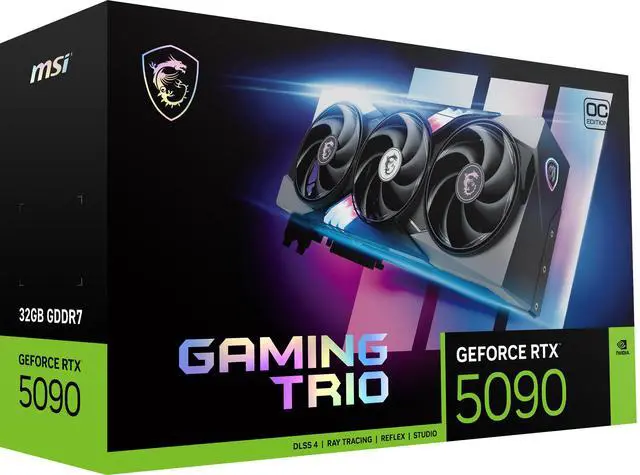
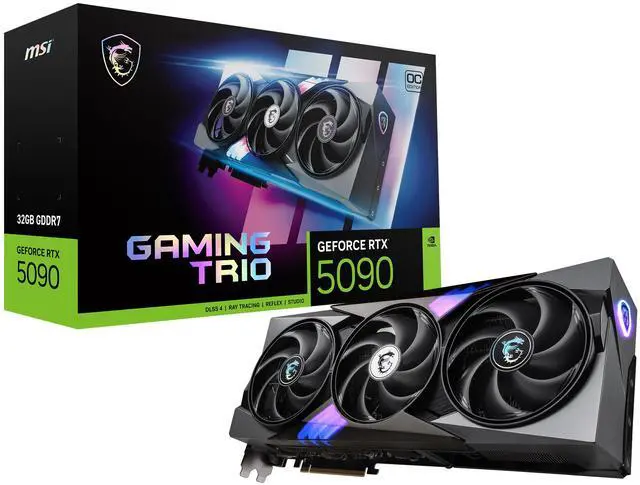


MSI Gaming GeForce RTX 5090 32GB GDDR7 PCI Express 5.0 Graphics Card RTX 5090 32G GAMING TRIO OC
- 32GB 512-Bit GDDR7
- 1 x HDMI 2.1b 3 x DisplayPort 2.1a
- 21760 CUDA Cores
- PCI Express 5.0
+
+
Overview
Specs
Reviews (138)
RTX 5090 32G GAMING TRIO OC
Warranty & Returns
Warranty, Returns, And Additional Information
Warranty
- Limited Warranty period (parts): 3 years
- Limited Warranty period (labor): 3 years
- Read full details
Return Policies
- Return for refund until: January 31, 2026
- Return for replacement until: January 31, 2026
- This item is covered by Newegg.ca's Extended Holiday Return Policy.
- 15% restocking fee may apply.
- Read full return policy for details.
We want to ensure your holiday shopping this year is hassle-free. That’s why we’re automatically extending our return policies on almost every product! For purchases placed between November 1st, 2025 and December 31, 2025 you will have until January 31, 2026 to return your product.
Manufacturer Contact Info
- Manufacturer Product Page
- Manufacturer Website
- Support Phone: 1-626-271-1004
- Support Website
- View other products from MSI
LOADING...
LOADING...
The MSI GeForce RTX 5090 32G GAMING TRIO OC is a flagship 32GB GDDR7 graphics card built for enthusiasts who want top-tier 4K, high-refresh, and 8K-capable GPU performance in a large desktop with PCIe 5.0 support and a 1000W-class power supply.
Recommended For
- Desktop gamers building for 4K high-refresh or 8K play, especially in ray-traced titles, who want one GPU aimed at top-end frame rates rather than a compact or efficiency-first setup.
- Creators and technical users who split time between gaming and GPU-heavy work such as Blender rendering, AI workloads, or large-scene content creation, where 32GB of VRAM is a practical advantage over gaming-only needs.
- Enthusiast tower-PC owners with a roomy case and a 1000W-class power supply who want a large triple-fan card with quieter thermals than many flagship GPUs under load.
- Users who like to tune noise or performance profiles themselves, such as switching between everyday quiet gaming and max-performance sessions with MSI's dual-BIOS and Afterburner-style tweaking.
Real-World Use Scenarios
- Playing recent AAA games at 4K with ray tracing turned up, the card is typically used to target very high settings and smooth high-refresh gameplay; in practice, reviews and demos show it is most at home in 4K rather than 1440p, especially when DLSS 4 features are available.
- Running demanding VR titles such as racing, flight, or high-resolution PCVR setups, users typically choose an RTX 5090 to hold higher image quality and frame consistency than lower-tier cards; community feedback repeatedly points to VR as one of the clearest real-world reasons to buy this class of GPU.
- Editing video in Adobe apps or DaVinci Resolve, the card is best suited to creators working with GPU-heavy effects, larger timelines, or newer codec workflows; benchmark data suggests a noticeable but not universal gain over the RTX 4090, so the experience improves most when the workload is actually GPU-bound.
- Rendering large 3D scenes in Blender, V-Ray, or Unreal Engine, the 32GB frame buffer is useful when projects start exceeding the comfort zone of smaller cards; in real use, that means fewer memory-related compromises and better handling of heavier scenes, not just shorter render times.
- Using local AI tools for image generation, video generation, or experimenting with larger models, buyers commonly look to the RTX 5090 because 32GB of VRAM gives more room for bigger models and higher-resolution jobs; the practical benefit is fitting workloads that would force more offloading or smaller settings on lower-VRAM gaming cards.
- Building a showcase high-end desktop with multiple 4K or 8K displays, this card is typically chosen when the goal is one GPU for gaming, creator work, and display headroom at once; the tradeoff users regularly mention is that the large cooler, 575W power draw, and 1000W PSU recommendation make case space, airflow, and power planning part of the real-world setup.
Spec Summary
| Attribute | Value |
|---|---|
| Best For | High-resolution gaming, VR, and GPU‑intensive desktop workloads that benefit from a large 32GB frame buffer and very high CUDA core count; supports up to 7680 x 4320 displays |
| Model Identifiers | MSI Gaming series, Model RTX 5090 32G GAMING TRIO OC (internal part number RTX 5090 32G GAMING TRIO OC); external model entries include G5090-32GTC and model name GAMING TRIO |
| GPU And Cores | NVIDIA GeForce RTX 5090 (GeForce RTX 50 Series) with 21,760 CUDA cores |
| Memory Configuration | 32GB GDDR7 on a 512‑bit memory bus with a 28 Gbps effective memory clock |
| Interface And Expansion | PCI Express 5.0 x16 interface; ATX form factor |
| Display Outputs And Resolution | 1 x HDMI 2.1b and 3 x DisplayPort 2.1a, supports up to 7680 x 4320 and up to 4 simultaneous monitors |
| Cooling And Physical | Triple‑fan cooler (3 fans); color: black; card dimensions 359 x 149 x 70 mm with max GPU length 359 mm |
| Power And Requirements | Thermal Design Power 575W; uses 1 x 16‑pin power connector; recommended system PSU 1000W |
| Software, APIs And Features | OpenGL 4.6 support; HDCP ready; SLI not supported; Virtual Reality ready |
| Compatibility And Use | Designed for desktop PCs and compatible with PCI Express x16 slots |
| Weight And Packaging | Item weight 6.15 Pounds; package weight 2.79 Kilograms; package quantity 1; includes graphics card and quick setup guide |
Reference Q&A
Q: Should I buy the MSI RTX 5090 Gaming Trio OC or an RTX 4090?
A: Choose the MSI RTX 5090 Gaming Trio OC if you want the highest current GeForce-class gaming and creator performance, especially for 4K ray tracing, large AI workloads, or VRAM-heavy production work. Across launch reviews and benchmark coverage, RTX 5090 is consistently faster than RTX 4090, and NVIDIA positions it above the 4090 as the top card in the GeForce stack. The trade-off is substantially higher power draw and system requirements: this MSI card is rated at 575W, uses a 16-pin power connector, and MSI recommends a 1000W PSU. An RTX 4090 remains the more practical choice if your priority is lower total system power or better value from a previous-generation flagship.
Q: Is the MSI RTX 5090 Gaming Trio OC worth it over an RTX 5080?
A: Buy the MSI RTX 5090 Gaming Trio OC over an RTX 5080 when your target is uncompromised 4K gaming, heavy ray tracing, top-end creator throughput, or larger memory headroom. NVIDIA places RTX 5090 at the top of the RTX 50 series, and review coverage treats it as a different class of product than RTX 5080 rather than a small step up. The main trade-offs are cost, power, and size: this MSI model is a 359 mm, 575W card with a 1000W PSU recommendation, so it fits performance-first desktop builds better than more balanced builds. RTX 5080 is the better fit when you want high-end GeForce features with lower power and easier system integration.
Q: Should I get the MSI RTX 5090 Gaming Trio OC or MSI's RTX 5090 Suprim Liquid OC?
A: Choose the MSI RTX 5090 Gaming Trio OC if you want flagship RTX 5090 performance in a conventional air-cooled format with simpler installation and fewer case-planning requirements. Choose the MSI RTX 5090 Suprim Liquid OC if your build is optimized for radiator mounting and you want a more premium cooling approach; MSI positions the Suprim Liquid OC with a hybrid liquid-plus-air cooler and higher listed boost clocks. In practice, both cards serve the same buyer profile: users who already know they need RTX 5090-class performance. The decision is mainly about cooling format, case compatibility, and whether you prefer a traditional triple-fan card or a 360 mm liquid-cooled design.
Q: Is the MSI RTX 5090 Gaming Trio OC a good upgrade from RTX 4080 or 4080 Super?
A: Yes, the MSI RTX 5090 Gaming Trio OC is a meaningful upgrade from RTX 4080-class cards if you are moving to 4K high refresh, heavier ray tracing, or professional workloads that benefit from 32GB of VRAM. NVIDIA's product stack places RTX 5090 far above prior xx80-class cards, and reviews consistently frame it as a flagship-tier jump rather than an incremental refresh. The trade-off is that this MSI card also moves you into a much larger and higher-power build class, so the upgrade makes the most sense when your monitor, games, or workflows already expose the limits of an RTX 4080 or 4080 Super.
Q: Will this RTX 5090 fit in most PC cases, or is case size a common problem?
A: Case fit is a real buying concern for RTX 5090 cards. This MSI model is 359 x 149 x 70 mm, so buyers should expect a very large, roughly 3.5-slot class card and verify both GPU length clearance and adjacent slot clearance before buying. It is best suited to mid-tower or full-tower cases with strong airflow, not compact builds.
Q: Is a 1000W power supply enough for this card?
A: A quality 1000W PSU matches the listed recommendation for this MSI card, but RTX 5090 buyers often ask about extra headroom because these cards draw a lot of power. For a high-end CPU, heavy gaming, or overclocking, a 1200W class PSU can be the safer choice. The card uses one 16-pin power connector, so PSU cable compatibility also matters.
Q: Who is this RTX 5090 really for?
A: This card is best for buyers who specifically need top-tier GPU performance: 4K or 8K gaming, multi-monitor high-end setups, heavy ray tracing, or demanding creator and AI workloads that benefit from 32GB of VRAM. It is not a practical choice for general office work, casual gaming, or value-focused builds because its size, 575W power draw, and platform requirements are far beyond what mainstream users need.
Q: Is this a good upgrade over an RTX 4090-class card, or is it mainly for new flagship builds?
A: For buyers already using an RTX 4090-class GPU, the decision is mainly about whether they need more VRAM headroom, newer display outputs, and the absolute top tier of performance. For most users, the trade-off is that an RTX 5090 demands more power, more physical space, and a higher total system cost. It makes the most sense for flagship new builds or for users whose workloads can justify the extra performance and 32GB memory capacity.
Q: Is this card suitable for multi-monitor and high-resolution display setups?
A: Yes. This model is well suited to advanced display setups because it supports up to four monitors and includes one HDMI 2.1b plus three DisplayPort 2.1a outputs. It is a strong fit for 4K high-refresh or even 8K-capable display plans, but buyers should confirm that their monitors and cables match the required standards to use those capabilities.
Q: Who is the MSI RTX 5090 Gaming Trio OC actually suitable for?
A: This card is best suited to buyers building a top-end desktop for 4K gaming, heavy content creation, or GPU-intensive AI and rendering workloads. It is less suitable for typical 1440p gaming-focused builds because the 575W power draw, 359 mm length, and 1000W PSU requirement make it a large, high-power option that only makes sense if you will use its performance headroom.
Q: Is the MSI RTX 5090 Gaming Trio OC worth buying over other RTX 5090 models?
A: It is a reasonable choice if you want a premium air-cooled RTX 5090 and have space and power for it, but Reddit comparisons repeatedly frame it as a trade-off rather than the automatic best pick. Common buyer concerns center on cooling design, temperatures, and whether competing cards offer better thermals or value for similar money.
Q: What are the main trade-offs of choosing this card?
A: The main trade-offs are size, power, and case-fit requirements. At 359 x 149 x 70 mm with a 575W TDP and one 16-pin power connector, it demands a roomy case, strong airflow, and a high-capacity power supply. The benefit is flagship-class performance; the cost is a more demanding build with less flexibility than smaller or lower-power cards.
Q: Is the MSI RTX 5090 Gaming Trio OC quiet and cool enough for daily use?
A: For a 575W flagship GPU, discussion around this model generally treats cooling and acoustics as acceptable to strong, but not uniquely class-leading. It appears suitable for daily gaming or workstation use if the case has good airflow, but buyers comparing premium 5090 variants often focus on whether other models run cooler.
Q: Is this a safe choice if I want a stable, trouble-free RTX 5090?
A: It can be a workable choice, but community discussion does not support calling it trouble-free. Reddit threads include both positive owner reports and issue-focused posts, so the safer decision framing is that buyers should treat it like any high-power flagship GPU: use a quality ATX 3.x or PCIe 5.x-ready PSU, verify connector seating, and expect that early-platform or driver issues may matter more than the factory overclock.