
Your Browsing History


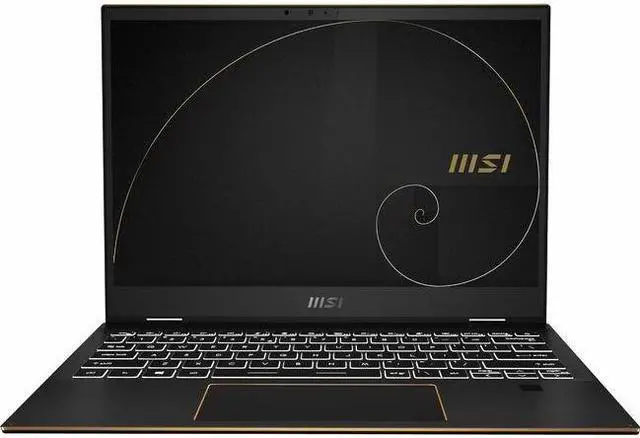

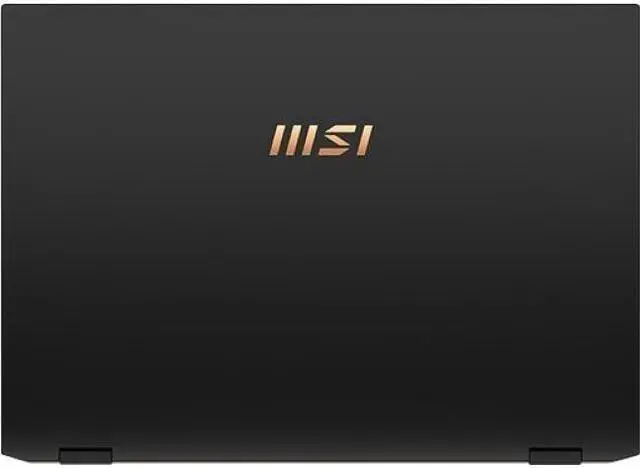
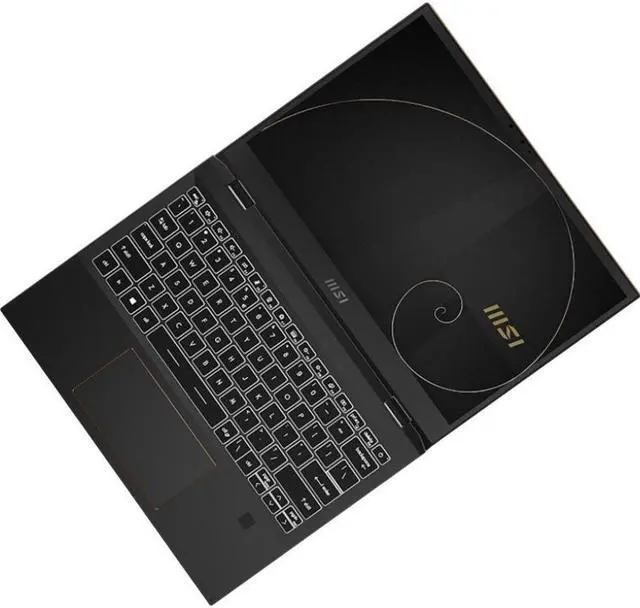
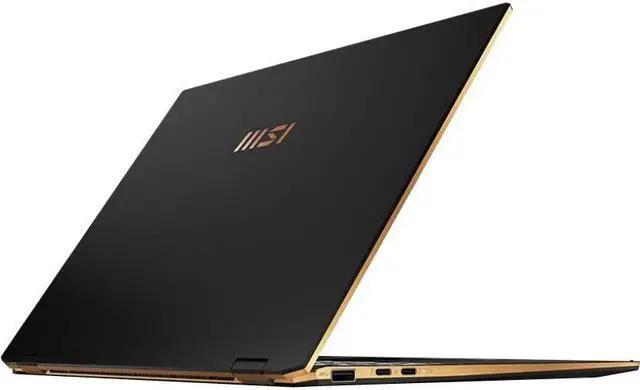
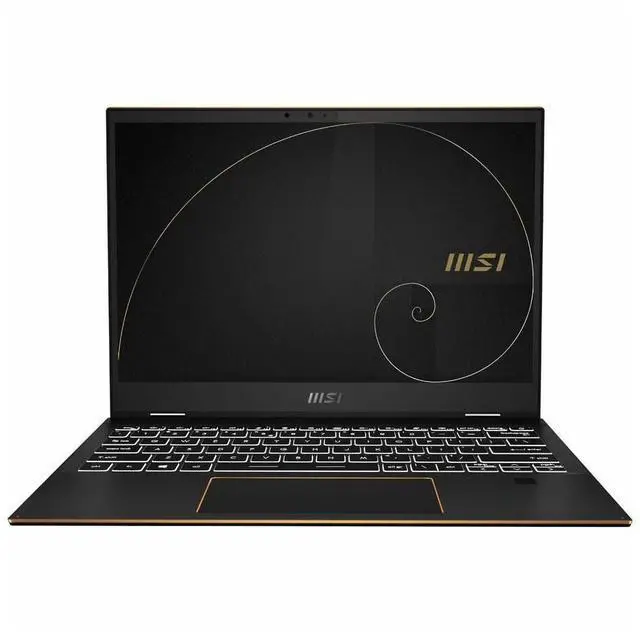
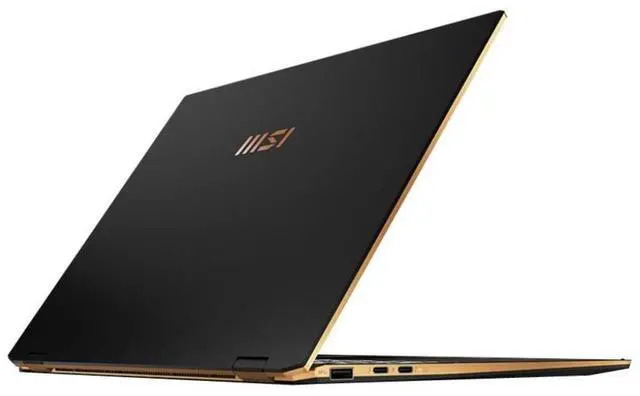


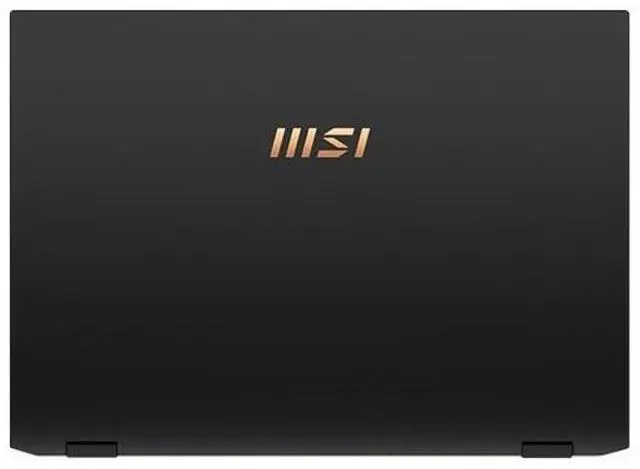
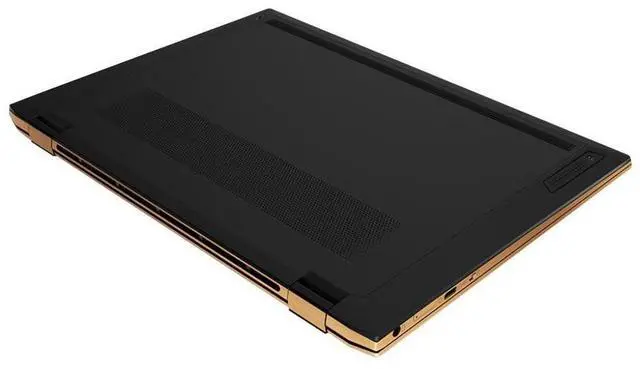
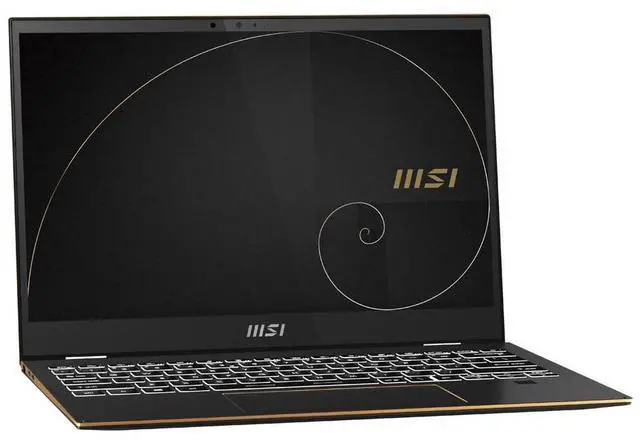
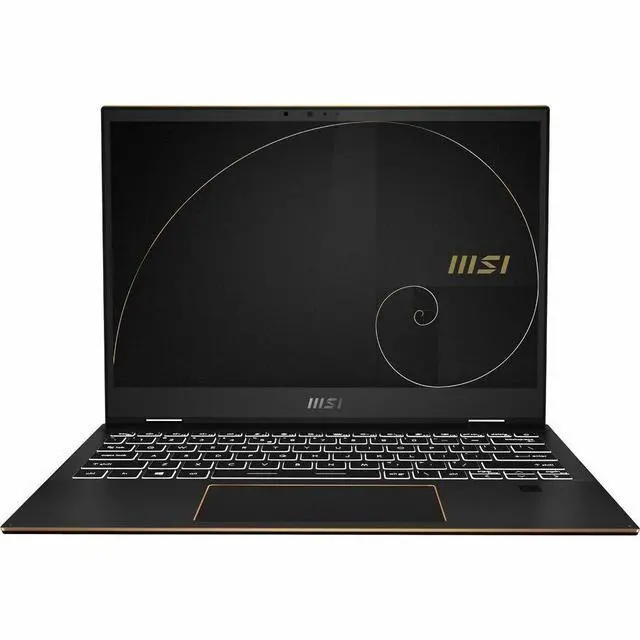
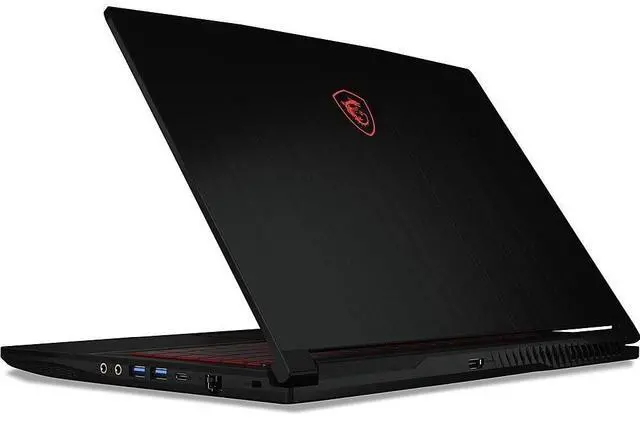


MSI Summit E13 Flip Evo A13MT-243US 13.4" Touchscreen Convertible 2 in 1 Notebook - Full HD Plus - Intel Core i7 13th Gen i7-1360P - Intel Evo Platform - 16 GB - 1 TB SSD
- Full HD Plus
- Intel Core i7 13th Gen i7-1360P
- Intel Evo Platform
- 16 GB
- 1 TB SSD
- Ink Black
- Intel Chip
- 1920 x 1200
- Windows 11 Home
- Intel Iris Xe Graphics
- In-plane Switching (IPS) Technology
Overview
Specs
Reviews (1)
Summit E13FlipEvo A13MT 243US
Warranty & Returns
Warranty, Returns, And Additional Information
Warranty
- Limited Warranty period (parts): 1 year
- Limited Warranty period (labor): 1 year
- Read full details
Return Policies
- Return for refund within: 15 days
- Return for replacement within: 15 days
- This item is covered by Newegg.ca's 15-Day Return Policy.
- Read full return policy for details.
Manufacturer Contact Info
- Manufacturer Website
- Support Phone: 1-888-447-6564
- Support Website
- View other products from MSI
LOADING...
Learn about this product
The MSI Summit E13 Flip Evo A13MT-243US is a 13.4-inch touchscreen 2-in-1 laptop with a Full HD+ 1920 x 1200 display, Intel Core i7-1360P, 16GB RAM, and a 1TB SSD, making it a strong fit for professionals and students who want a portable convertible for productivity, note-taking, and everyday multitasking.
Recommended For
- Mobile professionals who want a compact business 2-in-1 for email, documents, video calls, and frequent travel, and who value the Summit line’s business-focused positioning plus the 360° touchscreen form factor more than raw workstation-class performance.
- Students, consultants, and meeting-heavy users who actively use pen input for handwritten notes, annotation, and whiteboarding in OneNote or similar apps, especially if they want one device that can switch between laptop and tablet-style use.
- Users who mainly run office productivity, web apps, light coding, and multitasking on the go, where Intel Evo-style responsiveness, SSD storage, and integrated graphics are a better fit than GPU-heavy workloads.
- Travelers and commuters who prefer a smaller 13-inch convertible that is easy to carry on planes, trains, and daily commutes, and who are comfortable prioritizing portability and flexibility over a larger screen.
Real-World Use Scenarios
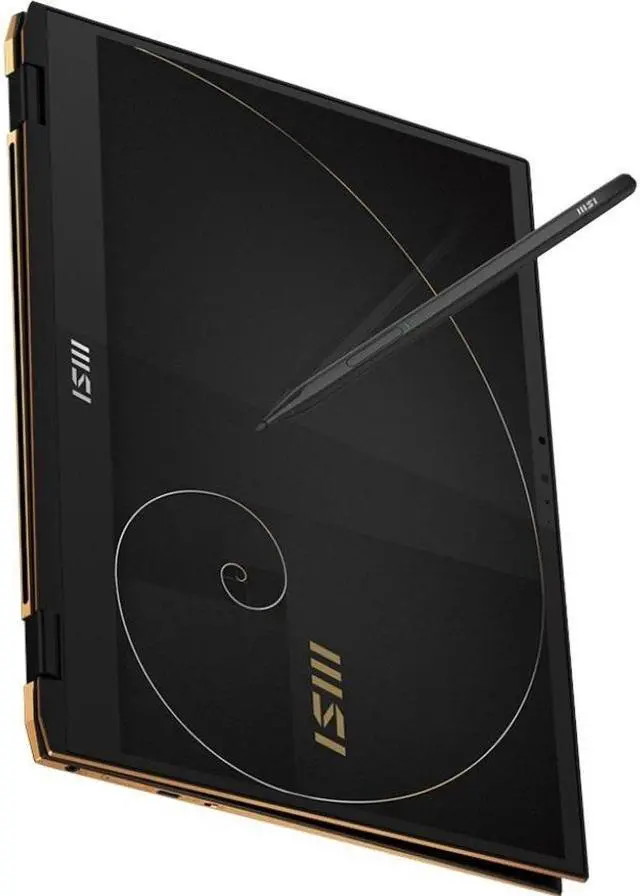
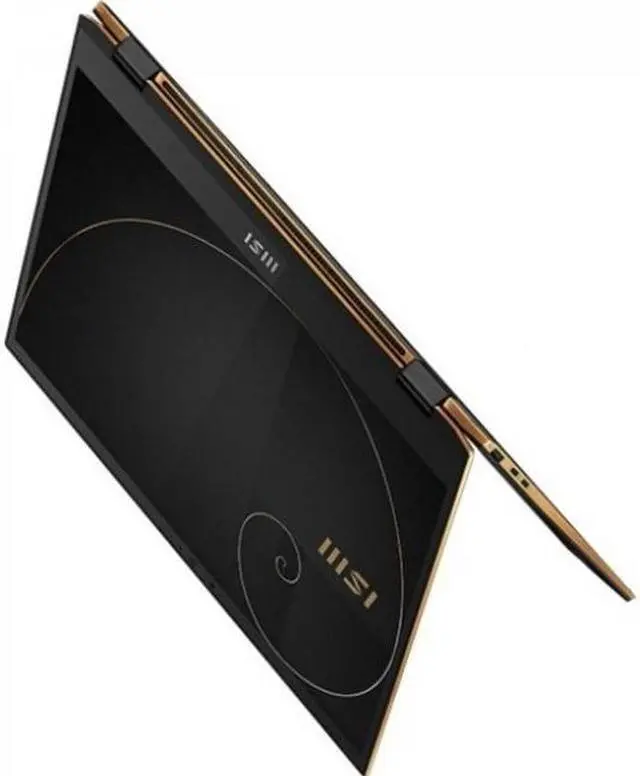
- In meetings, classes, or client calls, users can flip it into tablet or tent mode to handwrite notes, mark up PDFs, or sketch ideas; the touch display and MSI Pen support make this workflow natural for light annotation and note-taking.
- For travel and day-to-day office work, it fits users who mainly juggle email, web apps, documents, spreadsheets, and video meetings; the expected experience is smooth productivity rather than workstation-class performance.
- For remote work, users can rely on it for Zoom, Teams, and general webcam use with the built-in FHD IR camera; the likely outcome is a practical conferencing setup that also supports Windows Hello-style sign-in and privacy-minded business use.
- For coding, browser-heavy work, and light multitasking on the go, it is generally suitable as a compact productivity machine; users should expect solid responsiveness for typical professional workloads, but not sustained high performance under long heavy loads.
- For light creative tasks like photo edits, document layout, or presentation design, users can get workable results on the color-focused touchscreen display, but larger projects and heavier media workloads are likely to be limited by the integrated graphics and compact thermal design.
- For casual gaming or heavier sustained workloads, users should expect clear limits: lighter or older games may run at reduced settings, while long sessions can bring more heat and less comfortable tablet or lap use than a thicker performance laptop.
Spec Summary
| Attribute | Value |
|---|---|
| Best For | Users who want a 13.4" touchscreen convertible for business, student and general home use with a 13th‑gen Intel i7 CPU, 16 GB RAM and a 1 TB NVMe SSD |
| Processor And Core Count | Intel Core i7-1360P (13th Generation) single-socket mobile processor with base 2.2 GHz and up to 4.4 GHz boost |
| GPU And VRAM | Integrated Intel Iris Xe Graphics (integrated/shared system memory) |
| Display Spec | 13.4" touchscreen LCD, 1920 x 1200 native resolution, 120 Hz refresh, glossy finish and 100% sRGB color gamut |
| Memory Configuration | 16 GB LPDDR5 (4800 MHz) installed; maximum reported 16 GB; 4 RAM slots reported |
| Storage And Expansion | 1 TB NVMe M.2 solid-state drive (M.2 form factor, NVMe interface) |
| High Speed I O | 2x Thunderbolt ports, 1x HDMI port and a single USB-A port (port/type reporting varies: usb_3_point_2_a and USB 2.0 noted); total ports count reported as 4 |
| Battery And Power | 70 Wh lithium-polymer battery; 1 battery included |
| Wired And Wireless Networking | Wi‑Fi 6E (802.11ax) and Bluetooth 5.3 for wireless connectivity; wired output available via HDMI |
| Webcam And Privacy | Integrated webcam and built-in microphone with support for audio recording; biometric options include face recognition and fingerprint reader |
| Keyboard And Control | Backlit QWERTY keyboard with touchpad; touch / pen-capacitive control supported |
| Audio Setup | HD Audio with integrated microphone and 2x 2W speakers; headphones output supported |
| Portability | Around 2.98 lb and slim convertible dimensions 11.82 x 8.75 x 0.59 inches for mobile use |
| External Display And Docking Fit | Supports one external monitor (HDMI output reported) and provides 2 Thunderbolt ports suitable for docking or external displays |
| Operating System | Windows 11 Home |
| Model Identifiers | MSI Summit E13 Flip Evo — model SUME1313243 / Summit E13FlipEvo A13MT-243US (Edition A13M), manufacturer MSI |
Reference Q&A
Q: Should I buy the MSI Summit E13 Flip Evo A13M or the Lenovo Yoga 7i 2-in-1 14?
A: Choose the MSI Summit E13 Flip Evo A13M if you want a smaller, lighter 2-in-1 that is easier to carry every day and better aligned with pen-first, business-oriented use. MSI positions it as a compact premium convertible, and its A13M spec includes a 13.4-inch touch display, optional MSI Pen support, a 70Wh battery, HDMI 2.1, dual Thunderbolt 4 ports, and a 1.35 kg chassis. Choose the Lenovo Yoga 7i 2-in-1 14 if value, a larger 14-inch workspace, and longer battery-focused everyday use matter more. Reviews consistently frame the Yoga 7i as a strong midrange value option with long battery life, while the MSI fits buyers who prioritize portability and a smaller pen-capable form factor over screen size and price efficiency.
Q: Is the MSI Summit E13 Flip Evo A13M a better fit than the HP Spectre x360 14?
A: Buy the MSI Summit E13 Flip Evo A13M when your priority is a more compact 13.4-inch convertible with business-style features and easier one-bag portability. Buy the HP Spectre x360 14 when you want a more premium display and flagship-style 2-in-1 experience. HP positions the Spectre x360 14 as a higher-end consumer convertible with newer Core Ultra options, and reviews commonly highlight its OLED-focused premium design. The MSI is the more practical choice for users who want a smaller chassis, HDMI built in, and a straightforward pen-capable work machine rather than a larger showcase-style 2-in-1.
Q: Should I get this MSI Summit E13 Flip Evo A13M or a cheaper Core i5 / lower-memory 2-in-1?
A: This MSI configuration makes more sense if you expect to keep many browser tabs, office apps, video calls, and creative or multitasking workloads open at once. The Core i7-1360P, 16GB RAM, and 1TB SSD give it more headroom than typical entry 2-in-1 configurations. A cheaper Core i5 or 8GB-class model is usually enough for note-taking, web use, and light office work, but this MSI is the safer pick for heavier multitasking and longer useful life. In short: buy down for basic student or casual home use; stay with this model if you want more storage and fewer compromises under sustained daily workloads.
Q: Is the MSI Summit E13 Flip Evo A13M worth choosing over the older Summit E13 Flip Evo generation?
A: Yes, if you are deciding between generations at similar prices, the A13M is the more sensible buy because it moves to a newer 13th Gen Core platform while keeping the same core formula: compact 13.4-inch convertible design, pen support, integrated graphics, and business-oriented features. The older Summit E13 models are still workable for office and note-taking use, but their reviews often describe them as slightly heavier than some rivals and not class-leading in battery life. The A13M is the better fit if you want the same design concept with newer internals and a better chance of longer software relevance.
Q: Should I choose the MSI Summit E13 Flip Evo A13M or a non-convertible ultraportable like the ASUS Zenbook S 13 OLED?
A: Choose the MSI Summit E13 Flip Evo A13M if you specifically want a 360-degree hinge, touch input, and pen support for handwritten notes, annotations, and tablet-style use. Choose a clamshell ultraportable like the ASUS Zenbook S 13 OLED if your priority is maximum travel efficiency, lower carry weight, and a more display-focused ultraportable experience rather than pen-driven versatility. The trade-off is simple: the MSI gives you form-factor flexibility, while a device like the Zenbook S 13 OLED is the better fit when you do not need convertible features and want the lightest traditional laptop path.
Q: Is this a good travel work laptop for meetings, documents, and daily commuting?
A: Yes for mobile office use. This model is a 13.4-inch Intel Evo convertible with a 1920 x 1200 touch display, 16 GB RAM, 1 TB SSD, HDMI, USB-A, and two Thunderbolt 4 ports, which fits the common buyer pattern of wanting a compact laptop for travel, video calls, and docked desk use. The main trade-off is graphics power: Intel Iris Xe is fine for office apps, web work, and media, but not ideal for demanding gaming or heavy 3D workloads.
Q: Is it good for note-taking, handwritten input, and tablet-style use?
A: Yes, if pen input matters. The Summit E13 Flip Evo is a touchscreen convertible and MSI lists MSI Pen support, so it fits the same decision pattern seen on retail Q&A pages where buyers ask whether a 2-in-1 works well for writing, annotation, and classroom or meeting notes. One important trade-off is that MSI lists pen support as optional, so buyers should confirm whether a pen is included with the exact seller SKU.
Q: Who is this laptop most suitable for?
A: It is best suited to professionals, students, and frequent travelers who want a smaller 2-in-1 for office work, meetings, web apps, note-taking, and light creative tasks. The combination of a 13.4-inch FHD+ touchscreen, Intel Core i7-1360P, 16 GB memory, and 1 TB SSD is strong for productivity. It is less suitable for buyers who prioritize AAA gaming, GPU-heavy editing, or maximum upgrade flexibility.
Q: Is it better than a larger 14-inch or 16-inch 2-in-1 for work?
A: It is better if you value portability and tablet-style handling more than screen size. A 13.4-inch convertible is easier to carry and use in tight spaces, while larger 14-inch and 16-inch 2-in-1 models usually give you more workspace and sometimes better sustained performance. The trade-off is simple: this MSI is the better fit for mobility-first buyers, while larger alternatives are better for people who spend most of the day multitasking at a desk.
Q: Can this replace a desktop setup for office work?
A: For many office users, yes. It has two Thunderbolt 4 ports, HDMI 2.1, USB-A, Bluetooth, webcam, fingerprint security, and a 1 TB SSD, so it can support common desk setups with external displays, docks, storage, and conferencing accessories. The main limitation is that it is still a compact integrated-graphics laptop, so it is best as a productivity workstation rather than a high-end creation or gaming machine.
Q: Is the MSI Summit E13 Flip Evo A13M a good fit for work, study, and note-taking?
A: Yes, if you want a compact 13.4-inch 2-in-1 for office work, browsing, meetings, handwritten notes, and general productivity. The touchscreen convertible design, 1920 x 1200 IPS display, Intel Core i7-1360P, 16 GB RAM, and 1 TB SSD fit that use case well. The main trade-off discussed by users is that thermals and fan behavior can be noticeable, so it is better suited to productivity than sustained heavy workloads.
Q: Is it worth buying if I want a lightweight 2-in-1 instead of a gaming laptop?
A: It can be worth buying if your priority is portability, touch input, and everyday productivity rather than graphics performance. This model uses Intel Iris Xe integrated graphics, so it is not a gaming-first machine. It makes more sense for buyers replacing an older ultrabook or looking for a travel-friendly work device than for users who need strong GPU performance.
Q: What are the main trade-offs of the MSI Summit E13 Flip Evo A13M?
A: The main trade-offs are heat, fan noise under light-to-moderate load, and some user concern about long-term battery experience. Community discussion around the Summit E13 line repeatedly mentions that the chassis can run warm and fans may ramp up earlier than expected. In return, you get a small convertible form factor with touch support and solid productivity specs.
Q: Is the MSI Summit E13 Flip Evo A13M good for travel and everyday carry?
A: Yes, for buyers who want a smaller convertible laptop that is easy to carry for commuting, classes, or business travel. Its 13.4-inch size, 2-in-1 hinge, touchscreen, and integrated graphics point to mobility and convenience. The trade-off is that a compact chassis may feel warmer during updates, charging, or heavier multitasking than a larger laptop.
Q: Should I buy it if I am sensitive to heat or fan noise?
A: Probably not, unless the convertible design matters more to you than acoustic comfort. Repeated user discussion around the Summit E13 line suggests that fan activity and surface warmth are more noticeable than some buyers expect for light productivity use. If quiet operation is a top priority, it is worth comparing it against other premium 13-inch productivity convertibles.