







We want to ensure your holiday shopping this year is hassle-free. That’s why we’re automatically extending our return policies on almost every product! For purchases placed between November 1st, 2026 and December 31, 2026 you will have until January 31, 2027 to return your product.
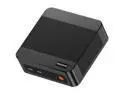
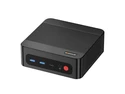
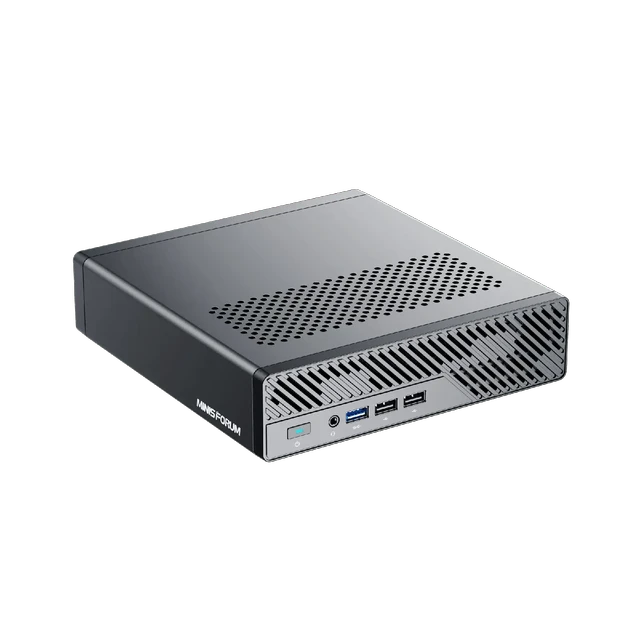
The MINISFORUM MS-03 is a compact barebone workstation with a 16-core Intel Core Ultra 7 356H, suited to users building a small-footprint system for demanding productivity and workstation tasks; add your own RAM, SSDs, and operating system.
| Attribute | Value |
|---|---|
| Best For | Compact workstation builds where users supply their own memory and storage, centered on an Intel Core Ultra 7 processor |
| Processor And Core Count | Intel Core Ultra 7 356H with 16 cores (4P+8E+4LP) |
| Graphics | Integrated Intel Graphics |
| Memory Configuration | No memory installed; 2 x 262-pin SO-DIMM slots support DDR5-7200 and up to 128GB |
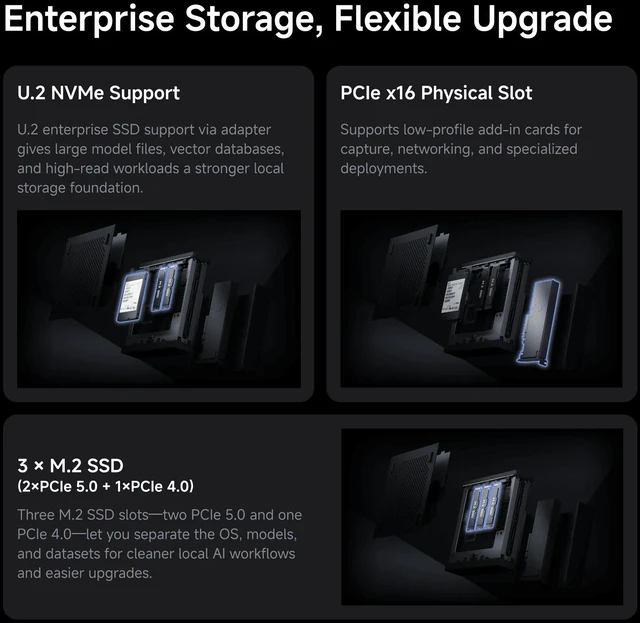
| Storage And Expansion | No storage installed; three M.2 slots: one M.2 2280 PCIe 5.0 x4 slot supports NVMe SSDs up to 8TB or, with the included adapter, U.2 NVMe SSDs up to 15TB at 7mm thickness; one M.2 2280/22110 PCIe 5.0 x4 slot supports up to 8TB; one M.2 2280/22110 PCIe 4.0 x1 slot supports up to 8TB |
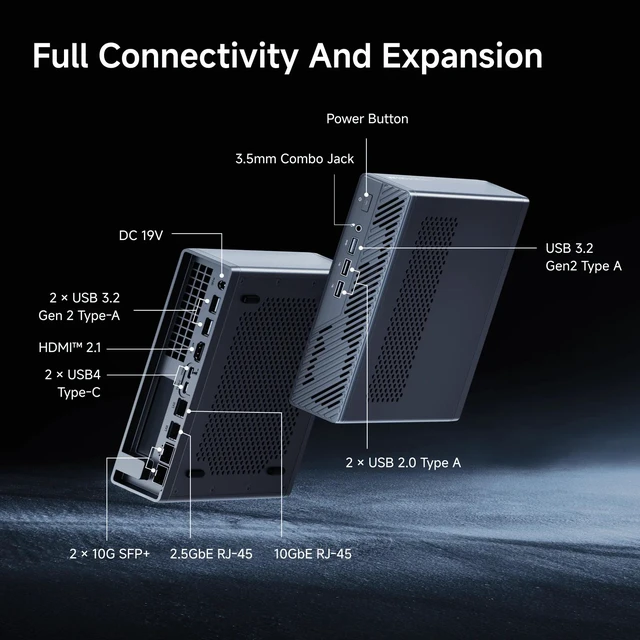
| Networking And Wireless | 10GbE and 2.5GbE RJ-45 ports, dual 10G SFP+ ports, Wi-Fi 7 (802.11be), and Bluetooth 6.0 |
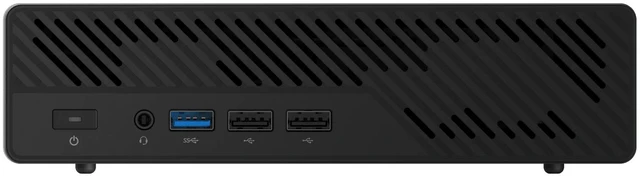
| Ports And Connectivity | HDMI 2.1; 2 USB4 Type-C ports; 3 front USB Type-A ports (1 USB 3.2 Gen 2, 2 USB 2.0); 2 rear USB Type-A ports (USB 3.2 Gen 2); 1 front audio jack |
| Power | 19V/12.63A DC input with a 240W power supply |
| Dimensions And Color | 48 x 196 x 189mm; black |
| Model Identifiers | MINISFORUM MS-03-S356H; part number MF-MS-03-S356H(0+0)US |
| Included Items | MS-03-S356H workstation, HDMI cable, US power adapter, and manual |
Q: MINISFORUM MS-03 with Core Ultra 7 356H or MS-01—which should I choose for a home lab?
A: Choose the MS-03 if you want its newer platform features: one 10GbE RJ45 port alongside two 10G SFP+ ports, Wi-Fi 7, support for up to 128GB of DDR5-7200 memory, and two PCIe 5.0 x4 M.2 slots. The MS-01 is an alternative if its two 2.5GbE RJ45 ports and PCIe expansion slot better match your setup.
Q: Is the MS-03 Core Ultra 7 356H worth choosing over the Core Ultra 5 336H version?
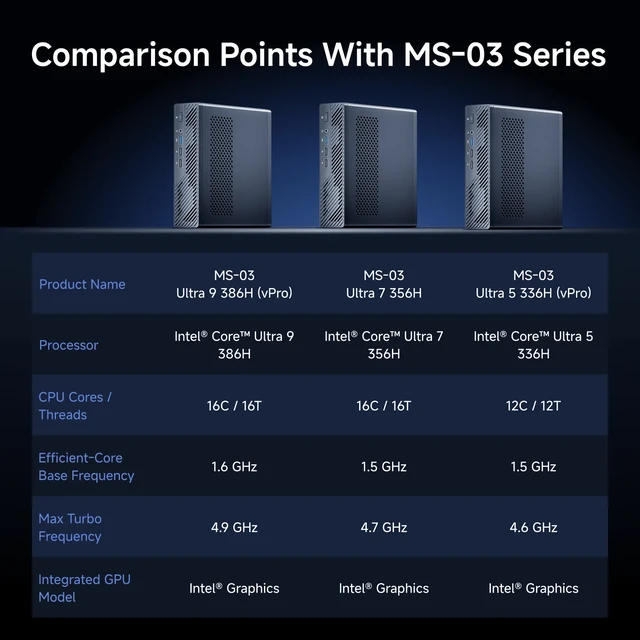
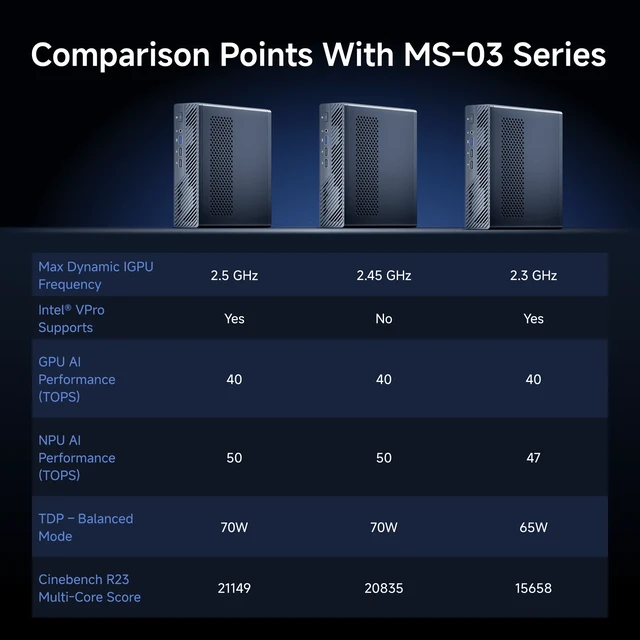
A: Choose the Core Ultra 7 356H configuration if you want a 16-core, 16-thread processor; the MS-03 Core Ultra 5 336H configuration has 12 cores and 12 threads. Both are MS-03 barebones configurations, so compare the processor tier against your expected workload when choosing.
Q: Should I get the MS-03 Core Ultra 7 356H or the Core Ultra 9 386H version?
A: Both are 16-core, 16-thread MS-03 configurations. Choose the Core Ultra 7 356H for a 16-core MS-03 configuration with boost speeds up to 4.7GHz; choose the Core Ultra 9 386H if you prefer the higher processor tier, which is specified for boost speeds up to 4.9GHz.
Q: Does the barebone MS-03 include RAM or storage?
A: No. The listing specifies no memory and no storage installed. You’ll need to supply DDR5-7200 SO-DIMM memory and compatible storage. The listing does not specify an operating system, so confirm OS inclusion before buying.
Q: Is this a good fit for a home lab or network-heavy workstation?
A: It may suit network-heavy setups: the specifications list two 10GbE SFP+ ports, one 10GbE RJ45 port, and one 2.5GbE RJ45 port. It also has three M.2 slots and supports up to 128GB of RAM. You’ll need to add memory and storage and set up the operating system and software yourself.
Q: Can I use it with multiple monitors?
A: The listed outputs are one HDMI 2.1 port and two USB4 Type-C ports, so it has several potential display connections. The supplied specifications do not confirm the maximum number of simultaneous displays or supported resolutions; verify those details for your monitor setup before buying.
Q: Is it suitable for gaming?
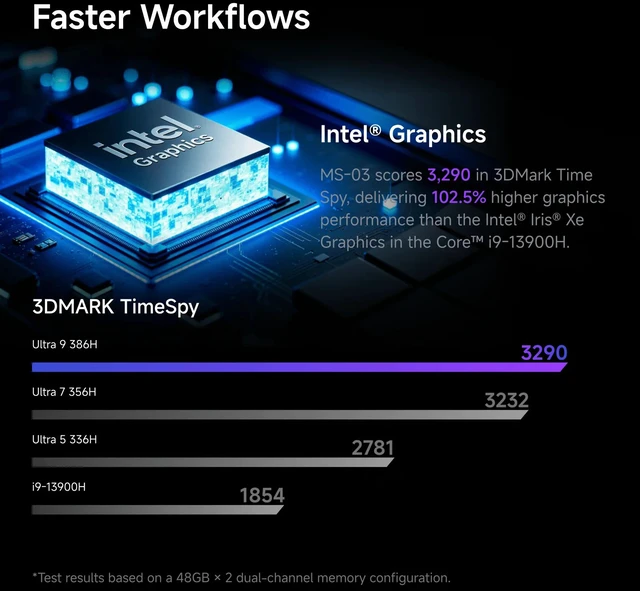
A: The listed graphics are integrated Intel Graphics, with no discrete graphics card specified. It may suit general desktop use, but the provided specifications do not establish gaming performance; don’t assume it will meet demanding gaming needs.
Q: Is the MS-03 a good fit for a Proxmox home lab?
A: It may suit a home lab that can use multiple high-speed network ports and NVMe storage: this barebone lists dual 10G SFP+, 10GbE and 2.5GbE RJ45, and three M.2 slots. You must supply memory and storage. A Reddit Proxmox test covered an MS-03 with a different CPU, so it does not confirm performance for this 356H configuration.
Q: Is the MS-03 worth upgrading to from an MS-01?
A: It is more compelling if you need the MS-03’s newer platform features, such as 10GbE RJ45, Wi-Fi 7, and its listed three M.2 slots. A Reddit comparison cautions that the MS-01 may offer better CPU performance per price; it does not establish that this 356H barebone is a worthwhile upgrade for every owner.
Q: Is MS-03 Linux SR-IOV support confirmed?
A: Not conclusively for this 356H barebone. Reddit discussion about SR-IOV on the MS-03 includes user reports and speculation about the newer Intel graphics driver, rather than a verified test of this exact SKU. If SR-IOV is essential, confirm it with a test or documentation for the specific configuration before buying.