


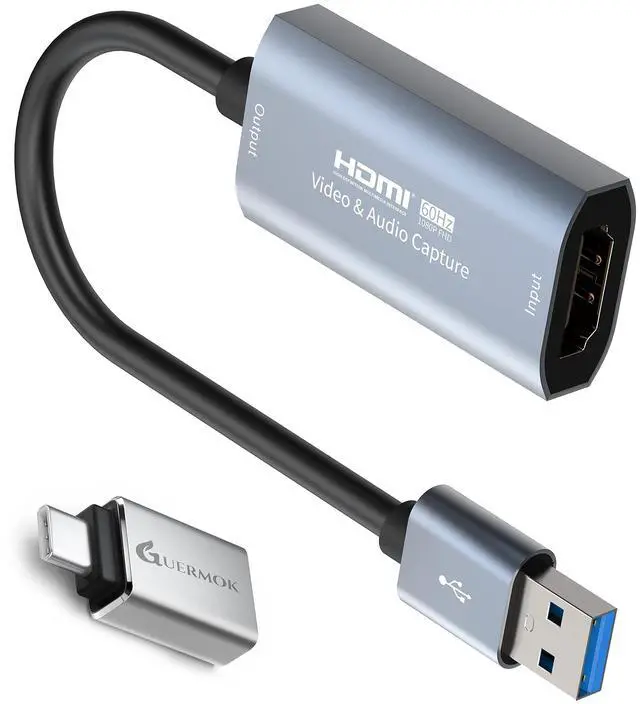



GUERMOK VIDEO CAPTURE CARD FOR STREAMING
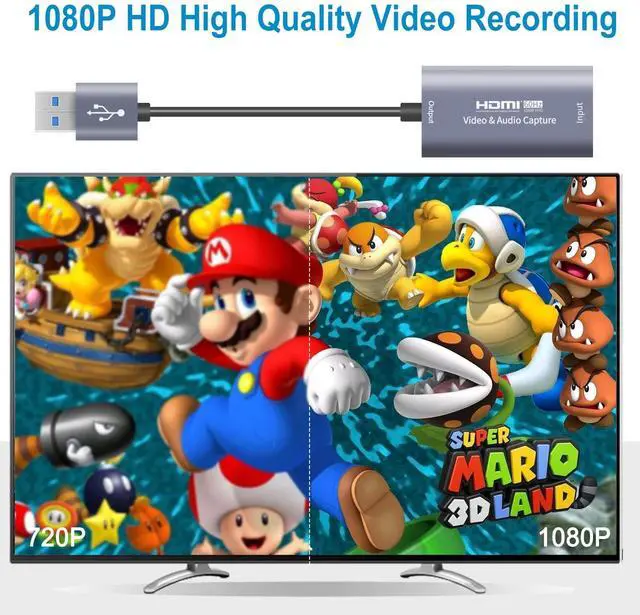
- 4K Video Capture Device: The highest input can support 4K. The output end of the product is USB3.0/M, and the highest support 1080P 60HZ code rate 192Mbps high-definition acquisition
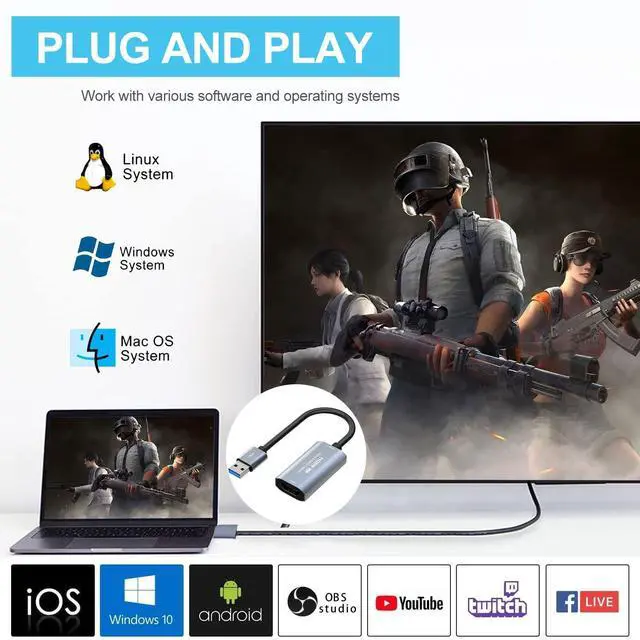
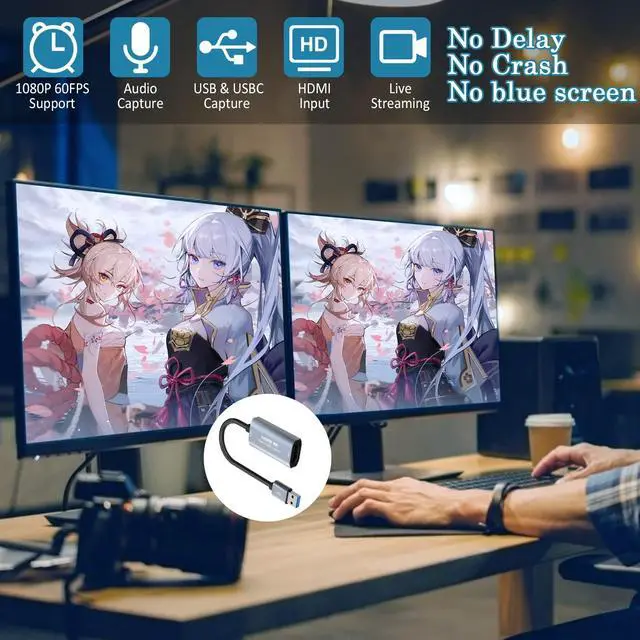
- Strong compatibility: This video capture card can be working on several Operating Systems and various devices: Windows, Mac OS, Linux, Android, Laptop, Nintendo Switch, TV BOX, HDTV etc
- Plug and play: Works with popular streaming software such as OBS Studio, easily streams to Facebook/YouTube/Twitch
Specifications:
- Brand: Guermok
- Material: Aluminum alloy CNC process, sand surface oxidation, high-end environmental protection; It has good anti-interference and heat dissipation ability
- Resolution: 4K/30HZ maximum support (input), 1080P /60HZ (output)
- Color: Silver
- Weight: 41g

Save Precious Videos from DVDs or Tapes
- If your DVD is scratched or your old tapes deteriorate, you may lose important video memories
- Use a capture card to capture and save your precious videos
Low Latency Capture Card
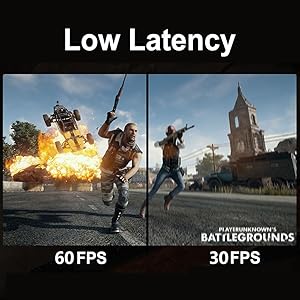
- The capture card is equipped with ultra-low latency technology, which allows for better real-time preview in different scenarios
- Up to 4K@30Hz High Definition Input, output max resolution 1920×1080p@60Hz

Compatibility
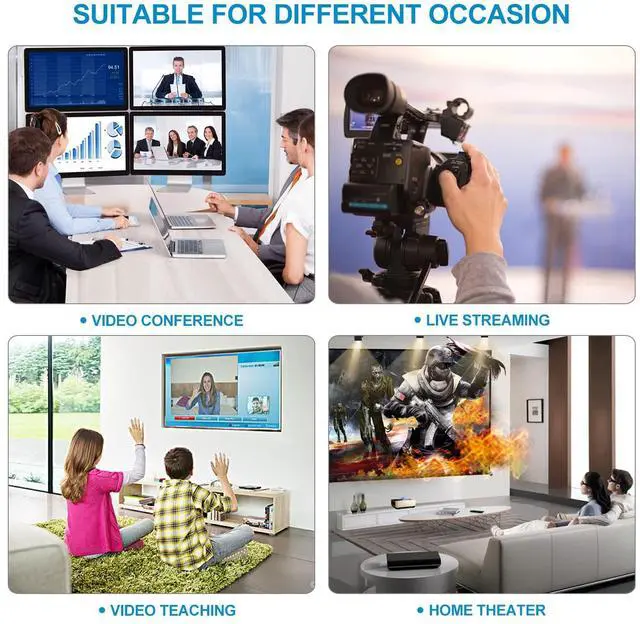
- This usb video capture devices can be working on several Operating Systems and various software: Windows 7/8/10, Mac OS X 10.9+, Linux, Android, Laptop, 3DS, Xbox One, Camera, Webcame, DSLR, Nintendo Switch, TV BOX, HDTV, Potplayer/ VLC, ZOOM, OBS Studio, etc. Easily streams to Facebook/ Youtube/ Twitch


Note:
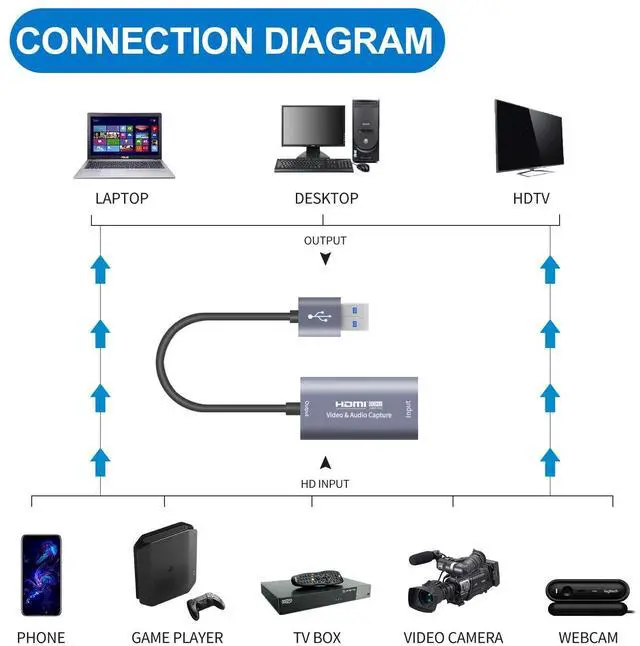
- Ensure the input and output ports are connected to the correct devices. Incorrect connections may result in no signal
- If you are unfamiliar with the operation, you can download the instruction manual available on the page or watch our connection tutorial video
- If you are using a converter, such as an HDMI-to-USB-A adapter, please ensure that your converter supports signal output functionality. If it does not, signal output will not be possible
- The USB-A port (or USB-C when using a USB-A to USB-C adapter) is for signal output. Please ensure your signal output device has corresponding video capture software, such as OBS, to enable screen capture
- Please ensure that the signal output device you are connecting, such as a camera, supports signal output or has the signal output setting enabled. Otherwise, no video will be captured
- There may be a slight delay in the capture, but it is within an acceptable millisecond range and does not affect the video quality. Please ensure your system is within the compatibility range. Some products may require disabling HD CP settings to function properly
- The product supports 4K input, but only 1080P output. Please ensure that the cable you are using supports the corresponding resolution, such as 1080P or 4K, to ensure optimal video quality
- Please ensure that your computer settings are configured correctly to capture audio. A setup guide is available in the documentation on the page. Please note that video capture does not support stereo sound
- Ensure all cables are properly connected and functioning. Make sure the output format is compatible with the capture card. After checking everything, try reconnecting the devices and resetting the software. If "no signal" persists, try using a different APP
 Guermok USB C Video Capture Card, 1080P@60FPS PD100W Fast Charge Type C to US... | 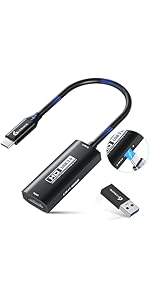 Guermok USB 3.0 Video Capture Card with PD 100W Fast Charge 1080P 60FPS HDMI ... | 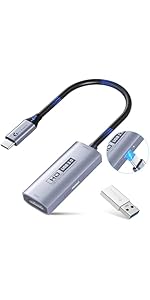 Guermok USB 3.0 Video Capture Card with PD 100W Fast Charge 1080P 60FPS HDMI ... | 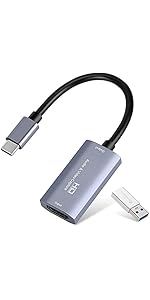 Video Capture Card, USB3.0 HDMI to USB C Audio Capture Card, 4K 1080P 60FPS C... | 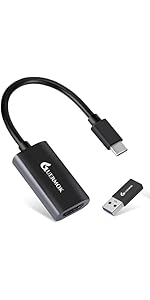 Guermok Video Capture Card, USB 3.0 HDMI to USBC Capture Card, 4K 1080P60FPS ... | 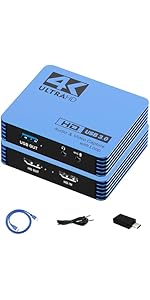 GUERMOK Video Capture Card for Switch, 4K USB3.0 HDMI to USBC Capture Card wi... | |
|---|---|---|---|---|---|---|
| Customer Reviews | — | — | — | — | — | — |
| Price | — no data | — | — | — | — | — no data |
| Power Delivery (PD) Support | ? | ? | ? | × | × | × |
| Charging Port | USB-C Input Port ONLY | USB-C Output Port ONLY | USB-C Output Port ONLY | × | × | × |
| Capture Resolution | 1080P@60Hz | 1080P@60Hz | 1080P@60Hz | 1080P@60Hz | 1080P@60Hz | 1080P@60Hz |
| Max Input Resolution | 4K@30Hz | 4K@30Hz | 4K@30Hz | 4K@30Hz | 4K@30Hz | 4K@30Hz |
| Compatibility | PCs/Steam/Switch/VR/Pad | PS5/Xbox/Switch/Camera/Pad | PS5/Xbox/Switch/Camera/Pad | PS5/Xbox/Switch/Camera/Pad | PS5/Xbox/Switch/Camera/Pad | PS5/Xbox/Switch/Camera/Pad |
| Compatible Recording Software | OBS Studio/Potplayer/VLC/Vmix etc. | OBS Studio/Potplayer/VLC/Vmix etc. | OBS Studio/Potplayer/VLC/Vmix etc. | OBS Studio/Potplayer/VLC/Vmix etc. | OBS Studio/Potplayer/VLC/Vmix etc. | OBS Studio/Potplayer/VLC/Vmix etc. |
| Video Output Format | YUY2/MJPEG | YUY2/MJPEG | YUY2/MJPEG | YUY2/MJPEG | YUY2/MJPEG | YUY2/MJPEG |
| Connector | USB C to USB A/C | HDMI to USB A/C | HDMI to USB A/C | HDMI to USB A/C | HDMI to USB A/C | HDMI to USB A/C with Mic |
| 4K Loop Out | × | × | × | × | × | ? |
| Audio | Mono; Stereo Not Supported | Mono; Stereo Not Supported | Mono; Stereo Not Supported | Mono; Stereo Not Supported | Mono; Stereo Not Supported | Mono; Stereo Not Supported |
GUERMOK VIDEO CAPTURE CARD FOR STREAMING
- 4K Video Capture Device: The highest input can support 4K. The output end of the product is USB3.0/M, and the highest support 1080P 60HZ code rate 192Mbps high-definition acquisition
- Strong compatibility: This video capture card can be working on several Operating Systems and various devices: Windows, Mac OS, Linux, Android, Laptop, Nintendo Switch, TV BOX, HDTV etc
- Plug and play: Works with popular streaming software such as OBS Studio, easily streams to Facebook/YouTube/Twitch
Specifications:
- Brand: Guermok
- Material: Aluminum alloy CNC process, sand surface oxidation, high-end environmental protection; It has good anti-interference and heat dissipation ability
- Resolution: 4K/30HZ maximum support (input), 1080P /60HZ (output)
- Color: Silver
- Weight: 41g
Save Precious Videos from DVDs or Tapes
- If your DVD is scratched or your old tapes deteriorate, you may lose important video memories
- Use a capture card to capture and save your precious videos
Low Latency Capture Card
- The capture card is equipped with ultra-low latency technology, which allows for better real-time preview in different scenarios
- Up to 4K@30Hz High Definition Input, output max resolution 1920×1080p@60Hz
Compatibility
- This usb video capture devices can be working on several Operating Systems and various software: Windows 7/8/10, Mac OS X 10.9+, Linux, Android, Laptop, 3DS, Xbox One, Camera, Webcame, DSLR, Nintendo Switch, TV BOX, HDTV, Potplayer/ VLC, ZOOM, OBS Studio, etc. Easily streams to Facebook/ Youtube/ Twitch
Audio Input Settings on OBS
a. Add a new source, select " video capture device"/ "audio and video input capture"
Video Signal Output Settings on OBS
a. Sources ? Click “+”? Find the“ Video Capture Device”
b. Device Choose “ USB Video”? Click “ Deactivate”? Resolution/FPS choose “ customize”? Resolution select "1920 x 1080" ? FPS choose “60”? Video format select " MJPEG" and Click “ OK” ( as my below screenshot)
Start recording
a. Select " Studio Mode"
b. Click " Start Recording"
Note:
- Ensure the input and output ports are connected to the correct devices. Incorrect connections may result in no signal
- If you are unfamiliar with the operation, you can download the instruction manual available on the page or watch our connection tutorial video
- If you are using a converter, such as an HDMI-to-USB-A adapter, please ensure that your converter supports signal output functionality. If it does not, signal output will not be possible
- The USB-A port (or USB-C when using a USB-A to USB-C adapter) is for signal output. Please ensure your signal output device has corresponding video capture software, such as OBS, to enable screen capture
- Please ensure that the signal output device you are connecting, such as a camera, supports signal output or has the signal output setting enabled. Otherwise, no video will be captured
- There may be a slight delay in the capture, but it is within an acceptable millisecond range and does not affect the video quality. Please ensure your system is within the compatibility range. Some products may require disabling HD CP settings to function properly
- The product supports 4K input, but only 1080P output. Please ensure that the cable you are using supports the corresponding resolution, such as 1080P or 4K, to ensure optimal video quality
- Please ensure that your computer settings are configured correctly to capture audio. A setup guide is available in the documentation on the page. Please note that video capture does not support stereo sound
- Ensure all cables are properly connected and functioning. Make sure the output format is compatible with the capture card. After checking everything, try reconnecting the devices and resetting the software. If "no signal" persists, try using a different APP
Guermok USB C Video Capture Card, 1080P@60FPS PD100W Fast Charge Type C to US... | Guermok USB 3.0 Video Capture Card with PD 100W Fast Charge 1080P 60FPS HDMI ... | Guermok USB 3.0 Video Capture Card with PD 100W Fast Charge 1080P 60FPS HDMI ... | Video Capture Card, USB3.0 HDMI to USB C Audio Capture Card, 4K 1080P 60FPS C... | Guermok Video Capture Card, USB 3.0 HDMI to USBC Capture Card, 4K 1080P60FPS ... | GUERMOK Video Capture Card for Switch, 4K USB3.0 HDMI to USBC Capture Card wi... | |
|---|---|---|---|---|---|---|
| Customer Reviews | — | — | — | — | — | — |
| Price | — no data | — | — | — | — | — no data |
| Power Delivery (PD) Support | ? | ? | ? | × | × | × |
| Charging Port | USB-C Input Port ONLY | USB-C Output Port ONLY | USB-C Output Port ONLY | × | × | × |
| Capture Resolution | 1080P@60Hz | 1080P@60Hz | 1080P@60Hz | 1080P@60Hz | 1080P@60Hz | 1080P@60Hz |
| Max Input Resolution | 4K@30Hz | 4K@30Hz | 4K@30Hz | 4K@30Hz | 4K@30Hz | 4K@30Hz |
| Compatibility | PCs/Steam/Switch/VR/Pad | PS5/Xbox/Switch/Camera/Pad | PS5/Xbox/Switch/Camera/Pad | PS5/Xbox/Switch/Camera/Pad | PS5/Xbox/Switch/Camera/Pad | PS5/Xbox/Switch/Camera/Pad |
| Compatible Recording Software | OBS Studio/Potplayer/VLC/Vmix etc. | OBS Studio/Potplayer/VLC/Vmix etc. | OBS Studio/Potplayer/VLC/Vmix etc. | OBS Studio/Potplayer/VLC/Vmix etc. | OBS Studio/Potplayer/VLC/Vmix etc. | OBS Studio/Potplayer/VLC/Vmix etc. |
| Video Output Format | YUY2/MJPEG | YUY2/MJPEG | YUY2/MJPEG | YUY2/MJPEG | YUY2/MJPEG | YUY2/MJPEG |
| Connector | USB C to USB A/C | HDMI to USB A/C | HDMI to USB A/C | HDMI to USB A/C | HDMI to USB A/C | HDMI to USB A/C with Mic |
| 4K Loop Out | × | × | × | × | × | ? |
| Audio | Mono; Stereo Not Supported | Mono; Stereo Not Supported | Mono; Stereo Not Supported | Mono; Stereo Not Supported | Mono; Stereo Not Supported | Mono; Stereo Not Supported |