




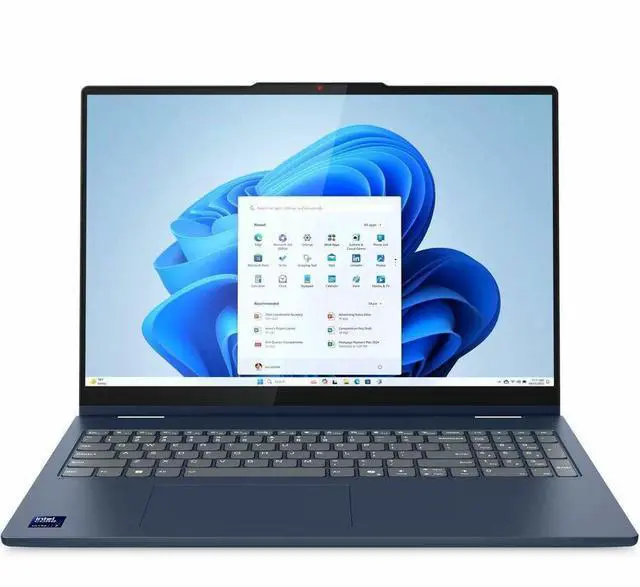
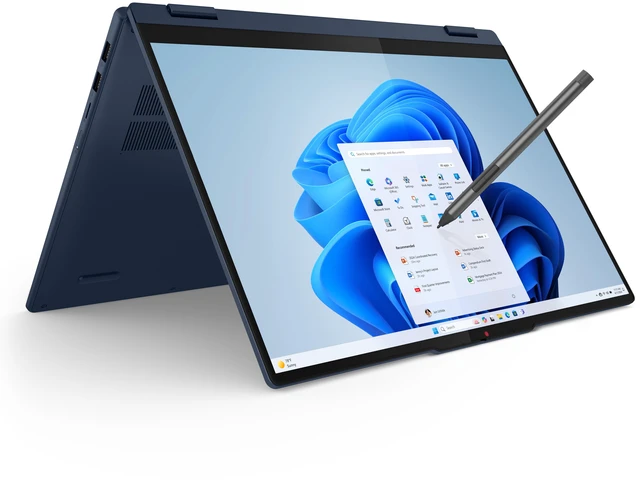
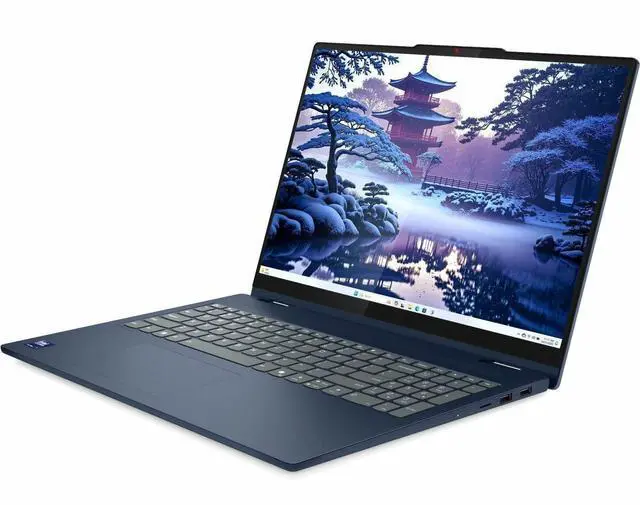
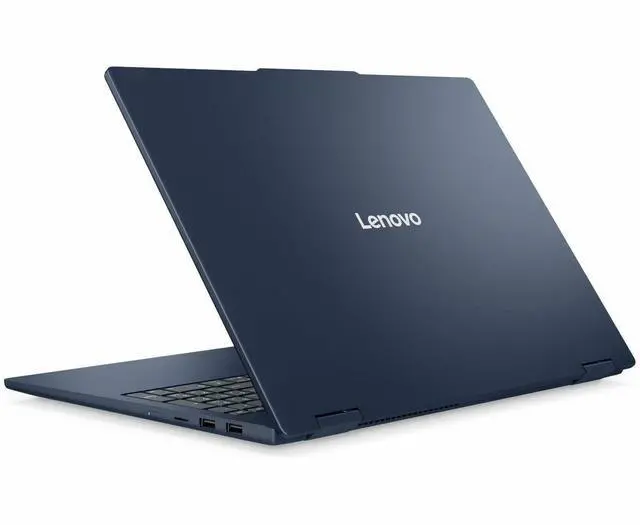
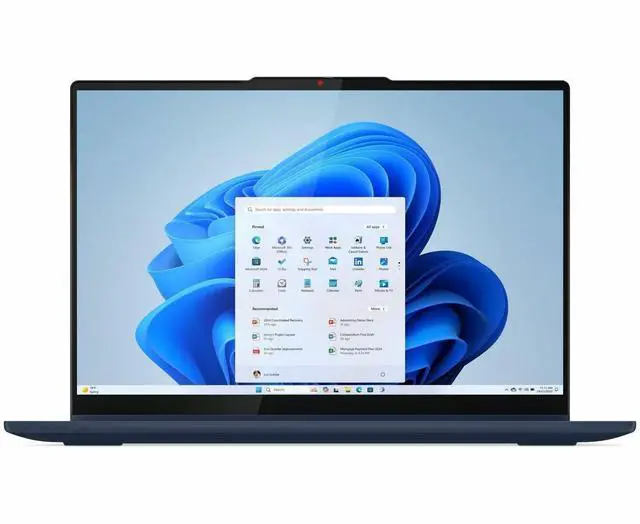
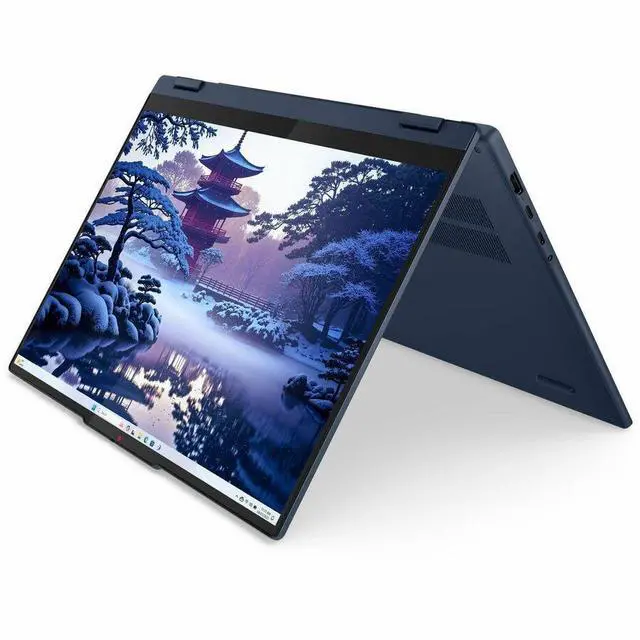
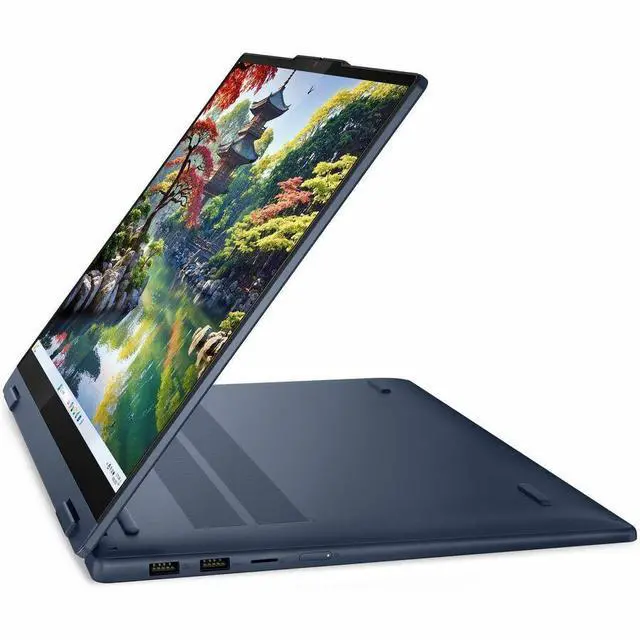


Lenovo IdeaPad 5i 16.0-inch 2-in-1 Touchscreen Laptop, Intel Core Ultra 7 255U, 16GB Memory, 512GB NVMe SSD, Windows 11 Home, Pen Included, 83KS001MUS
- Processor: Intel Core Ultra 7 255U with a 12-core (2P+8E+2LPE) design and 12 MB L3 cache for home and personal use
- Memory and Storage: 16GB LPDDR5x 6400 memory and 512GB NVMe SSD storage for everyday consumer computing
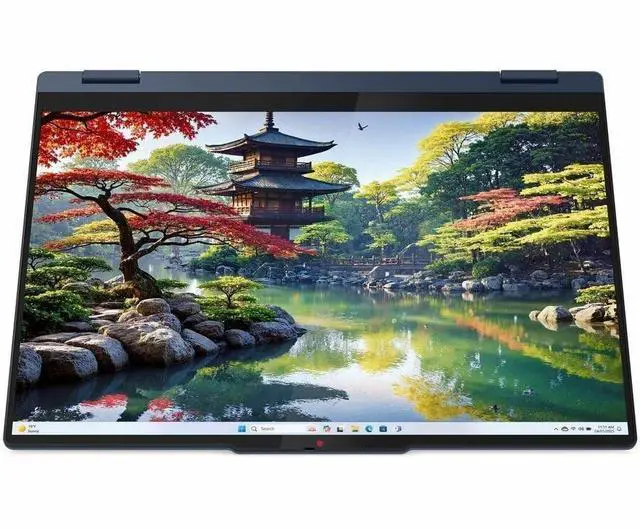
- Touch Display: 16.0-inch WUXGA IPS touchscreen with 1920 x 1200 resolution and wide screen support
- Graphics: Integrated Intel Graphics with shared system memory for consumer and personal computing
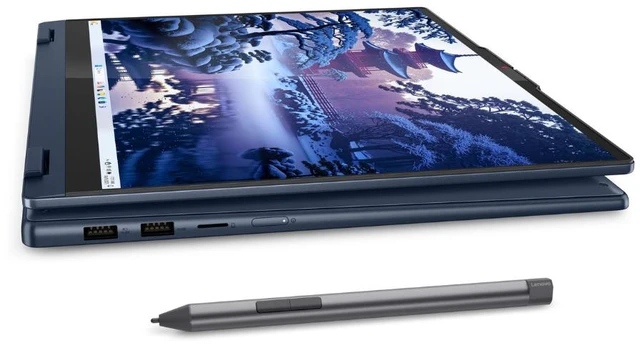
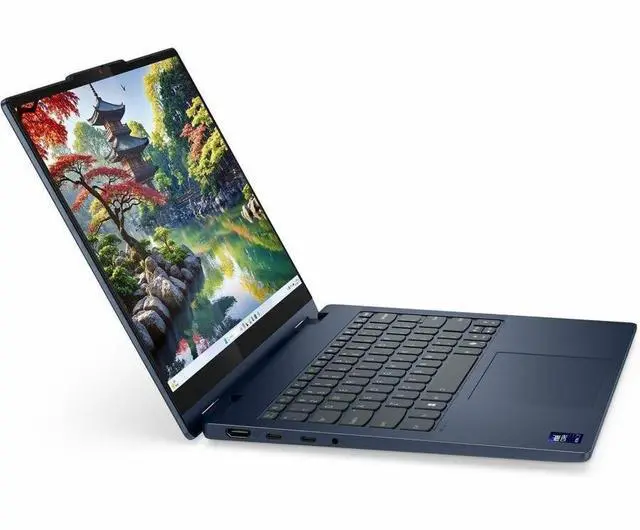
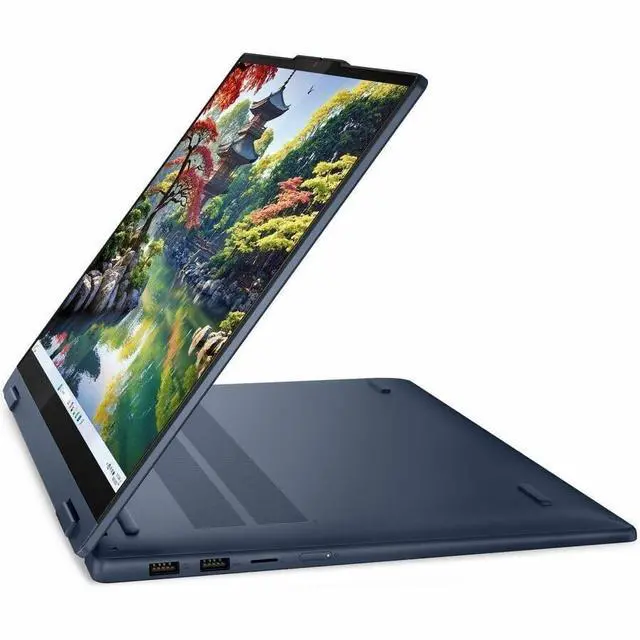
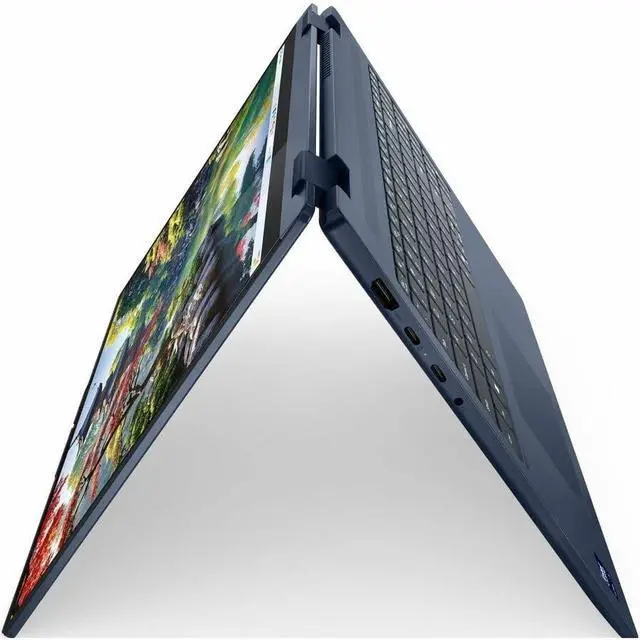
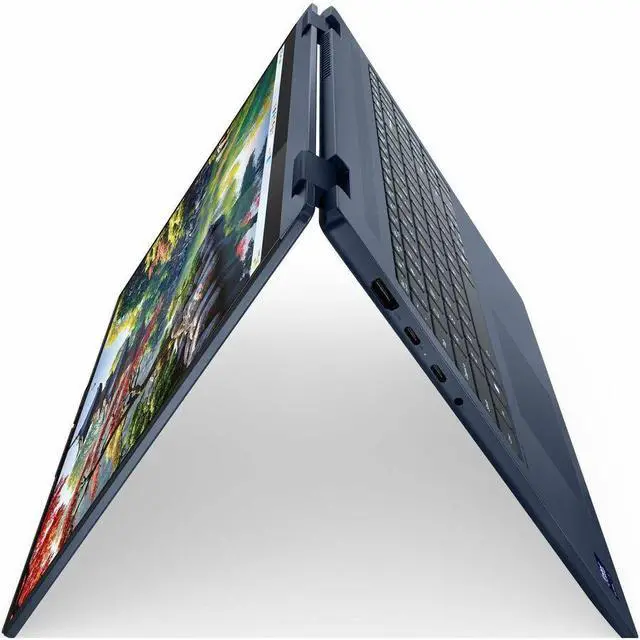
- Ports: Two USB 3.2 Gen 1 Type-A, two USB 3.2 Gen 2 Type-C, one HDMI, and one headphone/microphone combo jack
+
+
Overview
Specs
Reviews
Overview
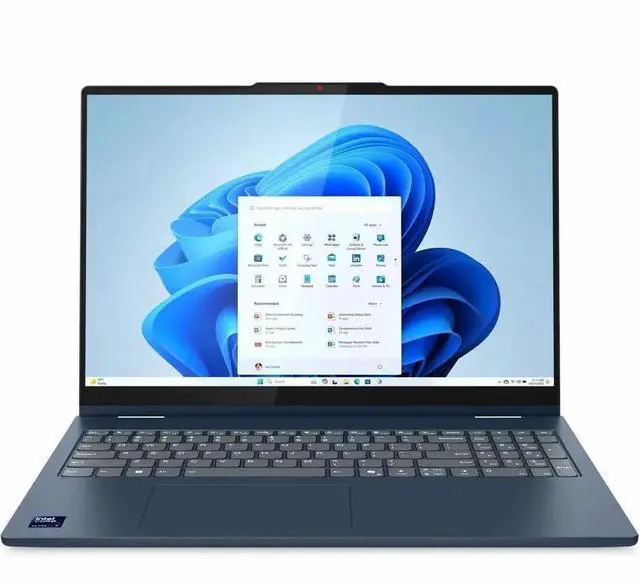
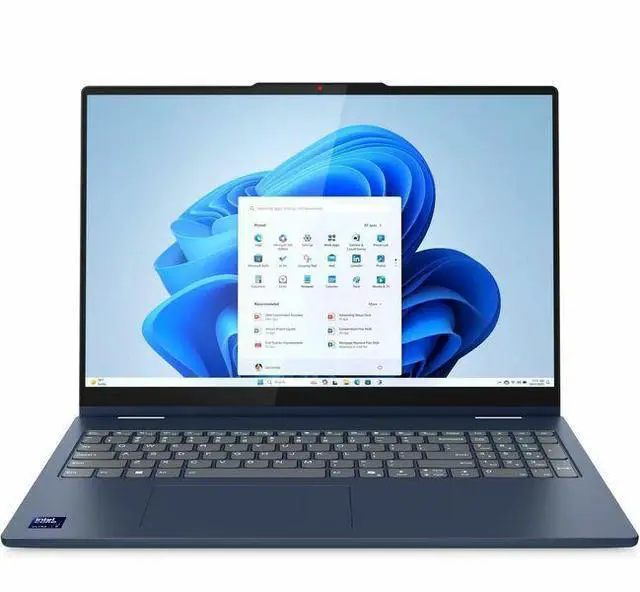
The Lenovo IdeaPad 5i model 83KS001MUS is a 16.0-inch 2-in-1 touchscreen laptop for home and personal use.
Key Features
- Intel Core Ultra 7 255U processor with a 12-core (2P+8E+2LPE) design
- 16GB LPDDR5x 6400 memory and 512GB NVMe SSD storage
- 16.0-inch WUXGA IPS touchscreen with 1920 x 1200 resolution
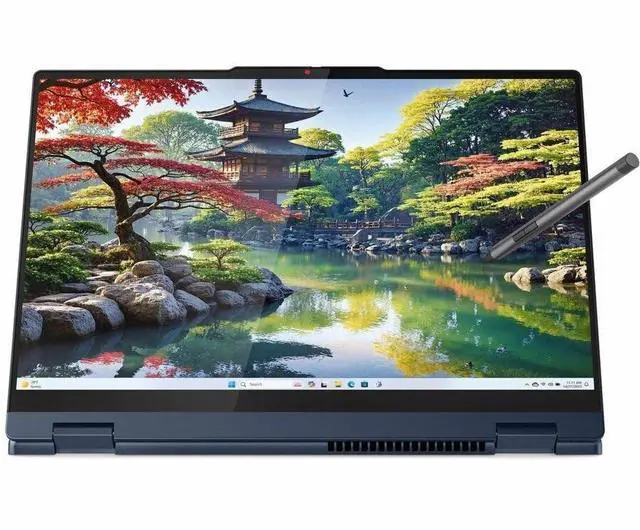
- Pen included for use with the touchscreen
- White backlit keyboard
Performance
The Intel Core Ultra 7 255U processor has a 12-core (2P+8E+2LPE) design and 12 MB L3 cache. Integrated Intel Graphics uses shared system memory.
Design
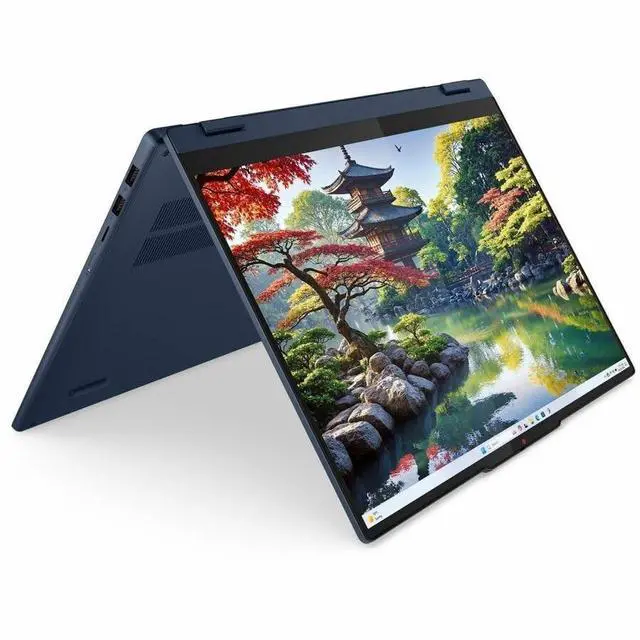
The laptop has a Cosmic Blue finish, a thin and light style, and a white backlit keyboard. It measures 14.02 inches x 10.04 inches x 0.72 inches and weighs 4.19 lbs. It has no optical drive.
Connectivity & Compatibility
Connectivity includes two USB 3.2 Gen 1 Type-A ports, two USB 3.2 Gen 2 Type-C ports, one HDMI port, and one headphone/microphone combo jack. The display supports wide screen viewing.
Specifications
- Brand: Lenovo
- Series: IdeaPad 5i
- Model: 83KS001MUS
- Operating System: Windows 11 Home
- Type: Home / Personal
- Usage: Consumer
- CPU Type: Intel Core Ultra 7 (Series 2)
- Processor: Intel Core Ultra 7 255U
- Number of Cores: 12-core (2P+8E+2LPE) Processor
- CPU L3 Cache: 12 MB
- Screen Size: 16.0 inches
- Touchscreen: Touch Screen
- Display Type: WUXGA
- Panel: IPS
- Resolution: 1920 x 1200
- GPU/VPU: Intel Graphics
- Video Memory: Shared system memory
- Graphic Type: Integrated Card
- SSD: 512GB NVMe
- Memory: 16GB
- Memory Speed: LPDDR5x 6400
- Optical Drive Type: No
- Backlit Keyboard: White Backlit Keyboard
- Color: Cosmic Blue
- Dimensions (W x D x H): 14.02 inches x 10.04 inches x 0.72 inches
- Weight: 4.19 lbs.
Warranty & Returns
Warranty, Returns, And Additional Information
Warranty
- Limited Warranty period (parts): 1 year
- Limited Warranty period (labor): 1 year
- Read full details
Return Policies
- Return for refund within: 15 days
- Return for replacement within: 15 days
- This item is covered by Newegg.ca's 15-Day Return Policy.
- Read full return policy for details.
Manufacturer Contact Info
LOADING...
The Lenovo IdeaPad 5i 16-inch 2-in-1 is a thin-and-light touchscreen laptop with an Intel Core Ultra 7 255U, 16GB RAM, and 512GB NVMe SSD, making it a strong fit for students, home users, and professionals who want a large display, everyday productivity, and flexible laptop-to-tablet use.
Recommended For
- People who want one laptop for couch use, desk work, and occasional tablet-style tasks, and prefer a 16-inch screen over a compact 13- or 14-inch convertible.
- Home users and students who mainly browse, stream, join video calls, work in documents, and value a roomy touch display more than high-end graphics or workstation speed.
- Buyers cross-shopping midrange 2-in-1 laptops who care about flexibility and screen size first, and are comfortable with integrated graphics for everyday multitasking.
- Users who often read, mark up, or present content on-screen and want the convenience of touch and tent/stand modes without moving up to a pricier Yoga-class model.
Real-World Use Scenarios
- For schoolwork, office apps, and heavy browser use, this 16-inch 2-in-1 is a practical fit: users can keep multiple documents and tabs open, join video calls, and work comfortably on the larger screen, with performance that reviews describe as well-suited to everyday productivity rather than demanding workloads.
- For streaming, web browsing, recipe viewing, and casual couch use, the 360-degree hinge and touch display make it easy to use in tent or stand mode, so it works well as a large-screen household laptop for media and light personal tasks.
- For note-taking, markup, and form-filling in tablet or folded-back mode, the touchscreen supports hands-on use better than a standard clamshell, but the 16-inch size and 4.19 lb weight mean it is more comfortable on a desk or lap than held like a small tablet for long stretches.
- For light photo edits, basic content work, and occasional light video editing, it should handle routine consumer projects, but community feedback and reviews point to this Core Ultra 7 255U setup as better for light editing than sustained creative workloads or faster export-heavy production.
- For light gaming and older or less demanding titles, users can expect playable results at reduced settings, but this is not a good match for modern AAA gaming because the integrated Intel graphics and U-series processor are aimed at efficiency first.
- For commuting between home, class, and office, it is portable enough to carry in a backpack, but buyers should expect a larger, desk-friendly convertible rather than an ultra-light travel machine, and battery life is generally described as adequate rather than a standout strength.
Spec Summary
| Attribute | Value |
|---|---|
| Best For | Thin-and-light 16-inch 2-in-1 touchscreen convertible for home/personal use, suited to students and business users who need a portable device for everyday productivity, note-taking and stylus input |
| Processor And Core Count | Intel Core Ultra 7 255U (Intel Core Ultra 7 series) with a 12-core configuration (2P + 8E + 2 LPE); base ~2 GHz and up to ~5.2 GHz, 1 processor |
| Cache And Clock | 12 MB L3 cache |
| GPU And VRAM | Integrated Intel Graphics using shared system memory (integrated GPU) |
| Display Spec | 16.0" WUXGA (1920 x 1200) IPS touchscreen (capacitive/in-cell), 60 Hz refresh, up to 300 nits brightness, ~45% NTSC color gamut |
| Memory Configuration | 16 GB LPDDR5x 6400 (installed, LPDDR5X technology); maximum/memory limit listed as 16 GB |
| Storage And Expansion | 512 GB NVMe SSD (M.2 form factor); supports SD flash memory |
| High Speed I O & Ports | 2 x USB 3.2 Gen 1 Type-A and 2 x USB 3.2 Gen 2 Type-C (4 total USB ports), 1 x HDMI output, 1 x headphone/microphone combo jack |
| Battery And Power | Contains a built-in battery (1 battery); battery type listed as nonstandard_battery; lithium-battery energy content 57 Milliampere Hour; batteries packaged in equipment |
| Wired And Wireless Networking | Wi‑Fi (802.11ax) and Bluetooth wireless connectivity |
| Input And Peripherals | Capacitive/in‑cell touchscreen with stylus support; white backlit full-size QWERTY keyboard; built-in webcam |
| Audio Setup | Headphone/microphone combo jack (1) |
| Physical And Build | 14.02" x 10.04" x 0.72"; weight 4.19 lbs; Cosmic Blue color; aluminum top enclosure, PC-ABS + 40% GF bottom; thin-and-light form factor; packaging dimensions 19.4 L x 3.3 W x 12.7 H inches and package weight ~6.6 lbs (packaging info provided separately) |
| Operating System | Windows 11 Home (Windows family) |
| External Display And Docking Fit | Single HDMI output (1x HDMI) for external displays; listed as compatible with external displays and common peripherals |
| Model Identifiers | Lenovo IdeaPad 5i — model 83KS001MUS (Model Name/Number and Edition 5 16IAL10), brand Lenovo |
Reference Q&A
Q: Should I buy the Lenovo IdeaPad 5i 16 2-in-1 or move up to the Lenovo Yoga 7i 16?
A: Choose the IdeaPad 5i 16 2-in-1 if you want a larger convertible for everyday productivity, note-taking, web use, and media at a more mainstream tier. Choose the Yoga 7i 16 if you want a more premium step-up with stronger chassis and feature positioning. Lenovo positions the IdeaPad 5i line as the more accessible consumer option, while review coverage places the Yoga 7 family above it in Lenovo's lineup. The trade-off is value and practicality with the IdeaPad versus a more upscale design and feature set with the Yoga.
Q: Is the Core Ultra 7 255U version worth it over a lower-tier IdeaPad 5i configuration?
A: The Core Ultra 7 255U version makes more sense if you expect heavier multitasking, longer useful life, or more frequent productivity bursts. If your workload is mainly browser tabs, documents, streaming, and light schoolwork, a lower-tier configuration can still fit the same 16-inch 2-in-1 use case well. Lenovo's own platform specs show that higher configurations in this family move up in processor capability, and external benchmark coverage shows the 255U as an upper-midrange U-series chip rather than a performance-class H-series part. The trade-off is paying more for extra headroom, not a different class of laptop.
Q: Should I choose this IdeaPad 5i 16 2-in-1 or a higher-performance H-series 2-in-1?
A: Choose this IdeaPad if your priority is a big touch display, flexible 2-in-1 use, and lower-power everyday computing. Choose an H-series 2-in-1 if you expect more demanding creation work, code compilation, or heavier sustained multitasking. Lenovo's own IdeaPad 5 2-in-1 platform documents show H-series variants in the same family with more cores, larger cache, and stronger integrated graphics than the 255U model. That means the real trade-off is efficiency-oriented daily use on the 255U versus higher sustained CPU and iGPU throughput on H-series options.
Q: Is this a meaningful upgrade over an older Core Ultra 7 155U 2-in-1?
A: It is usually a moderate upgrade, not a category change. External benchmark and community comparisons point to better CPU performance for the 255U over the 155U, especially in multi-threaded work, but the overall experience still stays in the efficient U-series class. That makes this model a sensible upgrade if you are replacing an older thin-and-light convertible and want some extra headroom without moving to a hotter H-series design. If you already have a well-tuned 155U system, the difference is more evolutionary than dramatic.
Q: Should I choose this 16-inch 2-in-1 for portability, or look for a smaller 14-inch convertible instead?
A: Choose this 16-inch IdeaPad if screen space matters more than carry comfort. Its 16-inch format is better for split-screen work, handwriting room, and media, while a 14-inch convertible is usually the easier choice for commuting, travel, and lap use. Community buying discussions around similar 255U systems repeatedly frame the decision as screen size versus portability rather than raw processor differences. The trade-off here is straightforward: this model favors workspace and usability over compactness.
Q: Is this a good fit for note-taking, meetings, and everyday office work?
A: Yes. This model is well suited for note-taking, video meetings, web apps, documents, spreadsheets, and general office use. The main reasons are its 16GB memory, 512GB SSD, touch display, 360-degree 2-in-1 form factor, backlit keyboard, and Intel Core Ultra 7 U-series processor, which is aimed more at efficient everyday productivity than heavy workstation tasks.
Q: Is it worth buying as a travel work device?
A: It can work well for travel if you want a large-screen 2-in-1 for productivity, but portability is the trade-off. At 4.19 lb with a 16-inch chassis, it is more of a carry-between-home-office-and-class laptop than an ultra-light frequent-flyer machine. Its advantage is the larger screen and flexible tent/tablet modes; its downside is size and weight versus 13- or 14-inch alternatives.
Q: Can you use a pen on it, and is it suitable for handwritten notes?
A: Yes. A closely comparable Lenovo 16-inch 2-in-1 retail Q&A confirms pen use, and the provided product data confirms this model has a touch screen and convertible design. That makes it suitable for handwritten notes, annotation, and casual sketching. The main caveat is that stylus support does not automatically mean a pen is included, so buyers should confirm bundle contents before purchase.
Q: Who is this laptop best suited for?
A: This laptop is best for home users, students, and office-focused buyers who want one device for typing, touch use, streaming, meetings, and light creative work. It is a strong fit if you value a 16-inch screen and 2-in-1 flexibility more than maximum portability or gaming power. It is less suitable for buyers who need dedicated graphics, frequent high-end video editing, or a very light travel laptop.
Q: Is it better than a similar alternative like the Lenovo Yoga 7i 16?
A: It depends on priority. The IdeaPad 5i 16 2-in-1 is the more practical choice if you want a large touch laptop for office work and everyday value. A comparable Yoga 7i 16 model typically gives you a more premium package, such as a sharper 2K display and, in some versions, more storage, but that class usually costs more. In short: choose the IdeaPad for value-focused productivity, and choose the Yoga if display quality and a more premium setup matter more than price.
Q: Is the Lenovo IdeaPad 5i 16 2-in-1 a good fit for work, school, and note-taking?
A: Yes for general productivity and light note-taking. Its 16-inch 1920x1200 touch display, 16GB RAM, and Core Ultra 7 255U are well suited to web work, documents, video calls, and multitasking. The main trade-off is size: at 4.19 lb, it is less convenient for handheld tablet use than smaller 14-inch convertibles.
Q: Is it worth buying if I want a large 2-in-1 instead of a smaller 14-inch model?
A: It is worth considering if you prioritize screen space over portability. The 16-inch panel is better for split-screen work, reading, and media, but it makes the device heavier and less comfortable to use like a tablet. Buyers who expect frequent tablet-mode use may prefer a 14-inch 2-in-1.
Q: Is this a good choice if I plan to use the pen a lot?
A: It is acceptable for occasional annotation, but pen-heavy buyers should be cautious. Repeated Reddit discussion around the IdeaPad 5 2-in-1 line points to mixed stylus experience, especially with the included Lenovo Digital Pen 2. If handwriting accuracy and drawing quality are a priority, this model is less convincing than more pen-focused convertibles.
Q: Who is this laptop most suitable for?
A: It is best for home, school, and office users who want a large touchscreen laptop with flexible hinge modes, but do not need dedicated graphics. The integrated Intel Graphics and 16GB RAM fit everyday productivity, streaming, and light creative tasks. It is a weaker fit for gaming, GPU-heavy editing, or buyers who want a premium metal, ultra-light 2-in-1.
Q: What are the main trade-offs of this model?
A: The main trade-offs are portability, pen experience, and upgrade flexibility. You get a large touch display, modern CPU, and useful port selection, but the 16-inch size and 4.19 lb weight reduce tablet comfort, integrated graphics limit demanding workloads, and 16GB LPDDR5x memory is typically not user-upgradable.