


Best Sellers
 Top Rated
- $115.94
- + FREE SHIPPING
Top Rated- $129.99
- + FREE SHIPPING
- $134.55
- + FREE SHIPPING



Get Educated
Make informed decisions with expert advice. Learn More
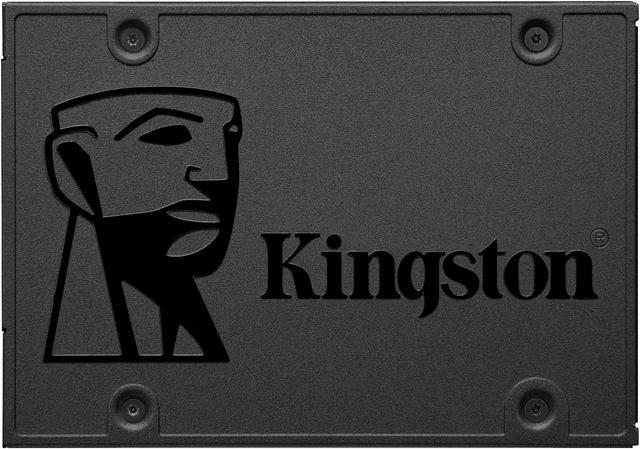
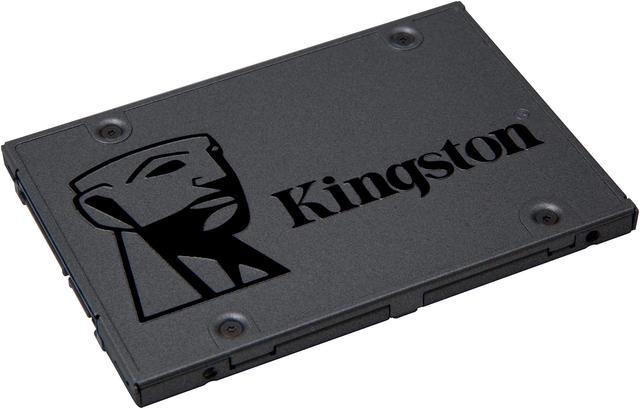
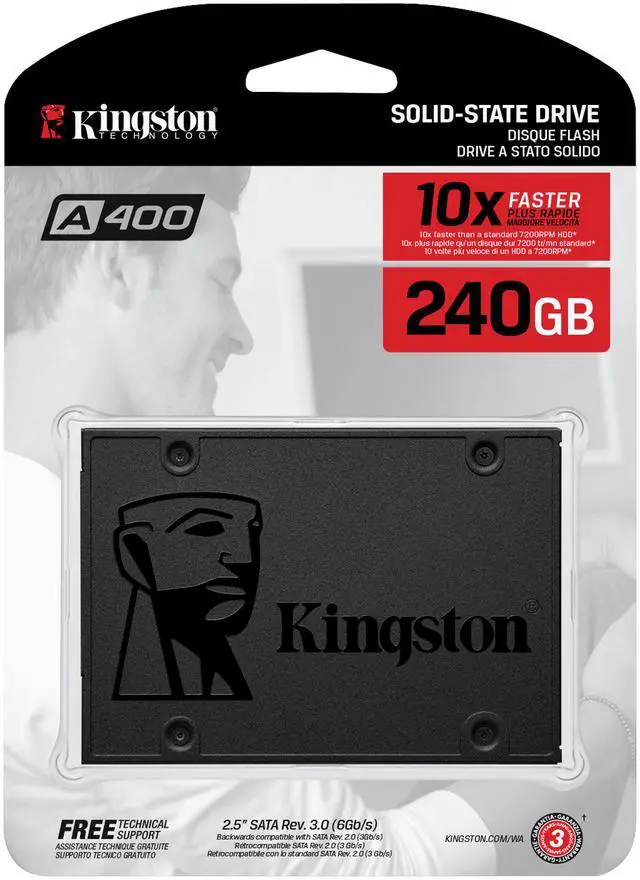


Kingston A400 240GB SATA 3 2.5" Internal SSD SA400S37/240G - HDD Replacement for Increase Performance
- Fast start-up, loading and file transfers
- More reliable and durable than a hard drive
- Multiple capacities with space for applications or a hard drive replacement
+
+
Overview
Specs
Kingston's A400 solid-state drive dramatically improves the responsiveness of your existing system with incredible boot, loading and transfer times compared to mechanical hard drives. Powered by a latest-gen controller for read and write speeds up to 500MB/s and 350MB/s, this SSD is 10x faster than a traditional hard drive for higher performance, ultra-responsive multi-tasking and an overall faster system.Also more reliable and durable than a hard drive, A400 is built with Flash memory. There are no moving parts, making it less likely to fail than a mechanical hard drive. It's also cooler and quieter and its shock and vibration resistance makes it ideal for notebooks and other mobile computing devices. A400 is available in multiple capacities from 120GB - 960GB to give you all the space you need for applications, videos, photos and other important documents. You can also replace your hard drive or a smaller SSD with a drive big enough to hold all your files. 10x faster than a HDD With incredible read/write speeds the A400 SSD will not only increase performance but can also be used to breathe new life into older systems. Rugged A400 is shock- and vibration-resistant for rugged reliability when used in notebooks and other mobile computing devices. Multiple capacities Available in 120GB, 240GB, 480GB and 960GB capacities, A400 is designed to suit anyone's needs. Ideal for desktops and notebooks A400 has a 7mm form factor to fit in a wider array of systems. It's ideal for slimmer notebooks and in systems with limited available space. SSDs for Consumers
Hard Drive Replacement Solid-state drives are the next evolution of PC storage and run faster, quieter and cooler than the aging technology inside hard drives. With no moving parts, SSDs are also more durable and more reliable than hard drives. For Desktops and Notebooks Kingston solid-state drives will make your system more responsive so it boots quicker, loads applications faster and shuts down faster. They're available in upgrade kits that include software to clone your files and OS in minutes. Revive Older Systems Solid-state drives will not only increase performance but can also be used to breathe new life into older systems. Choosing an SSD can save you the cost of buying a new PC by reviving the system you already own. Note This SSD is designed for use in desktop and notebook computer workloads and is not intended for Server environments.
Hard Drive Replacement Solid-state drives are the next evolution of PC storage and run faster, quieter and cooler than the aging technology inside hard drives. With no moving parts, SSDs are also more durable and more reliable than hard drives. For Desktops and Notebooks Kingston solid-state drives will make your system more responsive so it boots quicker, loads applications faster and shuts down faster. They're available in upgrade kits that include software to clone your files and OS in minutes. Revive Older Systems Solid-state drives will not only increase performance but can also be used to breathe new life into older systems. Choosing an SSD can save you the cost of buying a new PC by reviving the system you already own. Note This SSD is designed for use in desktop and notebook computer workloads and is not intended for Server environments.
Warranty & Returns
Warranty, Returns, And Additional Information
Warranty
- Limited Warranty period (parts): 3 years
- Limited Warranty period (labor): 3 years
- Read full details
Return Policies
- Return for refund within: 30 days
- Return for replacement within: 30 days
- This item is covered by Newegg.ca's Standard Return Policy.
- Read full return policy for details.
Manufacturer Contact Info
- Manufacturer Product Page
- Manufacturer Website
- Support Phone: 1-877-546-4786
- Support Website
- View other products from Kingston Technology Corp.
LOADING...
LOADING...
The Kingston A400 SA400S37/240G is a 240GB 2.5-inch SATA III internal SSD for users upgrading a compatible desktop or notebook from a hard drive, with sequential read speeds up to 500 MB/s and write speeds up to 350 MB/s.
Recommended For
- Owners of an older laptop or desktop with a 2.5-inch SATA bay who want to replace a mechanical boot drive and make startup and app loading feel more responsive.
- People refreshing a thin or older notebook that needs a 7 mm, 2.5-inch SATA replacement drive and mainly runs an operating system and everyday applications.
- Budget-conscious users who need a basic SATA drive for a lightweight operating-system installation, documents, and a small set of apps rather than demanding storage workloads.
- Notebook owners replacing a mechanical drive who value a light, shock- and vibration-resistant storage device for ordinary mobile computing.
Real-World Use Scenarios
- Replacing a mechanical hard drive in a compatible older laptop or desktop with the A400 can make startup and everyday system response feel noticeably quicker; the exact improvement depends on the computer and its software.
- For everyday school or home-office work on an older laptop—such as opening documents, browsing the web, and launching common apps—the A400 can reduce storage-related waiting compared with a hard drive, though it will not fix limits from low memory or an older processor.
- As a boot drive in a compatible 2.5-inch SATA system, the 240GB A400 can hold the operating system and frequently used apps, making it a practical option when replacing a hard drive or a smaller SSD.
- On an older PC used for light gaming, installing the operating system and a few frequently played games on the A400 can shorten storage-related startup and loading waits; it does not increase game frame rates, and 240GB limits how many large games fit.
- If a computer has a separate drive for bulk storage, the A400 can serve as a 240GB home for the operating system and frequently used apps while larger media files stay on the other drive.
Spec Summary
| Attribute | Value |
|---|---|
| Best For | Consumer internal-storage upgrades in compatible laptops and desktops, including replacing a hard drive |
| Capacity | 240GB |
| Interface And Form Factor | 2.5-inch internal SSD with a SATA III interface and SATA protocol |
| Read And Write Performance | Sequential speeds up to 500 MB/s read and 350 MB/s write |
| Memory And Cache | 3D NAND memory with no DRAM cache (HMB) |
| Endurance And Operating Conditions | 1,000,000-hour MTBF; operating temperature 0°C to 70°C and storage temperature −40°C to 85°C; shock- and vibration-resistant, with vibration resistance up to 2.17G operating and 20G non-operating |
| Power Consumption | 0.195W idle; active average 0.279W, with maximums of 0.642W during reads and 1.535W during writes |
| Physical Dimensions And Weight | 100 × 69.9 × 7mm; 41g |
| Model Identifiers | Kingston A400 series, model SA400S37/240G |
Reference Q&A
Q: Should I replace an old laptop HDD with the Kingston A400 240GB?
A: Choose the A400 if the laptop supports a 2.5-inch SATA drive and 240GB is enough for your operating system and apps. Kingston positions it as an HDD replacement, with rated sequential speeds of up to 500MB/s read and 350MB/s write. Keep an HDD if you need more capacity at lower cost for files that do not need SSD responsiveness.
Q: Kingston A400 240GB or Crucial BX500 240GB for an older PC?
A: Both are 2.5-inch SATA SSDs in the entry-level category. The A400 is a suitable choice when it fits the system and is the better-priced or more readily available option; compare the exact model’s price, warranty, and capacity before choosing. Published BX500 testing shows performance can vary by workload, so advertised sequential speeds alone do not establish a universal winner.
Q: Is the Kingston A400 240GB or 480GB a better buy?
A: Choose the 480GB model if you need more room for applications and files or expect to keep the drive longer. Kingston rates the 480GB version for up to 500MB/s read and 450MB/s write, compared with up to 500MB/s read and 350MB/s write for the 240GB version. Choose 240GB when its lower capacity meets your needs and the price is the priority.
Q: Should I get the Kingston A400 or Samsung 870 EVO for a SATA system?
A: Choose the A400 for a basic, lower-cost HDD replacement when 240GB is sufficient. Choose the Samsung 870 EVO if you want a more performance-focused SATA drive: professional reviews found strong SATA performance, including in small-file and mixed workloads. Confirm that the 870 EVO’s capacity and price justify the upgrade for your use.
Q: Will this SSD fit my laptop or desktop?
A: It fits systems that support a 2.5-inch SATA drive and have the required SATA connection. The drive is 7 mm thick; check your computer’s specifications before buying. A desktop that only has 3.5-inch mounting points may need a mounting bracket.
Q: Can I use it to replace my laptop’s hard drive?
A: Yes, if the laptop uses a 2.5-inch SATA drive. The A400’s 240GB capacity can serve as a replacement drive, but check that your used storage will fit. To keep your existing system and files, you’ll need to clone the old drive; otherwise, install an operating system separately. Cloning software is not specified in the provided product information.
Q: Is 240GB enough storage?
A: It may be enough for an operating system, everyday applications, and a modest collection of files. Check how much space your current drive uses and allow room for future files; 240GB may be limiting if you store many large games, videos, or other files.
Q: Can I install it in a desktop computer?
A: Yes, if the desktop has a compatible SATA connection and power connector. The drive is 2.5 inches; if the case only provides 3.5-inch mounting points, you may need a bracket to secure it.
Q: Is the Kingston A400 240GB a suitable upgrade for an older PC with a 2.5-inch hard drive?
A: It may suit a basic upgrade if the computer supports a 2.5-inch SATA drive and 240GB is enough for your system and files. Reddit and YouTube discussions describe it as a budget option for older systems, but they also note that its performance is entry-level; compare its price with other compatible SSDs before buying.
Q: Is the A400 240GB adequate as a boot drive for basic school or office work?
A: It can be a fit for basic use when the operating system, applications, and files fit within 240GB. Reddit users report both successful light-use setups and problems, so community anecdotes do not establish consistent reliability or performance for every drive.
Q: What is the main trade-off of the Kingston A400 240GB?
A: It is a basic SATA SSD with no dedicated DRAM cache, and its 240GB capacity may be limiting if you keep many large files or applications on the drive. Reddit discussions raise concerns about performance under heavier use and when the drive is nearly full; it is a less compelling choice if sustained writes or ample storage are priorities.
Q: Do user reports suggest a reliability risk with the A400?
A: Reddit reports are mixed: some users describe years of trouble-free use, while others report failures or freezes. These individual accounts cannot predict the reliability of a particular drive; keep backups and avoid relying on the SSD as the only copy of important data.