


- Free 30-day Returns
$159.97
Add to PC build list
Sold by Newegg
Shipped by Newegg
Add to Wish List(Found on 8 wish lists)
Best Sellers
- $159.97
- + FREE SHIPPING
 Top Rated
- $185.99
- + FREE SHIPPING
Top Rated- $189.99
- + FREE SHIPPING



Get Educated
Make informed decisions with expert advice. Learn More
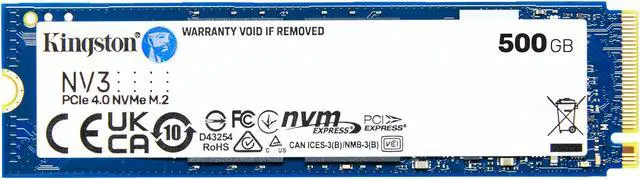
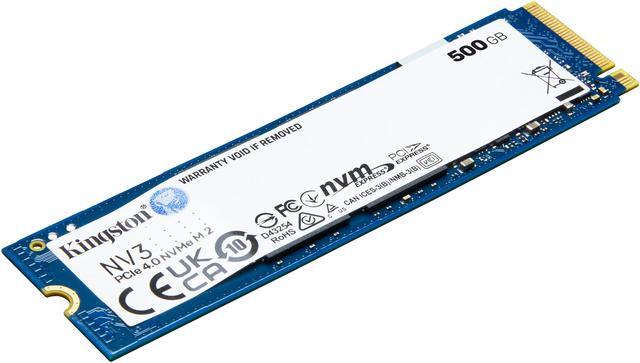


Kingston NV3 M.2 2280 500GB PCIe 4.0 x4 NVMe Internal Solid State Drive (SSD) SNV3S/500G up to Up to 5000 MB/s
- Capacity: 500GB of internal solid-state storage for applications, documents, photos, videos, games and more
- Sequential Performance: Up to 5000 MB/s read and up to 3000 MB/s write for responsive data access
- PCIe 4.0 x4 NVMe: Gen 4x4 NVMe interface and protocol for compatible consumer systems
- M.2 2280 Form Factor: Compact 22 x 80mm design for small form factor systems such as laptops and handheld gaming consoles
- Operating Range: Designed for operation from 0*C to +70*C, with 2,000,000-hour MTBF and 7g weight

Combo Up Savings Up To $850
The more you add, the more you'll save!+
+
Overview
Specs
Reviews (107)
Kingston's NV3 PCIe 4.0 NVMe SSDs are next-gen storage solutions powered by a Gen 4x4 NVMe controller, delivering read/write speeds up to 6, 000/5, 000MB/s1. It comes in both compact, single-sided M. 2 2280 (22x80mm) and 2230 (22x30mm) sizes to expand storage in small form factor systems like laptops and handheld gaming consoles2. They offer lower power consumption and reduced heat, optimizing your system's performance without compromising value. Available in capacities from 500GB - 4TB3 to give you all the space you need for applications, documents, photos, videos, games and more.
Warranty & Returns
Warranty, Returns, And Additional Information
Warranty
- Limited Warranty period (parts): 3 years
- Limited Warranty period (labor): 3 years
- Read full details
Return Policies
- Return for refund within: 30 days
- Return for replacement within: 30 days
- This item is covered by Newegg.ca's Standard Return Policy.
- Read full return policy for details.
Manufacturer Contact Info
- Manufacturer Product Page
- Manufacturer Website
- Support Phone: 1-877-546-4786
- Support Website
- View other products from Kingston Technology Corp.
LOADING...
LOADING...
The Kingston NV3 SNV3S/500G is a 500GB M.2 2280 PCIe 4.0 x4 NVMe SSD for consumer PCs, suited to users upgrading storage for applications, documents, photos, videos, and games in a compact, single-sided design.
Recommended For
- PC builders on a budget who need a 500GB M.2 2280 drive for Windows, everyday apps, and routine file access; reviews describe the NV3 as a budget-oriented drive with strong burst and real-world performance for typical use.
- Gamers who want a reasonably priced drive for a modest game collection, where most use involves loading and reading game data rather than repeatedly writing very large files.
- Laptop or small-form-factor PC owners upgrading a compatible M.2 2280 slot who value a compact, single-sided drive for everyday storage.
- People replacing an older or smaller system drive who mainly use office apps, web apps, and documents and do not routinely write huge amounts of data.
Real-World Use Scenarios
- Upgrading a compatible desktop or laptop’s system drive: install Windows, everyday applications, and frequently used files on the NV3 for responsive routine use; confirm the device supports an M.2 2280 NVMe drive before buying.
- Adding storage for PC games: keep a selection of games on the 500GB drive and load them from NVMe storage, while recognizing that a large game library may quickly outgrow this capacity.
- Keeping documents, photos, and personal video files on a PC: use the NV3 as internal everyday storage for commonly accessed files, with less room for a large media archive than higher-capacity versions.
- Replacing or supplementing storage in a compact laptop or PC: its single-sided M.2 2280 design can suit devices with a compatible slot, but check the device’s fit and upgrade requirements first.
- Downloading games or occasionally copying large files: normal use can feel quick, but very large or sustained write jobs may slow after the drive’s write cache is used, so it is less suited to frequent heavy transfers.
Spec Summary
| Attribute | Value |
|---|---|
| Best For | Consumer internal storage upgrades for desktop and laptop systems, with 500GB of NVMe capacity |
| Capacity | 500GB |
| Interface And Form Factor | M.2 2280 internal SSD using PCIe 4.0 x4 and NVMe |
| Sequential Read And Write Performance | Up to 5,000 MB/s sequential read and 3,000 MB/s sequential write |
| Cache And Reliability | No DRAM cache; uses HMB, with a 2,000,000-hour MTBF |
| Physical And Operating Specifications | Single-sided design, 2.30mm high and 7g; operating temperature 0°C to 70°C and storage temperature −40°C to 70°C |
| Model Identifiers | Kingston SNV3S series; model SNV3S/500G; part number SNV2S/500G |
Reference Q&A
Q: Is the Kingston NV3 500GB a worthwhile upgrade over the NV2?
A: Choose the NV3 if you want a PCIe 4.0 drive with higher rated speeds and improved real-world performance over the NV2. Independent reviews describe the NV3 as a substantial improvement, while noting that performance can vary by workload; compare current prices before upgrading an NV2 that already meets your needs.
Q: Should I buy the NV3 500GB or 1TB?
A: Choose the 1TB NV3 if you need more space or want higher rated sequential speeds: Kingston specifies up to 6,000/4,000 MB/s read/write for 1TB, compared with 5,000/3,000 MB/s for the 500GB model. Choose the 500GB version when capacity is sufficient and its price better fits your budget.
Q: Is the NV3 500GB suitable for gaming, or should I get a higher-end SSD?
A: The NV3 is a reasonable budget choice for game storage and everyday PC use if your system supports M.2 PCIe NVMe. For frequent, long file transfers or other sustained-write workloads, consider a higher-tier SSD designed for stronger sustained performance; reviews report that the NV3 can slow after its write cache is exhausted.
Q: Should I choose the NV3 or a DRAM-equipped SSD?
A: Choose the NV3 when you want a value-oriented PCIe 4.0 NVMe drive and your use is mostly everyday computing, applications, or games. A DRAM-equipped SSD may suit workloads that benefit from stronger sustained or random-write performance; the NV3 uses a DRAM-less Host Memory Buffer design, which keeps the drive more cost-focused but does not match DRAM designs in every workload.
Q: Will this SSD fit my laptop or desktop?
A: It is an M.2 2280 PCIe 4.0 x4 NVMe drive. Check that your computer has an M.2 2280 slot that supports NVMe; the slot’s supported interface and available physical clearance determine compatibility.
Q: Is 500GB enough for games, apps, and everyday files?
A: 500GB can suit an operating system, applications, and a modest collection of games and files. It may feel limiting if you keep many large games, videos, or other bulky files on the drive.
Q: Does this SSD have a dedicated DRAM cache?
A: No. The provided specifications list no DRAM and identify HMB (Host Memory Buffer) instead. It is a consumer NVMe drive; buyers with sustained, write-intensive workloads should review workload-specific performance requirements before choosing it.
Q: Does it include a heatsink?
A: The provided product specifications do not say that a heatsink is included, so confirm the package contents before buying if one is required for your system. The drive is listed as single-sided and 2.30 mm high; also check your device’s clearance and cooling guidance.
Q: Is the Kingston NV3 500GB good enough for Windows and gaming?
A: Reddit users describe it as adequate for everyday Windows use and gaming, especially for a budget build. Its 500GB capacity may limit how many large games and other files you can keep installed. Community reports are anecdotal and do not establish long-term reliability.
Q: Can the NV3 slow down during large file transfers?
A: It can. The product is DRAM-less with HMB, and Reddit discussions report that sustained write speeds may drop after the drive’s write cache is exhausted. It is better suited to ordinary desktop use than frequent, large file transfers where steady write speed matters.
Q: Is 500GB enough, or should I get a larger NV3?
A: Choose 500GB if your planned games, applications, and files fit comfortably within that capacity. Reddit discussions note that 500GB can fill quickly with games; consider a larger drive if you want to keep a broad game library or substantial files installed.
Q: Should I be concerned about the NV3’s reliability?
A: Reddit reports are mixed: some users describe trouble with individual NV3 drives, while others report no problems. These posts are personal experiences, not reliability testing, so they cannot predict whether a particular drive will fail. Keep separate backups of important data, as you should with any SSD.