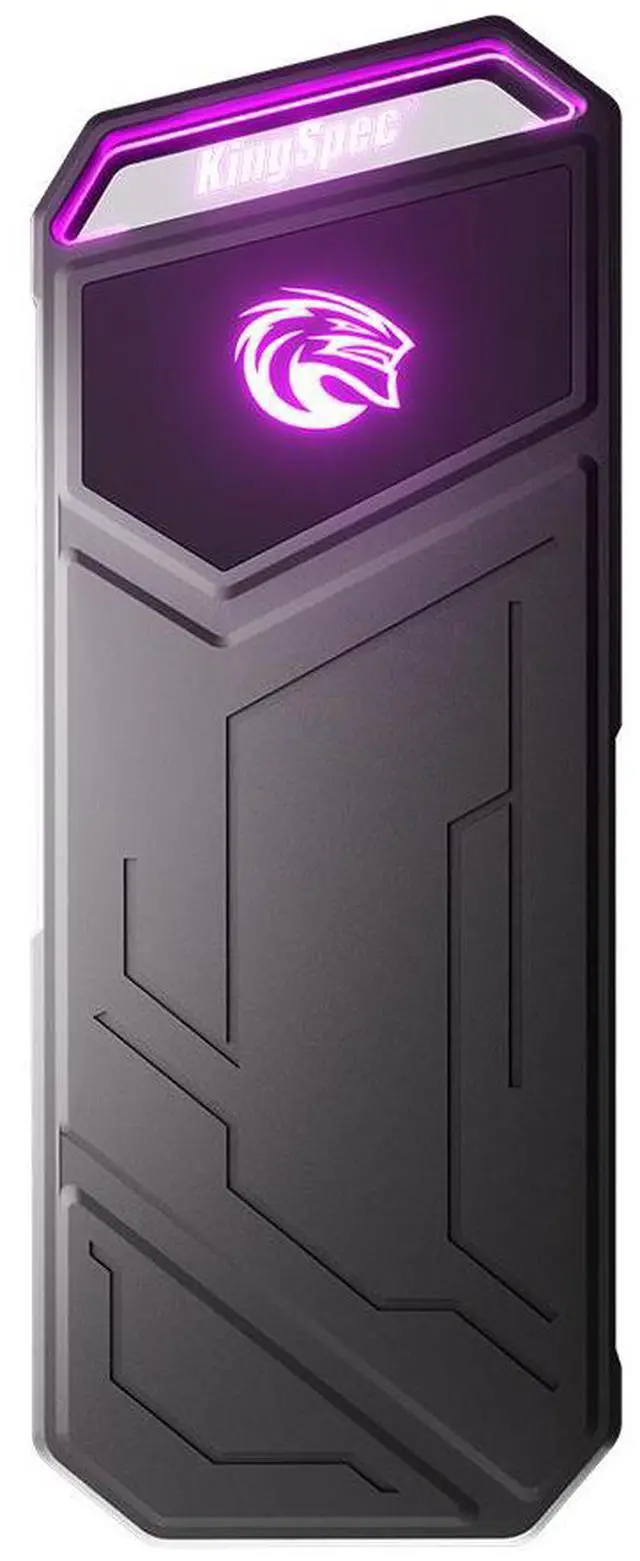
The KingSpec Z5 512GB is a portable external SSD with USB 3.2 Gen 2x2 Type-C connectivity, built for photographers, content creators, and gamers who want fast file transfers up to 2100MB/s in a compact desktop-friendly design.
Recommended For
- PC users who already have a USB 3.2 Gen 2x2 (20Gbps) Type-C port and regularly move large video, photo, or game files. This is the clearest fit because the Z5’s main real-world advantage is high sequential transfer speed when the host actually supports 20Gbps.
- Photographers or videographers who need a small, bus-powered drive for offloading shoots in the field, then copying big batches back at a desk. The form factor and tested large-file throughput suit card dumps and media shuttling better than always-on workstation storage.
- Laptop users who want a portable scratch drive for short bursts of large-file work such as exporting projects, moving raw footage, or carrying game libraries between systems. Benchmark data suggests it handles large transfers well before cache limits matter.
- Users who mainly transfer large, contiguous files rather than huge folders of tiny files. Independent testing shows the drive is much stronger on sequential and ISO-style copying than on many-small-file workloads.
Real-World Use Scenarios
- Photographers can use it as a fast field backup drive for daily shoots; importing and copying large batches of RAW photos should feel quick on a USB 3.2 Gen 2x2 port, but very large transfers may slow after the cache fills.
- Content creators can move finished video projects, media libraries, or client deliverables between PCs without waiting on HDD-like speeds; in practice it is better suited to transferring large files than handling folders packed with many small files.
- PC gamers can use it to store large game installers, move game folders between systems, or keep a secondary portable library; game-sized file copies should be reasonably fast, though it is not the best match for workloads dominated by lots of small files.
- Users with a laptop or desktop that supports USB 3.2 Gen 2x2 can get near the drive's advertised class of performance for large transfers; on Macs or older USB ports, the experience will be noticeably slower because the interface becomes the bottleneck.
- It works best as a portable project or backup drive that is plugged in when needed, rather than as a mission-critical always-connected drive; community reports suggest some users have seen stability issues, so cautious buyers may want a second backup for important files.
Spec Summary
| Attribute | Value |
|---|
| Best For | Photographers, content creators, and gamers who need a portable 512 GB external SSD for fast file transfers and working with large media files |
|---|
| Interface And Performance | USB 3.2 Gen 2x2 Type-C interface (20 Gbps); sequential performance up to 2100 MB/s read and up to 1850 MB/s write; 4KB random IOPS up to 64,000 read and 67,000 write |
|---|
| Capacity | 512 GB solid-state storage |
|---|
| NAND And Data Management | 3D TLC NAND with TRIM, S.M.A.R.T., NCQ, wear-leveling and power management |
|---|
| Reliability And Environmental | MTBF 1,000,000 hours; operating temperature 0°C to +70°C; storage temperature -20°C to +75°C; operating humidity 5–95% |
|---|
| Power And Power Consumption | Power consumption approximately 1.0 W idle and 5.25 W active; no batteries required |
|---|
| Physical Dimensions & Weight | Product dimensions 104.70 mm × 40.00 mm × 10.70 mm; weight 116 g |
|---|
| Form Factor And Description | External solid-state drive, 2.5-inch form factor; connects over USB |
|---|
| Included Accessories And Packaging | Includes one USB Type-C cable; packaged quantity 1 with package dimensions 132 × 105 × 16 mm and package weight 0.177 kg |
|---|
| Model Identifiers | KingSpec Z5 Series, model Z5-512 (Model Name: Z5); manufacturer KingSpec |
|---|
Reference Q&A
Q: Should I buy the KingSpec Z5 512GB or a Samsung T9?
A: Choose the KingSpec Z5 512GB if you want 20Gbps-class portable SSD performance in a smaller-capacity drive and your PC supports USB 3.2 Gen 2x2. Choose the Samsung T9 if you want a more established premium option with broader review coverage, Samsung software support, hardware encryption, and higher capacity options. In everyday use, both target the same performance tier, so the main decision is value and capacity on the KingSpec side versus ecosystem, software, and brand support on the Samsung side.
Q: Is the KingSpec Z5 512GB a better fit than a 10Gbps portable SSD like the Samsung T7 Shield?
A: The KingSpec Z5 512GB is the better fit when faster large-file transfers matter and your computer has a USB 3.2 Gen 2x2 port. A 20Gbps drive like the Z5 is positioned above 10Gbps models, which typically top out around the 1,000MB/s class in real use. A 10Gbps drive is still the simpler choice when you care more about broad compatibility than peak transfer speed, because many laptops and Macs do not expose USB 3.2 Gen 2x2 bandwidth.
Q: Should I choose the KingSpec Z5 512GB or spend more for a SanDisk Extreme PRO Portable SSD?
A: Choose the KingSpec Z5 512GB when you want this performance class in a lower capacity and likely lower-cost configuration. Choose the SanDisk Extreme PRO Portable SSD when you want a more rugged mainstream alternative with IP65 protection, widely documented field use, and a five-year warranty. Performance targets are similar on paper because both are 20Gbps portable SSDs, so the trade-off is usually price and capacity versus durability features and brand-backed extras.
Q: Is the 512GB KingSpec Z5 enough, or should I move up to a 1TB or 2TB portable SSD?
A: Buy the 512GB KingSpec Z5 if you mainly need a fast transfer drive for project handoffs, game storage rotation, or travel use with a limited working set. Move up to 1TB or 2TB if you regularly store 4K video, large photo libraries, or multiple modern games, because higher capacities reduce space pressure and usually make more sense for creator workflows. The choice is mostly about usable capacity, not a different product tier, since the Z5 line is positioned around the same 20Gbps performance concept across capacities.
Q: Is the KingSpec Z5 512GB better for portability, or should I prioritize a more rugged portable SSD?
A: The KingSpec Z5 512GB is the better choice when you want a compact, straightforward high-speed drive for desk-to-bag portability and fast transfers. A more rugged portable SSD is the better choice when the drive will be used outdoors, on shoots, or in travel conditions where water, dust, and drop protection matter more than style. This is a portability-versus-protection decision: the Z5 focuses on 20Gbps performance and compact carry, while rugged alternatives add environmental protection and longer published durability features.
Q: Is the KingSpec Z5 512GB a good fit for photographers, creators, or anyone moving large files often?
A: Yes, if your main need is fast external storage for large file transfers. The Z5 is rated for up to 2,100MB/s read and 1,850MB/s write over USB 3.2 Gen 2x2, which makes it more suitable for moving photos, video projects, and game files than basic 5Gbps or 10Gbps portable drives. The main trade-off is that you only get full benefit if your computer supports 20Gbps USB 3.2 Gen 2x2; on many Macs and other systems, real speed will be lower.
Q: Will it reach full speed on a MacBook or other USB-C laptop?
A: Not always. The Z5 uses USB 3.2 Gen 2x2 (20Gbps), and many laptops, especially Macs, do not support Gen 2x2 at full speed. It should still connect and work over USB-C or Thunderbolt/USB4 ports, but transfer rates may fall closer to the host port's actual supported mode. This is a common buying concern for portable SSDs, so buyers should verify port support before paying extra for a 20Gbps drive.
Q: Is it a good portable SSD for gaming on PC or console?
A: It is a reasonable choice for PC gaming and for storing large game libraries, but console use has limits. Retail Q&A for comparable external SSDs repeatedly asks about PS5 and Xbox support. In practice, drives like this work well for PC game storage and fast file access. For PS5, an external SSD can store PS5 games and run PS4 games, but PS5 titles generally must be moved back to internal storage to play. Buyers who want true PS5 expansion should look at an internal PS5-compatible M.2 SSD instead.
Q: Who is this drive best for, and who should skip it?
A: The Z5 is best for users who want a compact external SSD mainly for file transfer, backup, content work, or PC gaming, and who have a host device that can take advantage of faster USB modes. It is less ideal for buyers who specifically need broad phone compatibility, since the product listing says it is not recommended for iPhone-related products. It is also a weaker fit for users who only do basic office documents, because a lower-cost 10Gbps portable SSD would likely feel similar in everyday use.
Q: Is it better than a more common 10Gbps portable SSD like the Samsung T7 or entry SanDisk models?
A: It can be better for peak transfer speed, but not for every buyer. The Z5's main advantage is its 20Gbps Gen 2x2 interface and higher rated throughput. A Samsung T7-class drive is usually the safer choice for broad compatibility and mainstream everyday use, because 10Gbps portable SSDs are easier to fully utilize across laptops and desktops. The Z5 makes more sense if you know your system supports 20Gbps and you regularly move large files; otherwise, the real-world difference may be modest.
Q: Is the KingSpec Z5 512GB worth buying if I want a fast portable SSD for file transfers?
A: It can be a reasonable buy if your main priority is high advertised speed at a lower price than better-known brands, and if your computer supports USB 3.2 Gen 2x2. The main trade-off is confidence: Reddit discussions repeatedly raise uncertainty about long-term reliability, and community comments note that older USB ports can limit real-world speed well below the rated maximum.
Q: Do I need a special USB port to get the KingSpec Z5's full speed?
A: Yes. The Z5 is a USB 3.2 Gen 2x2 drive, so its top speed depends on the host device supporting that standard. If you plug it into an older USB 3 port, transfer speeds can be much lower. This makes it a better fit for newer PCs than for buyers who only have basic USB 3.0 ports.
Q: Who is the KingSpec Z5 512GB most suitable for?
A: It is most suitable for users who want a compact external SSD for moving large files, game storage, or portable use across PCs and USB-C devices. The 512GB capacity fits lighter workloads better than large media libraries or long-term project archives. It is less suitable for buyers who need broad phone compatibility, since the product listing specifically says it is not recommended for iPhone-related products.
Q: Is the KingSpec Z5 a safe choice for important files or daily work?
A: It is better treated as a performance-focused portable SSD than as your only copy of important data. Reddit posts mentioning the Z5 include reports of system slowdown and file corruption concerns, even though some users also report that it works as expected. If you buy it for work files, regular backups are strongly recommended.
Q: What are the main trade-offs of choosing the KingSpec Z5 over a better-known portable SSD?
A: The main trade-off is value versus certainty. On paper, the Z5 offers faster peak specs than many mainstream portable SSDs in the same price discussion, but community posts repeatedly question reliability, support, and whether buyers can actually use the full 20Gbps speed on their hardware. It makes more sense for budget-conscious buyers who understand these limits than for buyers who want the lowest-risk option.