


- Free 30-day Returns
$559.99
Add to PC build list
Sold by Newegg
Shipped by Newegg
Add to Wish List(Found on 5 wish lists)
Best Sellers
 Hot Seller
- $576.55
- + $10.99 Shipping
 Top Rated
- $602.99
- + FREE SHIPPING
- $612.97
- + FREE SHIPPING


Get Educated
Make informed decisions with expert advice. Learn More

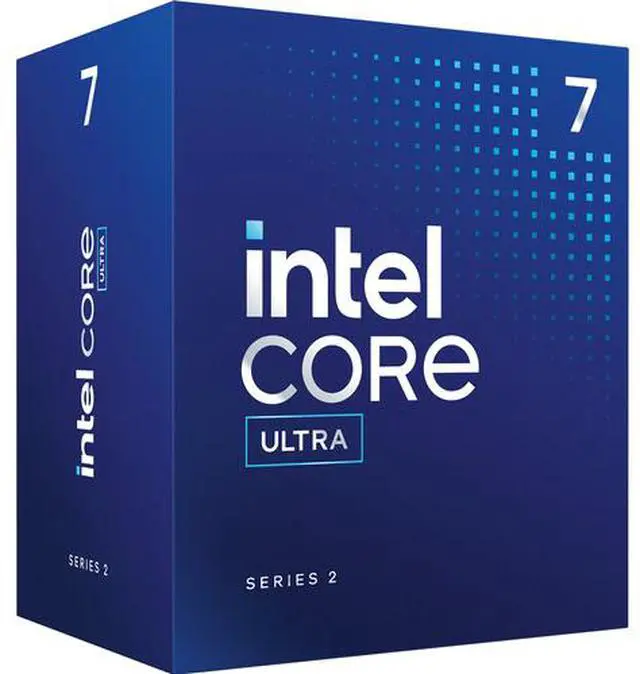

Intel Core Ultra 7 265 - Core Ultra 7 (Series 2) 20-Core (8P+12E) Performance-core Base Frequency: 2.4 GHz Efficient-core Base Frequency: 1.8 GHz LGA 1851 65W Intel Graphics Desktop CPU Processor - BX80768265
Free Intel AI Software Bundle, limited offer
- 3nm (TSMC N3B) 65W
- 30MB L3 Cache
- 36MB L2 Cache
- Intel Graphics
+
+
Overview
Specs
Reviews (5)
ULTRA 7 DESKTOP PROCESSOR 265 20 CORES 3 YR WARRANTY MM#99CN99
Warranty & Returns
Warranty, Returns, And Additional Information
Warranty
- Limited Warranty period (parts): 3 years
- Limited Warranty period (labor): 3 years
- Read full details
Return Policies
- Return for refund within: 30 days
- Return for replacement within: 30 days
- This item is covered by Newegg.ca's Standard Return Policy.
- Read full return policy for details.
Manufacturer Contact Info
- Manufacturer Product Page
- Manufacturer Website
- Support Phone: 1-916-377-7000
- Support Website
- View other products from Intel
LOADING...
LOADING...
The Intel Core Ultra 7 265 is a 20-core desktop processor for LGA 1851 systems, with 8 performance cores, 12 efficiency cores, and boost frequencies up to 5.3 GHz; it suits users building a responsive desktop for multitasking and varied workloads.
Recommended For
- Desktop users who regularly compile code, render projects, or transcode video can benefit from the Core Ultra 7 265’s 20-core design; a review of this exact non-K model found strong multithreaded rendering results.
- Office and home-office users running demanding multitasking workloads can consider it for responsive productivity work; testing of the non-K 265 also found it well suited to office applications.
- Businesses building managed desktop fleets can evaluate it for compatible systems that use Intel vPro Enterprise and AMT features for remote administration; confirm those features are enabled by the system vendor.
- Builders who need a display output before installing a graphics card, or want integrated video as a backup for troubleshooting, can use the processor’s Intel Graphics; it also supports Quick Sync video features.
Real-World Use Scenarios
- When a desktop is used for software development alongside many browser tabs, spreadsheets, and background tasks, the Core Ultra 7 265 can keep those workloads running together responsively; compiling or other parallel tasks can use its multiple cores.
- For a home or small-office workstation that runs virtual machines, the 265 supports Intel virtualization features, making it a suitable CPU to consider for testing software or keeping separate environments; the number of VMs it can run comfortably depends on memory and workload.
- When editing video or rendering 3D scenes on a desktop, the 265 can handle CPU-heavy parts of the workflow, such as exports or renders; the time saved varies by application, project, and graphics card.
- In a gaming PC paired with a discrete graphics card, the 265 can run games while leaving CPU capacity for voice chat, streaming tools, or other background apps; gaming results depend heavily on the graphics card, resolution, and game, so it is not a guarantee of top frame rates.
- For a general-use desktop without a discrete graphics card, the integrated Intel Graphics can drive a display for everyday desktop tasks; demanding modern games and GPU-heavy creative work are better planned around a suitable discrete graphics card.
Spec Summary
| Attribute | Value |
|---|---|
| Best For | Desktop systems needing a 20-core processor with DDR5 memory support and integrated graphics |
| Cores And Threads | 20 cores (8 performance cores and 12 efficiency cores) with 20 threads |
| Clock Speeds | Performance-core base 2.4 GHz; efficient-core base 1.8 GHz; maximum turbo up to 5.2 GHz on performance cores and 4.6 GHz on efficiency cores; Turbo Boost Max 3.0 up to 5.3 GHz |
| Cache And Power | 36 MB L2 cache and 30 MB L3 cache; 65 W base power and up to 182 W turbo power |
| Socket And Platform | LGA 1851 socket, Arrow Lake code name, Intel 800 Series chipset compatibility, and 3 nm TSMC N3B manufacturing process |
| Memory Configuration | Supports up to 256 GB of dual-channel DDR5 memory at up to 6400 MT/s, with ECC support |
| Integrated Graphics | Intel Graphics with a 300 MHz base frequency and up to 1.95 GHz dynamic frequency |
| PCI Express And Expansion | PCIe 5.0 and 4.0 support, up to 24 lanes, with configurations of 1x16+2x4, 2x8+2x4, or 1x8+4x4 |
| Cooling And Thermal Features | Includes Intel Laminar RM2 cooling device; supports idle states and thermal monitoring |
| Processing Technologies And Instruction Set | Intel Thread Director, Speed Shift, Turbo Boost 2.0 and Turbo Boost Max Technology 3.0; Intel GNA 3.5; 64-bit instruction set with SSE4.1, SSE4.2, and AVX2 extensions; Intel 64 support; Hyper-Threading not supported |
| Security, Manageability And Virtualization | vPro Enterprise eligible; includes Intel TDT, AMT, ISM, Remote Platform Erase, One-Click Recovery, Secure Key, Control-Flow Enforcement, Total Memory Encryption–Multi Key, AES New Instructions, Trusted Execution, Execute Disable Bit, OS Guard, Boot Guard, MBEC, SIPP, VT-rp, VT-x, VT-d, and VT-x with EPT |
| Model Identifiers | Intel Core Ultra 7 Series 2 desktop processor; model BX80768265 |
Reference Q&A
Q: Core Ultra 7 265 or 265K: which should I choose?
A: Choose the Core Ultra 7 265 for a 65W-base-power desktop build where you do not need CPU overclocking; choose the 265K if you want an unlocked processor and higher peak clocks. Both have 20 cores (8 performance and 12 efficient) and 20 threads, but the 265K has a 125W processor base power and boosts up to 5.5 GHz, compared with 65W and up to 5.3 GHz for the 265. Check motherboard and cooling requirements for your planned system.
Q: Is the Core Ultra 7 265 a worthwhile upgrade from the Core i7-14700?
A: For a new build, the 265 offers the newer LGA1851 platform, 36MB of L2 cache, and a 182W maximum turbo power. The i7-14700 has 28 threads versus the 265’s 20 and supports a different LGA1700 platform. If you already have a compatible LGA1700 motherboard, compare the cost of keeping that system before switching; the 265 requires an LGA1851 motherboard.
Q: Core Ultra 7 265 or Ryzen 7 9700X for a gaming and work PC?
A: Consider the Core Ultra 7 265 if your work benefits from its 20-core, 20-thread configuration and you want an LGA1851 system with Intel Graphics built in. Consider the Ryzen 7 9700X for an AM5 build with 8 cores, 16 threads, and a 65W default TDP. Both include integrated graphics. Gaming results depend on the game, graphics card, settings, and benchmark; compare testing for the specific games and workloads you use rather than choosing by core count alone.
Q: Should I get the Core Ultra 7 265 or step up to the Core Ultra 9 285?
A: Choose the Core Ultra 7 265 for a 20-core desktop system; step up to the Core Ultra 9 285 if your workloads can use its additional cores. Intel lists the 285 with 24 cores (8 performance and 16 efficient), compared with the 265’s 20 (8 performance and 12 efficient). Both are LGA1851 processors, so compare the full system cost and workload-specific benchmarks before paying for the higher-tier CPU.
Q: Will this processor work with my motherboard?
A: It requires an LGA 1851 motherboard with an Intel 800-series chipset. Check the motherboard’s socket and CPU-support list before buying; an LGA 1700 board is not compatible.
Q: Does it have integrated graphics, or do I need a graphics card?
A: It includes Intel Graphics, so a separate graphics card is not required for basic display output when paired with a motherboard that has a compatible display connection. A discrete graphics card may be needed for graphics-intensive workloads.
Q: What memory does this CPU support?
A: It supports DDR5 memory up to 6400 MT/s and up to 256 GB of memory. Confirm the motherboard’s memory support and the speed supported for your chosen configuration.
Q: Does it come with a CPU cooler?
A: The product specifications list an Intel Laminar RM2 cooling device. Check the seller’s package-contents details to confirm what is included with the specific listing.
Q: Is the Core Ultra 7 265 suitable for a PC without a graphics card?
A: It includes Intel Graphics, which can handle basic display output and everyday use. In a Reddit discussion, a Core Ultra 7 265 owner said the integrated graphics were adequate for non-gaming use; plan on a separate graphics card for more demanding gaming.
Q: Is the Core Ultra 7 265 worth considering for a new PC build?
A: It may suit a new build if you want a 20-core CPU for general use and multitasking, and its LGA 1851 socket requires a compatible Intel 800-series motherboard. Whether it is good value depends on the total cost of the CPU, motherboard, and memory; community discussions raise value comparisons with other CPUs but do not establish a universal best buy.
Q: Should I choose the Core Ultra 7 265 over the 265K?
A: The Reddit discussion frames the choice around price, performance, and power or heat priorities. The 265 is rated at 65W base power with up to 182W turbo power, but the provided information does not establish a direct performance comparison with the 265K. Compare current prices and reviews for your specific workload before choosing.
Q: Is the Core Ultra 7 265 a worthwhile upgrade from an existing desktop CPU?
A: It is a more natural fit for a new build or a substantial upgrade than for replacing a recent high-end CPU. Reddit users specifically debate whether moving from a 14th-generation i7 is worthwhile, so compare performance in your actual applications and include the cost of an LGA 1851 motherboard and DDR5 memory.