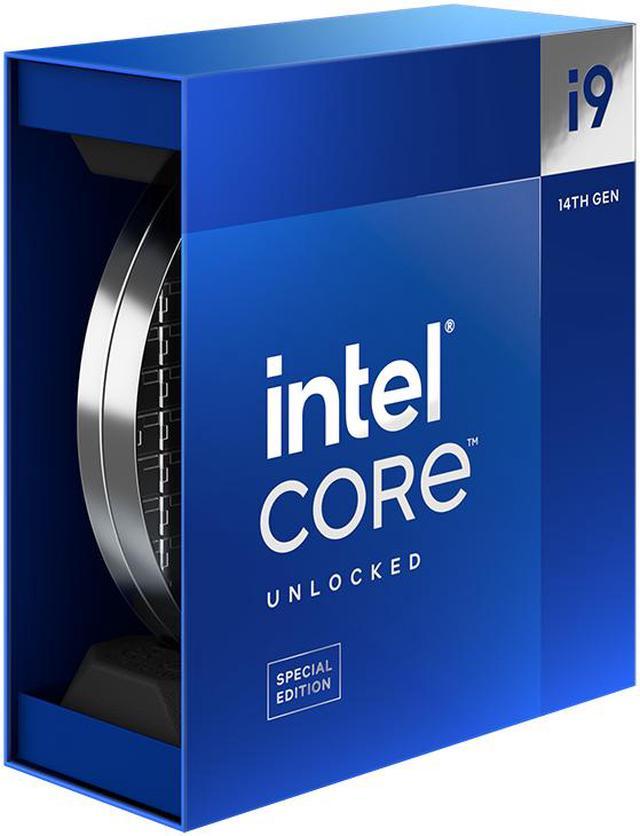
The Intel Core i9-14900KS is a 24-core, 32-thread LGA 1700 desktop processor with boost speeds up to 6.2 GHz, suited to enthusiasts building high-performance gaming or creator PCs with a compatible motherboard and separate cooling.
Recommended For
- Desktop overclocking and benchmarking enthusiasts who want an unlocked Intel CPU with a 6.2 GHz maximum turbo and have the cooling and power setup to tune it.
- Creators running CPU-intensive desktop workloads, such as rendering or production multitasking, who can make use of its 24 cores and 32 threads and are prepared to cool a high-power processor.
- Enthusiasts building a top-end Intel desktop for gaming alongside demanding creator or compute tasks, where high clock speeds and many cores matter more than efficiency or value.
Real-World Use Scenarios
- When building a high-end gaming PC for CPU-sensitive games or high-refresh-rate play, the 14900KS can deliver top-tier frame rates with a suitable graphics card; at higher resolutions, the GPU often has more influence, and reviews show only modest gains over the 14900K in many tests.
- When editing video in Adobe Premiere Pro and exporting projects, the 14900KS handles the workload quickly; testing found a small improvement over the 14900K, so expect a refinement rather than a dramatic upgrade.
- When producing CPU-based 3D renders in applications such as Blender or V-Ray, the 14900KS can complete heavily threaded jobs quickly, but sustained rendering creates substantial heat and power demand, making a capable cooling setup important.
- When compiling software, compressing files, or running other CPU-heavy desktop tasks, the 14900KS can keep many threads busy and respond quickly in lightly threaded steps; its advantage over the standard 14900K is generally small.
- When experimenting with overclocking or tuning a flagship desktop build, the 14900KS provides an enthusiast-focused platform for testing high clocks, but sustained heavy loads can push temperatures and power use high, so cooling and motherboard capability need to match the setup.
Spec Summary
| Attribute | Value |
|---|
| Best For | Desktop systems needing a 24-core, 32-thread processor with integrated graphics for an LGA 1700 platform |
|---|
| Cores And Threads | 24 cores (8 performance cores and 16 efficient cores), 32 threads, with Hyper-Threading support |
|---|
| Clock Speeds | Base: 3.2 GHz P-core and 2.4 GHz E-core; maximum turbo: up to 6.2 GHz Thermal Velocity Boost, 5.9 GHz Turbo Boost Max 3.0, 5.7 GHz P-core, and 4.5 GHz E-core |
|---|
| Cache And Power | 32 MB L2 cache, 36 MB L3 cache, Intel 7 process, 150 W TDP, and 253 W maximum turbo power; cooling device not included |
|---|
| Socket And Platform | LGA 1700; compatible with Intel H610, H670, B660, Q670, W680, Z690, H770, B760, and Z790 chipsets; a BIOS update may be required with some older chipset motherboards |
|---|
| Memory Support | Dual-channel DDR4-3200 or DDR5-5600 memory, up to 192 GB; ECC supported |
|---|
| PCIe Support | PCI Express 5.0 and 4.0, with up to 20 lanes |
|---|
| Integrated Graphics | Intel UHD Graphics 770 |
|---|
| Processor Technologies And Security | Includes Intel Thread Director, Gaussian & Neural Accelerator 3.0, Deep Learning Boost, Speed Shift, Adaptive Boost, Thermal Velocity Boost, Turbo Boost 2.0 and Max 3.0, SSE4.1, SSE4.2, AVX2, AES New Instructions, Control-Flow Enforcement, Boot Guard, OS Guard, Secure Key, Execute Disable Bit, and Intel VT-x, VT-d, and EPT |
|---|
| Operating System Support | Linux, Windows 10 (21H2 and 22H2), and Windows 11 (21H2 and 22H2) |
|---|
| Model Identifiers | Intel Core i9 14th Gen Raptor Lake; Core i9-14900KS; model BX8071514900KS |
|---|
Reference Q&A
Q: Should I get the Core i9-14900KS or the Core i9-14900K?
A: Choose the Core i9-14900K for nearly the same performance at a lower price; choose the 14900KS if you specifically want its higher 6.2 GHz maximum turbo frequency or are tuning for maximum clocks. In Tom’s Hardware’s testing, the KS was only 1.7% faster in 1080p gaming and 2.5% faster at 1440p, with small gains in productivity benchmarks as well.
Q: Is the Core i9-14900KS or Ryzen 9 7950X3D better for gaming?
A: For a gaming-first build, consider the Ryzen 9 7950X3D: its large 3D V-Cache benefits many CPU-limited games, though results vary by title. The Core i9-14900KS is a better fit if you also want high-clock Intel performance for mixed workloads or need its LGA 1700 platform options. Compare benchmarks for the games you play, since no single result applies to every title.
Q: Core i9-14900KS or Core Ultra 9 285K for a high-end desktop?
A: Choose the Core Ultra 9 285K if productivity performance, power efficiency, and a newer platform are priorities. The Core i9-14900KS is a fit if you are building around LGA 1700 or want its higher peak turbo frequency; Tom’s Hardware found the 285K made productivity gains but had difficulty matching its previous-generation counterpart in gaming. They use different motherboard platforms, so check platform compatibility before choosing.
Q: Should I choose the Core i9-14900KS or Ryzen 9 7950X for rendering and other multicore work?
A: For workloads that scale across many threads, the Ryzen 9 7950X is a strong alternative: Tom’s Hardware measured it about 2% ahead of the 14900KS in its overall multithreaded test results. The 14900KS is a better match when lightly threaded performance or Intel platform compatibility matters; choose based on benchmarks for the specific applications you use.
Q: Does the Core i9-14900KS come with a CPU cooler?
A: No. The processor is sold without a cooler. Its rated power is 150W, with maximum turbo power of 253W, so plan for a capable cooling solution and a case with adequate airflow.
Q: Will the Core i9-14900KS work with my motherboard?
A: It requires an LGA 1700 motherboard. The listed compatible chipsets include Intel 600- and 700-series options, but some older boards may need a BIOS update. Check the motherboard maker’s CPU support list and BIOS requirements before buying.
Q: Is this processor suitable for gaming and demanding work?
A: It is a high-performance desktop CPU with 24 cores, 32 threads, and boost speeds up to 6.2 GHz. It is suited to demanding gaming and heavily threaded work, but its power and cooling requirements may be more than needed for basic office tasks or a budget-focused build.
Q: Can I use DDR4 or DDR5 memory with the Core i9-14900KS?
A: The processor supports DDR4-3200 or DDR5-5600, but the motherboard determines which memory type you can use. Choose memory that matches the board; DDR4 and DDR5 are not interchangeable in the same motherboard.
Q: Is the Core i9-14900KS worth paying extra for over a 14900K?
A: It is most relevant if you specifically want the KS model’s higher boost ceiling or plan to tune and overclock it. If the price premium is substantial and you do not need that extra headroom, discussions and reviews question its value compared with the 14900K.
Q: What cooling and power should I plan for with the 14900KS?
A: Plan for a capable CPU cooler and adequate power delivery: the box does not include a cooler, and the listed maximum turbo power is 253W. Owners and reviewers discuss high power draw and heat, especially under heavy workloads; power limits or undervolting are options if you are willing to tune performance.
Q: Is the 14900KS a good choice for both gaming and work?
A: Its 24 cores (8 performance and 16 efficiency) and 32 threads make it a candidate for mixed gaming and heavily threaded work. It is not automatically the best-value gaming choice: discussion comparing it with gaming-focused alternatives notes that game performance depends on workload, and the KS model’s premium may not be justified for gaming alone.
Q: Does it make sense to build a new DDR4 system around the 14900KS?
A: The processor supports DDR4-3200 as well as DDR5-5600, but your motherboard must match the memory type. A Reddit discussion favors reusing DDR4 when it is already owned; for a new build, weigh the cost of the compatible board and memory against choosing DDR5 instead.