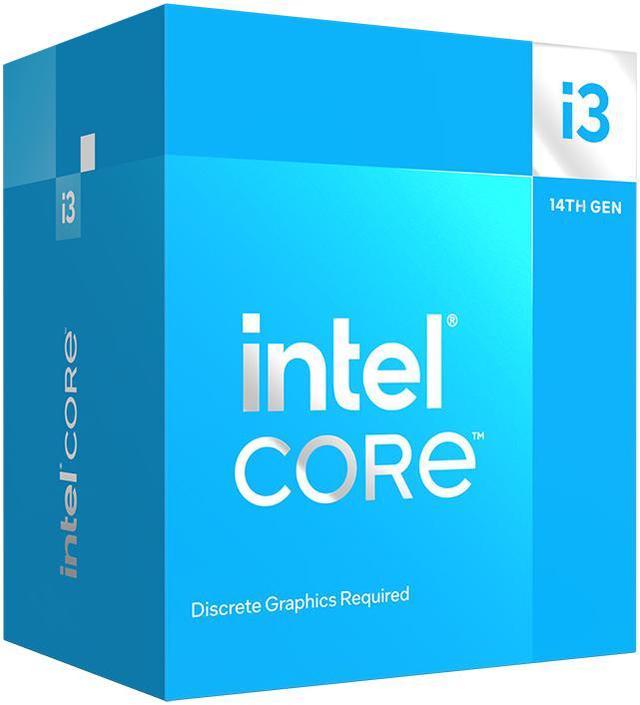
The Intel Core i3-14100F is a 14th Gen desktop processor with 4 performance cores, 8 threads, and boost speeds up to 4.7 GHz, suited to budget-conscious PC builders who will pair it with a discrete graphics card.
Recommended For
- Budget PC builders pairing a dedicated graphics card with the CPU for entry-level gaming, especially when gaming performance matters more than having extra cores for other tasks.
- Home-office users who mainly run everyday desktop apps, web browsing, and light multitasking on a desktop with a separate graphics card.
- Builders reusing a compatible LGA 1700 motherboard who want a newer 14th Gen desktop CPU and are prepared to check whether their board needs a BIOS update.
- Cost-conscious builds where the CPU budget is being kept modest to leave more of the system budget for a dedicated graphics card, memory, or storage.
Real-World Use Scenarios
- Building a cost-conscious gaming desktop with a separate graphics card: in Tom’s Hardware testing, the i3-14100F delivered competitive results with an RTX 4060, making it a practical CPU option for a budget-focused gaming build. The processor has no integrated graphics, so a discrete GPU is required.
- Using one affordable family PC for everyday tasks and occasional gaming: a community build paired this CPU with a discrete graphics card for 1080p gaming and light video editing. It suits a mixed-use starter system, but it is not aimed at intensive editing workloads.
- Running office and general desktop applications—such as documents, spreadsheets, web browsing, and presentations: benchmark testing found strong lightly threaded and Office-suite performance for this budget CPU. A separate graphics card is still needed to connect a display.
- Editing short or occasional video projects on a budget: a user reported doing light video editing on a family PC built around the i3-14100F. For frequent exports or other heavily threaded creative work, expect longer waits than with a higher-core-count processor.
Spec Summary
| Attribute | Value |
|---|
| Best For | Desktop builds with a compatible LGA 1700 motherboard and a discrete graphics card |
|---|
| Cores And Threads | 4 cores (4 performance cores, 0 efficiency cores) and 8 threads, with Hyper-Threading support |
|---|
| Clock Speeds | 3.5 GHz performance-core base frequency and up to 4.7 GHz turbo frequency |
|---|
| Cache And Power | 5 MB L2 cache, 12 MB L3 cache, 58 W thermal design power, and 110 W maximum turbo power |
|---|
| Socket And Platform | LGA 1700 socket; compatible with Intel H610, H670, B660, Q670, W680, Z690, H770, B760, and Z790 chipsets. Older chipset motherboards may require a BIOS update |
|---|
| Memory Configuration | Supports dual-channel DDR4-3200 or DDR5-4800 memory, up to 192 GB and 76.8 GB/s bandwidth |
|---|
| PCI Express And Expansion | PCI Express 5.0 and 4.0 support, up to 20 lanes, with configurations up to 1x16+4 or 2x8+4 |
|---|
| Architecture And Features | Raptor Lake architecture, manufactured on Intel 7, with 64-bit instruction set, virtualization support, and single-socket scalability |
|---|
| Cooling | Intel Laminar RM1 cooler included |
|---|
| Operating System Compatibility | Supports Linux, Windows 10 (21H2 and 22H2), and Windows 11 (21H2 and 22H2) |
|---|
| Model Identifiers | Intel Core i3-14100F, 14th Gen Core i3; model BX8071514100F |
|---|
Reference Q&A
Q: Should I buy the Core i3-14100F or Ryzen 5 5600?
A: Choose the Core i3-14100F for a budget build using a compatible LGA 1700 motherboard and a discrete graphics card, especially if gaming is the main use. The Ryzen 5 5600 has 6 cores and 12 threads, compared with the i3-14100F’s 4 cores and 8 threads, making it a stronger fit for workloads that use more cores. Reviews find that gaming results vary by game, so compare total CPU, motherboard, and memory cost before choosing.
Q: Is the Core i3-14100F worth choosing over the i3-13100F?
A: Choose the i3-14100F when its price is close to the i3-13100F’s: both have 4 cores and 8 threads, while the 14100F boosts up to 4.7 GHz versus 4.5 GHz for the 13100F. Their performance difference is generally modest, so the i3-13100F can make more sense if it is meaningfully cheaper. Both F models require a discrete graphics card.
Q: Should I spend more on the Core i5-14400F instead?
A: Choose the Core i3-14100F to keep the CPU cost down for a budget gaming or everyday-use PC. Step up to the i5-14400F if you regularly run multi-core workloads, stream while gaming, or want more core and thread capacity: it has 10 cores and 16 threads, compared with the i3-14100F’s 4 cores and 8 threads. Both are LGA 1700 F-series processors and need a discrete graphics card.
Q: Should I get the i3-14100 or i3-14100F?
A: Choose the i3-14100F if the PC will always use a discrete graphics card and the F model costs less. Choose the i3-14100 if you need built-in graphics for a display without a discrete GPU, or want integrated graphics available for troubleshooting. Their core count and maximum turbo frequency are the same; the key difference is that the 14100 includes Intel UHD Graphics 730 and the 14100F does not.
Q: Does the Core i3-14100F need a separate graphics card?
A: Yes. The i3-14100F has no integrated graphics, so a desktop using it needs a separate graphics card to provide display output.
Q: Does the i3-14100F come with a CPU cooler?
A: Yes. The boxed i3-14100F includes an Intel Laminar RM1 cooler.
Q: Will the i3-14100F work with my existing motherboard and RAM?
A: Check that the motherboard has an LGA 1700 socket and a supported Intel 600- or 700-series chipset; some older boards may need a BIOS update. The processor supports DDR4-3200 or DDR5-4800, but the motherboard determines which memory type you can use.
Q: Is the i3-14100F worth buying for a budget gaming PC?
A: It can suit a lower-cost gaming build, but its value depends on the price of the CPU and compatible motherboard compared with alternatives. It has 4 cores and 8 threads, so compare it with similarly priced processors before choosing, especially if you expect to run demanding games or other workloads at the same time.
Q: Does the i3-14100F need a separate graphics card?
A: Yes. The i3-14100F has no integrated graphics, so a desktop build needs a separate graphics card to provide display output.
Q: Will an older LGA 1700 motherboard work with the i3-14100F?
A: It may, but check the motherboard’s CPU-support list and BIOS version before buying. The provided specifications warn that some older-chipset motherboards may need a BIOS update for compatibility.
Q: Is the i3-14100F suitable for gaming while streaming?
A: It may be adequate for some setups, but its 4 cores and 8 threads leave less CPU capacity for simultaneous gaming and streaming than a higher-core-count processor. Because it has no integrated graphics, it also cannot provide Intel Quick Sync; streaming would need to use a supported graphics-card encoder or another encoding method.