

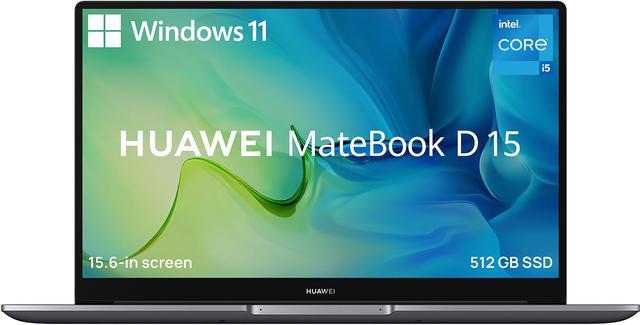
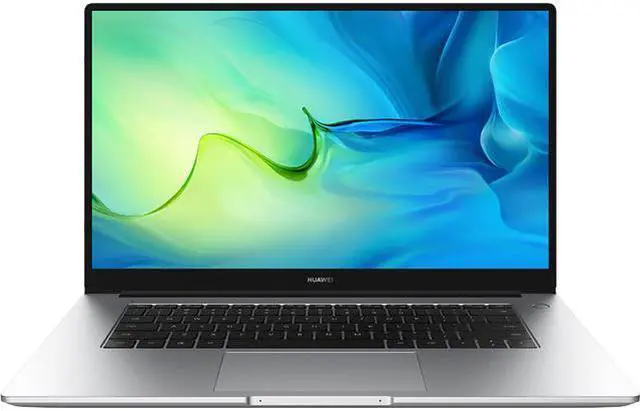




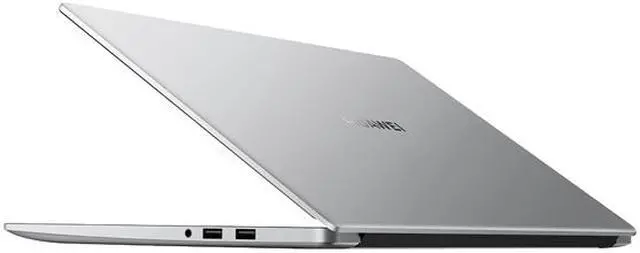


Huawei MateBook D 15 laptop
This light, slim laptop packs powerful Intel processing and a striking slim-bezel display, into a classy casing that's also built to last through challenging conditions. The MateBook pairs seamlessly with your ecosystem of Huawei devices, like phone and tablet, allowing you to effortlessly manage calls, apps, files and more, right from a single screen.
Go to the Edge of What's Possible
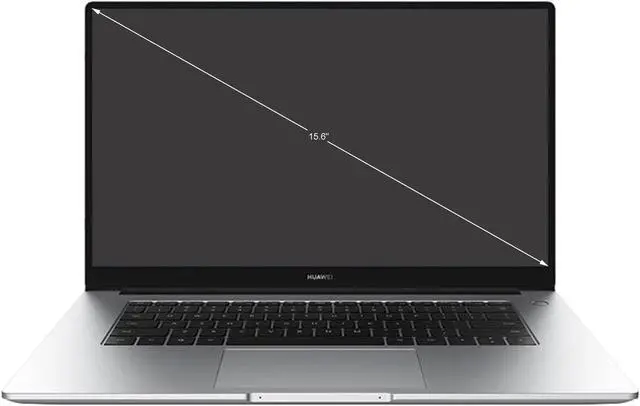
Experience a new kind of vision with HUAWEI MateBook D 15. The IPS 15.6? HUAWEI FullView Display1 and 16:9 aspect ratio stretch the limits of what you can see, while the Full-HD 1920 x 1080 resolution lets every image burst with detail and clarity. Open up and see more. 2

Love Your Eyes
Why strain when you can take it easy? HUAWEI MateBook D 15 is designed to relieve eye strain and vision fatigue, with Flicker-Free and Reduced Blue Light3 certifications from TÜV Rheinland. Keep your eyes fresh and sharp at every moment.

Beat Back the Bezel
No one wants to look at bezel. That's why the 3-sided bezel around HUAWEI MateBook D 15 is slimmed down to a super-narrow 5.3 mm. More screen, more of what you love to see.

Light, but Hardly Slight
HUAWEI MateBook D 15 is a master of portability, with its slim, contoured 16.9 mm thin design, and weight of just 1.56 kg. But don't let its lightness fool you — the stylish, smooth-to-the-touch body is strong and sturdy, for a versatile machine you can take just about anywhere. 4

Let's Get Things Moving!
When it comes to processing, impatience is a good thing. The 11th Gen Intel Core processor makes everything that much faster, so you spend less time waiting and more time doing. HD movies? Still a piece of cake! The Intel Iris Xe paints your favorite content in glowing colors, sending graphics performance through the roof.

Make the Switch from 5 to 6
Join the Wi-Fi 6 revolution to enjoy network speeds of up to 2.7 times faster than the previous generation. That means you get to upload and download files up to an incredible 2.4 Gbps! Move into a faster internet future now.5


Super Device6
Standout Productivity
Drag-and-Drop for Multi-Screen Collaboration
Super Device facilitates seamless cross-device collaboration, allowing a vast array of smart devices to function as one cohesive unit. To form a Super Device, open the control center on your laptop, access the Super Device screen, and drag and drop to connect the devices.

Phone Collaboration

Multiple Phone App Windows
Open up to three phone app windows at the same time on the laptop screen, to multi-task away with ease.

Direct File Access
Access phone files directly on the laptop, with all of the edits automatically saved back on your phone, and transfer documents and images between your phone and laptop simply by dragging and dropping them.

Seamless Call Transfers
Make or answer phone voice and video calls from the laptop screen, for effortless, hands-free calling when you're in the office.

Effortless Cross-Device File Transfers
Transfer files between the laptop and connected devices7 in literally the blink of an eye.

Cross-Device Searching
Search for and find files and images on a connected device, directly from the device on hand8.
Partner up with Other Devices

HUAWEI MatePad
Boost Efficiency with an Extra Screen9

HUAWEI MateView
Wireless Projection without Losing Resolution10

HUAWEI Vision
Screensharing Makes Smooth Presentation11
Pop-up Pairing, Instant Connections
Devices such as earphones, speakers, mice, keyboards, and printers are detected as soon as they are placed close to the computer. Automatic pop-ups facilitate blazing-fast connections12.

Take Charge of Your Power
Keep your power in your pocket. The 65 W USB-C charger for HUAWEI MateBook D 15 is light and compact enough to slip easily into your pocket, while powerful enough to provide 2 hours' MateBook use from a quick 15-min13 charge.
The cable provided is USB-C compatible on both ends, allowing convenient fast data transfers on-the-fly, and supporting SuperCharge14 for your Huawei smartphone.

Enliven Your Ears
HUAWEI MateBook D 15 rewrites the rule book when it comes to sound. Its custom audio algorithms provide truly pristine surround sound that washes over you like a cool, breathtaking wave. Forget laptop sound, this is MateBook sound.


One-Touch, All-Access
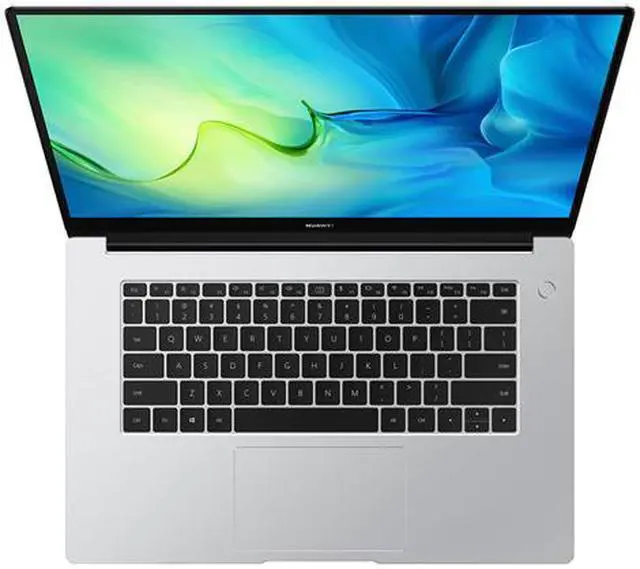
Your finger is your passport to fully access HUAWEI MateBook D 15. Press the Fingerprint Power Button at the top right of the keyboard and it will read your fingerprint, to power on and log you in instantly. The faster and more secure way to start up.
Ports Aplenty
Don't be frustrated by not finding the port you need. HUAWEI MateBook D 15 has all you need and more.

Up to 512 GB + 16 GB
The formidable max. 512 GB PCIe SSD17 reads and writes at a blistering pace, while providing more than enough space for all your images, videos, and documents. The up-to 16 GB memory 18 helps boost transmission efficiency to keep everything tight while hopping from task to task.

Secure Pop-up Webcam
Activates only when your press it to pop up. Putting your privacy at your fingertips.

Go Turbo with Fn+P
The Fn+P hotkey toggles between Performance Mode19, for powering intensive gameplay or professional-level video editing, and Standard Mode, which carefully manages power consumption and reduces fan noise.
* The silkscreen on the keyboard shown is Windows 10, and is for illustration purposes only. The actual product is installed with Windows 11 and please refer to actual product.

Tried, Tested, and Proven
We subject HUAWEI MateBook D 15 to rigorous quality testing, so you can be sure that it's equipped to handle whatever life throws at it.

High-temperature & high humidity test (40°C, 90%RH)

USB-C port durability test

Fingerprint key durability test

Keyboard life test

Hinge life test

Touchpad life test

- FullView Display is a patented and commonly used term for HUAWEI products, referring to screens with a high body-to-screen ratio and reduced bezels.
- All data are typical values.
- The Low Blue Light certification means that when Eye Comfort mode is enabled, the test item's display effects conform to a set of low-blue-light standards approved by TÜV Rheinland (color temperature adjustment effects are not included in the test). Actual blue light filtering effects may vary according to the wavelengths present. Nonetheless, the HUAWEI MateBook D 15 is not a medical device, and Eye Comfort mode is not intended for treatment purposes.
- The measured thickness does not include the foot pads. Thickness and weight may vary depending on the specific product configurations, manufacturing techniques, and measurement methods.
- Data comes from Intel. 2.4 Gbps is the theoretical maximum speed.
- Only certain Huawei mobile phones, tablets, monitors, and certain Huawei laptops running PC Manager 12.0.2 or later support this function. If you have any questions about this feature, please contact your local Huawei customer service hotline.
- Only certain Huawei mobile phones and tablets, and certain Huawei laptops running PC Manager 12.0.2 or later support this function. If you have any questions about this feature, please contact your local Huawei customer service hotline.
- Only certain Huawei mobile phones and certain Huawei laptops running PC Manager 12.0.2 or later support this function. If you have any questions about this feature, please contact your local Huawei customer service hotline.
- This feature is only supported by some types of files and apps in Huawei tablets that run HarmonyOS 2 or later, and some Huawei laptops that run PC Manager 12.0.2 or later. If you have any questions about this feature, please contact your local Huawei customer service hotline.
- Only available on MateView wireless version model (HSN-CBA). If you have any questions about this feature, please contact your local Huawei customer service hotline.
- Only certain Huawei visions and certain Huawei laptops running PC Manager 12.0.2 or later support this function. If you have any questions about this feature, please contact your local Huawei customer service hotline.
- Only certain Huawei accessories,and certain Huawei laptops running PC Manager 0.2 or later support this function. If you have any questions about this feature, please contact your local Huawei customer service hotline.
- Data comes from HUAWEI lab tests. All test items were put through rounds of 15-min PCMark 10 Modern Office sessions, with the authentic 65 W charger and cable used, the battery level at 1% when charging started, and the laptop set in standby mode. Actual performance may vary depending on the specific product, external conditions, and usage habits.
- The 65 W charger supports SuperCharge for the HUAWEI P40 Pro, HUAWEI P40, HUAWEI Mate Xs, HUAWEI Mate 30 Pro, and HUAWEI Mate 30, etc. Please contact Huawei Customer Service (950800) for the full and updated list of models. The 65 W charger supports a range of different output standards, including 5V/2A, 9V/2A, 12V/2A, 15V/3A, and 20V/3.25A. Actual output will vary depending on the device being charged.
- The multi-function USB-C port can be used for charging and data transmission.
- A powered-off HUAWEI MateBook D 15 can reverse-charge a HUAWEI Mate 40, P40, or P30 series phone. For optimal charging performance, please use the authentic adapter and USB-C cable that come with the laptop. Reverse charging only works when the MateBook has more than 10% battery level before the power-off, and when the phone is powered on.
- HUAWEI MateBook D 15 also offers a 256 GB storage version.
- HUAWEI MateBook D 15 also offers an 8 GB memory version.
- Turbo Mode is disabled by default, and requires charging during use. Enabling Turbo Mode provides an instant boost to CPU and GPU performance, which may result in louder fan noise and higher surface temperatures. It is recommended that you use Turbo Mode based on actual needs.
* Huawei adopts a multi-supplier strategy for certain components. All components comply with Huawei's standards. Actual products in local markets should prevail.
** The silkscreen on the keyboard shown is Windows 10, and is for illustration purposes only. Actual products may be installed with Windows 11 and the silkscreen may vary accordingly.