



Meet Your Seller






Vszerda USB to HDMI Adapter for Monitor USB A 3.0 to HDTV Converter 1080P Full HD Video Display Connector Compatible with Windows 11/10/8/8.1/7 and MacOS System (Black, Driver Needed)
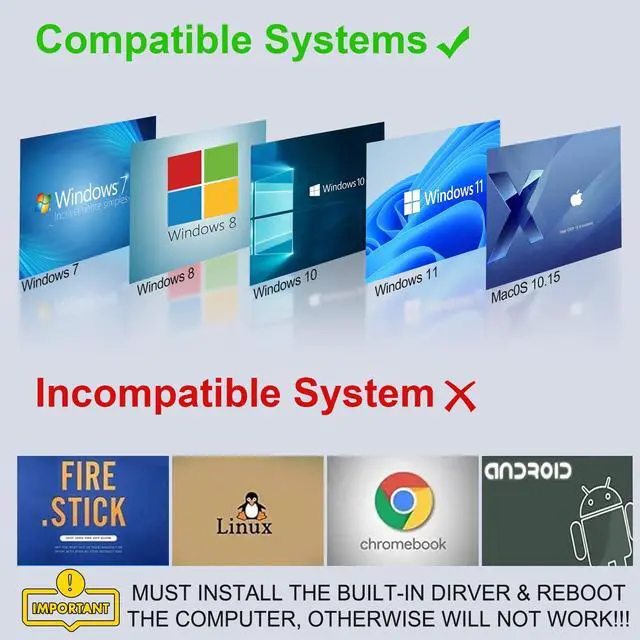
- This is NOT a plug and play product, it requires driver to work which has built-in. Only compatible with Windows 11/10/8/8.1/7 and MacOS 10.15 (or newer version) operating system computer or laptop, not support any other version (like Windows Vista or ChromeOS) or devices (like smart TV with operating system). USB 3.0 A to HDMI Adapter.
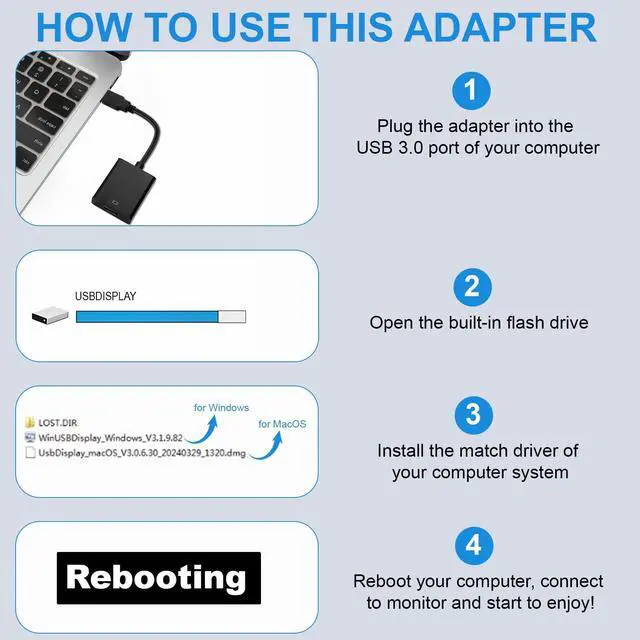
- You need to installed the built-in driver of this usb to hdmi converter and then reboot your system after for it to work. And you need to plugged it directly into the USB 3.0 port of your computer, can not through any hub/dock/dongle otherwise will not working.
- [Easy Setup USB A 3.0 HD Adapter]- Our hd usb adapter has built-in driver and comes with very clear User Manual, all you need to do is follow the instrction and install the corresponding driver, reboot the computer, connected to the monitor and start to enjoy. No CD/website driver or extra power needed! (please make sure you connected this adapter directly to the computer instead of thru any hub or dock!)
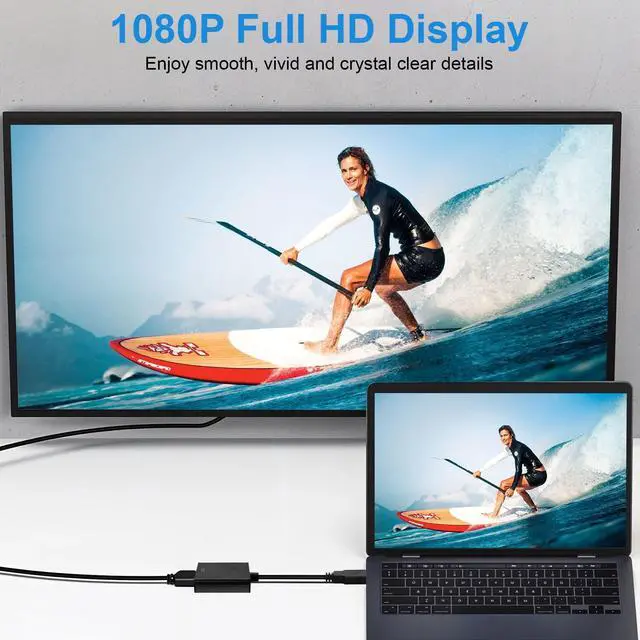
- [HD HD to USB Adapter]- usb to hd adapter for monitor supports up to 1080P resolution at 60Hz, ensuring your videos and graphics come through crystal clear, giving you an awesome viewing experience for movies, games, presentations and more. (connected to USB 3.0 port to reach 1080P, USB 2.0 will only go 720P)
+
+
Overview
Specs
Reviews
USB 3.0 to HD 1080P Video Audio Converter for Windows 10/11!
This usb hd converter allows you to connects a PC or laptop with a USB 3.0 port to an HDTV/Monitor/Projector with the HD port, simultaneously stream audio, video, and images to larger screens for a better visual experience.
Using Method:
- When you plug this adapter into the USB port of your laptop, you will see a extra flash drive automatically pop out on your computer. If it doesn't pop up automatically, please go to 'My Computer' to find the extra flash drive.
- Open the extra flash drive, you will see 2 drivers. According to your operating system to double click to install the corresponding driver.
- After successfully installed the driver to your computer, reboot your computer. Connected the product to your monitor with a HD cable (not included), screen shows up and start to enjoy!
Warm Tips:
- This usb to hd converter is designed for Windows 11/10 systems, which have both Mirror and Extend mode. It can work with Windows 8/8.1/7 and MacOS 10.15/higher system as well, but only supports Mirror mode.
- Whether your device is a laptop or a PC, if you connected to a USB 3.0 port, the resolution is up to 1920x1080@60Hz(1080P Full HD). If connected to USB2.0 port, resolution will only be 800x600@60Hz.
- If your screen resolution setting is more than 1920*1080, please adjust the resolution to 1920*1080 first then connect the product, otherwise it will not work.
- If the product didn't work for you somehow, please don't be upset yet. Just reach to and state your problem, we will identify the problem and come up with a satisfactory solution within 24 hours!
Additional Features
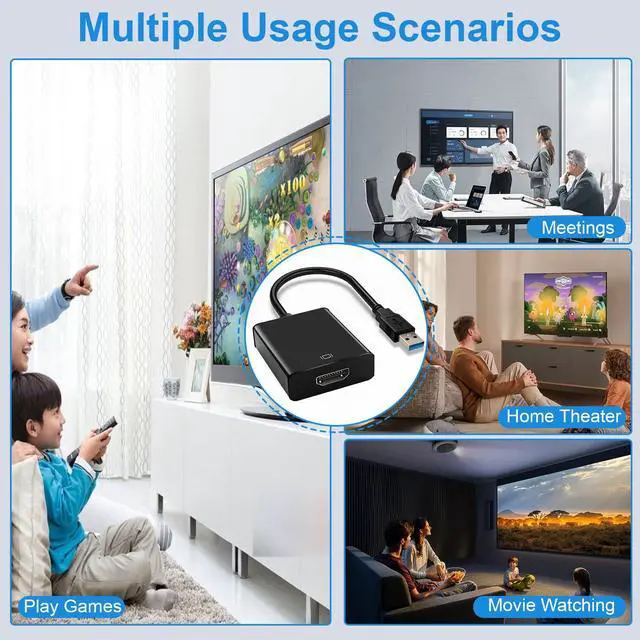
- [Mirror and Extend Mode]- hd usb adapter Extend mode allows your laptop for visibility of multiple tasks at the same time, Mirror mode gives your laptop to a large screen for a visual enjoyment. Perfect for game entertainment, home theater, video conferencing, corporate training, etc. Comes with 18 months wa-rra-nty.
Warranty & Returns
Warranty, Returns, And Additional Information
Warranty
- Please contact the Seller directly for warranty information. Warranty information may also be found on the Manufacturer's website.
- CONTACT
Return Policies
- Return for refund within: 15 days
- Return for replacement within: 90 days
- This item is covered by Jinwen Electronics Return Policy
Manufacturer Contact Info
- For a directory of all our manufacturers, please click below.
- Manufacturers Directory
LOADING...