


- $129.99
- Free 77-day Returns
$114.99
Add to PC build list
Sold by Newegg
Shipped by Newegg
Add to Wish List(Found on 79 wish lists)


Get Educated
Make informed decisions with expert advice. Learn More

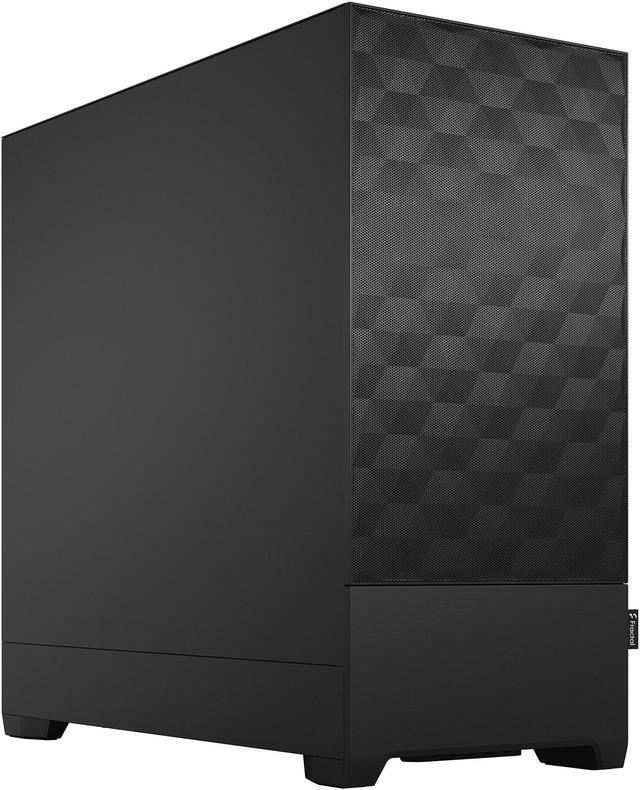
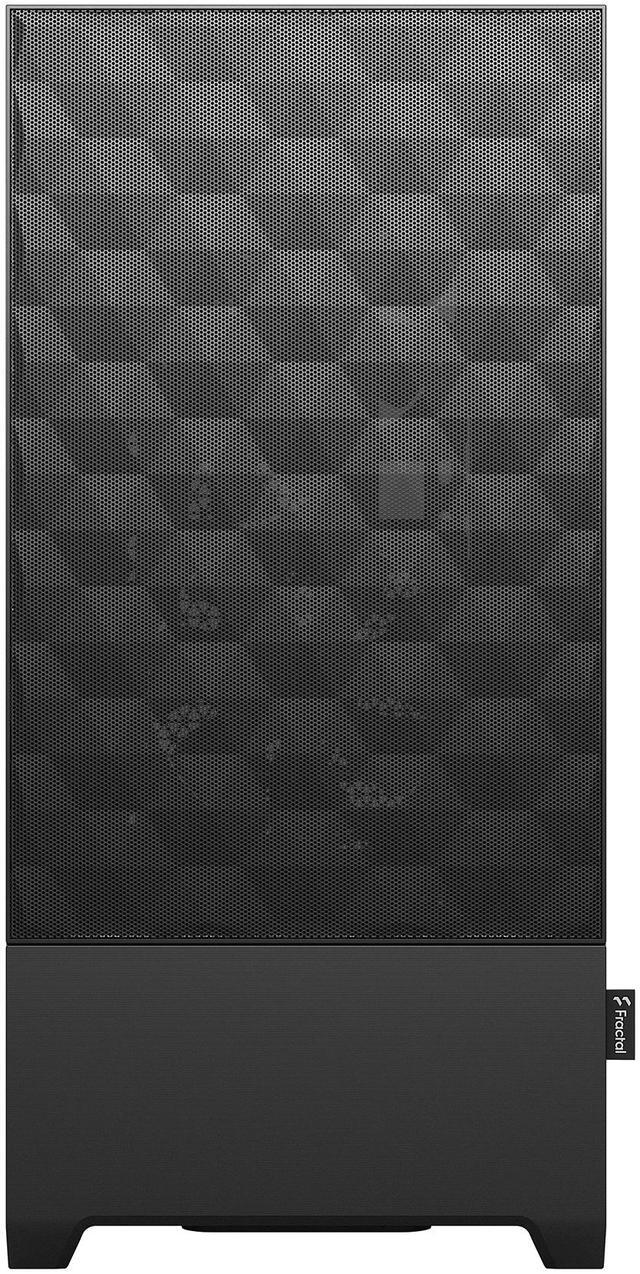
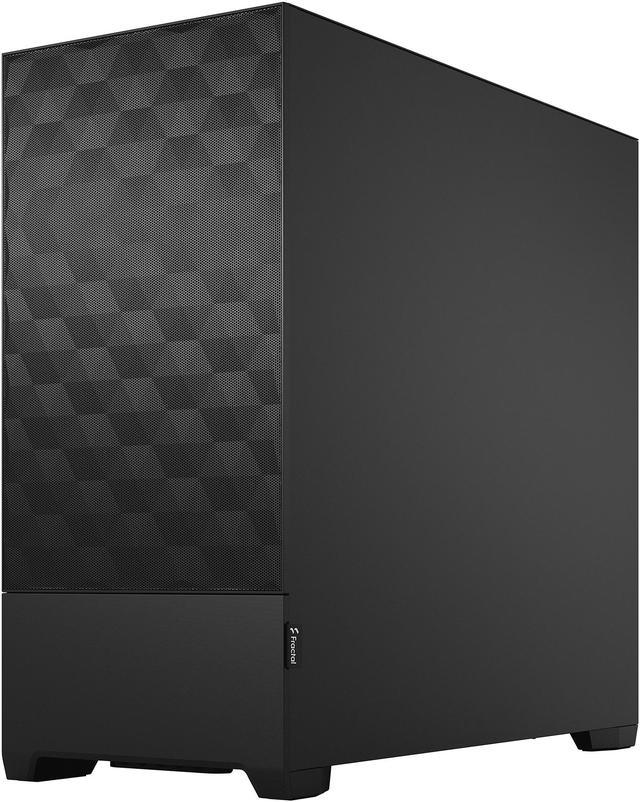
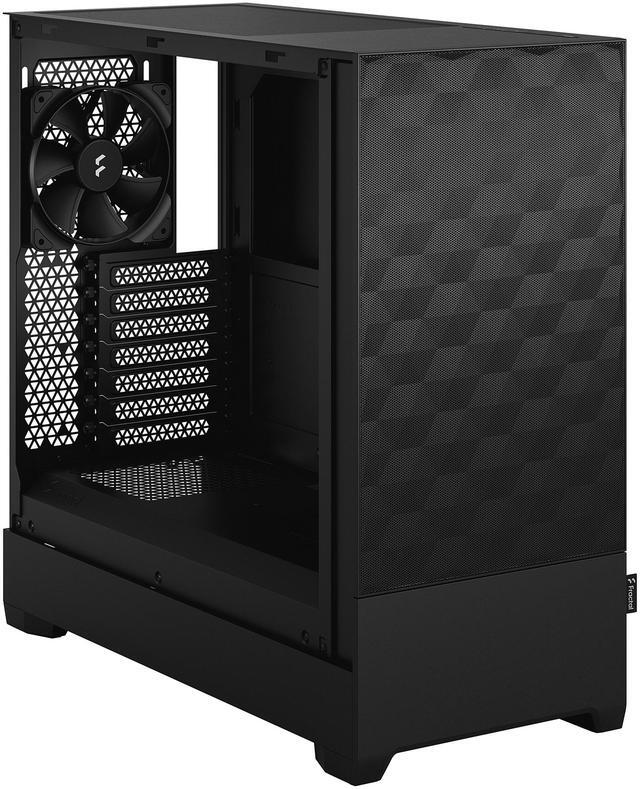

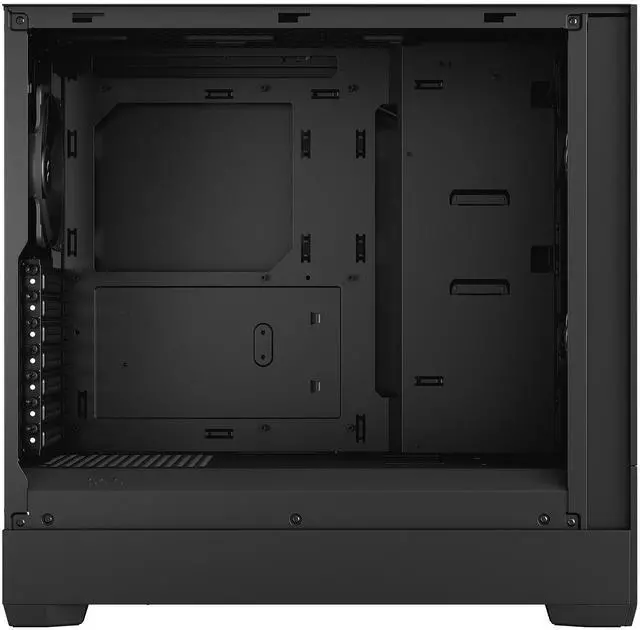
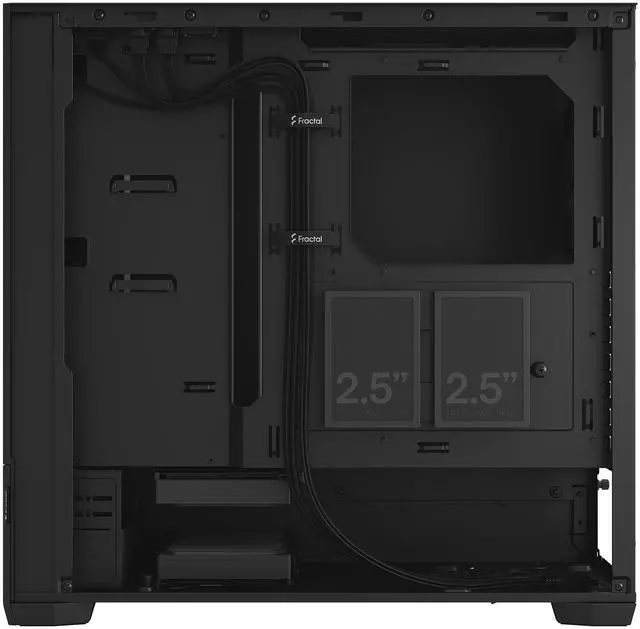
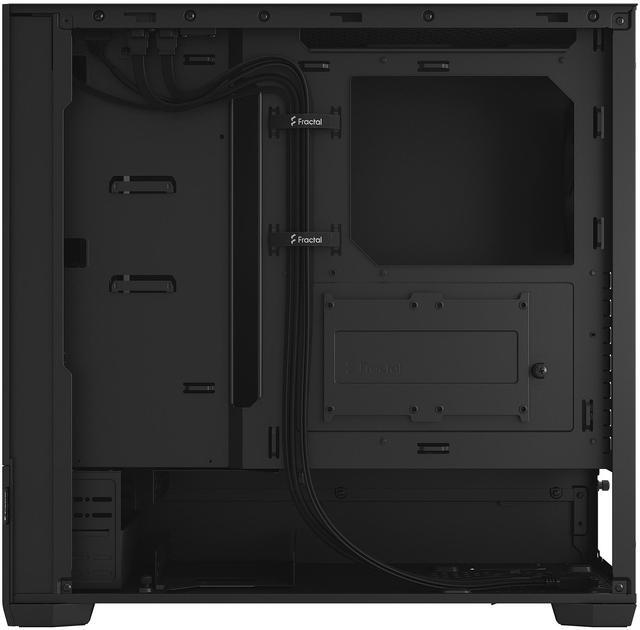
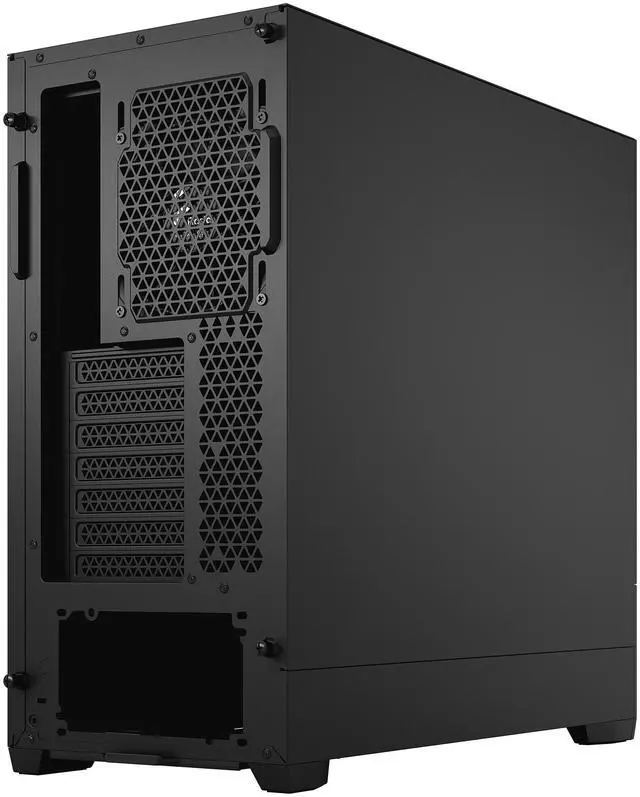
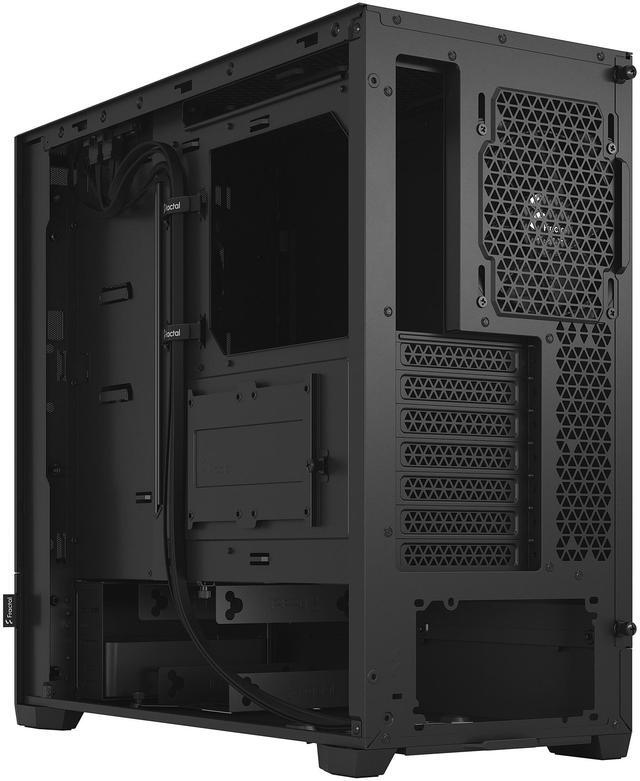
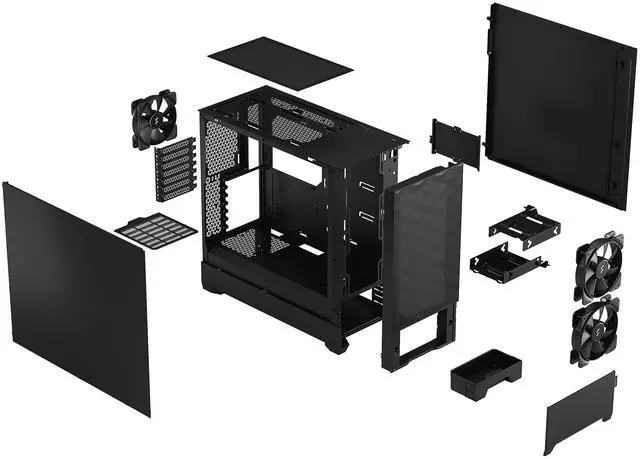


Fractal Design Pop Air Black ATX High-Airflow Solid Panel Mid Tower Computer Case
- Accommodates ATX / mATX / Mini-ITX Motherboards
- Up to three HDDs and six SSDs without optical bays in use
- Comes with three 120 mm Aspect fans and supports two more
- Fits radiators up to 280 mm (front), 240 mm (top) and 120 mm (rear)
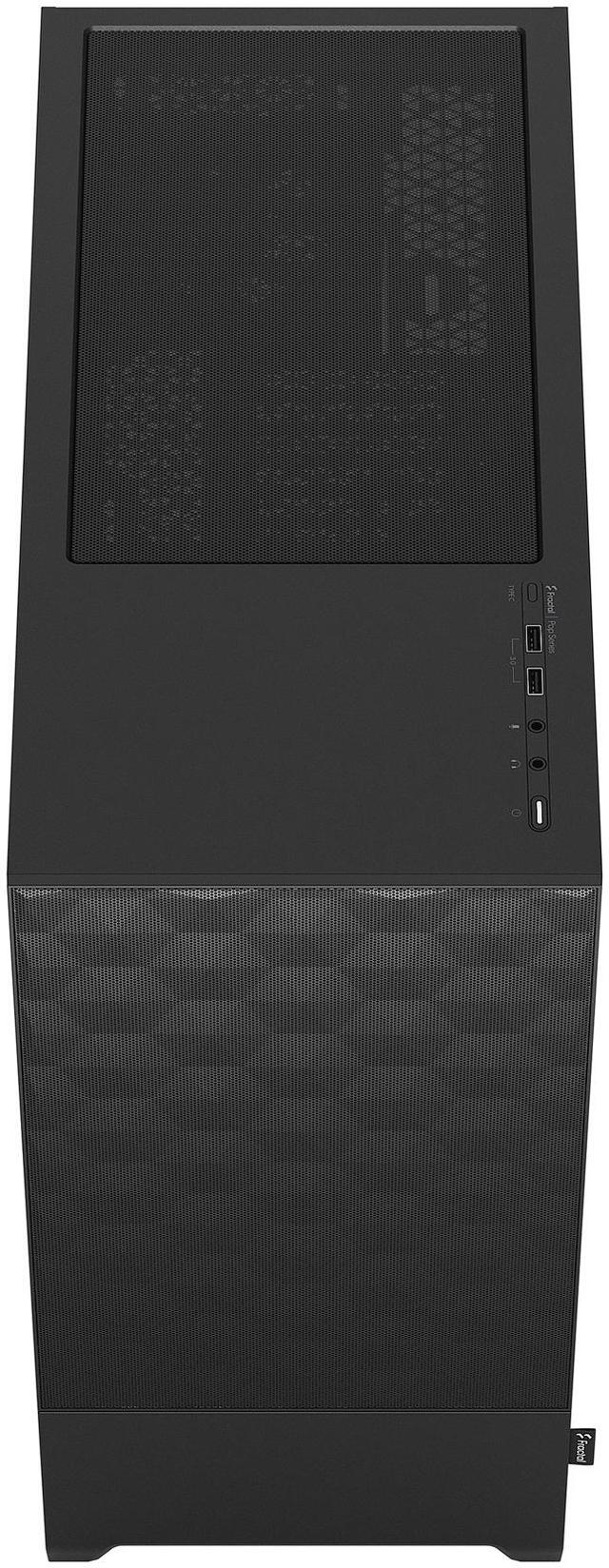
- Front I/O with two 3.0 USB 5 Gb/s ports, Mic and headphone jacks
- Optional USB-C kit (sold separately) adds full speed front port
- Sports two storage trays, each supporting a 3.5" and a 2.5" at once
- Unique, hexagonally patterned mesh for a striking visual effect
+
+
Overview
Specs
Reviews (272)
Warranty & Returns
Warranty, Returns, And Additional Information
Warranty
- Limited Warranty period (parts): 2 years
- Limited Warranty period (labor): 2 years
- Read full details
Return Policies
- Return for refund until: January 31, 2027
- Return for replacement until: January 31, 2027
- This item is covered by Newegg.ca's Extended Holiday Return Policy.
- Read full return policy for details.
We want to ensure your holiday shopping this year is hassle-free. That’s why we’re automatically extending our return policies on almost every product! For purchases placed between November 1st, 2026 and December 31, 2026 you will have until January 31, 2027 to return your product.
Manufacturer Contact Info
LOADING...
The Fractal Design Pop Air Black is an ATX mid-tower PC case built for airflow-focused desktop builds, making it a strong fit for gamers and mainstream builders who want roomy component support, three included 120 mm fans, and clean front-panel access in a solid-panel design.
Recommended For
- Builders who want an airflow-first mid-tower for a gaming PC with modern full-size parts, including long GPUs and tower air coolers, without moving up to a larger case. Official positioning emphasizes airflow, and reviews/community feedback consistently point to solid thermals and straightforward day-to-day use.
- PC builders who still need at least one front-access 5.25-inch bay for an optical drive, fan controller, or other legacy front device, but do not want an old-style chassis. Community discussions repeatedly highlight the Pop series because the concealed front bay is unusual in current ATX cases.
- First-time or occasional builders who value easy cable routing and a simpler ATX layout over niche enthusiast features. Official materials call out cable-management features, and user discussions commonly describe the case as easy to access and straightforward to build in.
- Users reusing several SATA SSDs or a couple of hard drives in a new gaming or mixed-use desktop. The Pop Air is regularly chosen by builders who need more internal drive flexibility than many newer airflow cases provide.
Real-World Use Scenarios
- Building a mainstream gaming PC with a long graphics card and tower air cooler: the case is commonly used for ATX gaming builds where the goal is to keep GPU and CPU temperatures under control without immediately replacing stock case fans, and the usual experience is straightforward fitment plus competent out-of-box airflow for typical single-GPU systems.
- First-time or occasional PC builders who want an easier assembly process: in practice, buyers use this case when they want a cleaner build with less frustration routing cables, and the likely outcome is a relatively tidy interior thanks to the internal layout, tie-down points, and included cable-management features.
- Air-cooled productivity or gaming setups that stay on for long sessions: users typically choose this case when they want steady airflow through a mesh-front design for extended play, work, or rendering, and the expected experience is stable cooling with some audible airflow rather than a silence-first profile.
- A value-focused build that needs modern airflow plus several storage drives: this case is often a practical fit for users combining gaming with mass storage or older SATA drives, and the likely outcome is enough room to keep multiple 3.5-inch and 2.5-inch drives installed without moving to a larger chassis.
- A build for users who still want front-access expansion hidden behind a clean exterior: community discussions often point to the Pop Air when someone wants airflow but also occasional use of the concealed 5.25-inch bays for accessories or legacy devices, and the result is a more flexible build than many current airflow-focused cases.
Spec Summary
| Attribute | Value |
|---|---|
| Best For | Mid-tower ATX builds that prioritize high airflow and flexible storage and cooling options — supports ATX/micro‑ATX/mini‑ITX motherboards, multi‑drive setups and front/top radiator mounting |
| Compatibility & Drive Bays | Supports ATX, Micro ATX and Mini ITX motherboards; three 3.5" bays (2 included) and four 2.5" bays (2 included); two removable storage trays each support a 3.5" and a 2.5" drive simultaneously |
| Cooling & Radiator Support | Ships with three 120 mm Aspect 12 fans preinstalled (front 2 + rear 1); supports up to five fans total; front supports 240/280 mm radiators, top supports 240 mm (46 mm max RAM height), rear supports 120 mm; front hexagonal mesh acts as an easy‑clean dust filter |
| Front I/O & Expansion | Front I/O includes 2 x USB 3.0 (5 Gb/s) ports plus headphone and microphone jacks; optional USB‑C upgrade kit (sold separately) adds a full‑speed Type‑C front port; expansion: 7 slots |
| Clearance & Component Limits | Maximum GPU length 405 mm (with front fan mounted); maximum CPU cooler height 170 mm; maximum PSU length 170 mm |
| Materials & Panels | Steel chassis with a solid front featuring a unique hexagonal patterned mesh; side panel without window; no RGB/LED lighting |
| Power & PSU | No power supply included; power supply mounts at the bottom of the case |
| Dimensions & Weight | 18.64 x 8.46 x 17.87 inches (depth x width x height); weight 14.99 lbs |
| Included Accessories & Packaging | Includes the Pop Air case plus accessory bag, user manual and radiator brackets |
| Design & Cable Management | Easy cable management with multiple tie‑down points, pre‑mounted velcro straps and large pass‑through holes; visually distinctive hexagonal front mesh |
| Model Identifiers | Fractal Design Pop Air — model FD-C-POA1A-01; external model number 7340172703075; Model Name: Pop Air Black – Solid; Manufacturer: Fractal Design |
Reference Q&A
Q: Should I get the Fractal Design Pop Air or Pop Silent?
A: Choose the Pop Air if your build priority is airflow for gaming hardware, higher-wattage CPUs, or hotter GPUs. Fractal positions Pop Air as the airflow version of the series, while Pop Silent is aimed more at mixed use, productivity, and lighter gaming with added sound damping. In practice, mesh-front cases usually give cooling fans easier intake access than closed-front silent designs, so Pop Air is the more practical choice for performance-first systems. Pop Silent makes more sense when lower noise and a cleaner closed-panel look matter more than maximum cooling headroom.
Q: Is the Fractal Design Pop Air a better buy than the Meshify C?
A: The Pop Air is the better choice if you want a newer Fractal mid-tower with included fans, broad component support, and a simpler value-focused feature set. The Meshify C remains a strong airflow reference, but it is a more compact older design and review data shows it benefits noticeably from added fan tuning. Pop Air is the easier recommendation for most current mainstream ATX builds, while Meshify C still fits buyers who specifically want its smaller footprint and established airflow reputation.
Q: Should I buy the original Pop Air or move up to the newer Pop 2 Air?
A: Choose the original Pop Air if you want the lower-cost Pop formula with legacy-friendly extras such as the concealed 5.25-inch bay area and the more distinctive original Pop styling. Choose Pop 2 Air if your priority is newer cooling-oriented features, especially improved radiator support and more room for modern high-performance hardware. Reviews of Pop 2 Air point to stronger compatibility for current builds, while also noting that some of the original Pop line's extra character and utility features were removed.
Q: Is the Pop Air enough for a mainstream gaming PC, or should I step up to a larger high-airflow case?
A: The Pop Air is enough for a typical mainstream gaming build with an ATX motherboard, tower air cooler or 240/280 mm liquid cooler, and a long modern GPU. Its 405 mm GPU clearance, 170 mm CPU cooler clearance, and three included 120 mm fans cover the needs of most single-GPU systems. Step up to a larger or more premium airflow case when you specifically need more radiator capacity, more internal working room, or extra thermal headroom for very high-end components and more aggressive cooling layouts.
Q: Is the Fractal Design Pop Air a good choice for an airflow-focused gaming PC build?
A: Yes. The Pop Air is a strong fit for buyers who want a mid-tower case that prioritizes cooling without moving to a larger chassis. It includes three 120 mm fans out of the box, uses a mesh front panel, and supports up to a 280 mm front radiator and 240 mm top radiator. That makes it well-suited for mainstream to high-performance air-cooled or AIO-cooled gaming builds. A common retail buying question in this category is whether a case needs extra fans; compared with cases that ship with only two fans, the Pop Air starts with a more complete airflow setup.
Q: Will it fit a large graphics card and a tall air cooler?
A: For most builds, yes. Based on the provided product specifications, the Pop Air supports GPUs up to 405 mm with the front fan mounted and CPU coolers up to 170 mm tall. That is enough for many current triple-fan graphics cards and large tower air coolers. This is a high-signal decision question because shoppers regularly ask about GPU length limits on comparable retail case pages.
Q: Who is this case best suited for?
A: It is best suited for PC builders who want an ATX-compatible mid-tower with strong airflow, simple styling, and room for multiple storage drives. It supports ATX, Micro ATX, and Mini-ITX motherboards, includes three fans, and can hold up to three 3.5-inch drives plus multiple 2.5-inch drives depending on configuration. It is a better fit for practical gaming or workstation builds than for buyers who mainly want tempered glass, built-in RGB, or a showcase-style chassis.
Q: What are the main trade-offs versus a tempered-glass airflow case like the CORSAIR 4000D AIRFLOW?
A: The Pop Air's main advantage is practicality: it includes three fans, supports flexible storage, and keeps a clean airflow-first design. The trade-off is that this specific version uses a solid side panel rather than a tempered-glass window, and the front USB-C port is not built in because it requires a separate upgrade kit. A comparable airflow case like the 4000D AIRFLOW is often considered for similar builds, but shoppers on competitor retail pages repeatedly focus on fan count, GPU clearance, front I/O, and cable management when comparing options.
Q: Does it have the front ports most builders expect, including USB-C?
A: It has the basics, but not full front USB-C by default. The front I/O includes two USB 3.0 Type-A ports plus microphone and headphone jacks. If you want a front USB-C port, you need the optional USB-C upgrade kit sold separately. This matters because front-panel connectivity is a repeated buyer question on comparable retail Q&A pages.
Q: Is the Fractal Design Pop Air a good buy for a mainstream ATX gaming or everyday PC build?
A: Yes, if you want a mid-tower with strong baseline airflow and low extra cost. The Pop Air includes three 120 mm fans out of the box, supports ATX, mATX, and Mini-ITX boards, and fits large GPUs up to 405 mm. The main trade-off is that some newer conveniences, especially front USB-C, are not included by default and require a separate upgrade kit.
Q: What are the main trade-offs of the Pop Air compared with other airflow cases?
A: Its main advantages are included fans, broad component support, and a mesh-focused design. The main compromises are a less feature-rich front I/O than some rivals, no built-in front USB-C unless you buy the add-on kit, and a somewhat more budget-oriented fit-and-finish than higher-tier Fractal cases.
Q: Is the Pop Air quiet enough, or is it mainly for airflow over noise?
A: It is better described as an airflow-first case that can still be quiet with the right parts and fan setup. Community discussion repeatedly frames it as quieter in practice than more closed-off cases because better airflow can reduce required fan speeds. It is a better fit for users who want balanced thermals and noise than for users specifically seeking a heavily damped silent chassis.
Q: Who is the Pop Air best suited for?
A: It is best suited for builders who want a straightforward ATX case with good cooling support, room for long graphics cards, and included fans without paying for premium extras. It is a practical choice for first or mid-range builds, air-cooled systems, and typical gaming PCs. It is less ideal for buyers who specifically need built-in front USB-C or a more premium cable-management experience.
Q: Is the Pop Air a good choice for water cooling or more advanced builds?
A: It can support common AIO layouts, including up to 280 mm in the front and 240 mm on top, so it works for mainstream liquid cooling. However, community discussion suggests it is not the strongest choice if your priority is a more specialized water-cooling-focused layout. It makes more sense for conventional air-cooled or simple AIO builds than for complex cooling plans.