


- Free 79-day Returns
$140.99
Add to PC build list
Sold by Newegg
Shipped by Newegg
Add to Wish List(Found on 125 wish lists)
Best Sellers
- $224.50
- + FREE SHIPPING


Get Educated
Make informed decisions with expert advice. Learn More


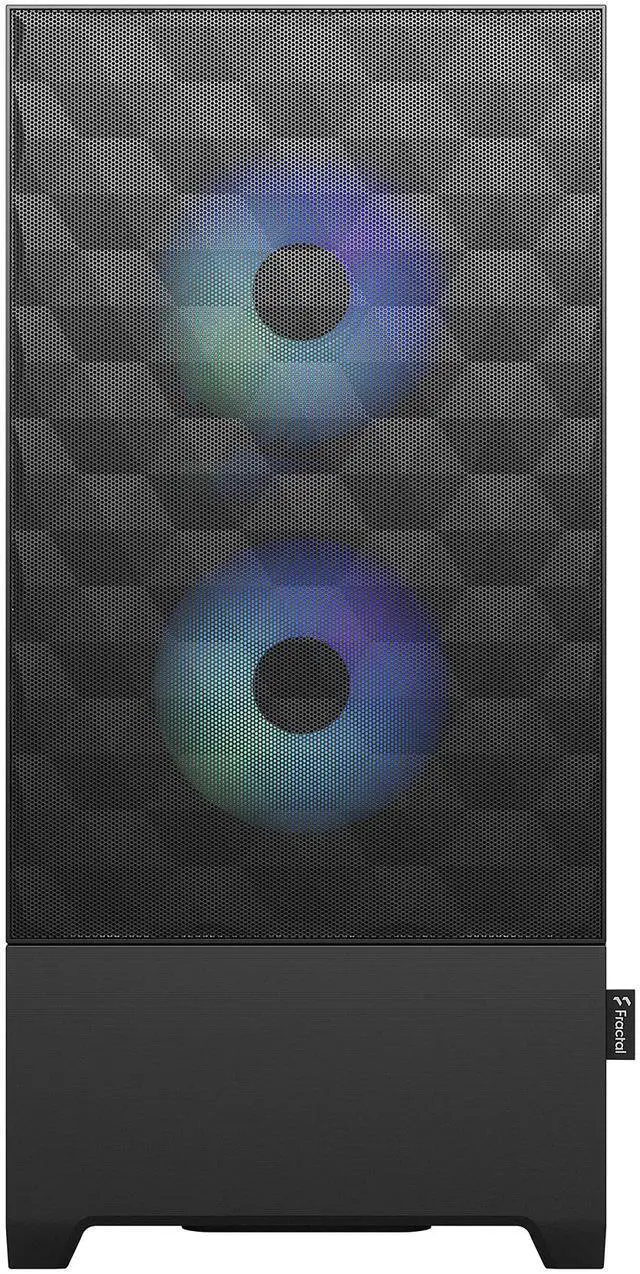
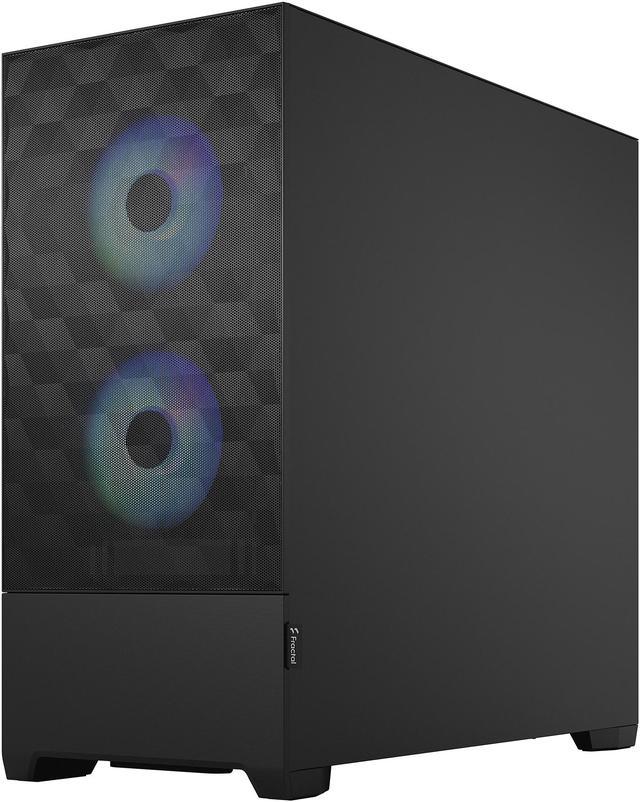
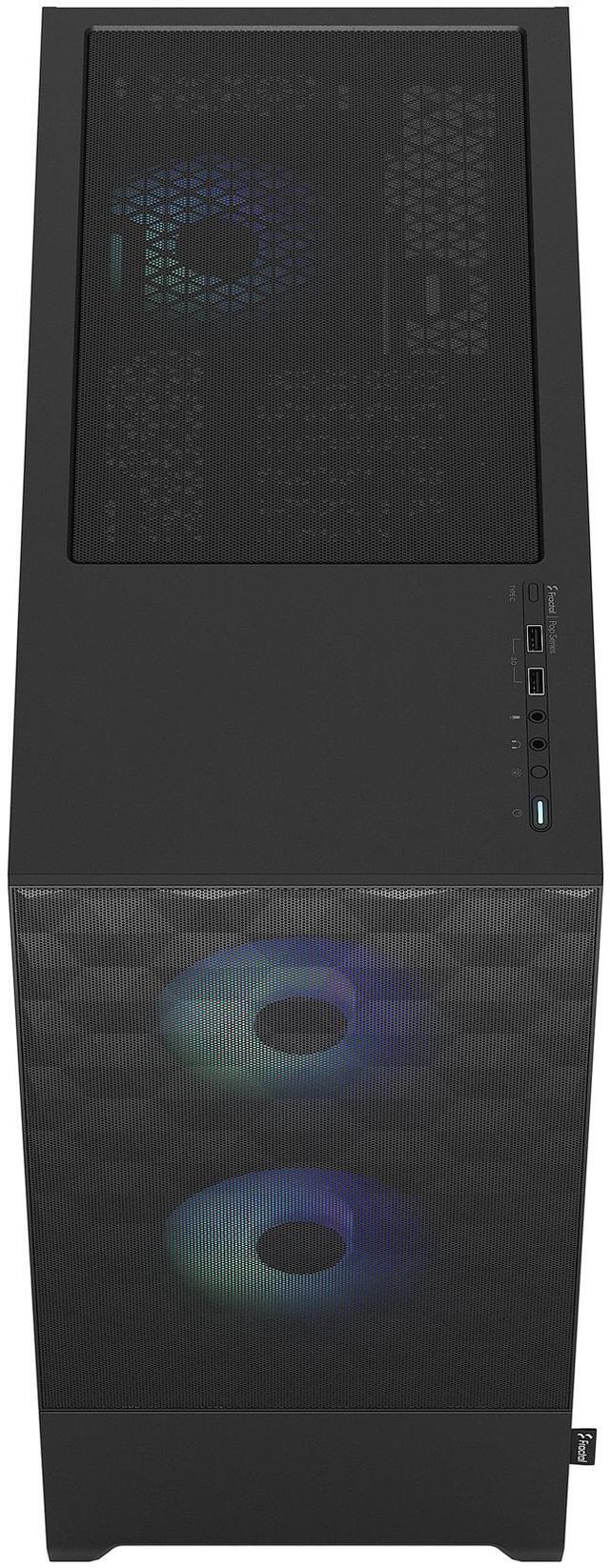
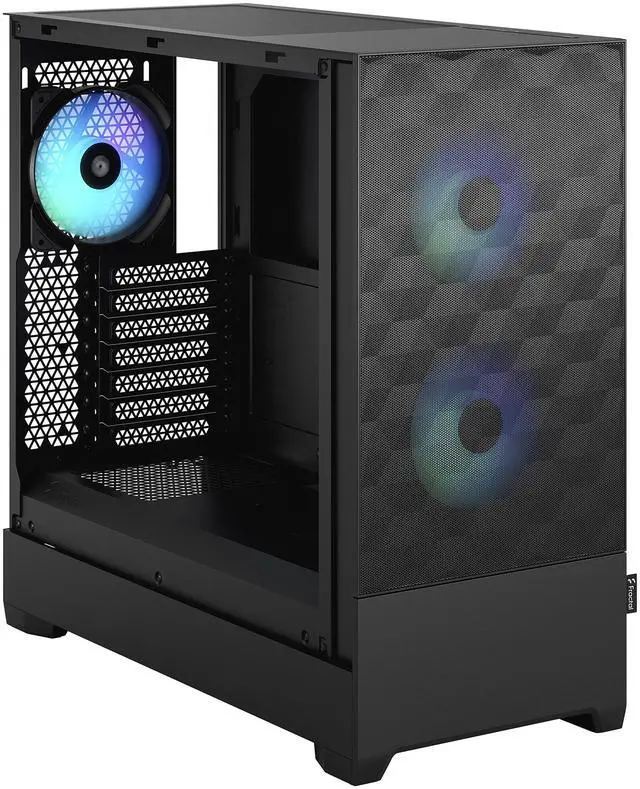
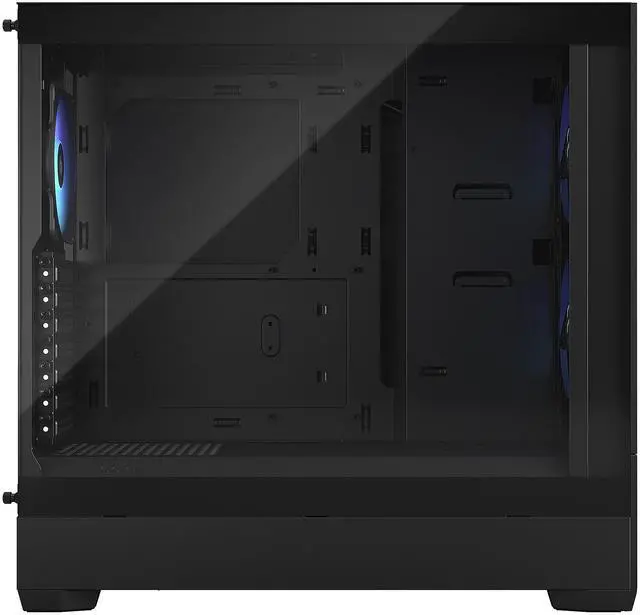
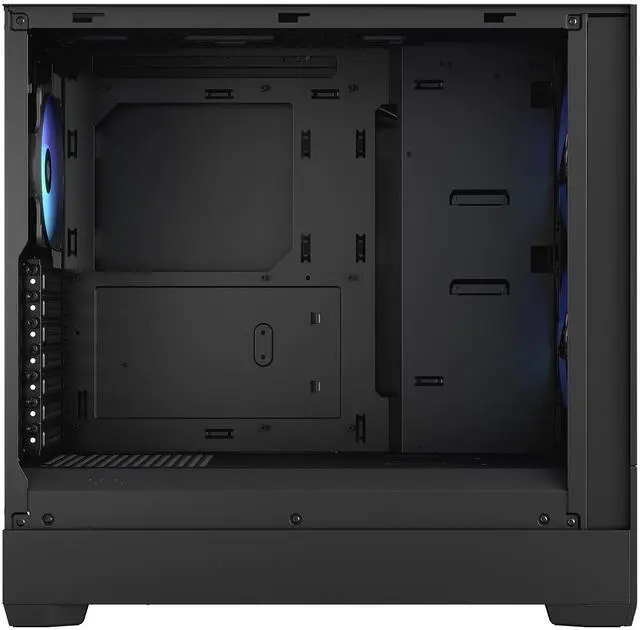
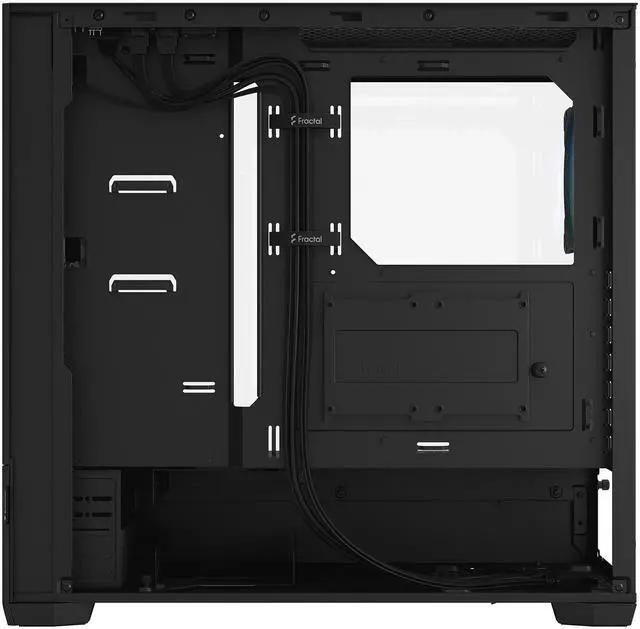
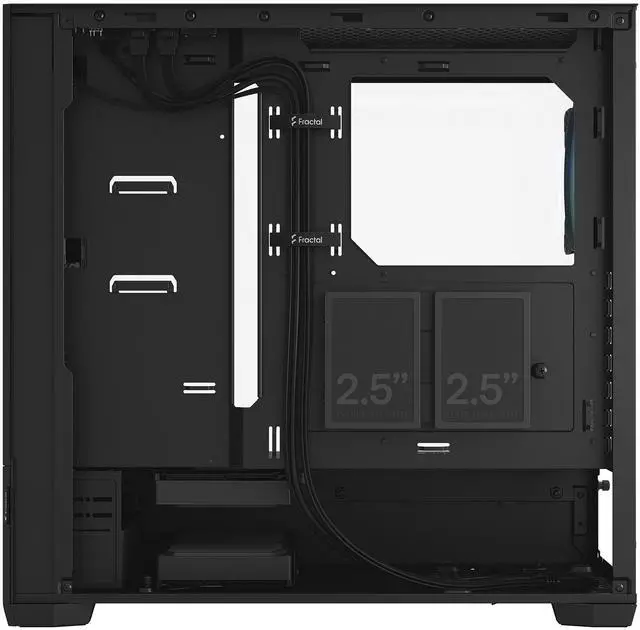
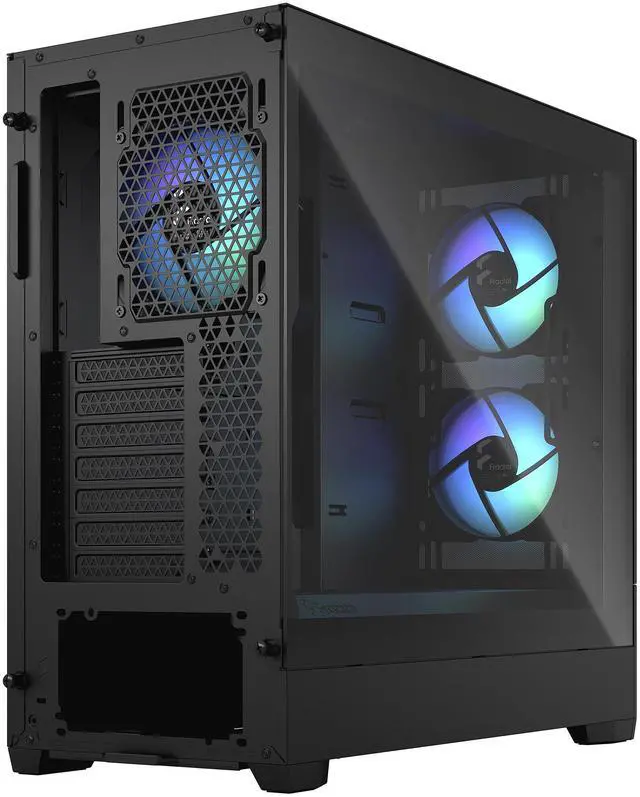
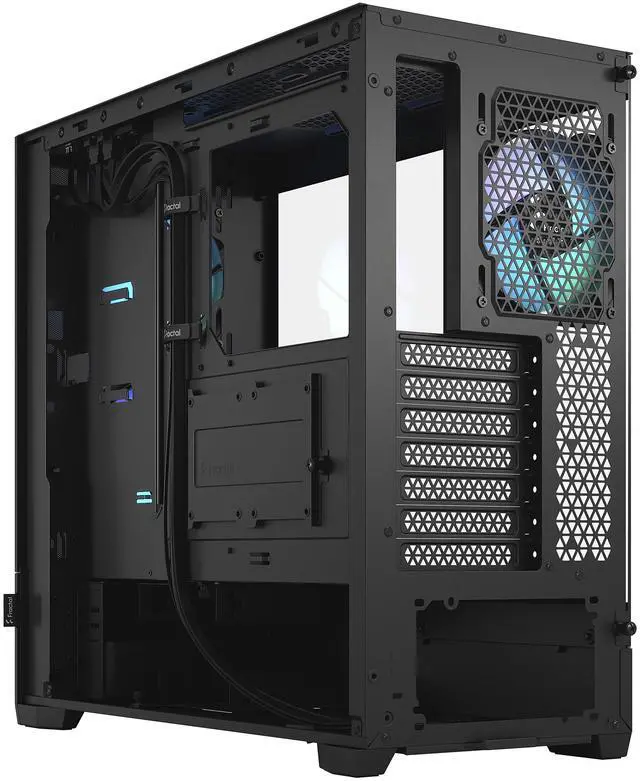
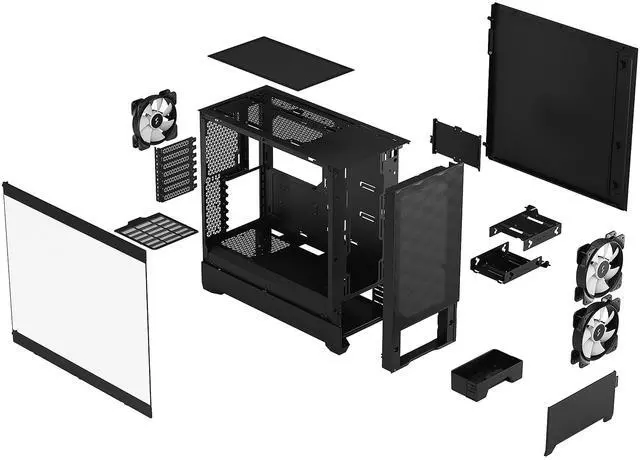


Fractal Design Pop Air RGB Black TG ATX High-Airflow Clear Tempered Glass Window Mid Tower Computer Case
- Accommodates ATX / mATX / Mini-ITX Motherboards
- Comes with three 120 mm Aspect RGB fans and supports two more
- Fits radiators up to 280 mm (front), 240 mm (top) and 120 mm (rear)
- Front I/O with two 3.0 USB 5 Gb/s ports, Mic and headphone jacks
- Newly developed RGB controller and RGB power LEDs
- Optional USB-C kit (sold separately) adds full speed front port
- Sports two storage trays, each supporting a 3.5" and a 2.5" at once
- Unique, hexagonally patterned mesh for a striking visual effect
+
+
Overview
Specs
Reviews (272)
Warranty & Returns
Warranty, Returns, And Additional Information
Warranty
- Limited Warranty period (parts): 2 years
- Limited Warranty period (labor): 2 years
- Read full details
Return Policies
- Return for refund until: January 31, 2027
- Return for replacement until: January 31, 2027
- This item is covered by Newegg.ca's Extended Holiday Return Policy.
- Read full return policy for details.
We want to ensure your holiday shopping this year is hassle-free. That’s why we’re automatically extending our return policies on almost every product! For purchases placed between November 1st, 2026 and December 31, 2026 you will have until January 31, 2027 to return your product.
Manufacturer Contact Info
LOADING...
LOADING...
The Fractal Design Pop Air RGB is an ATX mid-tower PC case built for airflow-focused gaming and mainstream builds, with a mesh front, tempered glass side panel, and three included 120 mm RGB fans. It suits users who want strong cooling support, clean cable management, and room for large GPUs and standard ATX hardware.
Recommended For
- Builders putting together an airflow-first mid-range gaming PC who want a straightforward ATX case with three included RGB fans, easy cable routing, and room for long graphics cards.
- PC builders who still want front-access drive/storage flexibility, such as using multiple 2.5-inch and 3.5-inch drives or keeping the Pop series' unusual lower-bay utility that community users often mention alongside optical-drive interest.
- First-time or occasional builders who value a tidy, low-fuss building experience more than chasing the absolute best thermals, especially if they want a case widely described as easy to work in and easy to cable-manage.
- Buyers who like Fractal's cleaner styling and tempered-glass showcase look but do not need a premium-feature chassis, and are comfortable adding extras later only if needed.
Real-World Use Scenarios
- Building a mid-range or high-end gaming PC with a long graphics card and tower air cooler: the case is commonly used for this because it leaves room for large GPUs, includes three fans out of the box, and usually delivers a straightforward first setup without immediately needing extra cooling purchases.
- Using the case for an airflow-focused gaming build: buyers typically choose it when they want lower-case restriction than solid-front designs, and reviews consistently show the mesh front plus included fans are suitable for everyday gaming thermals with standard fan layouts.
- Assembling a first custom PC and trying to keep cable routing manageable: the build experience is generally reported as easy enough for mainstream builders, with tie-down points and straps helping basic cable cleanup, though experienced users sometimes note it is less refined than Fractal’s more premium cases.
- Installing an AIO liquid cooler in a gaming or creator build: real-world use fits best with common 240 mm top or 280 mm front radiator setups, but planning matters because builders may need to watch radiator and RAM clearance instead of assuming every cooling layout will fit cleanly.
- Building a clean-looking desk PC that shows RGB hardware through glass without adding many accessories: the included RGB fans and built-in lighting control make it practical for users who want visible lighting from day one, while still keeping the overall layout simple and not overly showpiece-focused.
- Putting together a build that still uses multiple SATA SSDs or hard drives: the case remains practical for mixed-storage setups, so users can run a modern gaming system while keeping extra mass storage for large game libraries, media, or backups without moving to a larger chassis.
Spec Summary
| Attribute | Value |
|---|---|
| Best For | ATX/Micro-ATX/Mini-ITX builders who want a high-airflow mid-tower with a tempered glass side panel, included RGB fans for visible builds, and water-cooling support up to a 280 mm front radiator |
| Case Type And Compatibility | ATX mid-tower case that supports ATX, Micro ATX and Mini ITX motherboards with 7 expansion slots |
| Materials & Construction | Steel chassis with a clear tempered glass side panel, unique hexagonally patterned front mesh and black finish |
| Cooling And Fans | Three pre-installed 120 mm Aspect RGB fans (front 2, rear 1); supports up to five fans total; RGB lighting controlled by the included RGB controller and RGB power LEDs; cooling method: air |
| Radiator Support And Clearances | Front radiator up to 280 mm, top up to 240 mm (top clearance notes: 46 mm max motherboard component/RAM height), rear 120 mm; GPU clearance up to 405 mm with front fan installed; CPU cooler height max 170 mm; PSU length max 170 mm |
| Front I O And Connectivity | Front I/O includes 2 × USB 3.0 (5 Gb/s) and mic/headphone jacks; optional USB 3.2 Gen 2x2 Type‑C front port available via a separately sold upgrade kit (compatible with Fractal Design USB‑C 10Gbps Cable – Model D) |
| Storage And Drive Bays | Two removable storage trays (each supports one 3.5" and one 2.5"); overall configuration: 3 × 3.5" bays (2 drive trays included) and 4 × 2.5" bays (2 included) |
| Cable Management And Extras | Easy cable management with multiple tie‑down points, pre‑mounted Velcro straps and extra-large pass-through holes; front mesh is easy-to-clean and acts as a dust filter |
| Power Supply And Mounting | No PSU included; bottom-mounted PSU design, supports PSUs up to 170 mm in length |
| Dimensions And Weight | External dimensions 18.64" × 8.46" × 17.87"; weight 15.87 lbs |
| Included Accessories | Includes Pop Air case, accessory bag, user manual and radiator brackets |
| Model Identifiers | Fractal Design Pop Air RGB series, model FD-C-POR1A-06 (Marketed as Pop Air RGB Black - Tempered Glass Clear Tint) |
Reference Q&A
Q: Fractal Design Pop Air RGB vs Corsair 4000D Airflow: which should I buy?
A: Choose the Fractal Design Pop Air RGB if you want an airflow-focused ATX case that includes three RGB fans out of the box and you value the Pop series styling and built-in ARGB control. Choose the Corsair 4000D Airflow if front USB-C is important from day one or if you prefer a simpler non-RGB starting point. In real-world discussion and reviews, these two are commonly treated as close mid-tower alternatives, with the decision usually coming down to included fans, front I/O, and visual style more than a major cooling gap.
Q: Is the Pop Air RGB worth it over the standard Pop Air?
A: Buy the Pop Air RGB if you want the case to arrive complete with three RGB fans and integrated lighting control. Buy the standard Pop Air if you want the same core chassis and airflow layout without paying for RGB. The main difference is configuration rather than structure: airflow support, radiator support, and overall layout are effectively the same, so this is mostly a value decision around lighting and included accessories.
Q: Fractal Design Pop Air RGB vs Pop Silent: which is better for gaming?
A: Choose the Pop Air RGB for gaming builds that prioritize airflow, higher-wattage components, or future cooling upgrades. Choose the Pop Silent for mixed-use systems where lower acoustic output matters more than maximum ventilation. Fractal positions these two cases for different goals: Pop Air is the airflow-first version with a mesh front, while Pop Silent uses a closed, damped design aimed at quieter everyday use.
Q: Fractal Design Pop Air RGB vs Lian Li Lancool 216: which is the better airflow case?
A: Choose the Lancool 216 if your priority is a more aggressive airflow-oriented stock setup, especially for hotter components, because it ships with larger preinstalled fans and includes front USB-C. Choose the Pop Air RGB if you want a cleaner, more compact-feeling mainstream ATX case with three included RGB fans and a lower-complexity feature set. Buyers usually compare these two when deciding between a balanced midrange airflow case and a more cooling-forward chassis.
Q: Fractal Design Pop Air RGB vs Fractal North: should I spend more on the North?
A: Spend more on the Fractal North if you want the more premium design treatment, built-in front USB-C, and a case that is commonly chosen for aesthetics-first builds without giving up airflow. Choose the Pop Air RGB if you want a more budget-conscious Fractal airflow case and would rather put the price difference toward better fans, a cooler, or another component. In practice, this is usually a value-versus-finish decision, not a basic compatibility decision, because both support mainstream ATX gaming builds well.
Q: Is the Fractal Design Pop Air RGB a good choice for a first-time ATX gaming PC build?
A: Yes. It is a strong fit for a first-time ATX gaming build because it supports standard ATX, microATX, and Mini-ITX motherboards, includes three preinstalled RGB fans, has straightforward airflow-focused layout, and offers cable-management features that make assembly easier. The main trade-offs are that front USB-C is not included by default and top radiator clearance is more limited than in some larger cases.
Q: Will this case fit a large graphics card and a tall air cooler?
A: Yes, for most mainstream and many high-end builds. The case supports GPUs up to 405 mm with the front fan mounted and CPU air coolers up to 170 mm tall, which covers many modern triple-fan graphics cards and tower coolers. Buyers should still verify exact clearance if using unusually thick front radiators or oversized components.
Q: Is the Pop Air RGB better for airflow than a solid-front case, and what is the trade-off?
A: Yes. The Pop Air RGB is better suited to airflow-focused builds because it uses a mesh front panel and includes three fans out of the box. That makes it a practical choice for hotter gaming hardware or buyers who want good cooling without adding fans immediately. The trade-off versus a quieter or more closed case is that airflow-first designs may let more noise through and place less emphasis on noise damping.
Q: Does this case include front USB-C, or do I need an upgrade?
A: Front USB-C is optional, not standard. Out of the box, the case provides two USB 3.0 Type-A ports plus audio jacks on the front I/O. If front USB-C matters for your setup, you need the separate Fractal USB-C upgrade kit and a compatible motherboard header.
Q: Is this a good case for liquid cooling, or is it better for air cooling?
A: It works for both, but it is especially straightforward for air cooling. It already includes three fans and supports front 280 mm, top 240 mm, and rear 120 mm radiators. The limitation to note is top radiator clearance: the top supports up to 240 mm and has a 46 mm motherboard-component or RAM-height limit, so some liquid-cooling builds need more planning than a simple air-cooled setup.
Q: Is the Fractal Design Pop Air RGB a good buy for a mainstream gaming PC?
A: Yes, if you want a straightforward ATX airflow case with three included RGB fans, broad air-cooler support, and room for long GPUs. It is a practical fit for mainstream gaming builds, but it is not the strongest value if your priority is class-leading thermals, very low noise, or the most premium build quality at the price.
Q: Who is the Pop Air RGB best suited for?
A: It is best suited for first-time or mid-range builders who want an ATX case with good airflow, tempered glass, and included RGB fans without moving to a larger or more complex chassis. It is less ideal for buyers who want a quieter premium case, heavy custom water-cooling, or the cleanest possible cable-management experience.
Q: What are the main trade-offs of choosing the Pop Air RGB?
A: The main trade-offs are that front USB-C is not included by default, cable management is not viewed as a strong point compared with higher-end Fractal cases, and cooling is good rather than best-in-class for hotter GPUs. It also has a simpler, slightly less premium feel than more expensive alternatives.
Q: Is the Pop Air RGB a good choice for high-power GPUs and future upgrades?
A: Usually yes for physical compatibility. The case supports GPUs up to 405 mm, CPU coolers up to 170 mm, ATX boards, and multiple drive mounts, so it is flexible for upgrades. The trade-off is that very hot, high-power GPUs may not get the best possible GPU cooling compared with stronger airflow-focused competitors, so it makes more sense when fit and features matter more than chasing the lowest temperatures.