


- $179.99
- Free 90-day Returns
$159.99
Add to PC build list
Sold by Newegg
Shipped by Newegg
Add to Wish List(Found on 175 wish lists)


Get Educated
Make informed decisions with expert advice. Learn More

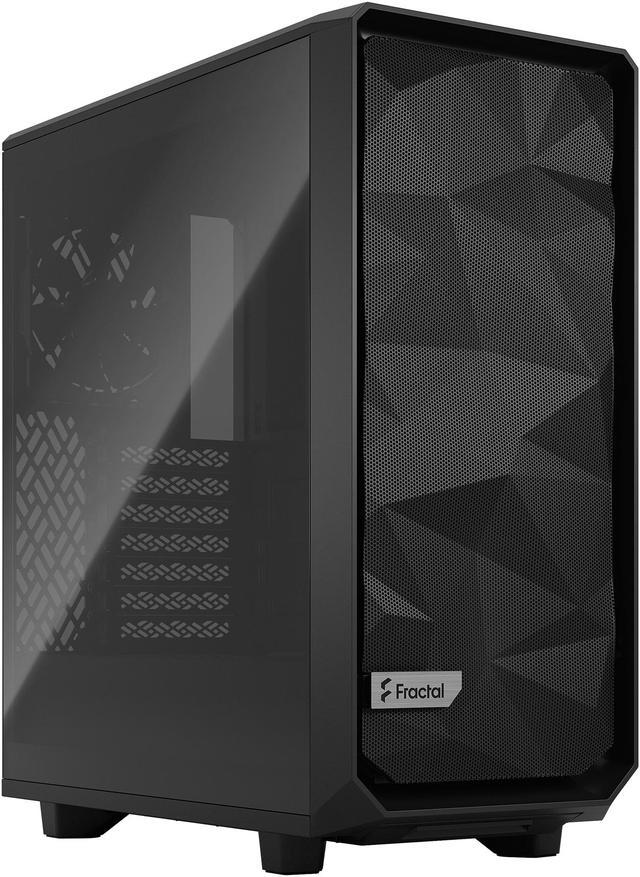
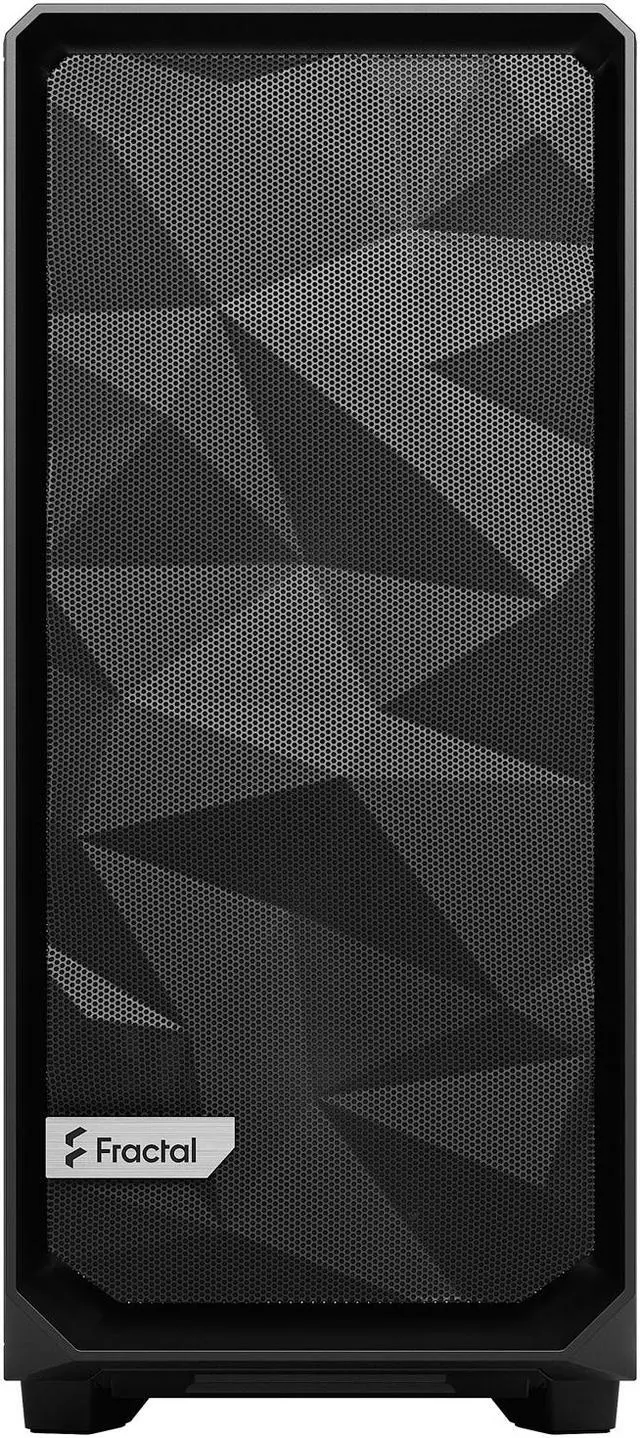
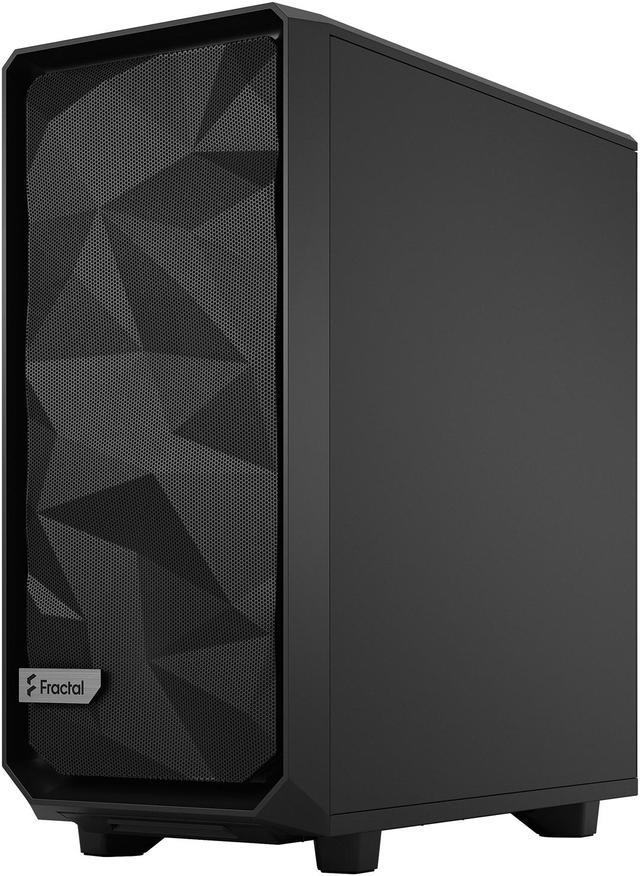
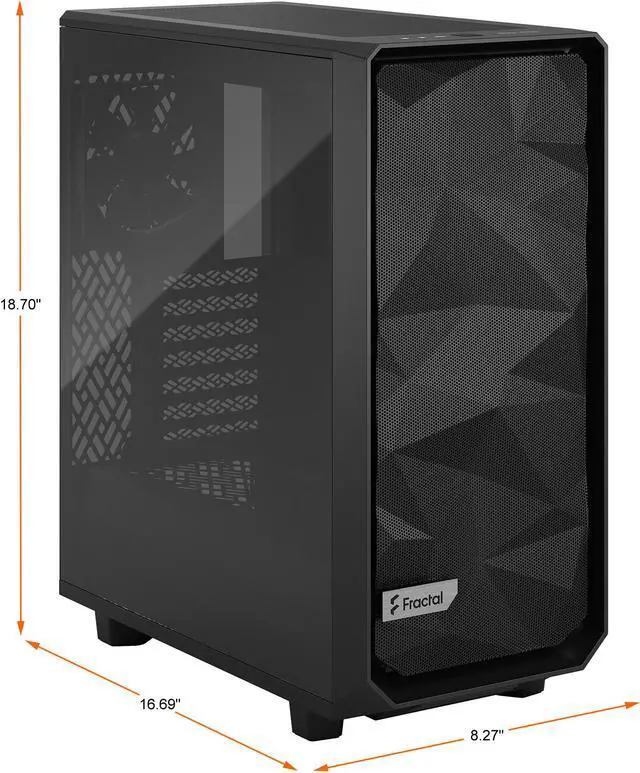
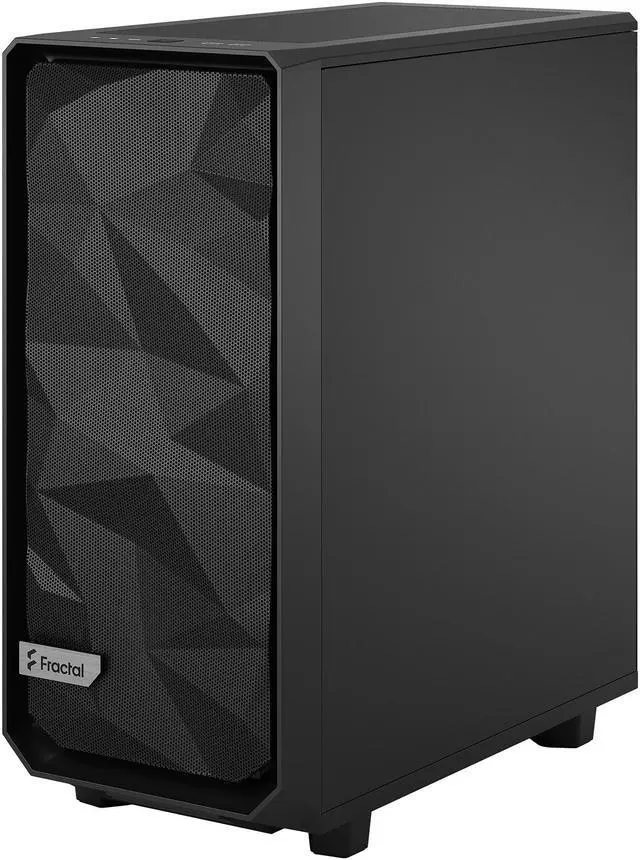
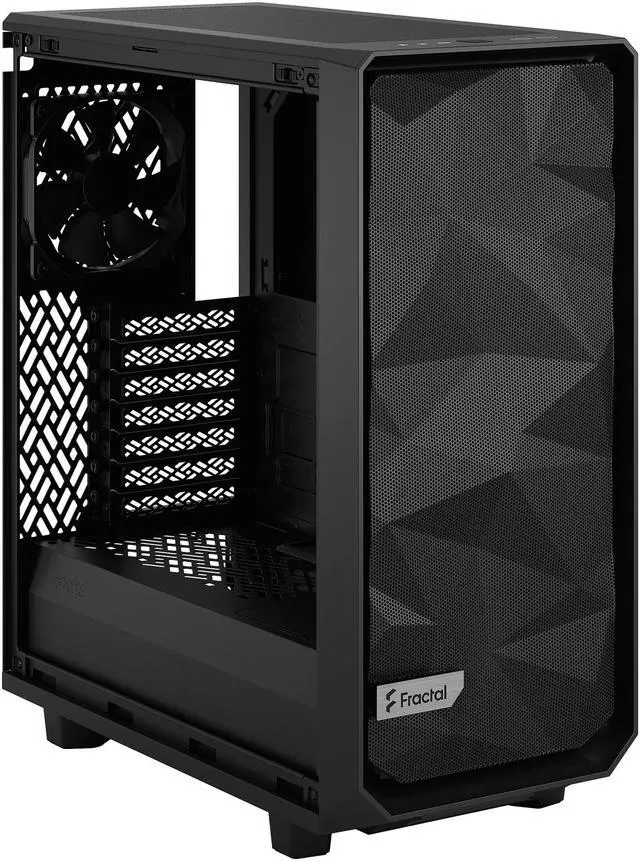
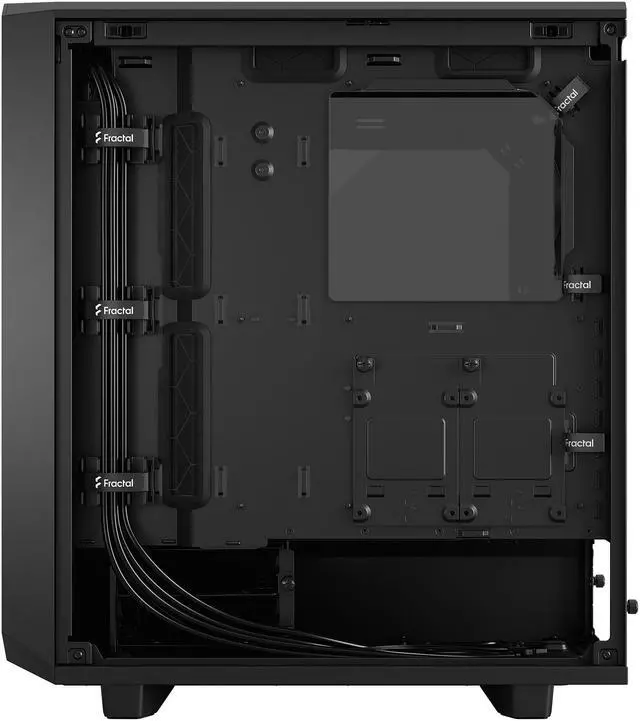
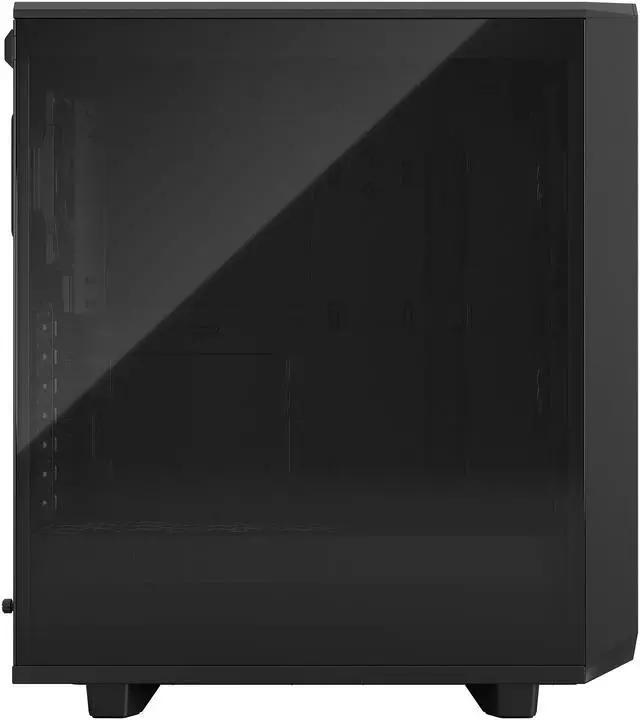
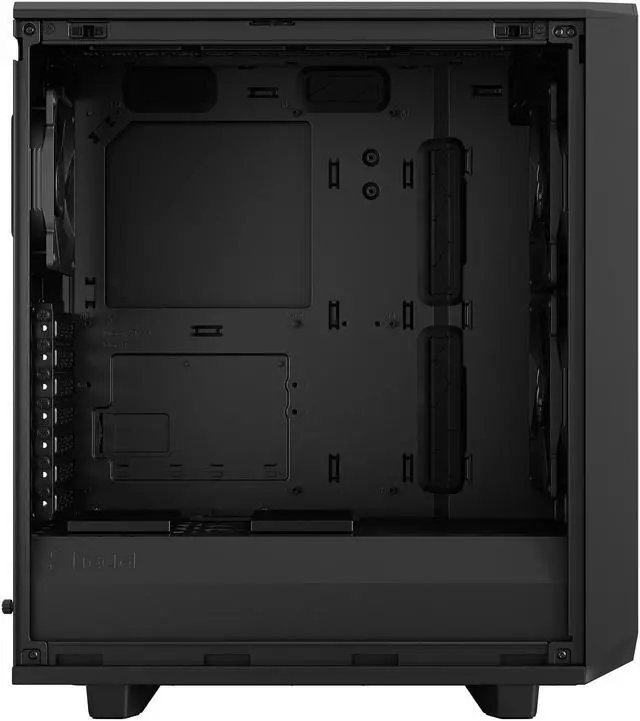
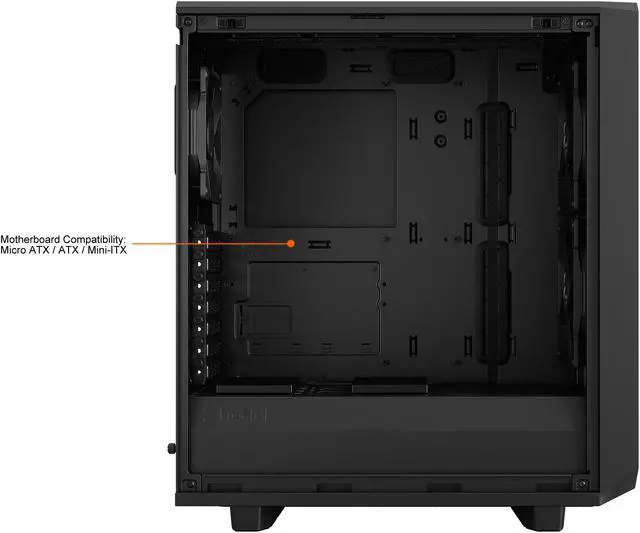
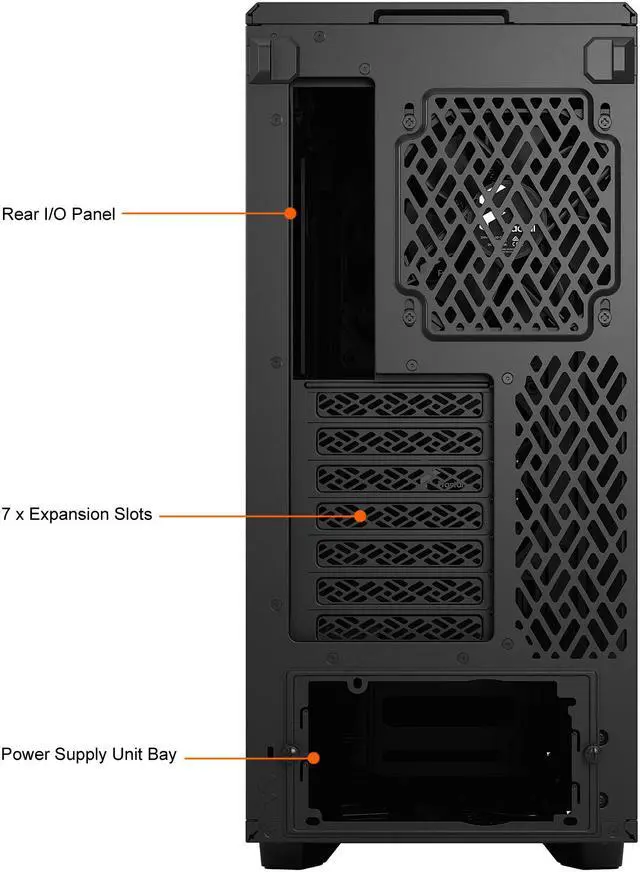
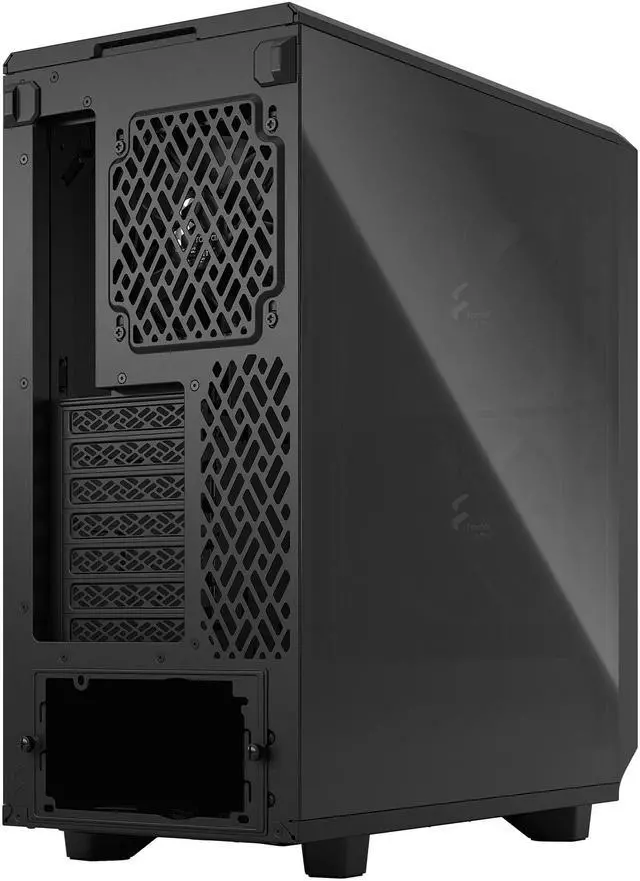


Fractal Design Meshify 2 Compact Black ATX Flexible High-Airflow Light Tinted Tempered Glass Window Mid Tower Computer Case
- Steel ATX Mid Tower
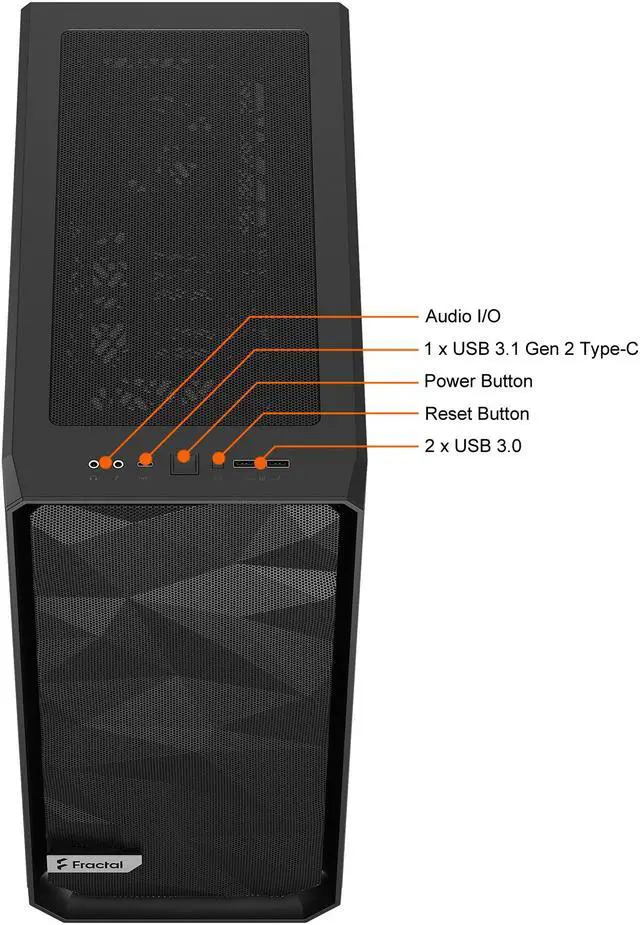
- 1 x USB 3.1 Gen 2 Type-C, 2 x USB 3.0, 2 x Audio, 2 x Buttons, Front Ports
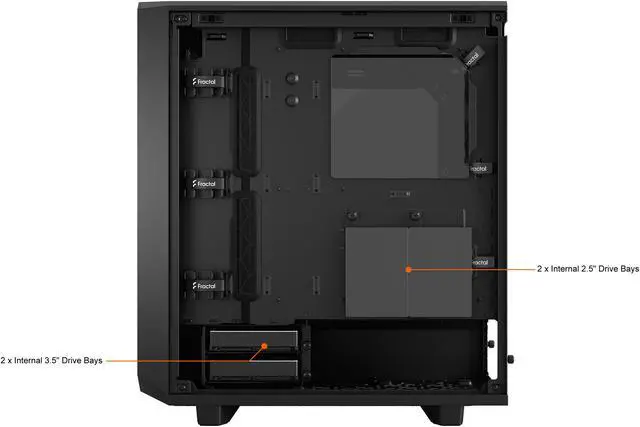
- 2 Internal 3.5" Drive Bays
+
+
Overview
Specs
Reviews (298)
Warranty & Returns
Warranty, Returns, And Additional Information
Warranty
- Limited Warranty period (parts): 2 years
- Limited Warranty period (labor): 2 years
- Read full details
Return Policies
- Return for refund until: January 31, 2027
- Return for replacement until: January 31, 2027
- This item is covered by Newegg.ca's Extended Holiday Return Policy.
- Read full return policy for details.
We want to ensure your holiday shopping this year is hassle-free. That’s why we’re automatically extending our return policies on almost every product! For purchases placed between November 1st, 2026 and December 31, 2026 you will have until January 31, 2027 to return your product.
Manufacturer Contact Info
LOADING...
LOADING...
The Fractal Design Meshify 2 Compact is a black ATX mid-tower PC case built for high-airflow gaming or performance systems, with a mesh front, tempered glass side panel, three included fans, and support for ATX, Micro ATX, and Mini-ITX builds.
Recommended For
- PC builders who want strong air-cooled gaming performance in a smaller ATX footprint, especially with standard-length GPUs and the included front intake setup.
- Builders who care about easy assembly and clean cable routing without moving up to a full tower, including first-time builders choosing a well-laid-out ATX case.
- Users planning a balanced gaming or creator build with top-mounted 240 mm liquid cooling, where they want airflow focus without stepping into a much larger chassis.
- People who want front USB-C and modern front I/O on a mainstream desktop case for everyday gaming, work, and peripheral-heavy setups.
- Apartment or desk-side users who want a case that feels less bulky than a large tower but still supports full ATX motherboards and multiple fan layouts.
Real-World Use Scenarios
- Building a high-airflow gaming PC with a large air-cooled GPU: users typically choose the Meshify 2 Compact when they want lower component temperatures than solid-front cases without moving to a full tower, and the usual result is strong front-to-back airflow with enough room for most mainstream high-end GPUs.
- Creating a clean mid-size ATX build for home office, gaming, or mixed daily use: buyers often pick this case when they want full-ATX compatibility without a bulky footprint, and the experience is usually easier desk placement and a neater build than larger airflow cases.
- Using a 240 mm top-mounted AIO with a modern CPU: this is a common setup for builders who want to keep front intake open for GPU cooling, and in practice it usually works well as long as radiator thickness and motherboard clearance are checked before purchase.
- Planning a front-radiator build with a long graphics card: users regularly consider this case for compact liquid-cooled gaming systems, but the real-world outcome is that GPU clearance becomes the main constraint, so fitment needs to be confirmed carefully before pairing a front 280/360 mm radiator with a long card.
- Building for easy maintenance in a dusty room or pet-heavy home: people use the Meshify 2 Compact when they want mesh airflow without giving up filtration, and the typical experience is simpler cleaning thanks to accessible front, top, and bottom filters, with some users removing the extra front filter only if they want slightly more airflow.
- Doing a first-time or infrequent ATX build with an emphasis on cable management: builders often choose this case for its access panels, routing features, and open interior, and the likely outcome is a relatively straightforward assembly process, though cable space can feel tighter once multiple drives or bulky modular PSU cables are added.
Spec Summary
| Attribute | Value |
|---|---|
| Best For | High-airflow ATX/Micro-ATX/Mini-ITX desktop builds that need flexible storage and cooling options, support GPUs up to 360 mm and up to 360/280 mm front radiators |
| Model Identifiers | Fractal Design Meshify 2 Compact, model FD-C-MES2C-03 |
| Case Type And Compatibility | ATX mid-tower compatible with ATX, Micro ATX and Mini ITX motherboards |
| Dimensions And Weight | 16.69 x 8.27 x 18.70 inches; 17.86 lbs |
| Materials And Side Panel | Steel case body with a light-tinted tempered glass side panel (external notes screwless tempered glass side panel with steel reinforcement) |
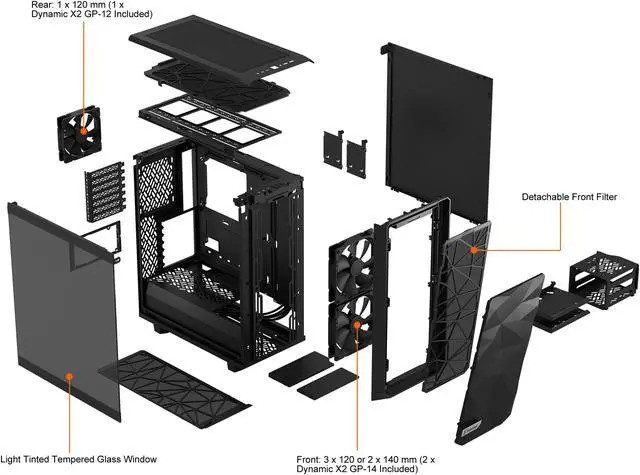
| Cooling And Fans | Air-cooled; includes 2x 140 mm front and 1x 120 mm rear Dynamic X2 fans pre-installed and supports up to 7x120 mm or 4x140 mm fan positions |
| Radiator Support | Front: up to 360/280 mm (max 145 mm width); Top: up to 240 mm (max 40 mm motherboard component height); Rear: 120 mm; Bottom: 120 mm (requires removal of HDD cage) |
| Drive Bays And Storage | Two internal 3.5" drive bays plus two included 2.5" bays (four 2.5" positions total); supports two 2.5"/3.5" drives and up to four SSDs |
| Front I/O And Buttons | 1x USB 3.1 Gen 2 Type-C (10 Gbps, fast charging), 2x USB 3.0, 2x audio jacks and 2x front buttons |
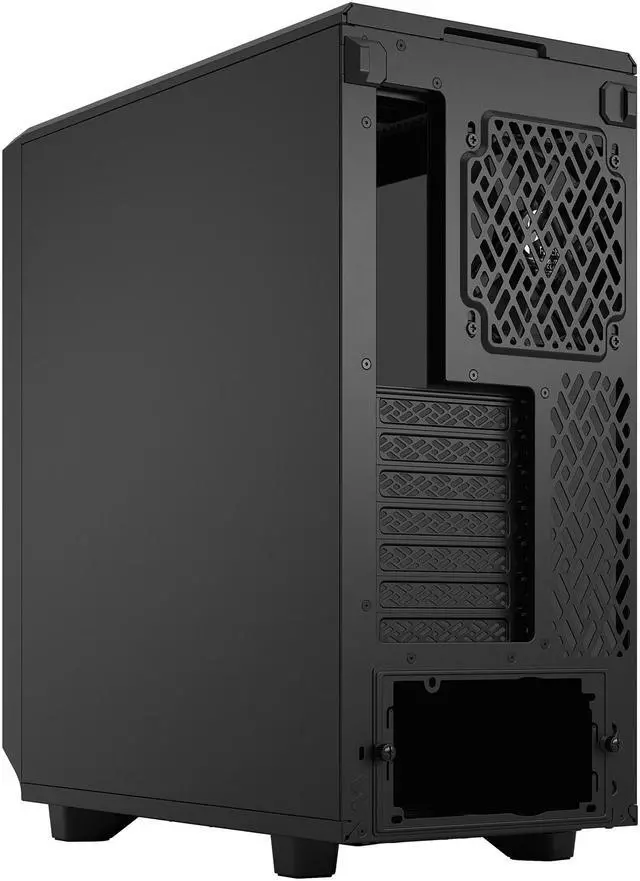
| Expansion And Internal Layout | Seven expansion slots (bridgeless) and an open interior layout with full-length PSU shroud for unobstructed connections and improved airflow |
| GPU And Power Supply Fit | Supports GPUs up to 360 mm (341 mm with front fan); accommodates PSUs up to 200 mm (165 mm with HDD cage and front fan); power supply mounted at bottom |
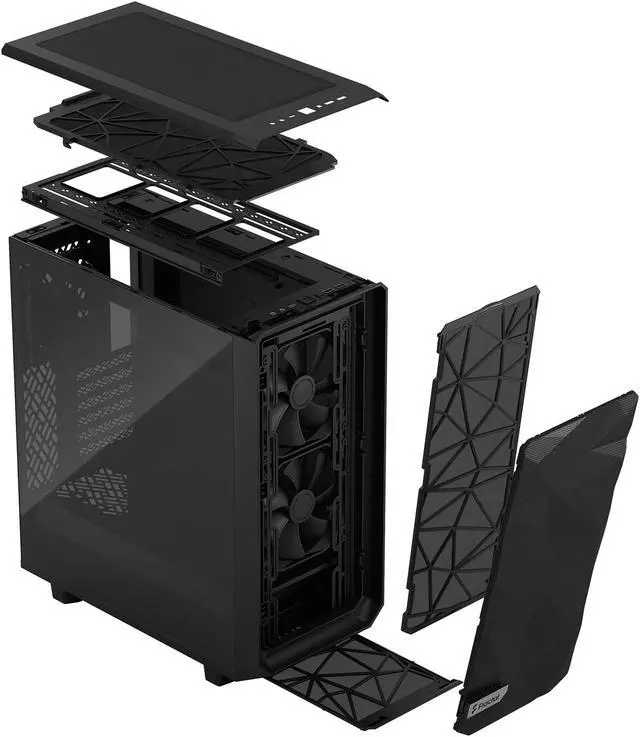
| Interior Access And Cable Management | Removable top panel and top fan bracket, bolt-free top-latching tempered glass panel, full-length PSU shroud with two-part removable cover, three integrated cable alignment clips and six velcro straps |
| Dust Filters And Maintenance | Easy-to-clean front, top and base dust filters with full PSU coverage and a removable front nylon filter; hinged front panel allows filter removal for increased airflow |
| Package Contents And Packaging | Includes Meshify 2 Compact case, user manual and accessory box; package quantity 1 with package dimensions 32.385 L x 52.07 W x 55.245 H cm and package weight 9.639 kg |
| Additional Notes | Supports versatile front configurations and high cooling capacity with multiple fan and radiator positions; installation details such as bottom fan/radiator options may require HDD cage removal |
Reference Q&A
Q: Should I buy the Fractal Design Meshify 2 Compact or the Corsair 4000D Airflow?
A: Choose the Meshify 2 Compact if you want a more feature-rich compact ATX case with stronger front I/O, a fully removable top panel, and more build-focused conveniences. Choose the Corsair 4000D Airflow if you want a simpler airflow case that is often positioned as the more value-oriented option. In real-world discussion, these two are commonly treated as close alternatives, but the Meshify 2 Compact is usually the better fit when ease of building, dust filtering, and Fractal’s internal layout matter more than minimizing cost.
Q: Is the Meshify 2 Compact better than the older Meshify C?
A: For most new builds, yes. The Meshify 2 Compact keeps the same compact airflow-focused idea but updates it with better front I/O, more flexible interior access, improved cable management, and broader radiator support. The older Meshify C still makes sense if you want a smaller, simpler layout and already know your parts will fit comfortably, but the Meshify 2 Compact is the more practical choice for current GPUs, USB-C front connectivity, and easier assembly.
Q: Should I get the Meshify 2 Compact or move up to the full-size Meshify 2?
A: Get the Meshify 2 Compact if you want ATX compatibility in a shorter case and your build uses mainstream cooling hardware. Move up to the full-size Meshify 2 if you need more radiator clearance, more storage flexibility, or extra room for very large GPUs and less restrictive top-mounted cooling. The key trade-off is footprint versus expansion headroom: the Compact is easier to place, while the full Meshify 2 is better for larger custom-loop or workstation-style builds.
Q: Meshify 2 Compact or Torrent Compact for an airflow-focused gaming build?
A: Choose the Meshify 2 Compact if you want a balanced ATX case with broader cooling layout flexibility, better top-panel access, and more conventional support for mixed air and liquid cooling. Choose the Torrent Compact if your priority is an air-cooled gaming build and you are comfortable with its more specialized internal layout. Community and review patterns usually frame the Torrent Compact as the more focused airflow-first option, while the Meshify 2 Compact is the more versatile all-rounder.
Q: Is the Meshify 2 Compact a good choice for compact, high-performance builds with large GPUs or front radiators?
A: Yes, but only if you plan around clearance. The Meshify 2 Compact is a strong fit for performance-oriented builds because it supports long GPUs and multiple radiator layouts, yet front-mounted radiators can reduce usable GPU space and top-radiator clearance depends on motherboard and RAM height. It is the better choice when you want compact dimensions without giving up ATX support, but builders using extra-long GPUs or thicker radiators should consider the full Meshify 2 for easier fitment.
Q: Will a large modern GPU and liquid cooler fit in the Meshify 2 Compact?
A: Usually yes, but this case needs clearance planning. The Meshify 2 Compact supports GPUs up to 360 mm with no front fan, about 341 mm with a standard 25 mm front fan installed, and roughly 311 mm if you replace that fan area with a 30 mm front radiator plus 25 mm fans. It also supports up to a 240 mm top radiator, but top-mounted radiator clearance is limited by a 40 mm motherboard component height restriction. In practice, it works well for many high-end air-cooled or AIO builds, but it is not the safest choice if you want a very long GPU and a thick front radiator at the same time.
Q: Is the Meshify 2 Compact a good choice for an airflow-focused gaming PC?
A: Yes. This case is a strong fit for builders who prioritize airflow over RGB styling or maximum internal volume. It includes two 140 mm front fans and one 120 mm rear fan, uses a mesh front panel, and has direct front-to-back airflow. The trade-off is that it is a compact mid-tower, so cooling support is good but not as forgiving as larger airflow cases when you combine oversized GPUs, front radiators, and extra drive hardware.
Q: Who is the Meshify 2 Compact best suited for?
A: It is best for mainstream to high-performance PC builders who want an ATX case that stays relatively compact without giving up strong airflow, USB-C on the front I/O, or support for full-size graphics cards. It is a better fit for single-GPU gaming or workstation builds than for storage-heavy builds, because internal drive capacity is modest at two 3.5-inch bays and up to four 2.5-inch positions.
Q: What are the main trade-offs versus a larger airflow case like the Corsair 5000D Airflow?
A: The Meshify 2 Compact is easier to place on or under a desk and still supports ATX motherboards, strong stock airflow, and front USB-C. A larger case like the Corsair 5000D Airflow gives you more working room, easier clearance for oversized GPUs and 360 mm top radiators, and generally fewer compatibility compromises. The trade-off is size: the Meshify 2 Compact is better if you want a smaller footprint, while the larger case is better if you want maximum cooling flexibility and easier high-end builds.
Q: Is the Meshify 2 Compact better than a style-first tempered-glass case?
A: If your priority is cooling performance and practical building features, yes. The Meshify 2 Compact is designed around filtered mesh airflow, easy panel access, and cable routing rather than a sealed front showcase design. A style-first glass-heavy case may look cleaner or include more lighting, but it often trades away intake airflow or relies more on added fans. The Meshify 2 Compact is the safer choice for builders who care more about thermals and compatibility than about RGB presentation.
Q: Is the Meshify 2 Compact a good choice if I want strong airflow in a smaller ATX case?
A: Yes, if your priority is airflow and a compact ATX footprint. Reddit and YouTube discussion repeatedly describe the Meshify 2 Compact as a strong thermal performer for its size, and the product data supports that with a mesh front, three included fans, and support for up to seven fan positions. The main trade-off is that its compact layout leaves less margin for oversized parts than a larger mid tower.
Q: Who is the Meshify 2 Compact best suited for?
A: It is best suited for builders who want an ATX case that stays relatively compact but still supports full-size motherboards, large air coolers, and flexible fan or radiator setups. It is a better fit for airflow-focused gaming or workstation builds than for storage-heavy builds, because internal drive capacity is modest at two 3.5-inch bays and four 2.5-inch positions total.
Q: Are there any important clearance trade-offs I should know before buying the Meshify 2 Compact?
A: Yes. The case supports large parts on paper, but repeated Reddit discussion shows that GPU length, front radiator thickness, top radiator clearance, and bottom fan use can become limiting in real builds because this is still a compact chassis. It is a good option if you plan parts carefully, but less forgiving for extra-long GPUs or thick radiator builds than a larger case.
Q: Is the Meshify 2 Compact a good buy for air cooling rather than liquid cooling?
A: Yes, especially if you want a straightforward high-airflow air-cooled build. Community discussion often centers on its strong stock airflow and support for large tower coolers, while also noting that more complex radiator layouts can create tighter clearance compromises. If you are deciding between simple air cooling and a thick multi-radiator setup, this case is generally the safer fit for the air-cooled route.
Q: What are the main downsides of the Meshify 2 Compact compared with a larger airflow case?
A: The main downsides are tighter component clearance, fewer drive options, and less flexibility once you start adding front radiators, bottom fans, or very large GPUs. Reddit discussion also points out that some cooling optimizations can conflict with storage or cable-routing space, such as the bottom fan position requiring removal of the HDD cage. In short: it offers strong airflow, but not the same build margin as a roomier mid tower.