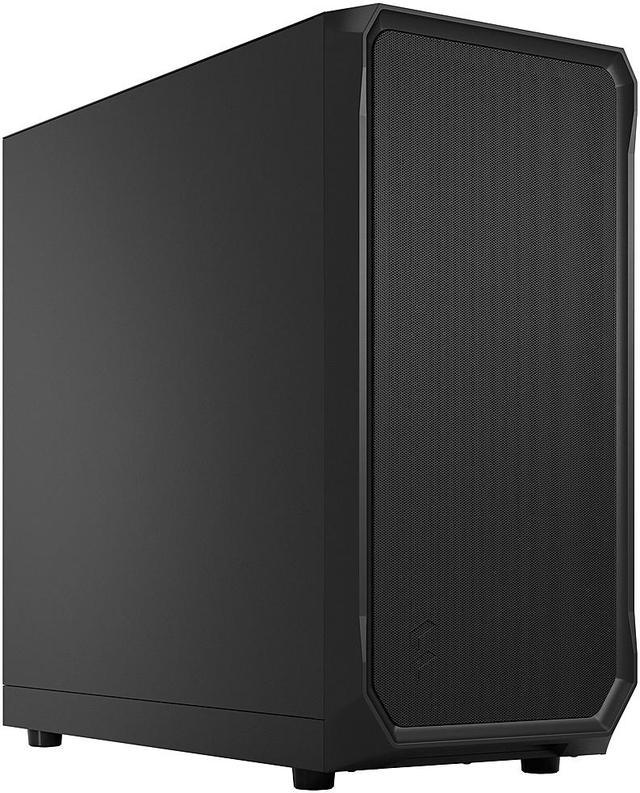
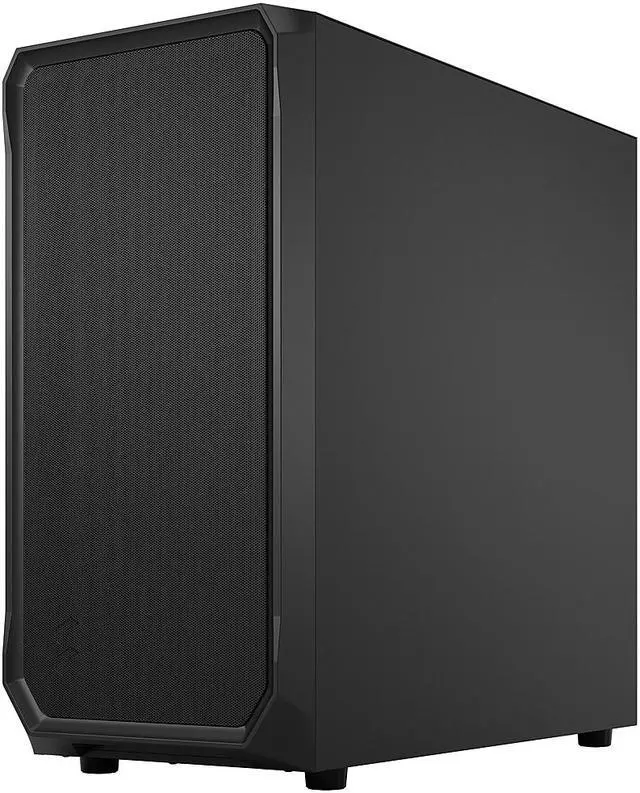
The Fractal Design Focus 2 Black is an ATX mid-tower PC case built for mainstream gaming and everyday desktop builds that need strong airflow, broad component support, and straightforward cable management. It suits builders using ATX, microATX, or Mini-ITX boards who want room for large GPUs, up to a 360 mm front radiator, and two included 140 mm front fans.
Recommended For
- PC builders who want an airflow-first ATX case for a midrange or upper-midrange gaming build, without paying for premium extras they may not use. Reviews and owner discussions repeatedly point to strong airflow, included 140 mm front fans, and good value for straightforward builds.
- First-time builders who want an easy, conventional mid-tower layout with room for full-size GPUs, standard ATX parts, and simple cable routing. Fractal positions it around an enjoyable building experience, and community feedback often describes it as easy to build in.
- Users building a clean-looking home office, workstation, or non-RGB desktop who prefer understated styling and a solid side panel over a showcase case. Community discussion consistently highlights the minimal, not-too-gaming appearance as a reason people pick this model.
- Builders planning a large air cooler or a long modern graphics card, but who still want a mainstream mid-tower footprint. Official clearance support and review summaries make it a practical fit for roomy air-cooled gaming systems.
Real-World Use Scenarios
- Building a mainstream gaming PC with a long graphics card and air cooling: users can fit current full-length GPUs and a tall tower cooler without the case feeling cramped, while the mesh front and two included 140 mm fans usually deliver straightforward, usable airflow without needing extra fans on day one.
- Choosing a budget-conscious airflow case for a first or value-focused build: the Focus 2 is commonly positioned as an entry-level chassis that covers the basics well, so the typical experience is an easier-than-expected first build with solid cooling potential, but fewer premium extras than higher-tier cases.
- Setting up a high-airflow gaming system with front radiator support: users who want stronger GPU and CPU cooling can move beyond the stock fan setup and install a large front radiator, with the likely tradeoff being a more involved build and tighter planning around component placement than in a simple air-cooled setup.
- Using the case for a clean, non-RGB workstation or home office PC: the solid black version fits users who care more about subdued appearance and practical airflow than showcase aesthetics, and the result is a build that looks understated in shared spaces while still supporting standard ATX parts and front USB access.
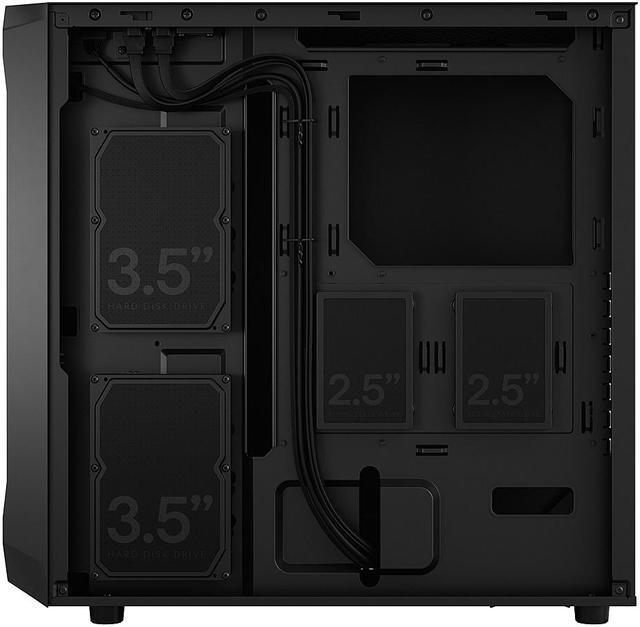
- Expanding storage for a general-purpose PC with a few SSDs and hard drives: the case works well for typical mixed-storage builds, so most users can add a modest combination of 2.5-inch and 3.5-inch drives without issue, but it is better suited to normal desktop storage needs than to heavy multi-drive NAS-style use.
- Planning a top-mounted fan upgrade after the initial build: community and review feedback suggests the case can support extra cooling, but top-clearance can become tight with some components, so the real-world outcome is usually good flexibility if you check motherboard and fan dimensions before buying rather than treating every listed configuration as equally easy.
Spec Summary
| Attribute | Value |
|---|
| Best For | Builders using Micro‑ATX/ATX/Mini‑ITX/Mini‑DTX motherboards who want strong GPU airflow and radiator support (front up to 360mm) in a mid‑tower chassis |
|---|
| Motherboard Compatibility | Supports Micro ATX, ATX, Mini‑ITX and Mini‑DTX motherboards |
|---|
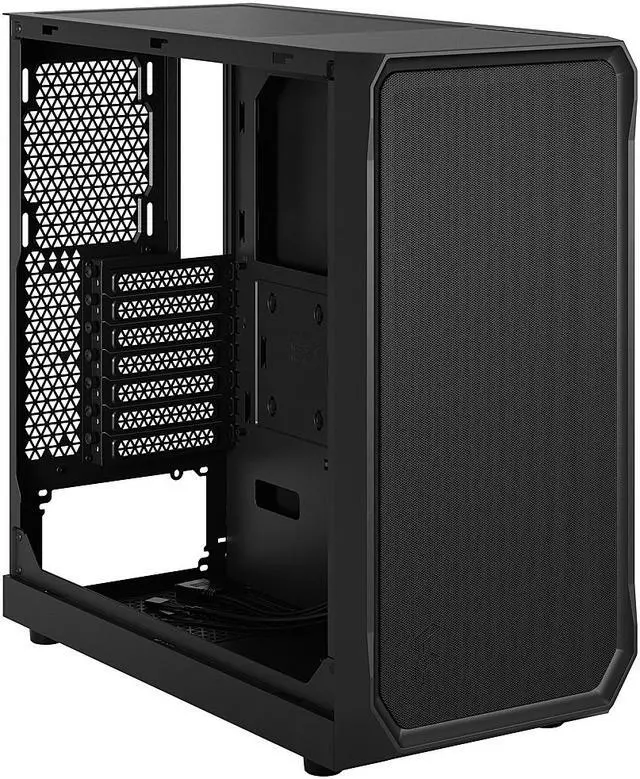
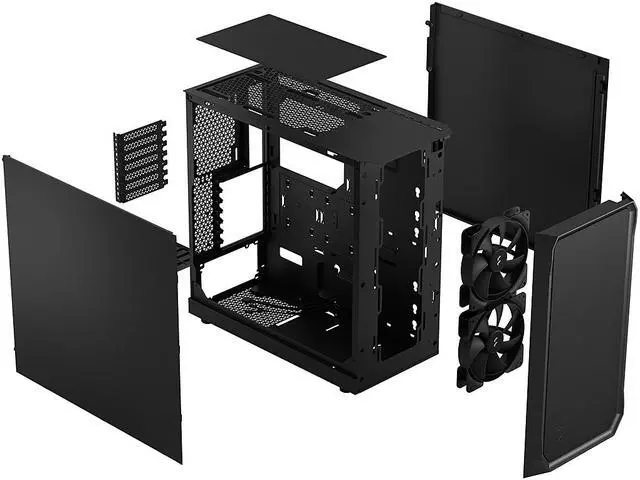
| Cooling & Fans | Includes 2 x 140mm Fractal Aspect front fans; supports up to 3x120mm or 2x140mm front, 2x120mm or 2x140mm top, and 1x120mm rear; six total fan positions; air cooling |
|---|
| Radiator Support | Front: up to 360mm/280mm (also supports 240/140/120, 145mm max width); Top: up to 240mm (46mm max motherboard component height) or 120mm; Rear: 120mm |
|---|
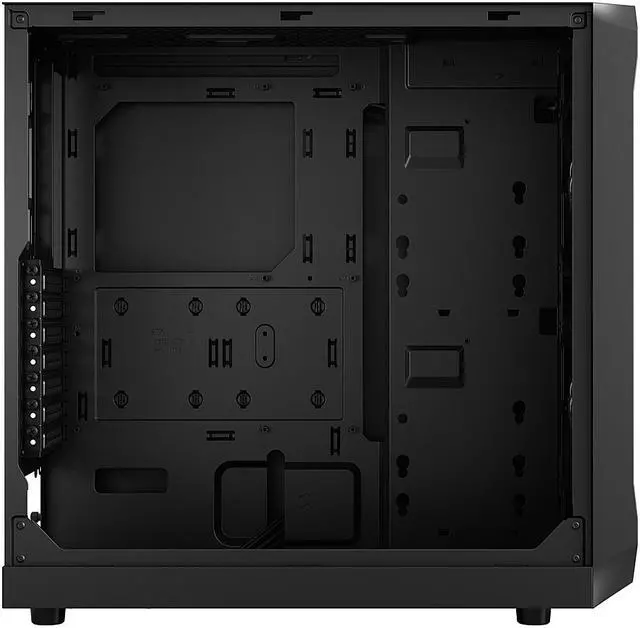
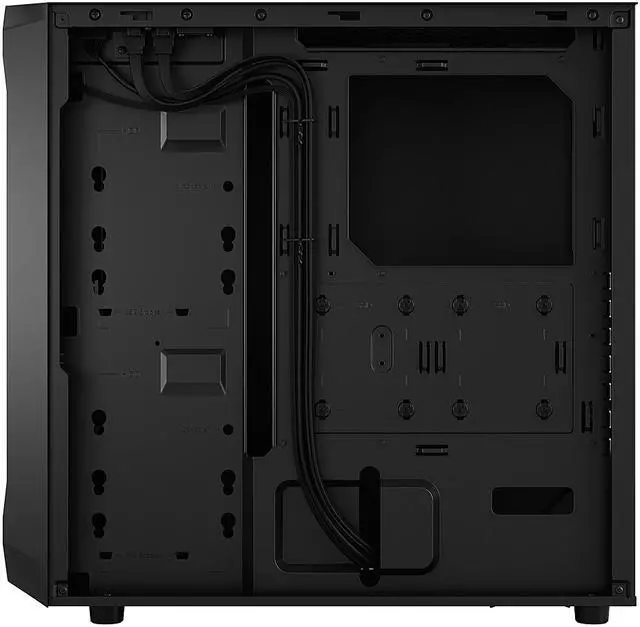
| Drive Bays & Storage | 2 x 3.5" HDD bays included; 2 x 2.5" SSD bays included with 6 total 2.5" positions; SSD quick clips behind the motherboard panel; HDD mounts on the motherboard panel; optional Type D SSD bracket kit can replace up to two HDD positions |
|---|
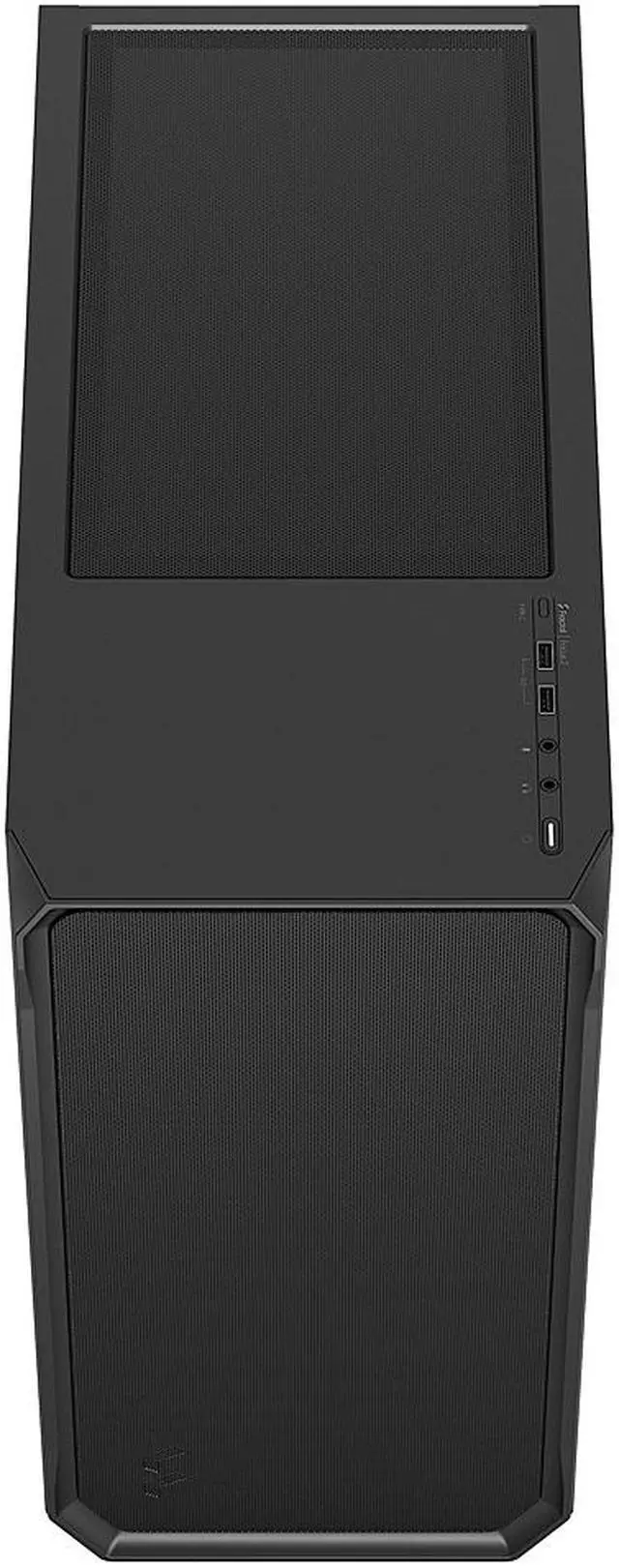
| Front I/O & Expansion | Front I/O: 2 x USB 3.0 (5 Gb/s) and microphone/headphone jacks; optional USB 3.2 Gen 2x2 Type‑C front port available via upgrade kit (sold separately); 7 expansion slots |
|---|
| Dimensions & Weight | 18.56" x 8.46" x 17.74" (H x W x D); 13.45 lbs |
|---|
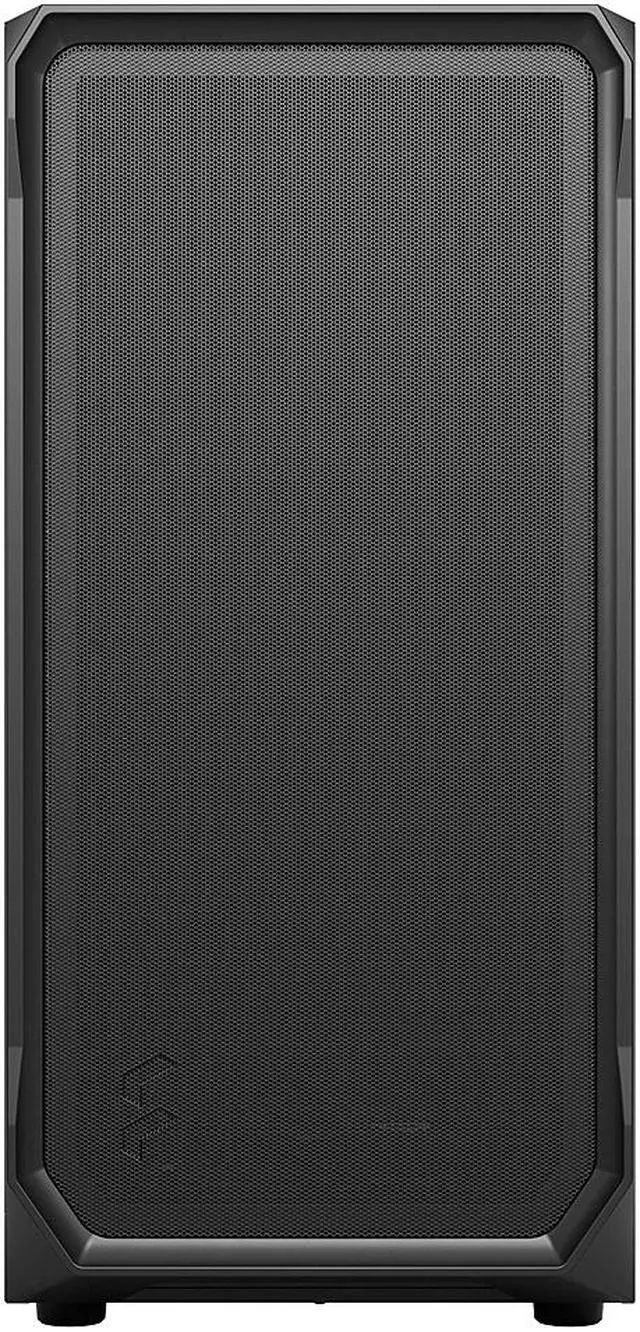
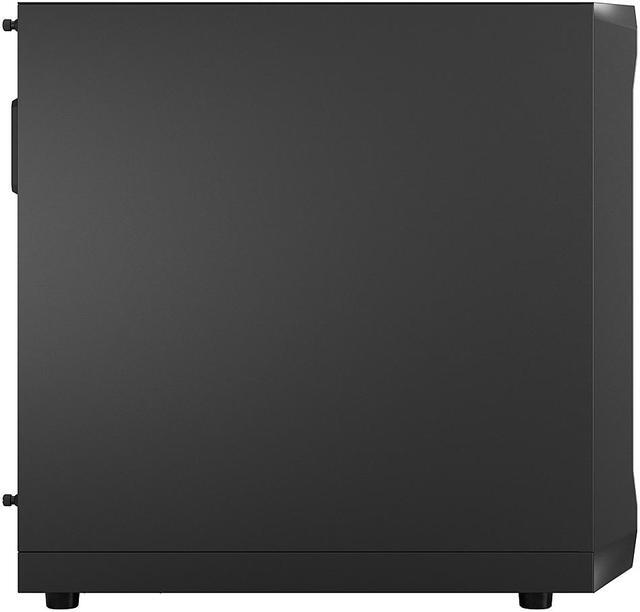
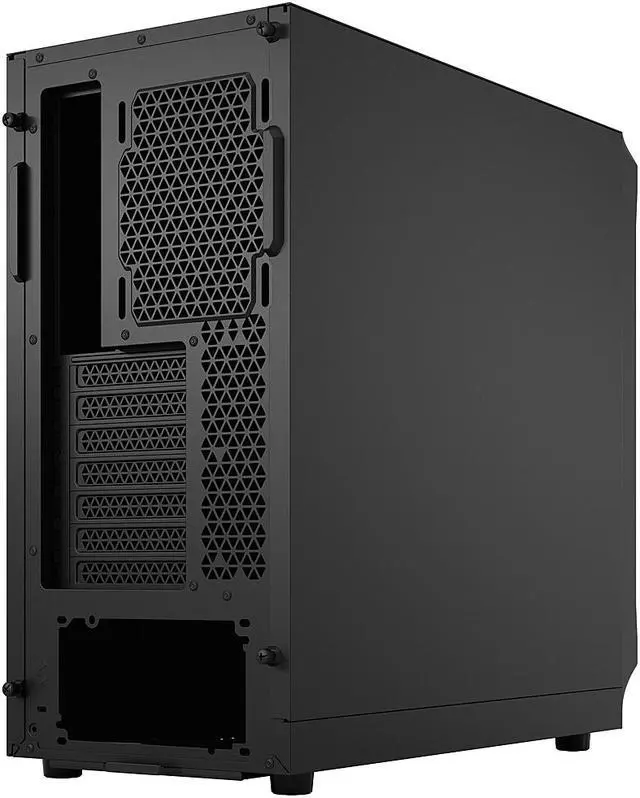
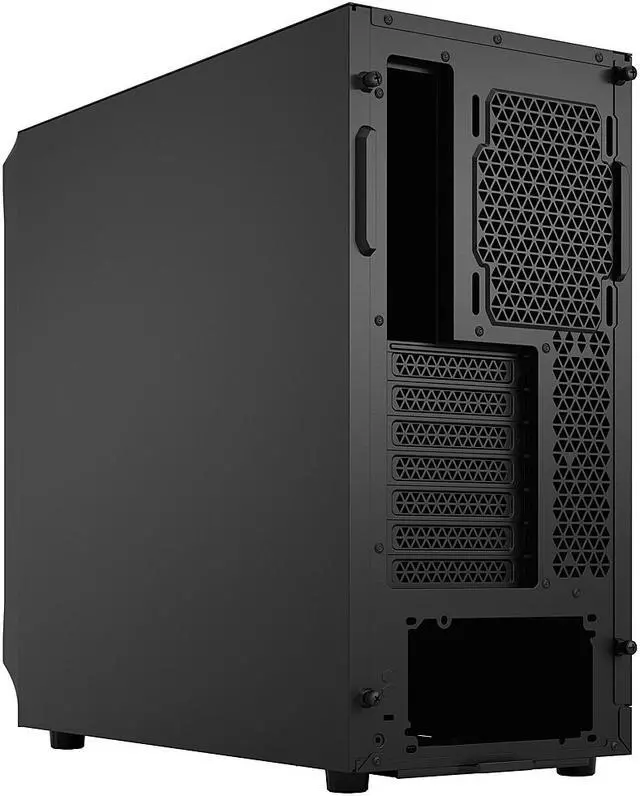
| Materials & Panels | Steel enclosure with no side window; dust filters on the front (steel mesh), top (plastic mesh) and PSU (nylon) |
|---|
| Power Supply | No PSU included; bottom-mounted PSU support; maximum PSU length 250 mm (175 mm recommended) |
|---|
| Clearance & Component Sizes | Maximum GPU length 405 mm with front fan installed; maximum CPU cooler height 170 mm |
|---|
| Features & Accessories | Innovative shroud system for improved GPU airflow; easy‑clean front mesh acting as a dust filter; SSD quick clips for fast installation; multibracket position available (multibrackets sold separately); package includes Focus 2 case, accessory bag and user manual |
|---|
| Model Identifiers | Fractal Design Focus 2, Model FD-C-FOC2A-07 (Model Name: Focus 2 Black Solid), Manufacturer: Fractal Design |
|---|
Reference Q&A
Q: Should I buy the Fractal Design Focus 2 or the Corsair 4000D Airflow?
A: Choose the Fractal Design Focus 2 if you want a simpler airflow-first ATX case with two included 140 mm front fans, very long GPU clearance, and a solid side-panel design. Choose the Corsair 4000D Airflow if cable-routing features and tempered-glass presentation matter more, or if you plan to add your own fan setup. A practical difference is the stock configuration: Focus 2 includes two 140 mm front fans, while Corsair’s 4000D Airflow official quick-start material lists one included 120 mm front fan. The 4000D Airflow also has a shorter front-AIO GPU clearance limit, while Focus 2 is rated for up to 405 mm GPU length with the front fan mounted.
Q: Fractal Focus 2 vs Fractal Pop Air: which one makes more sense?
A: Choose Focus 2 if you want the cleaner, more minimal Fractal layout and do not need legacy drive flexibility or extra stock fans. Choose Pop Air if you want a more feature-rich Fractal case out of the box. Officially, Pop Air ships with three 120 mm fans and includes two concealed 5.25-inch bays, while Focus 2 ships with two 140 mm front fans and focuses on a straightforward airflow layout. Community discussions and reviews commonly frame this as minimalism and larger stock front fans on Focus 2 versus broader utility and extras on Pop Air.
Q: Is the Fractal Focus 2 a better buy than the NZXT H5 Flow?
A: Choose Focus 2 if you want a more conventional front-intake airflow setup with two included 140 mm fans and strong GPU clearance at a lower-complexity baseline. Choose the NZXT H5 Flow if you prefer NZXT’s layout, tempered-glass styling, and newer front I/O with native USB-C. Officially, the 2024 H5 Flow includes one front 120 mm fan and one rear 120 mm fan, plus a USB-C front port; Focus 2 includes two 140 mm front fans but requires a separate kit for front USB-C. Reviews and community comparisons often treat this as Focus 2 for straightforward stock airflow value, versus H5 Flow for layout and connectivity preferences.
Q: Should I step up from the Fractal Focus 2 to a higher-tier case like Meshify 2 Compact?
A: Choose Focus 2 if your priority is a straightforward mid-tower with strong core airflow support, large GPU clearance, and lower build cost. Step up to a higher-tier Fractal case like Meshify 2 Compact if you want more premium fit-and-finish, broader layout refinement, and more enthusiast-oriented build features. In other words, Focus 2 fits performance-first mainstream builds well, while a higher-tier Fractal model makes more sense when build experience, materials, and expansion flexibility matter as much as cooling.
Q: Is the Fractal Focus 2 a good choice for a portability-focused build, or should I go smaller?
A: Choose Focus 2 when performance, airflow, and full-size ATX compatibility matter more than portability. If you plan to move the system often or want a smaller desk footprint, a compact mATX or ITX case will usually make more sense than Focus 2. Focus 2 is still relatively light for an ATX mid-tower at about 13.45 lb, but its value comes from internal space, cooling support, and component compatibility rather than compact transport.
Q: Is the Fractal Design Focus 2 a good choice for an airflow-focused mid-range or high-performance gaming build?
A: Yes. The Focus 2 is a practical choice for buyers who want strong airflow without moving to a larger or more expensive case. It includes two 140 mm front fans, uses a mesh front panel that also acts as a dust filter, and supports up to a 360 mm front radiator. It is best suited to builders who prioritize cooling, simple layout, and value over premium extras such as built-in RGB or front USB-C.
Q: Will this case fit a large modern graphics card and a full ATX build?
A: Usually yes. The Focus 2 supports ATX, microATX, Mini-ITX, and Mini-DTX motherboards, and it allows GPU lengths up to 405 mm with the front fan mounted. That makes it suitable for most current full-size gaming builds. Buyers should still verify exact GPU length and radiator placement together, because front cooling hardware can affect usable clearance in real builds.
Q: Does the Fractal Design Focus 2 include enough cooling out of the box, or should I plan on buying more fans?
A: It is enough for many standard builds, but not for every high-heat setup. The case includes two 140 mm front fans, which is a solid starting point for mainstream gaming and general-purpose systems. If you are using a hotter GPU, a high-end CPU, or want lower noise at load, it is reasonable to plan for at least one rear exhaust fan or additional top exhaust fans.
Q: What are the main trade-offs versus a similarly priced airflow case with front USB-C or tempered glass?
A: The main trade-off is features versus simplicity. The Focus 2 solid-panel version gives you strong airflow, broad radiator support, and straightforward internal space, but it does not include a side window, built-in RGB, or front USB-C by default. If front USB-C or a glass panel matters to you, a competing airflow case may offer those features out of the box, while the Focus 2 keeps cost and complexity lower.
Q: Who is the Fractal Design Focus 2 best suited for?
A: It is best for builders who want a straightforward ATX case with good airflow, support for large components, and no strong emphasis on aesthetics. It suits first-time builders, budget-conscious gaming builds, and users who prefer a clean black solid-side-panel design. It is less ideal for buyers who specifically want showcase glass styling, included RGB, or native front USB-C without buying an add-on kit.
Q: Is the Fractal Design Focus 2 a good budget airflow case?
A: Yes, if you want a simple mid-tower with strong front airflow and included large intake fans. The Focus 2 comes with two 140 mm front fans, a mesh front, support for large GPUs up to 405 mm, and broad radiator support. The main trade-off discussed by users is that it does not include a rear exhaust fan, so many buyers add one for a more balanced airflow setup.
Q: Who is the Focus 2 best suited for?
A: It is best suited for mainstream ATX or micro-ATX builders who want a straightforward, high-airflow case without paying for premium extras. It fits large air coolers up to 170 mm, long GPUs, and supports front 360 mm radiators, so it works well for gaming builds and general-purpose desktops. It is less suited to buyers who want front USB-C included by default, extensive stock fan coverage, or a more compact chassis.
Q: Do most buyers need to add extra fans to the Focus 2?
A: Often, yes. The included two 140 mm front fans are enough for many mid-range builds, but repeated buyer discussion centers on adding at least one 120 mm rear exhaust fan. That is the most common upgrade because it improves airflow balance without changing the case's basic value proposition.
Q: What are the main trade-offs of choosing the Focus 2 over similarly priced cases?
A: The Focus 2 prioritizes airflow, size compatibility, and a simple layout over extras. Common trade-offs are no included rear fan, no front USB-C unless you buy the upgrade kit separately, and fewer premium convenience features than some competing cases slightly above its price tier. It is a strong fit if airflow and compatibility matter more than bundled features.
Q: Is the Focus 2 a good choice if front USB-C matters to me?
A: Only if you are comfortable treating USB-C as an extra, not a standard feature. The case has an optional front USB-C upgrade path, but the port kit is sold separately and also requires a compatible motherboard header. If you want front USB-C included out of the box, another case may be a better fit.







/11-352-195/1-logo.jpg)
/11-352-195/1-main.jpg)
/11-352-195/split-line.jpg)
/11-352-195/2-feature-a.jpg)
/11-352-195/2-airflow.jpg)
/11-352-195/3-ASPECTS.jpg)
/11-352-195/4-OPEN.jpg)
/11-352-195/5-show.jpg)
/11-352-195/6-SMART.jpg)
/11-352-195/7-USB-C.jpg)
/11-352-195/8-Extra-feature.jpg)
/11-352-195/9-what's-included.jpg)
/11-352-195/9-front-a.jpg)
/11-352-195/9-components-and-fans.jpg)
/11-352-195/10-accessory-box.jpg)
/11-352-195/11-compatible.jpg)