


• $25.99
  • Free 30-day Returns
Ships from China.
Price alert
Shop it at NeweggBusiness.

Meet Your Seller

Get Educated

Make informed decisions with expert advice. Learn More

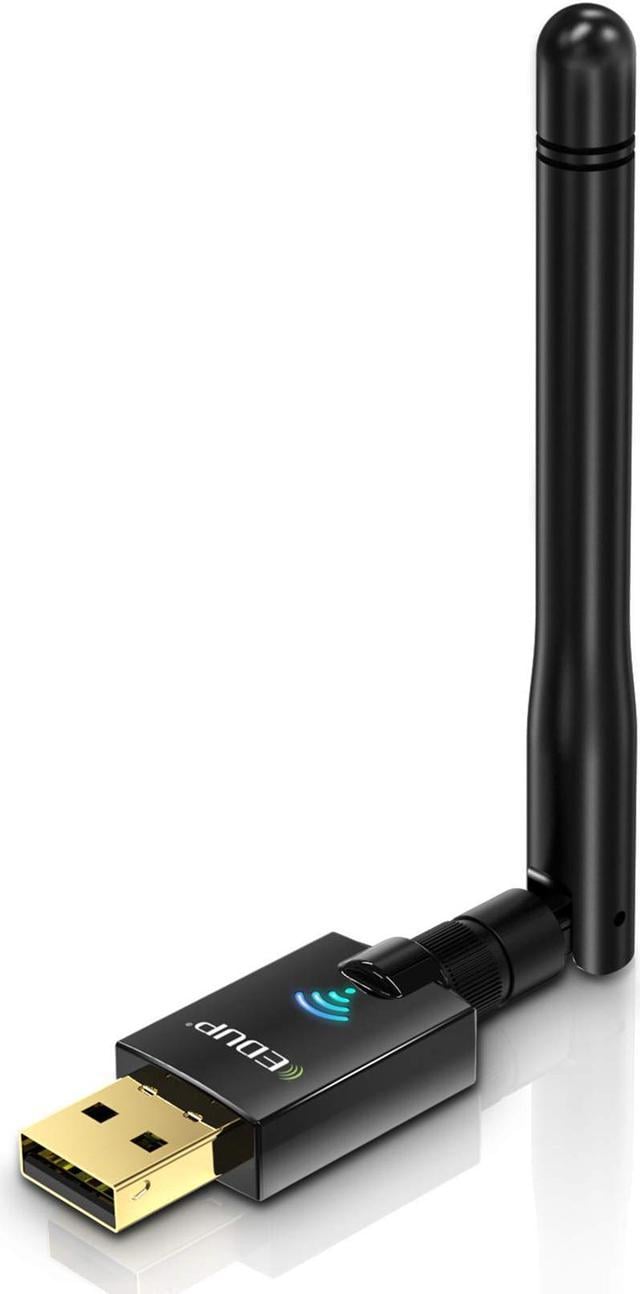
USB Wifi Adapter for PC, 600Mbps USB Wi-fi Dongle 802.11ac Wireless Network Adapter with Dual Band 2.4GHz/5Ghz High Gain Antenna for Desktop Laptop support Windows XP/Vista/7/8.1/10 Mac 10.7-10.15

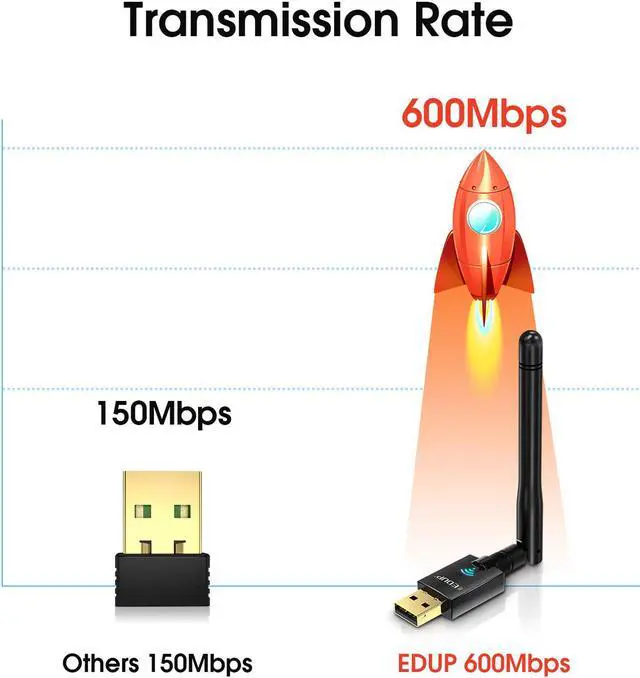
  • Ultra-fast AC600 wireless adapter speed with 802.11ac - 3 times faster than wireless N speeds. Best device for gaming online and seamless HD video streaming
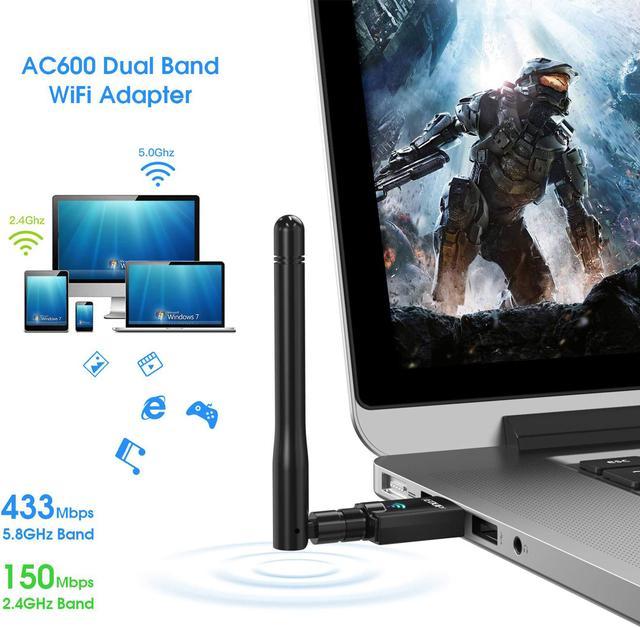
  • Up to 600Mbps high speed on 5.8GHz (433Mbps) and 2.4GHz (150Mbps) bands. Dual band reduce interference for better connection.With Roaming technology, promise high effective wireless connection
  • This dual band wifi dongle support any wifi routers: By using AC600 wireless adapter, you can upgrade your PC,laptop or Mac to work with the latest AC WiFi router for faster speed and extended range
  • External High Gain Long-Range 2dBi omni-directional Antenna can help you connect even when signals are weak, increase coverage and stability
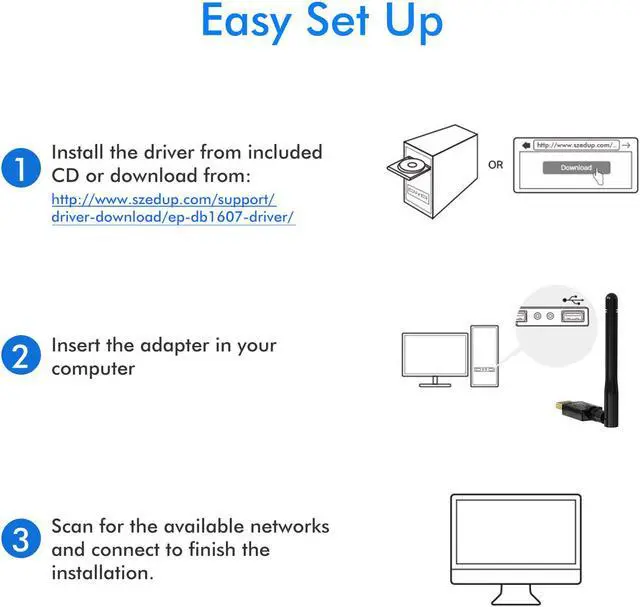
  • Easy to Install : 1) Install the driver ; 2) Plug it in ; 3) Go
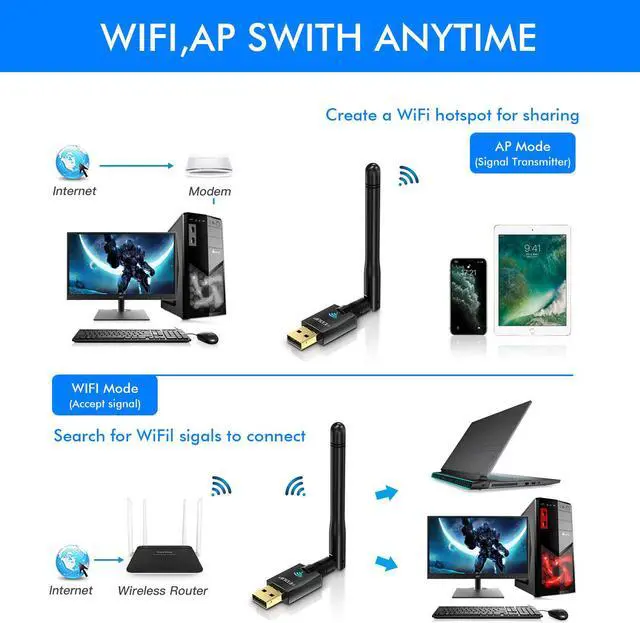
  • Wi-Fi Hot Spot: You can create a Hot spot with the Soft AP Function for more wifi devices
+
+
Overview
Specs
Reviews
image for this item
EDUP WIFI adapter

Specification:

Standard: IEEE 802.11 b/g/n 2.4GHz, IEEE 802.11 a/n/ac 5.0GHz

Wi-Fi Band: Dual band 2.4 or 5GHz

Wi-Fi Performance: AC600Mbps (2.4G 150M / 5.8G 433M)

USB 2.0

Support Systems: Windows XP / VISTA / WIN 7 / WIN 8.1 / WIN 10 ,Mac OS X 10.6-10.13.4

Antenna: 2dBi


Note:

If the wifi adapter can not be recognised, please reinstall the newest driver from EDUP website or update the driver manually.

If the connection is unstable, please check your signal strength and signal channel.

If you meet a problem about the driver can not be installed on Mac 10.13.3 or Mac 10.13.4 system, please follw the suggestion steps to resolve the problem.

1.Find out"system preferences"

2.Click: Security and privacy

3.Then click"allow"

That is all.

image for this item
Dual band 600Mbps wifi adapter

Wireless network adapter work for dual band 2.4Ghz 150Mbps & 5.8Ghz 433Mbps

Connect wifi for your PC desktop laptop

Note:

1.Please FIRST install the driver from CD or EDUP officail website, Then insert the wifi adapter AC600Mbps

2.We suggest you to insert wireless dongle into back USB port of your desktop,because usb port in the back can provide more power.

If you could not download CD driver, please download the driver from EDUP official website


SMA copper metal Material Not rusty
Get better signal

image for this item
Extenal Hign Gain antennas

More strongth more stable WIFI connection via WIFI adapter extenal antennas

Packing list:

1 x usb wifi adapter

1 x small CD driver

1 x Antenna

1 x User Manual

image for this item
No obstacles, the WiFi signal received better

More stable--2.4G wifi signal
More fast --5.8G wifi signal

image for this item
Dual band 600Mbps wifi adapter

The 5GHz 433Mbps is perfect for HD video streaming and lag-free online gaming, while using

2.4GHz 150Mbps Wi-Fi for normal use such as web surfing.

image for this item
AP Mode:(Not for windows 10)

You can activate the SoftAP function after installing the included CD software, and create a Wi-Fi hotspot for other mobile devices.

image for this item
How to update the driver manually

1.Open the Device Manager,

2.Right- click the Realtek driver you want to update, and choose "update Driver"

3.Click "Browse my computer for driver software"

4.Click"Let me pick from a list of avalable driver on my computer"

5.Choose the Realtek driver, then click"Next"

6.The driver will be updated automatically

Specification:
Standard: IEEE 802.11 b/g/n 2.4GHz, IEEE 802.11 a/n/ac 5.0GHz
Wi-Fi Band: Dual band 2.4 or 5GHz
Wi-Fi Performance: AC600Mbps (2.4G 150M / 5.8G 433M)
USB 2.0
Support Systems: Windows XP / VISTA / WIN 7 / WIN 8.1 / WIN 10 ,Mac OS X 10.6-10.13.4
Antenna: 2dBi


Note:

If the wifi adapter can not be recognised, please reinstall the newest driver from our website or update the driver manually.

If the connection is unstable, please check your signal strength and signal channel.

If you meet a problem about the driver can not be installed on Mac 10.13.3 or Mac 10.13.4 system, please follw the suggestion steps to resolve the problem.

1.Find out"system preferences"
2.Click: Security and privacy
3.Then click"allow"

That is all.

Warranty & Returns

Warranty, Returns, And Additional Information

Warranty

  • Please contact the Seller directly for warranty information. Warranty information may also be found on the Manufacturer's website.
  • CONTACT

Return Policies

Manufacturer Contact Info

LOADING...