shippingWe‘re shipping as usual! The Canada Post strike only affects certain remote deliveries and PO Boxes. Details
shipping Holiday Shipping Details & Extended Holiday Returns

Out of stock
This item is currently out of stock and it may or may not be restocked.
Ships from China.
Most customers receive within 10-17 days.
Sold by Amify
Hot Seller
4.6 (105 seller ratings)

Shipped by Amify

Shop it at NeweggBusiness.

Meet Your Seller

USB 2.0 Audio/Video Converter - Digitize and Edit Video from Any Analog Source Including VCR, VHS, DVD

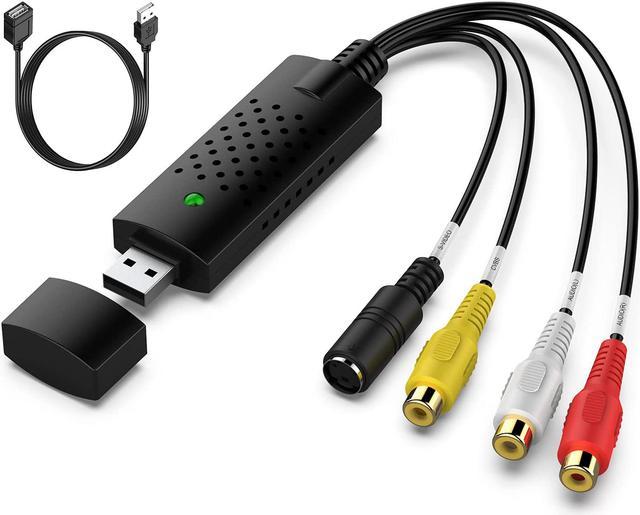
  • 1.USB 2.0 Video Capture Adapter provides a link between a PC and a video device with RCA connector or S-Video connector, such VHS, VCR, DVD.
  • 2.USB 2.0 interface, plug and play. Support brightness, contrast, hue, and saturation control. Capture audio without the sound card.
  • 3.Support All Video Formats: DVD+/-R/RW, DVD+/-VR, and DVD-Video. Applying to internet conference / net meeting. Support NTSC, PAL Video format.
  • 4.Package Contents: 1 x Digitnow USB 2.0 Video Adapter with Audio, 1 x Quick Installation Guide, 1 x CD-ROM.
Overview
Specs
Reviews (3)
USB 2.0 Output  USB 2.0 enabled computer system with avail-able USB port  Windows XP,Vista,7(32/64bi
RCA TO USB Converter with Powerful Video Capture Capability

Got a lot of video tapes taking up so much room?

Would like to save your favorite memories for ever?

VIXLW USB Video Converter turns them into digital files.

With VIXLW RCA TO USB Converter, easily capture from your devices with RCA port, like VHS/DVD/DV/Hi8 players or camcorders, and save your digitized videos onto your computer's hard drive.

Specifications:
Specifications:
PC Hardware Interface: USB2.0

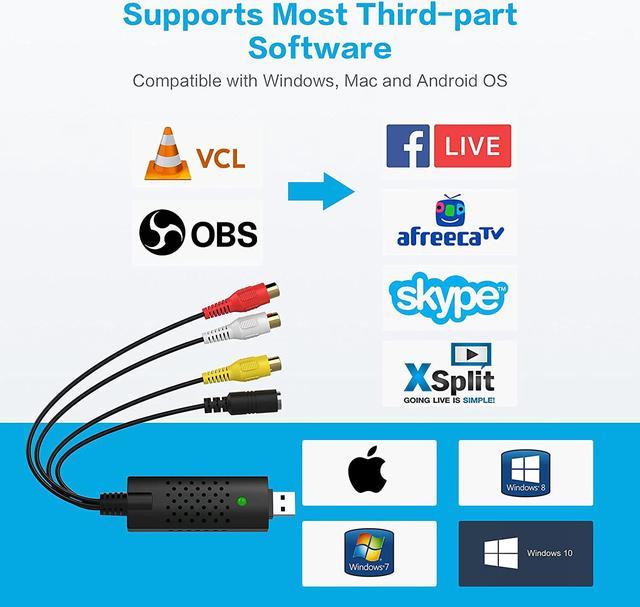
Operating System: Windows XP, Vista, 7, 8, 10, Mac OS 10.15

Supported TV Standards: NTSC, PAL

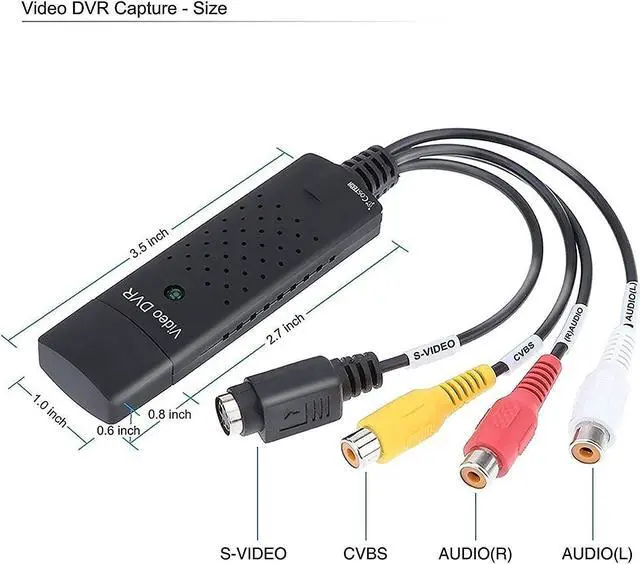
Video Input: One RCA composite, One S-Video

Audio Input: Stereo audio (RCA ) mm

Output Resolution: 720p@25HZ

Conversion Type: RCA TO USB, S-Video TO USB

Packaging:
  • USB Video Converter*1

  • USB Extension Cable*1

  • User Manual*1

How to Reach your Goal with AV TO USB Converter?
Step 1: Hook up the converter to your computer, and the driver will be shown automatically installed on the screen.

Step 2: Connect the coverter to your video sources with RCA or S-Video cable.

Step 3: Open OBS Studio or Potplayer or QuickTime Player and run it. (Note: No CD is included. Our USB Video Converter needs to work with OBS or Potplayer or QuickTime Player software. The software can be downloaded for free online. The download link is included in user manual.)

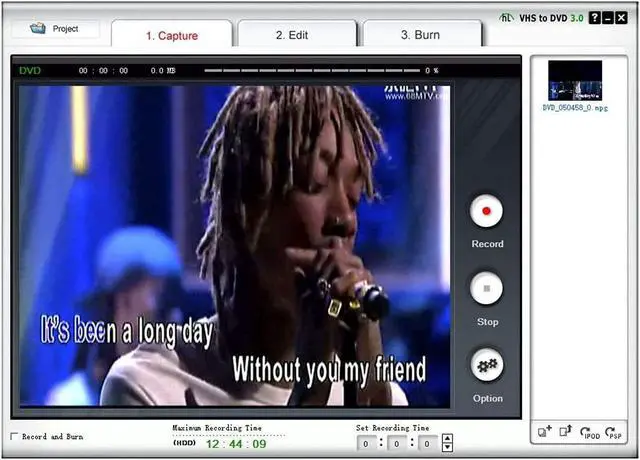
Step 4: Capture your video.

Digital Converter
Digital Converter
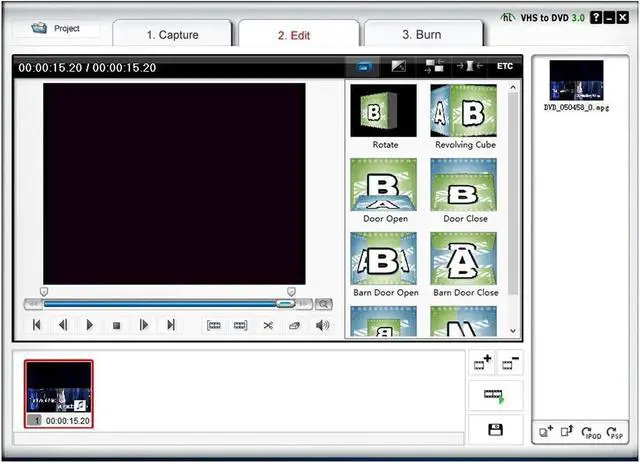
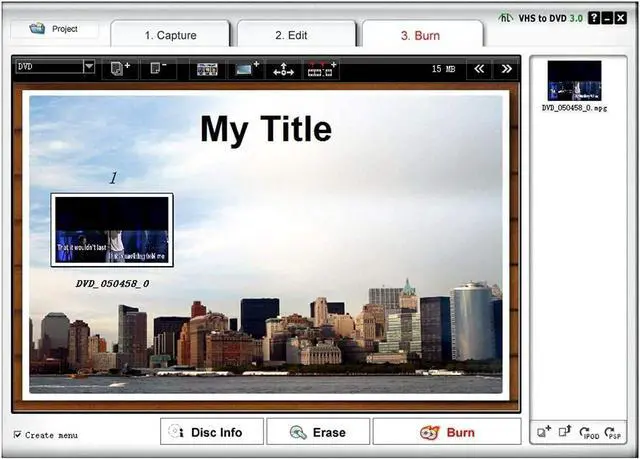
Product description Capture and Edit High Quality Video and Audio with this USB 2.0 Video Capture Box. This can capture high quality video and audio via its USB 2.0 interface and without the use of a sound card! It's an ideal video capture solution for a notebook! With the included software CD editing video is a breeze! A USB 2.0 interface makes it simple to install and with support for NTSC, PAL, and SECAM video formats you'll be on your way to video capturing in no time! Its small size makes it the ideal companion to your notebook! Order today!
Features/Specifications: - USB 2.0 interface Capture Video and Audio through USB 2.0 interface - Supports NTSC, PAL, SECAM Video Format - Support Brightness, Contrast, Hue and Saturation control -
Supportforallformats: record in DVDR/RW, DVDVR and DVD -Video USB Bus Power Plug and Play -
VideoResolution:
NTSC: 720 x 480 at 30 fps
PAL: 720 x 756 at 25 fps -
VideoInput: One (1) RCA Composite One (1)
S-Video-AudioInput: Left and Right RCA Regulatory.
Approvals: FCCCEC-TickRoHS
PackageIncludes: *USB Video Capture * Software CD * Quick Installation
GuideAdditionalInformation:
Notes:
Requirements: Windows XP/Vista Pentium 4 and above, Available USB 2.0 port, 4 GB + hard drive space, 256 MB RAM, Compatible windows sound card, and CD-ROM drive.

Warranty & Returns

Warranty, Returns, And Additional Information

Warranty

  • Please contact the Seller directly for warranty information. Warranty information may also be found on the Manufacturer's website.
  • CONTACT

Return Policies

  • Return for refund within: 15 days
  • Return for replacement within: 30 days
  • This item is covered by Amify Return Policy

Manufacturer Contact Info

LOADING...