
Your Browsing History
Best Sellers
- $2,214.86
- + FREE SHIPPING
 Hot Seller
- $2,196.22
- + $21.77 Shipping


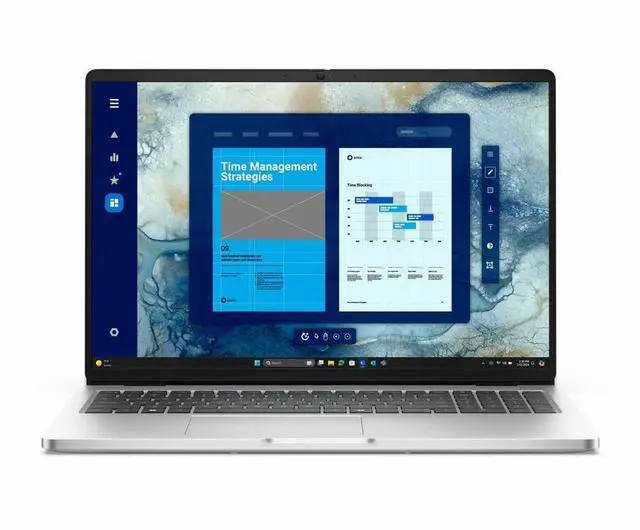
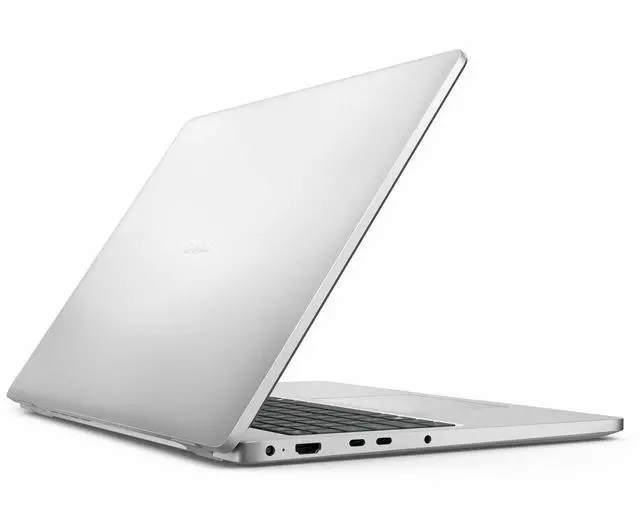
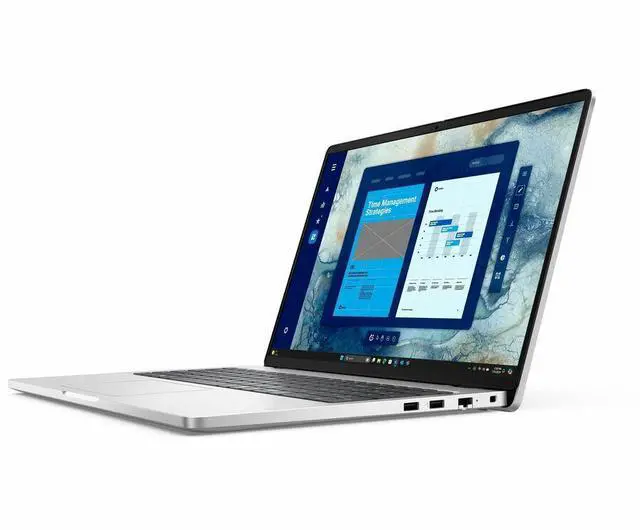
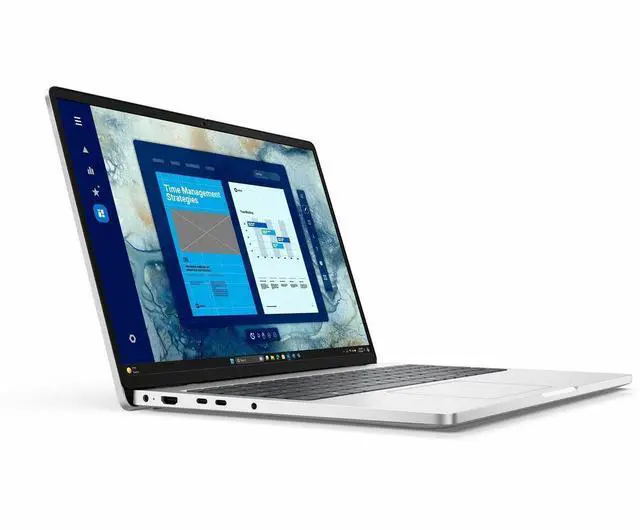
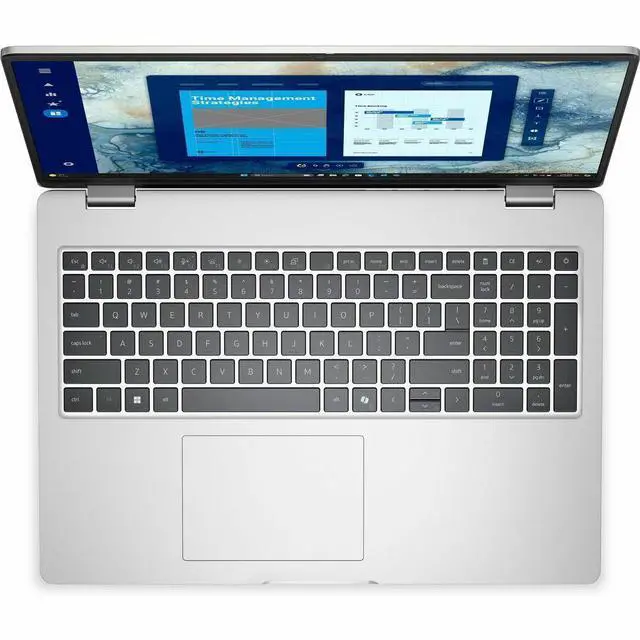
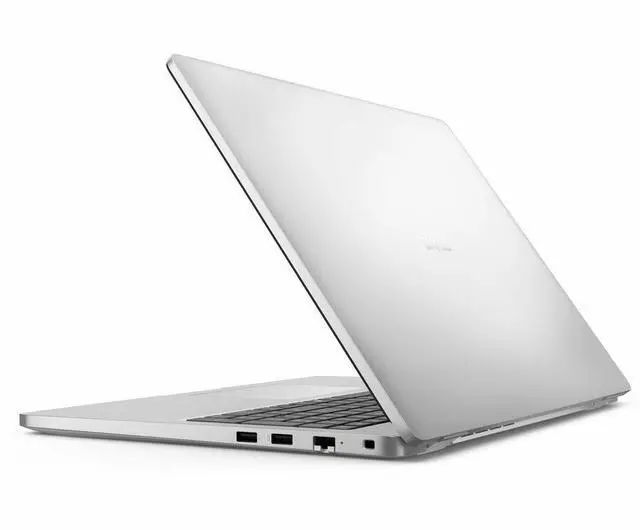


Dell Pro 16 PC16250 16" Notebook - Intel Core Ultra 5 235U - 16 GB - 256 GB SSD - Windows 11 Pro - Webcam - 8.70 Hours Battery - IEEE 802.11ax Wireless LAN Standard PNY83
Free Intel AI Software w/ purchase, limited offer
- Intel Core Ultra 5 235U
- 16GB DDR5 Memory / 256GB SSD
- Intel Graphics
- Non-Touch Screen
- 1920 x 1200
- Windows 11 Pro
+
+
Overview
Specs
Reviews
Warranty & Returns
Warranty, Returns, And Additional Information
Warranty
- Limited Warranty period (parts): 1 year
- Limited Warranty period (labor): 1 year
- Read full details
Return Policies
- Return for refund within: 15 days
- Return for replacement within: 15 days
- This item is covered by Newegg.ca's 15-Day Return Policy.
- Read full return policy for details.
Manufacturer Contact Info
- Manufacturer Product Page
- Manufacturer Website
- Support Phone: 1-800-WWW-DELL
- Support Website
- View other products from DELL
LOADING...
LOADING...
Learn about this product
The Dell Pro 16 PC16250 is a 16-inch business laptop with an Intel Core Ultra 5 235 processor, 16GB DDR5 memory, 256GB SSD, and Windows 11 Pro, making it well suited for office work, web apps, video meetings, and everyday professional use.
Recommended For
- Office users who spend most of the day in documents, spreadsheets, email, browser tabs, and video meetings, and want a 16-inch workspace with a numpad, Windows 11 Pro, wired Ethernet, and business-focused security features.
- IT-managed or small-business deployments that value vPro, serviceability, and practical port selection more than premium design, especially for employees who dock at desks, use external monitors, or need legacy-friendly office connectivity.
- Users who prefer a larger non-touch laptop for stationary or hybrid work and care more about keyboard comfort, a full-size layout, and everyday productivity than ultra-light travel or creator-grade visuals.
- Students or professionals doing coding, research, web apps, remote desktop, and cloud-based workflows that are mostly CPU-light to moderate, where 16GB RAM and integrated graphics are enough and battery life around a workday is acceptable.
Real-World Use Scenarios
- Working in Microsoft 365, Slack, and a browser all day, users can keep several office apps and many tabs open at once without the system feeling cramped for normal business work; the 16-inch 1920x1200 screen also gives more room for spreadsheets and side-by-side documents.
- For remote work and hybrid meetings, it fits the common routine of video calls, screen sharing, email, and note-taking in one session; users should expect a straightforward business-laptop experience rather than creator-grade webcam, speaker, or display quality.
- For mobile office use between desks, conference rooms, and commutes, users can reasonably expect a full workday of light-to-moderate productivity with charging sometime later in the day, not ultra-long endurance for nonstop travel away from power.
- For accounting, operations, or admin work, the full-size keyboard with numpad and 16-inch display make long spreadsheet sessions, ERP data entry, and document handling more comfortable than on smaller laptops.
- For light creative tasks like basic photo edits, presentations, web graphics, and simple short-form video trimming, it should be usable, but the integrated graphics, base 16GB memory, and 256GB SSD make it a poor fit for heavier editing, large media libraries, or CAD-class workloads.
- For occasional off-hours use, it can handle streaming, web browsing, and some lighter games, but users should not expect it to replace a gaming laptop or run newer 3D titles comfortably at high settings.
Spec Summary
| Attribute | Value |
|---|---|
| Best For | Business and productivity users who need a 16-inch FHD+ laptop with Intel Core Ultra 5, 16GB DDR5 and a 256GB M.2 SSD; suitable for office workflows, video meetings and connecting to external displays via HDMI |
| Processor And Core Count | Intel Core Ultra 5 235U — 2.0 GHz base, up to 4.90 GHz turbo, 12-core processor |
| GPU And VRAM | Integrated Intel Graphics (integrated video — no dedicated VRAM listed) |
| Display Spec | 16.0-inch FHD+ (1920 x 1200) IPS display, 60 Hz, non-touch, ComfortView Plus, maximum brightness listed as 300 Nit, reported ~45% NTSC color gamut |
| Memory Configuration | 16GB DDR5 (DDR5 SDRAM) installed, two memory slots, maximum supported 16GB |
| Storage And Expansion | 256GB M.2 solid-state drive (256 GB total, M.2 form factor) |
| High Speed I O | 3x USB ports (3x USB 3.0, no USB 2.0), 1x Thunderbolt port, 1x HDMI output, headphone jack and Gigabit Ethernet |
| Battery And Power | 3-cell Lithium‑Ion battery (55 Wh), estimated maximum run time 8.70 hours; battery included |
| Wired And Wireless Networking | Wi‑Fi 6 (802.11ax) wireless and Bluetooth support; wired Gigabit Ethernet available |
| Webcam And Privacy | Built-in webcam present (no privacy shutter specified) |
| Keyboard And Control | Full-size backlit keyboard with numeric keypad and touchpad |
| Portability | Dimensions — 12.4" W x 8.9" D x 0.80" H; weight 3 lb |
| Operating System And Security | Windows 11 Pro, includes Windows Defender (internet security software listed) |
| Model Identifiers | DELL Pro 16 PC16250 (PNY83) — Model/Edition: PC16250 / Pro 16 |
| Package Contents | Includes Pro 16 PC16250 laptop, standard battery, AC adapter, E4 power cord (1M for US), quick start guide and documentation |
Reference Q&A
Q: Should I buy the Dell Pro 16 PC16250 or a Dell Latitude 3550 for office work?
A: Choose the Dell Pro 16 PC16250 if you want a newer business platform with Intel Core Ultra 5 235U, Intel vPro support, and built-in NPU support for newer Windows AI features. A Latitude 3550 is the more familiar older-gen Dell business option, but its common Core i5-1335U configurations are typically a step behind in CPU generation and AI capability. For standard Office, web, video calls, and line-of-business apps, both fit the job, but the Pro 16 makes more sense if you want a longer-refresh business platform rather than a lower-cost older design.
Q: Is the Dell Pro 16 PC16250 worth getting over an 8GB business laptop?
A: Yes, this 16GB configuration is the safer choice for current business use. Across review coverage and buyer discussions, 16GB has become the practical baseline for heavier browser use, Microsoft Teams, multitasking, and keeping the laptop useful for longer. An 8GB model can still handle basic admin work, but the Dell Pro 16 PC16250 is the better fit if you routinely keep many tabs, Office files, and communication apps open at the same time.
Q: Should I choose the Dell Pro 16 PC16250 or move up to a Core Ultra 7 business laptop?
A: Choose the Dell Pro 16 PC16250 if your work is centered on Office apps, browser workloads, meetings, remote desktops, and general multitasking. Move up to a Core Ultra 7 configuration if you expect heavier compile jobs, larger datasets, more virtualization, or longer sustained workloads. Available benchmark comparisons show the Ultra 7 265U is not a dramatic jump over the Ultra 5 235U in typical CPU results, so the upgrade is most useful when the higher-tier model also brings more RAM, more storage, or a better display configuration.
Q: Dell Pro 16 PC16250 or Dell Pro 16 Plus: which is the better choice?
A: Choose the Dell Pro 16 PC16250 if you want a more straightforward mainstream business laptop for productivity, wired networking, and everyday office deployment. Move to the Dell Pro 16 Plus if your priority is a more premium tier, potentially stronger configurations, and a better fit for users who expect more headroom for demanding multitasking. Community discussions around Dell's newer lineup generally treat Pro as the practical business baseline and Pro Plus as the step-up option when build tier or higher-end configs matter more than keeping to a simpler office-first setup.
Q: Is the Dell Pro 16 PC16250 a better pick than a performance-focused 16-inch laptop?
A: Yes, if your priority is business productivity, manageability, and day-to-day portability rather than graphics or creator performance. The Dell Pro 16 PC16250 uses Intel Graphics and a U-series processor, so it is better matched to office apps, web work, meetings, and light content tasks than to CAD, gaming, or frequent video export jobs. If your workload is performance-first, a higher-power H-series or workstation-class 16-inch model is the more appropriate comparison target.
Q: Is this a good laptop for office work, note-taking, email, and video meetings?
A: Yes. This configuration is a practical fit for everyday business work such as email, web apps, documents, spreadsheets, note-taking, and video calls. The main reasons are its Intel Core Ultra 5 processor, 16GB RAM, Windows 11 Pro, integrated webcam, and 16-inch FHD+ display. The main limitation is storage: 256GB is enough for standard office use, but it is modest if you keep large local files or many apps.
Q: Is it worth buying as a travel work laptop?
A: It can work well for business travel if you want a larger screen without a heavy workstation. At about 3 lb with a 16-inch display, it should be easier to carry than many full-size business laptops while still giving more screen space for multitasking. The trade-off is that it is not the smallest option for frequent flights or tight spaces, and the listed battery runtime of 8.7 hours suggests moderate all-day portability rather than exceptional endurance.
Q: Who is this laptop best suited for?
A: It is best suited for business users, remote workers, and students or staff who mainly need productivity software, browser-based work, meetings, and standard multitasking. Windows 11 Pro and vPro make it more business-oriented than a typical consumer laptop. It is less suitable for buyers who need gaming performance, heavy creative workloads, or large built-in storage.
Q: What are the main trade-offs versus a more premium 16-inch laptop?
A: The main trade-offs are storage, display tier, and likely battery expectations. This Dell Pro 16 gives you business-focused basics: 16GB RAM, Windows 11 Pro, Ethernet, Wi-Fi 6, and a 16-inch 1920 x 1200 IPS screen. Compared with more premium 16-inch models, you often give up higher-resolution displays, larger SSDs, lighter designs, or longer battery life. In return, this type of configuration is usually a more practical choice for standard office deployment.
Q: Is 256GB SSD enough, or should most buyers look for more storage?
A: 256GB is enough for many users whose work is mostly browser-based, cloud-based, or centered on Office files and meetings. It becomes a weak point if you store large media files, offline project folders, or many installed applications. For a business laptop, 256GB is acceptable for light to moderate use, but 512GB is a safer choice for longer-term flexibility.
Q: Is the Dell Pro 16 PC16250 a good fit for office work and everyday productivity?
A: Yes, it fits basic office and business use well. Its 16-inch 1920x1200 display, 16 GB RAM, Intel Core Ultra 5 processor, Windows 11 Pro, and built-in Ethernet support make it suitable for spreadsheets, documents, web apps, video meetings, and multitasking. The main limits are the smaller 256 GB SSD and entry-level integrated graphics, so it is better for mainstream productivity than for storage-heavy or graphics-heavy workloads.
Q: Is the Dell Pro 16 PC16250 worth buying if you want a business laptop without paying for premium features?
A: It can be a sensible buy if your priority is a straightforward work laptop with a large screen, business-focused OS, and modern connectivity rather than premium display, touch, or dedicated graphics features. It offers a practical spec mix for work, but value depends heavily on price because 256 GB of storage and integrated graphics are modest for a 16-inch laptop.
Q: Is the Dell Pro 16 PC16250 good for travel or carrying around every day?
A: It is usable for commuting, but portability is not its main strength. A 16-inch chassis and 3 lb weight are reasonable for a larger laptop, yet community discussion around the Dell Pro 16 repeatedly points to size and carry convenience as trade-offs. It makes more sense if you want a bigger work screen than if you want the lightest travel laptop.
Q: Who is the Dell Pro 16 PC16250 most suitable for?
A: It is most suitable for office users, remote workers, students in business-oriented programs, and buyers replacing an older mainstream work laptop. The configuration is aimed at productivity tasks, meetings, browser-based work, and document-heavy workflows. It is less suitable for users who need color-critical displays, gaming performance, large local storage, or heavier creative software use.
Q: What are the main trade-offs of choosing the Dell Pro 16 PC16250?
A: The main trade-offs are that you get a large business laptop with modern RAM, Windows 11 Pro, and a practical 16:10 display, but not much headroom for specialized use. The 256 GB SSD is small by current laptop standards, the screen is basic FHD+ at 60 Hz, there is no touch support, and Intel integrated graphics limit gaming and heavier visual workloads. It is a better fit for dependable work use than for premium multimedia or creator use.