
Your Browsing History
- Free 30-day Returns
$374.57
Ships from United States.

Meet Your Seller

Get Educated
Make informed decisions with expert advice. Learn More

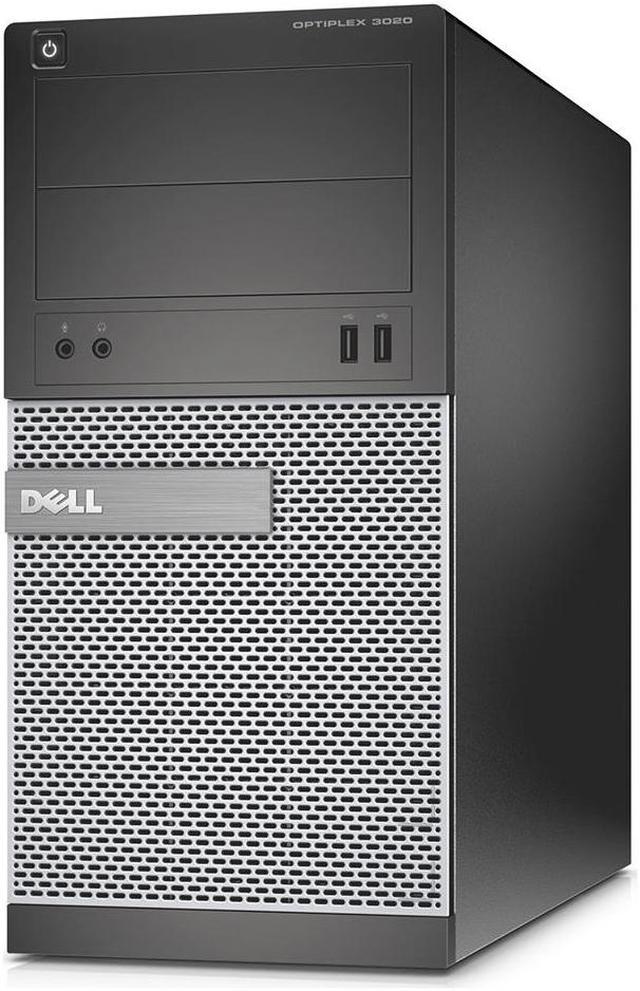
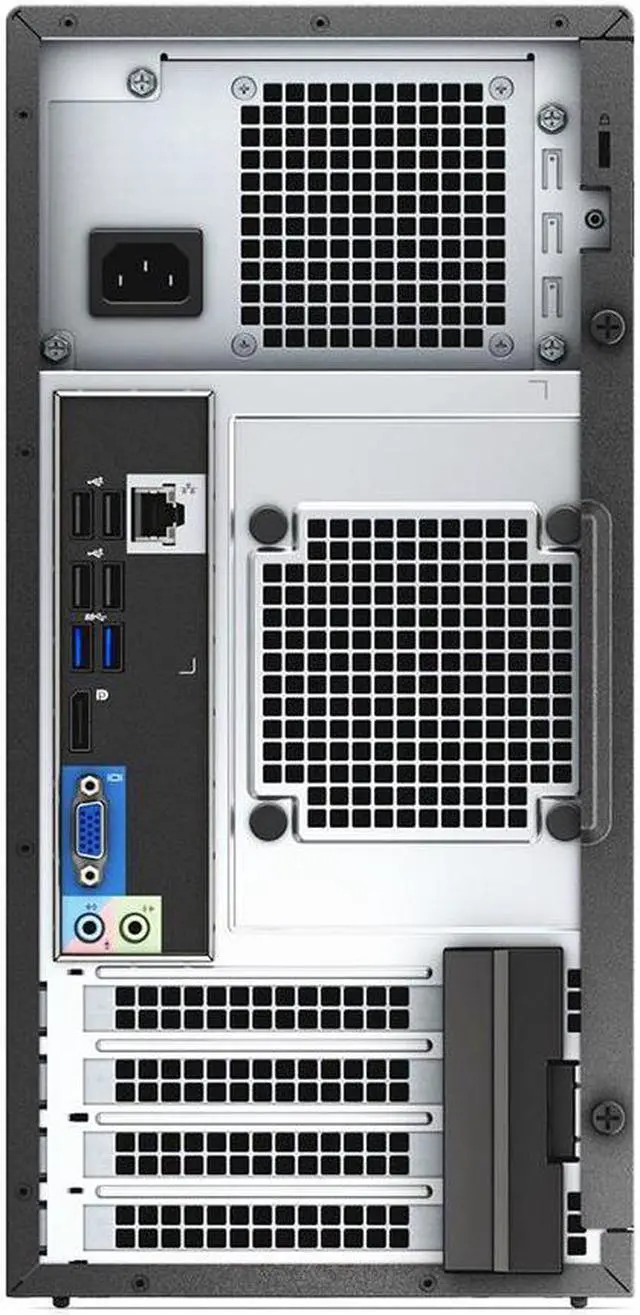
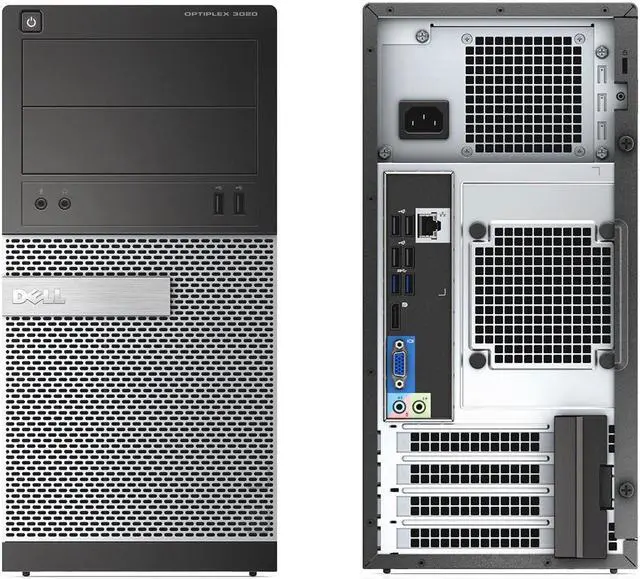


Dell Optiplex 3020 Tower, Intel Quad Core i5 4590 3.3Ghz, 16GB DDR3 RAM, 240GB SSD, DVD-RW, Windows 10
REFURBISHED Product Type
- Intel Core i5-4590
- 16GB DDR3
- 240GB SSD
- Windows 10 Home
- No Screen
- Intel HD Graphics 4600
+
+
Overview
Specs
Reviews
Work or play, the Dell Optiplex 3020 Mini Tower has you covered!
The Dell Optiplex 3020 Tower Desktop PC is a strong and reliable platform with business class components and has many features that make it a great computer for home or business use. Expandable capabilities, ample memory, speedy 4th Quad Core i5 CPU, all within a roomy case makes it a great choice for any purpose.
Specifications:
Condition:
Refurbished,
Previously Used
Through our refurbishment process, we test the entire computer for functionality including memory, hard drive, and optical drive tests. Computer may show minor signs of wear and the overall condition is considered good/great. We replace Various parts that have excessive wear such as case parts, bezels, and other parts.
Windows and Additional Software
Our Microsoft Registered Refurbisher (MRR) tech team completely wipes each machine of all traces of previous data then loads a fresh activated and updated copy of Microsoft Windows. All computers come pre-installed with the following programs for your convenience. Firefox, VLC, Java, Microsoft Security Essentials, Libre Office, Acrobat Reader, Flash and 7-Zip.
Office 365 Trial
This machine will be loaded with a link to Microsoft Office 365 trial. With this software, you can use Word, Excel, Powerpoint, Access, and Outlook. Microsoft's One Drive allows you to securely store your documents and projects on the cloud and access them from anywhere. Registration and monthly payment are required for full version.
Recovery Information
Through the Microsoft refurbishment process, we install a recovery partition on the hard disk in lieu of shipping a recovery disc. This benefits you as there is no extra media for you to keep track of and possibly misplace. If at any time you need to reinstall your very own copy of windows, simply boot to the recovery partition and follow the instructions on screen. The new install takes out all the guess work as it installs all necessary drivers and programs exclusive to your make and model.
The Dell Optiplex 3020 Tower Desktop PC is a strong and reliable platform with business class components and has many features that make it a great computer for home or business use. Expandable capabilities, ample memory, speedy 4th Quad Core i5 CPU, all within a roomy case makes it a great choice for any purpose.
Specifications:
- CPU: Intel Core i5 4590, 3.3G hz Quad Core
- Memory: 16GB DDR3
- Operating System: Windows 10 Home x64
- Hard Drive: 240GB SSD SATA
- Optical: DVD-RW
- Display Ports: 1
- USB 2.0 Ports: 6
- USB 3.0 Ports: 2
- VGA Port: Yes
- Headphone & Mic Port: Yes
- Ethernet: 10/100/1000 Mbps, Gigabit
Condition:
Refurbished,
Previously Used
Through our refurbishment process, we test the entire computer for functionality including memory, hard drive, and optical drive tests. Computer may show minor signs of wear and the overall condition is considered good/great. We replace Various parts that have excessive wear such as case parts, bezels, and other parts.
Windows and Additional Software
Our Microsoft Registered Refurbisher (MRR) tech team completely wipes each machine of all traces of previous data then loads a fresh activated and updated copy of Microsoft Windows. All computers come pre-installed with the following programs for your convenience. Firefox, VLC, Java, Microsoft Security Essentials, Libre Office, Acrobat Reader, Flash and 7-Zip.
Office 365 Trial
This machine will be loaded with a link to Microsoft Office 365 trial. With this software, you can use Word, Excel, Powerpoint, Access, and Outlook. Microsoft's One Drive allows you to securely store your documents and projects on the cloud and access them from anywhere. Registration and monthly payment are required for full version.
Recovery Information
Through the Microsoft refurbishment process, we install a recovery partition on the hard disk in lieu of shipping a recovery disc. This benefits you as there is no extra media for you to keep track of and possibly misplace. If at any time you need to reinstall your very own copy of windows, simply boot to the recovery partition and follow the instructions on screen. The new install takes out all the guess work as it installs all necessary drivers and programs exclusive to your make and model.
Warranty & Returns
Warranty, Returns, And Additional Information
Warranty
- Please contact the Seller directly for warranty information. Warranty information may also be found on the Manufacturer's website.
- CONTACT
Return Policies
- Return for refund within: 30 days
- Return for replacement within: 60 days
- This item is covered by Your EPower Return Policy
Manufacturer Contact Info
- For a directory of all our manufacturers, please click below.
- Manufacturers Directory
LOADING...