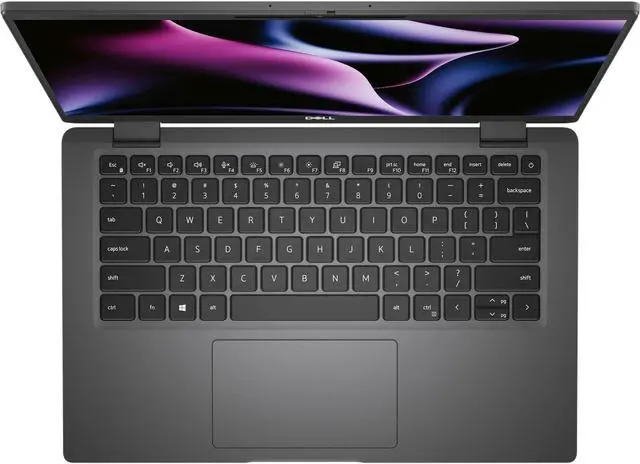
"ITEM IS IN EXCELLENT LIKE-NEW CONDITION
This item is professionally refurbished by Dell through their official Dell Refurbished channel. Fully tested, cleaned, and certified to be 100% functional"
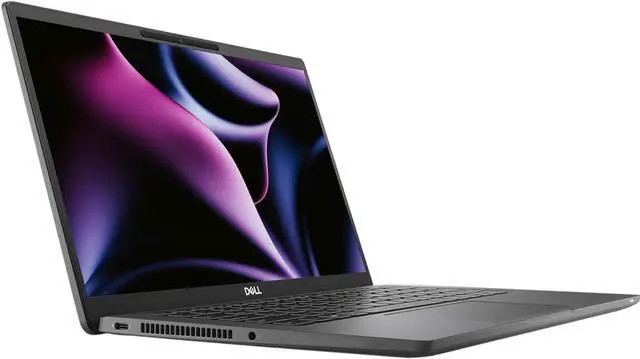
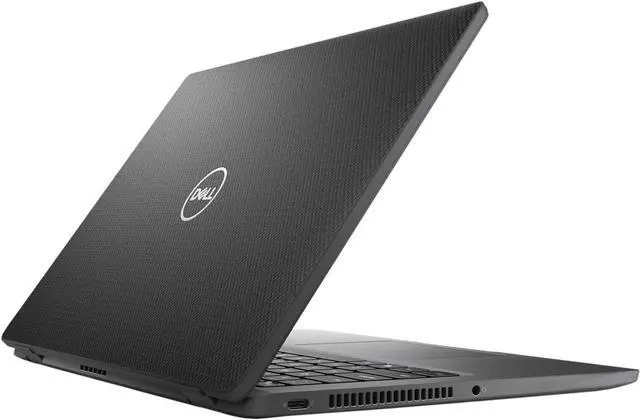
The Dell Latitude 7420 14-inch FHD (1920×1080) Non-Touchscreen Laptop in Black is a premium business laptop engineered for professionals who want reliable performance, enterprise-grade security, and productivity in a sleek, portable package. Powered by the Intel Core i5-1145G7 processor, this Latitude delivers responsive performance for everyday tasks like multitasking, office productivity tools, web conferencing, and business applications with smooth efficiency. The 14-inch Full HD display offers crisp visuals and clear detail, making it ideal for documents, spreadsheets, presentations, and multimedia without unnecessary distractions.
Equipped with 8 GB of RAM, the system handles everyday workflows and multiple applications with ease, while the 512 GB SSD provides fast boot times, quick application launches, and ample storage for your files, projects, and software. Integrated Intel graphics support reliable visual performance for standard office tasks, video playback, and presentations. The backlit keyboard enhances usability in low-light environments, allowing comfortable and accurate typing during travel, after hours, or in dim office spaces.
Running Windows 11 Pro, this laptop offers advanced security, modern productivity features, and enterprise-ready management tools tailored for both corporate and small business environments. With its robust build quality, refined design, efficient performance, and professional features, the Dell Latitude 7420 is an excellent choice for remote workers, executives, and business users seeking a dependable Windows laptop for daily productivity and secure professional use.
Key Highlights
- Intel® Core i5-1145G7 (vPro®): This 11th Gen processor is engineered for business. It includes Intel vPro® technology, allowing for hardware-enhanced security and remote management capabilities that are vital for corporate IT environments.
- Professional 14" FHD Display: The 1920 x 1080 non-touch display features an anti-glare coating, making it comfortable for long hours of spreadsheets, emails, and codingeven under harsh office lighting.
- Lightweight & Durable: Weighing in at approximately 2.7 lbs, it is incredibly easy to carry. Despite its light weight, it meets MIL-STD-810H military standards for durability against drops, spills, and extreme temperatures.
- Intelligent Audio & Video: Equipped with a high-quality webcam with a physical privacy shutter and dual-array microphones that use AI noise cancellation to ensure you sound clear on Microsoft Teams or Zoom calls.
- ExpressConnect: The laptop automatically joins the strongest Wi-Fi signal in the office and prioritizes bandwidth for video conferencing applications, reducing lag during important presentations.
Specifications
- Processor: Intel® Core i5-1145G7 (Up to 4.4 GHz, 4 Cores, 8 Threads, 8MB Cache, vPro Eligible).
- Graphics: Integrated Intel® Iris® Xe Graphics.
- Display: 14.0" FHD (1920x1080) Anti-Glare, Non-Touch, 250-400 nits.
- Memory: 8GB LPDDR4x-4266 MHz RAM (Onboard).
- Storage: 512GB PCIe® NVMe M.2 SSD.
- Operating System: Windows 11 Pro.
- Connectivity:
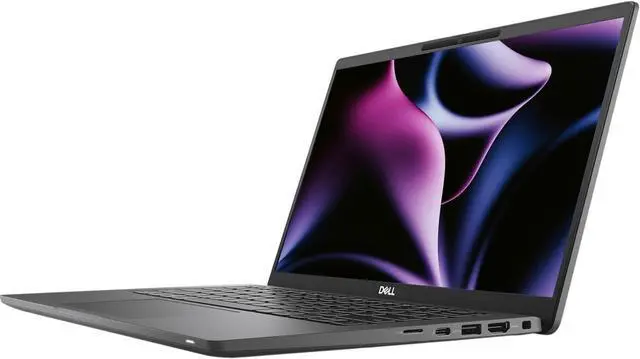
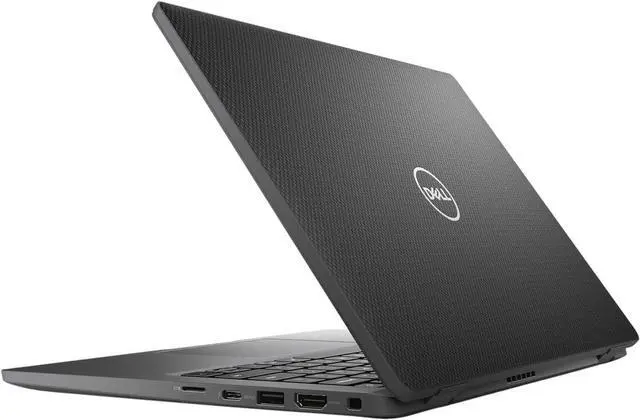
- 2x Thunderbolt 4 (supports Power Delivery and DisplayPort).
- 1x USB 3.2 Gen 1 Type-A (with PowerShare).
- 1x HDMI 2.0.
- 1x MicroSD Card Reader.
- 1x 3.5mm Combo Audio Jack.
- Wireless: Intel® Wi-Fi 6 and Bluetooth 5.1.
Pro Tip: Maximizing Your Latitude 7420
- RAM Consideration: Note that the RAM in the Latitude 7420 is soldered (onboard) and cannot be upgraded later. This 8GB configuration is perfect for standard office productivity, but if you plan on doing heavy data analysis or running virtual machines, you may want to look at a 16GB model.
- Thunderbolt Productivity: Take advantage of the dual Thunderbolt 4 ports. A single-cable docking station can power your laptop, connect to two 4K monitors, and link all your peripherals (mouse, keyboard, external drives) instantly.
- Dell Optimizer: This AI-based software learns your habits and automatically improves system performance, battery life, and audio settings in the background without you having to lift a finger.
- Battery Care: If you use your laptop primarily while plugged into a dock, use the Dell Power Manager app to set the battery charging limit to 80%. This significantly extends the long-term health of your battery.