
Your Browsing History


Brian C.
Joined on 04/22/06
0
0

product reviews
- 4
works
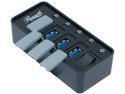
Rosewill 4-Port USB 3.0 Hub with Anti-Dust Rubber Caps and LED indicator on each Port, 480Mbps Data Transfer Speed for Windows & macOS - RHB-210
Pros: Works. Has holes on the back for mounting to a wall with screws. Has power switch. Shows polarity of needed DC adapter for powering it.
Cons: May be bigger than you want. Doesn't say what size of barrel plug you need to power it with. Barrel jack is NOT the most common 5.5x2.1mm
Overall Review: The barrel jack is smaller than a PSP 4x1.7mm. It appears to be pretty close to 1.3x3.5mm (1.35x3.5mm?). Center Positive, outside Negative.
3/17/2019See more detail
Didn't work
![Wavlink USB Hub, 4-Port USB 3.0 Portable Aluminum Hub ,USB Extension Multi-function USB Dock Hot Swapping Support for iMac, MacBook, MacBook Pro, MacBook Air, Mac Mini, or any PC [Silver] Model :3048](https://c1.neweggimages.com/ProductImageCompressAll125/A6PF_131684928193751473W4eSp3NNmB.jpg)
Wavlink USB Hub, 4-Port USB 3.0 Portable Aluminum Hub ,USB Extension Multi-function USB Dock Hot Swapping Support for iMac, MacBook, MacBook Pro, MacBook Air, Mac Mini, or any PC [Silver] Model :3048
Pros: None
Cons: Some thumb drives didn't work at all. Other thumb drives, when I plugged in two, showed up in Windows as one drive. I wasn't brave enough to try writing to anything because this thing is obviously broken.
Overall Review: looks nice
3/17/2019See more detail
Beautiful OLED monitor without VESA mount. Power button quirks
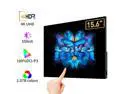
15.6inch 4K OLED portable monitor 10-points touchscreen UHD HDR400 550nits IPS monitor for laptops with type C
Pros: OLED beauty, USB Hub, included power
Cons: no VESA mount, long press for power is long
Overall Review: Note: The description and pictures for this listing seem to have changed between when I purchased this and when I posted the review. Ordered approximately 2023-09-14. Review posted about 2.5 months later. The pictures are accurate in that the monitor has a larger border on the bottom than on the top or either side. Contrary to the description, but in accordance with the pictures, the unit I received had a full-sized HDMI port, not a mini. The monitor is two different thicknesses, as shown in the pictures. The thin area on my unit measured just under 4.7 mm and the thick are measured just under 11.2 mm. The thick area is 75.6 mm high. The other dimensions listed of 354 x 233.4 mm seemed accurate, but I didn't measure too closely. I'm not sure, but I don't think that includes the rubber feet that stick out of the bottom about 1 mm. This monitor has the OLED beauty that you'd expect. However, the copy I received did *not* have a VESA mount. This made me sad enough to remove a star because I bought this monitor specifically for the VESA mount. What it did have is a fold-out kickstand to hold the monitor mostly upright on a flat surface. The bottom edge of the monitor and the kickstand have rubber feet that do a pretty good job of being anti-skid. The kickstand's folding action is fairly high friction, so it tends to stay wherever you have put it. Quirky power: There are only three hardware buttons: volume up, volume down, and power. The power button brings up the OSD with a short press, which is then controlled by the touch screen. To turn on or off the monitor, you have to long-press the power button and by long, I mean more than three seconds. In my tests, four seems to be the minimum, which seems like a long time when you're sitting there holding it in. The accuracy of this measurement is limited by my ability to push the power button with one finger and a stopwatch button with the other. The case I received is very different than what was illustrated in the pictures. The one I received is a neoprene pouch that you slide the monitor into and it tucks over the end, not something that wraps around and looks like it might be secured by the VESA mount. The monitor also has a USB hub built in. The USB-A port doesn't seem to be an optional way to plug in the monitor. You have to use the USB-C port(s) for that. You use either one USB-C port because you are powering the monitor from the computer's USB-C port that the monitor is plugged into (and maybe also running the display over the USB-C, too). It will run with just the one USB-C plugged in) or you use two because you have used an A-to-C cable to plug it into the computer's USB-A port because you want the touch screen to work, but USB-A doesn't have enough power to run the display. So you have to plug the second USB-C port into something to provide the necessary power to run the monitor. Of course, then you're providing display information via HDMI. A USB-C power supply was included with my unit, along with a USB-C to USB-C cable. Once you've hooked it up to USB on the computer, the USB-A port on the monitor is available for you to plug other devices into. This way, you could plug in a keyboard or mouse or hub and only have one cable from the computer on the floor to the monitor on your desk and a keyboard and mouse plugged into a hub that is plugged into the monitor. The touchscreen and USB hub all worked out of the box on Ubuntu 22.04. Here is how the monitor shows up for me on lsusb: Bus 001 Device 027: ID 27c0:0858 Cadwell Laboratories, Inc. WingCoolTouch Bus 001 Device 026: ID 1d5c:7102 Fresco Logic Generic Billboard Device Bus 001 Device 025: ID 05e3:0608 Genesys Logic, Inc. Hub
12/4/2023See more detail
Works
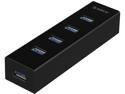
ORICO 4 Port Portable Super Speed USB 3.0 Hub a Built-in 3ft USB 3.0 Cable for Ultra Book, Macbook Air, Windows 8 Tablet Pc -Black (H4013-U3-V1)
Pros: Came with a power cord that plugs into a USB port (use an old phone charger). Takes an A to A cord to connect to the computer, instead of an A to B.
Cons: Depending on what you plug into it and how fat your fingers are, it is either too big or it has generous room to plug and unplug devices. My hands are large and it works well for me.
Overall Review: It didn't come with a power cord that plugs into the AC, but then again, it said that it didn't.
3/17/2019See more detail