
Your Browsing History


ROBERTO L.
Joined on 01/20/11
0
0
product reviews
- 22
Currently my favorite mechanical keyboard.
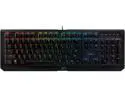
Razer BlackWidow X Chroma - RGB Mechanical Gaming Keyboard with Military Grade Metal Construction
Pros: -Razer has switched manufacturer of their switches from Kailh to Greetech and with that, there's been a vast improvement to switch quality. These new switches sound better and feel a lot more crisp than the 2014 Razer Green switch. Supposedly these are now rated to last 80 million instead of 60 million but only time will tell if that's true. -Razer has brought back traditional MX Blues for those that prefer them, but only on the BlackWidow Ultimate. -With the new Razer Green switch, they've bumped up the warranty from one year to two years. -Costar stabilizers are used on this keyboard which I and many other people greatly prefer over the Cherry stabilizers. They feel a lot more solid anywhere you press the keys. The Tournament X variant of this keyboard has Cherry stabilizers which is one of the main reasons I opted for the full sized version instead. -New metal finish looks and feels a lot more premium than the old one found on the original BlackWidow Chroma. It doesn't attract fingerprints but note it does attract dust. Also quite a heavy keyboard weighing slightly over three pounds giving it a premium feel. -New font looks a lot more clean and professional. -Lighting is very bright, although not as bright as the original BlackWidow Chroma due to no longer having the white backplate. -Razer Synapse is still light on resources, it only uses about 40MB of RAM on my system which is less than one page of Google Chrome. The keyboard lighting effects are saved onto the keyboard itself so it will remember your last used profile with or without Synapse installed on your PC. -Chroma apps is new in Razer Synapse and it sets up profiles for some games such as Overwatch. For example, the keyboard will change lighting effects based on your character, when a cooldown comes up or an ultimate etc... this can be disabled in Synapse though for those that prefer to have their own lighting effect.
Cons: -Secondary characters are still not illuminated. I know this is a limitation due to where the LED is placed and the only real way to fix that would be to place both primary and secondary characters next to each other. -No extra goodies except stickers. For a $160 keyboard it would be nice if Razer started including some extras such as a keycap puller, wrist rest, etc... -No dedicated media keys, the FN keys can do pretty much everything but the time I spent with the Corsair LUX RGB and Azio RGB keyboards spoiled me with the mute button and volume wheel/knob.
Overall Review: This is a list of all previous mechanical keyboards I've owned: Razer BlackWidow Ultimate 2013 with MX Blues Razer BlackWidow Chroma 2014 with Kailh Razer Green switch CM Storm QuickFire with MX Blues Steelseries Apex with MX Reds Azio RGB with Kailh Blues Corsair LUX RGB MX Blues Out of all these keyboards, the BlackWidow X Chroma is currently my daily keyboard for both typing and gaming, Razer has definitely taken a step in the right direction. The new switch by Greetech is definitely worth it and if Razer would implement a magnetic wrist rest like the one found on their unreleased "Ornata" keyboard, as well as the addition of a mute button/volume wheel, it would be the perfect keyboard for me.
10/12/2016See more detail
Some annoyances with an otherwise great product.
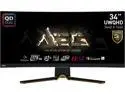
MSI 34" 175 Hz QD-OLED UWQHD QD-OLED Gaming Monitor FreeSync Premium Pro (AMD Adaptive Sync) 3440 x 1440 (2K) 97.8% Adobe RGB / 99.3% DCI-P3 / 139.1% sRGB MEG 342C QD-OLED
Pros: - Beautiful image quality, thanks to the QD-OLED panel. - Best ports out of all the QD-OLEDs with HDMI 2.1, USB Type-C, KVM switch and more. - Three year burn in warranty, but it comes at a literal big cost, read the cons for more information.
Cons: - Every four hours the pixel refresh will pop up right in the middle of the screen, it blocks your view and there's no way to disable this, so you have to wait for it to go away by itself of click cancel. The AW and Samsung OLED monitors have an option to disable that pop up. Come on MSI, you could be in a competitive match, last thing we need is a pop up akin to a virus from the early 2000s blocking the whole middle of the screen. - Fan ramps up to max speed a few minutes after the monitor is turned on. It only does this for about 1-2 seconds and goes quiet, not a huge deal but that should be fixed as it sounds cheap. - MSI doesn't cover the cost of shipping for warranty. This is a 31 pound box and I did the online shipping calculator and it would cost me over $120 to ship it to MSI in the event I needed warranty service or a burn in replacement. For what it's worth, the AW models provide you with a free shipping label. - No screen protector for shipping, so due to the fragile coating on this monitor, expect to have some fine micro scratches under bright lighting, only Samsung has a screen protector applied. So for those that scrutinize over "perfect" screens, the MSI will definitely have some scratches. -Availability seems to be really low, took forever to release and Samsung has just announced generation 2 of this QD-OLED panel for release this year with double burn in resistance and brighter screens.
Overall Review: - All in all, I ended up returning it because after seeing early reports of QD-OLED and premature burn in by RTINGS, I don't think it's fair to advertise a great warranty on a $1100 monitor, and leave the customer to shell out over $100 to ship it. If they let us disable the pop up, and changed their RMA procedure for this product, this would be a 5 star product and by far the best QD-OLED option available.
5/29/2023See more detail
Almost perfect.
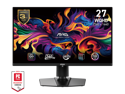
MSI MAG 271QPX QD-OLED E2 27” WQHD Gaming Monitor – 240Hz, 0.03ms GTG, QD-OLED, FreeSync Premium Pro, HDR True Black 400, HDMI 2.1, USB-C, Anti-Reflection, Frameless Design, Adjustable Stand
Pros: - Punchy colors. - Glossy screen with light anti glare coating looks really good. It's not as reflective as a pure glossy screen but it still looks nice and handles glare pretty well. - 240Hz at 1440P is a great combo. - Multiple burn in mitigation options that can be enabled or disabled. - No cooling fan, so quiet operation. Passive cooling is always worth it as you don't have the risk of a fan inside your monitor going bad with no way to replace it. - Design is subtle and the stand barely takes up room on my desk. - Supports firmware updates through DisplayPort. - DSC toggle, it can still do max refresh rate/Hz as well. - Great price on sale. - Good packaging and comes with a plastic peel to protect screen from scratching in shipping. I've had this issue with another manufacturer, luckily MSI packaged this perfectly.
Cons: - In the default color settings, there's noticeable black crush in SDR mode. You can fix this by changing it to sRGB or DCI-P3 but it washes out the image and colors. - There's a tiny bit of text fringing if you get close to the screen, not a deal breaker but if you need the absolute best text clarity on OLED, you'll need to move up to a 4K model.
Overall Review: If MSI releases a firmware update to fix the lower gamma black crush in SDR mode, this would be a perfect monitor.
12/28/2024See more detail
Product itself is perfect, rebate still not received 4 months later.
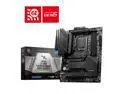
MSI MAG Z790 TOMAHAWK WIFI DDR4 LGA 1700 Intel Z790 SATA 6Gb/s ATX Motherboard
Pros: -Motherboard works perfectly fine, no issues at all and it looked brand new in retail packaging and accessories.
Cons: -Rebate program is terrible. I submitted everything two days after I received the monitor and I've confirmed with the rebate program that it's all verified but to keep waiting. There's no tracker or anything like other programs I've done in the past, so you just have to take their word.
Overall Review: -Yes I'd recommend this product, but don't count on the rebate to come in a timely manner.
12/6/2024See more detail
This is the only USB I've ever owned that failed.
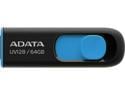
ADATA 64GB UV128 USB 3.2 Gen 1 Flash Drive (AUV128-64G-RBE)
Pros: - Worked once. - It was less than $3 on sale.
Cons: - Worked once, I didn't try to use it again until after the return period and the drive is completely dead. - That's why it was $3.
Overall Review: No, I wouldn't recommend. I've had dozens of USB drives that are over half a decade old and they all still work.
11/3/2024See more detail
Beautiful image quality with rich array of features.
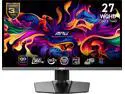
MSI 27 inch WQHD 2K 1440P 360Hz with AMD FreeSync Premium Pro 0.03ms HDR400 USB-C OLED Gaming Computer Monitor with Height Adjustable, Swivel, Pivot & Tilt stand MPG 271QRX QD-OLED
Pros: - QD-OLED with a generation 3 panel. - KVM switch. - Full bandwidth HDMI Ports. - Headphone jack. - Plastic peel on screen. - Passive cooling for no fan noise. - Various OLED burn in mitigation features such as taskbar detection, logo detection, static screen detection, pixel shift, and more. These features with the exception of pixel shift can be enabled/disabled. - Firmware updates available.
Cons: - Monitor turns off after a pixel refresh. I'd like MSI to update it to go into standby after a refresh. - 4 hour pop up can be disabled but it would be nice to allow us to completely disable the 16 hour pop up as well. - Allow us to switch between "Console" and "PC" like you could on the MEG 342C. Out of the box, the resolution options in the Nvidia control panel are bloated.
Overall Review: I think this a great monitor for competitive gamers since it's 1440P you'll be able to push higher frames and take advantage of the 360Hz refresh rate. I was debating between the 4K model and this one and overall, for my setup, I'm happy with the 27 inch. If MSI could allow us to let the monitor go to sleep after a pixel refresh, it would be perfect.
3/9/2024See more detail