
Your Browsing History


Richard B.
Joined on 04/12/07
0
0
product reviews
- 8
Good drive. Beware riplock
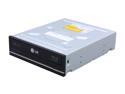
LG Black 12X BD-ROM 16X DVD-ROM 48X CD-ROM SATA Internal 12X Blu-ray Combo Drive Model UH12NS29
Pros: I got this drive for backing up my movie collection. It has done a great job so far.
Cons: Riplock is a form of DRM stuck in the drives firmware that limits the speed at which you can access data on a disc. When you are backing up a disc it maxes out at around 2-4x . Just an FYI if you will be backing up a collection look elsewhere.
6/29/2013See more detail
Randomly drops connection
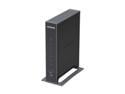
NETGEAR N300 Open-Source Gigabit WiFi Router 128MB NAND and 128MB RAM, 480 MHz MIPS 74K Processor (WNR3500Lv2)
Pros: Great range. Fast Speeds. Simple setup. Able to connect/share an external HD to it with no issues. Looks good?
Cons: Worked great for about 1 month(right outside of neweggs return policy) then it started to randomly drop my connections. Lots of people are having this issue. Go to netgears forums and look at one of the many threads I've owned my router for one month. No issues ran like a champ. Then one day my internet's down on my two desktops(W7 and Mac OSX) and my two laptops (W7 and Mac OSX). So I just assumed my internet was down. It wasn't. I plugged directly to my cable modem, WALA! Internet. So I power cycled PC's, cable modem and the router. Still no joy. So I start swapping cables. Nothing. I go to the router gui and try all of the settings nothing. Updated to the last firmware and did a hard reset on the router. Nothing. Wam.. randomly internet's back up after an hour or so. After a week of this random disconnection stuff I grow tired of it and finally I contact tech support. I wait 20 minutes to talk to someone his tech ID badge was 1313.
Overall Review: I got through, answered his questions about myself and we finally start trouble shooting the issue and wam the internet randomly starts working again... this guy refuses to help me.. he keeps saying 1313: So Richard your internet is working now Me: WE DIDNT even do anything its not working correctly..it has issues please help me 1313: So its working now Richard Me: YES ITS RANDOMLY WORKING. It wasn't working for the last two hours. We didnt do anything to change that 1313: So its working Me: NO! Help me please with the issue I called you about I didnt call about not having internet access I called about this router dropping connections 1313: Ok sir go to your browser and type routerlogin.com Me: Its done 1313:Ok click on WAN and under munit change it to 1400 Me: I read what that setting is for and it has nothing to do with my issue 1313: Is your internet working now? Me: MY INTERNET WAS WORKING BEFORE WE DID THAT SO YES ITS WORKING NOW Horrible t
3/11/2011See more detail
Perfect
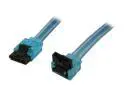
OKGEAR GC18AUBM12 1.5 ft. (18 in.) SATA 3.0 Cable with Metal Latch, Straight to Right Angle, UV Blue
Pros: It was exactly what I ordered and Newegg got it here fast as usual.
Cons: None.
Overall Review: Thank you for the well made product OKGEAR!
6/29/2013See more detail
Run away!
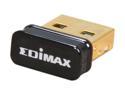
EDIMAX EW-7811Un 150 Mbps Wireless IEEE 802.11b/g/n Nano USB Adapter
Pros: It fit into a USB slot.
Cons: This card absolutely destroyed my Windows 7 install. Here is the breakdown. 1. I insert adapter into my PC. 2. Insert provided CD. 3. Run said CD software. 4. It installs the drivers and some proprietary WiFi software and loads up a WiFi select menu. 5. No WiFi networks appear. I wait 5 minutes refreshing periodically. Nothing 6. I go to load the internet but I'm not connected...(Odd seeing as my computer is hardwired.) 7. I noticed I no longer have an ethernet adapter and four of my USB ports. 8. I go into device manager and re-scan. Nothing shows up. 9. I go to reboot. I get a blue screen. 10. I manually reboot. All of my USB ports are reporting driver errors. My ethernet adapter is still MIA. 11. I spend the next 10 hours trouble shooting trying to get my ethernet adapter back and figuring out why my USB ports give me a driver on first boot(Which I have to go into Device Manager and uninstall them and re-scan for them just to get them to work.... EVERYTIME) 12.I finally get the adapter to work and I am managing to get (.87)kbps down on my 50mb connection. My computer is roughly six feet away from my router and in direct LOS. 13. I went to EDIMAX's website in hopes that there was a driver update. The latest drive update was from 2010........So needless to say there wasn't an update. 14. Since this thing already bricked my entire PC and removed my ethernet adapter and hosed my USB I figure why not just reformat and re-install. **Is it sad that its faster to re-install an operating system than it is to trouble shoot this piece of junk adapter. 15. After a fresh install of Windows 7. I tried again. Nope. Still the same problems. 16. After wasting time that I can never get back on this.....piece of hardware..... I sent it back to the store. PLEASE STAY AWAY FROM THIS JUNK. PAY THE EXTRA 5 BUCKS FOR A BETTER PIECE OF HARDWARE.
6/29/2013See more detail
Easy Install - Worked
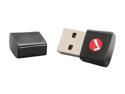
INTELLINET Network Solutions 524773 Wireless 150N USB Mini Adapter IEEE 802.11b (11 Mbps Wireless LAN) IEEE 802.11g (54 Mbps Wireless LAN) IEEE 802.11e (QoS Enhancement WMM) Upward compatible to IEEE 802.11n (150 Mbps Wireless LAN). USB 2.0
Pros: It was easy to install w/ the CD that was included. Its small so it doesn't stick out far and it felt sturdy.
Cons: It wasn't native to Windows 7. I had to use the included CD.
8/28/2011See more detail
Nice, Cheap RAM
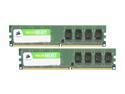
CORSAIR 2GB (2 x 1GB) DDR2 667 (PC2 5300) Desktop Memory Model VS2GBKIT667D2
Pros: Installed with no issues. Immediately noticed the performance boost.
Cons: none
7/21/2011See more detail