
Your Browsing History


Michal C.
Joined on 08/22/01
0
0
product reviews
- 14
Moves quite a bit of air but louder than stated
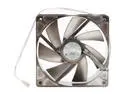
SilenX IXP-76-18 Case Fan
Pros: At full RPM this fan moves a lot of air. But it's also LOUD. Like about any other fan though - at lower RPM is very quiet. At around 700 RPM (half speed) it's all but noiseless.
Cons: Over-stated dBA figures make this product useless where low noise level at full RPM is important. 18dBA noise figure is simply not true at 1400 RPM. It's because Silenx uses a non-standard noise measuring technique resulting in artificially low numbers. They measure noise at 1m from each of the 3 axes then take an average. The result is that when set side by side with other fans with much higher rated noise levels - Silenx fans are actually louder.
Overall Review: I used this fan for CPU cooling in my HTPC. For this particular application - it works great. Motherboard controls the fan so it shuts down completely at idle. At low load it spins at around 700 RPM which does not generate any perceptible noise. Should the system start heating up however - this fan is capable of plenty of air flow to cool things down. So far - full RPM has yet to be required. There are other fans that would probably do the job just as well but I wanted to try Silnx products for myself. I now know they are essentially not worth the extra cost. They very well may have "industry's best" noise to RPM ratio. But that doesn't make them quiet. Silenx needs to provide real noise figures because false claims will only result in negative reviews from disappointed customers.
9/14/2007See more detail
NOT 9dBA
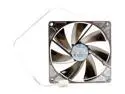
SilenX IXP-64-09 92mm Case Fan
Pros: Shape of blades and small hub probably allow this fan to have decent airflow to decibel ratio.
Cons: Specs are made up. Bought 2 of these but they are LOUDER than the 2 fans rated at 14dBA I already have that SilenX fans were supposed to replace.
Overall Review: Returned for refund and ate restocking fee. These are decent fans and ARE very quiet. (provided they don't break down on you like my 80mm SilenX did after 24 hours). But if you are looking for a 9dBA fan with decent airflow - this is not your fan. Running them at lower voltage would make them virtually silent. But you can do that with just about any fan at the expense of lower air flow...
9/20/2007See more detail
Grat fan for the money
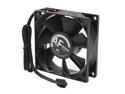
ARCTIC COOLING AF8025 80mm Case Cooling Fan
Pros: Reasonably quiet. Not a contender in the 'silent' fan competition - but good fan for general purpose case cooling. 6 year warranty. Probably the lowest cost fan with fluid dynamic bearings.
Cons: No RPM readout. Why would anybody NOT include the third wire for reading fan RPM is beyond me. Airflow could be a bit higher. No effort on part of Arctic Cooling to introduce any innovation in the blade shape / hub size department that might allow higher airflow at same noise levels.
Overall Review: I'm using the AF8025 in my aging Shuttle Small Form Factor PC which originally come with a jet engine of a Sunon fan running at 3000rpm. I first replaced the stock fan with a SilenX. AF8025 replaced the 80mm SilenX that failed after less than 24h since installation (developed a clicking sound which made it rather loud and noticeable). While the other fan was more quiet and had seemingly better airflow (while it actually worked) - it ceased to be quiet after less than a day. Rather bad result for product that's probably the most expensive 80mm fan out there. The Arctic Cooling seems to be well constructed with traditional shape of the fan blades and thick structure of the fan. Feels pretty solid - at the expense of probably being louder than it needs to be to push 26.8cf/m. Overall - seems like good value.
9/20/2007See more detail
Buy it if loosing your data is your ting
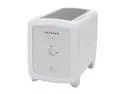
NETGEAR SC101500-100NAS 500GB Storage Central
Pros: Noisless - if you use quiet drives.
Cons: Very, VERY bad software. After half a year or so of daily usage - SOMETHING happened and I was no longer able to access about half of my data. Calls to customer support proved that they understand this product even less than I do.
Overall Review: Stay away from any proprietary devices that require you to install 'drivers' or 'software' in order to use them. Use NAS products that run SAMBA or some other standard scheme for accessing data over the network and just 'show up' on your network.
9/14/2007See more detail
It's hard to go wrong with a Seagate drive
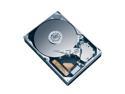
Seagate BarraCuda 7200.10 ST3500630AS 500GB 7200 RPM 16MB Cache SATA 3.0Gb/s 3.5" Hard Drive (Perpendicular Recording) Bare Drive
Pros: I've had so many Seagate drives over the past 15 years I lost count. Ever since Seagate started using fluid dynamic bearings - their drives have been whisper quiet. I use this drive in my HTPC so performance is plenty good for what I need.
Cons: Runs warm. But I guess all hard drives do these days.
Overall Review: You put it in, partition, format, write data, read data, live your life. It's a hard drive. Not much to it as long as it keeps on spinning...
9/14/2007See more detail
Not sure this does anything; certainly does not hurt
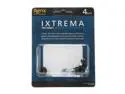
SilenX IXA-GM4 Drive Grommets
Pros: Does not generate any additional noise / vibration. So it can't hurt. Relatively inexpensive - even if it doesn't dampen any noise.
Cons: I'm not sure these actually do anything. Just as before - the entire length of each side of the drive still touches the drive cage freely transferring vibration.
Overall Review: Given the design of this product I'm not sure this can be even called a 'grommet.' It does not fit inside the hole but instead - the rubber piece sits on the outside wall of hard drive cage (the part of the computer case that holds hard drives) and the head of the screw. Perhaps it does dampen some noise. In my case - there is no way to tell any difference. I guess for a grommet to work the drive cage would have to be designed with grommets in mind. In 'traditional' drive cage design - there simply is no room for a grommet. So the hard drive touch the case just like it did before installation of these funky screws.
9/14/2007See more detail